Over the last few weeks I’ve been testing out the new GoPro Mission 1 Pro camera, which is part of a larger lineup of cameras taking advantage of their more recently announced GP3 chipset. Over the past few years, GoPro has struggled to compete in certain aspects of the action cam market. This camera has been heavily looked at as a make or break moment for the company. And at the moment after using it for a bit, it seems like GoPro is poised to deliver a strong market-leading camera. If nothing else, the specs certainly win in virtually every category. But, that’s getting ahead of ourselves.
There are three models of the newly named GoPro Mission 1 series, which presumably replace the previously assumed Hero 14 name. They are as follows:
GoPro Mission 1 Pro: The camera this post is about
GoPro Mission 1 Pro ILS: The exact same camera, but with a DSLR-style camera lens mount (Micro 4/3rds), ILS stands for Integrated Lens System
GoPro Mission 1 Base: Almost an identical camera to the Pro, but with slightly reduced frame rates. It still does 8K and everything else, with exact differences listed below in the next section.
In terms of shipping, the Mission 1 & Mission 1 Pro will start shipping May 28th, with the Mission 1 Pro ILS coming later in Q3. Additionally, there’s a host of other accessories coming, including a new wireless mic system (like DJI & Insta360’s), along with much more.
In this post (heavily through the above video), I’m primarily going to look at all the new features/specs. This isn’t a review for one key reason: GoPro isn’t allowing media to publish footage from the units. That’s because the firmware isn’t complete yet, and is still a few weeks away from completion. The company says there are notable changes/improvements still on the way to image quality (including in low light mode, underwater modes, and Log modes), hence the hesitancy to have full footage out there. Which is too bad, because frankly, the current footage I have is still pretty stunning. Nonetheless, once my full review drops, it’ll include comparisons on final production firmware/etc… Plus, as always, you’ll be able to download boatloads of my footage to check out yourselves.
With that, let’s dive into things.
What’s New – Mission 1 Pro:
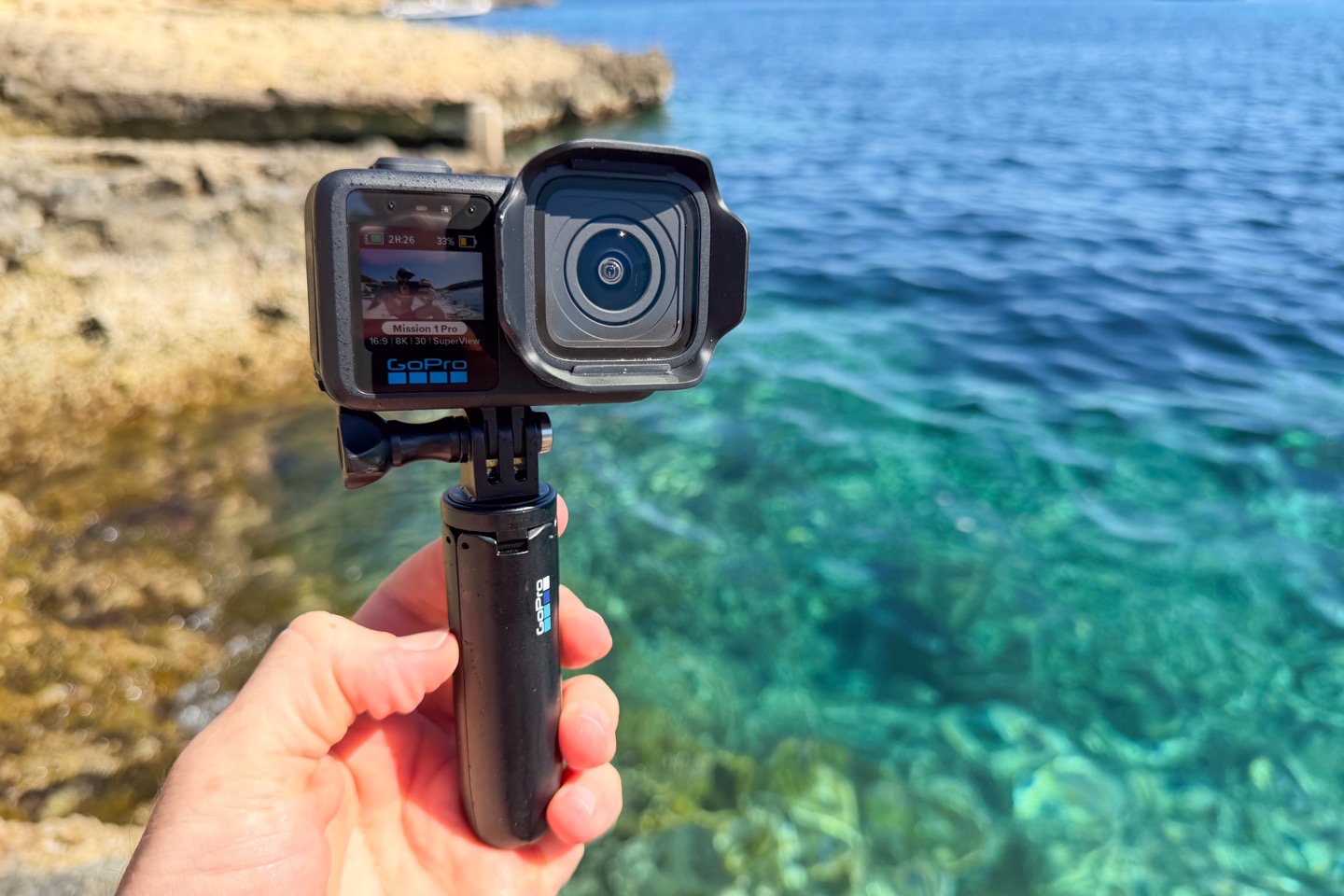
In many ways, the Mission 1 Pro will feel pretty familiar to GoPro Hero 13 Black users, though there’s just an absolute boatload of little differences at every turn – from the slightly larger size and weight, to the slightly revamped user interface, to the slightly larger display. Plus of course, what really matters: The dramatically different internals, resulting in much higher resolutions and frame rates. So, let’s dive into how they’re different:
– Substantially upgraded image sensor size to quad-bayer 1” sensor (from 1/1.9”)
– Switched to new GP3 SoC (basically the brains of the camera)
– Added 8K/60fps support (Linear/Wide, both 16:9 & 4:3)
– Added 4K/240fps support (previous limit was 4K/120fps for GoPro/DJI/Insta360)
– Added 1080p/480FPS support (previous limit was 1080p/240fps for GoPro/DJI/Insta360)
– Added 1080p/960FPS burst support (up to 10 seconds)
– Added dedicated low-light video mode, up to 4K/60
– Added Open Gate Mode, which is simply a marketing term for what GoPro already had (more details below)
– Increased rear screen size to 2.59″ (from 2.27″)
– Significantly increased button depth/pop-out to use with gloves/etc (far more than any action camera)
– Made buttons equilibrium buttons, which means water passes under them to prevent sticking at certain depths
– Increased water resistance rating to 20m (from 10m)
– Added camera lens hood (removable sun shade)
– Added subject tracking video mode (tracks subjects in frame and follows it)
– Added new ‘Modes’ option (can now customize which modes are enabled/disabled, e.g. video, timelapse, etc… a bit different than previous custom settings)
– Added new Sport POV mode accounts for dynamics a bit more (e.g. a previous GoPro in a fast-moving car might incorrectly shift due to g-forces at turns)
– Added Diving Mode, which both corrects water coloring automatically, as well as changes stabilization behavior
– Added Motion Blur options (similar to those seen in GoPro Max 2)
– Added New GoPro Enduro 2 battery (but still backwards compatible with Hero 13 batteries)
– Added Battery Fast Charging (80% in 20 mins, then after that, depending on thermal scenario, roughly another 20 mins. Thermal changes mean faster in ideal conditions, but slower in hot conditions. Overall, the battery charges slightly longer than the competition because it’s literally a bigger battery at 2,150mAh, versus Insta360 being 1,800mAh and DJI being 1950mAh)
– Added new rear microphone
– Changed microphone positions so now two in the front, one on the side and one on the back. The two in the front provide better stereo audio.
– Added ability to playback recorded audio on connected Bluetooth device (e.g. headphones)
– Added ability to playback camera beeps on connected Bluetooth device (e.g. headphones)
– Added ability to record RAW Audio file (in 32-Bit Float, 24-Bit PCM)
– Added dedicated audio control panel dashboard
– Added generic USB-C mic support (no proprietary GoPro USB-C mic required anymore)
– Added ability to record all camera microphones + external microphones separately in configurable panel
– Added new ‘Max’ Bit Rate option (240Mbps on Max, 180 Mbps on High, and standard at 120 Mbps)
– Added dedicated GP-Log2 recording option for color (also still have separate ‘flat’ color option, note that log curve is different to Log1)
– Still 10-bit recording option like GoPro has had for years
– Added dedicated ‘Cinematic’ recording option for color (purely changing color matrix)
– Added 2x/3x/4x Digital Zoom option (simply crops into the full 8K sensor size accordingly)
– Added Image Tuning option (Balanced, Sport, Face, Underwater: Configures slew of other settings automatically)
– Added Shutter Speed Range option (in addition to both auto and fixed previously, can now specify a range)
– Added ISO Range option (in addition to both auto and fixed previously, can now set a range)
– Adds 50MP photo mode including RAW support (or, you can just take 44MP stills from 8K video at up to 60FPS)
– Increased airflow battery life claim to 315 minutes (over 5 hours)
– Increased non-airflow battery claim to also 315 minutes (over 5 hours)
– Massive increases in all battery charts, see chart below
– Added ability to display capture info during shooting on screen (e.g. shutter speed/ISO/EV/WB)
– Added new anti-flicker setting that automatically detects the frequency of the lights around you
– Front screen size remains the same size
– GPS remains the same (can be disabled if you want)
– Combo-mount remains the same (GoPro/Tripod/Magnetic)
– Removed 2.7K & 5.3K resolution options entirely
– Removed 8:7 aspect ratio option entirely (back to using 4:3 aspect ratio instead)
– Removed HypeView mode (though, the SuperView mode is actually wider now, see photo comparison below)
– Doesn’t support existing GoPro Hero 13 Black Lenses (they physically don’t fit due tot eh much larger sensor size)
– Increased weight to 206g (from 159g), or 214g with the lens hood.
Phew…got all that? Good, cause the realities there’s more I probably didn’t find yet, or wasn’t pointed out to me. For example, I haven’t even tackled the ILS-mount version yet, nor any of the new accessories. And on a daily basis I’m finding new features deep in the menus. I’ll cover accessories (older ones and newer ones) down below.
The only difference between the Mission 1 and the Mission 1 Pro is frame rates and the extent to which you can do open gate (4:3). Specifically:
8K Frame Rates: The base model tops out at 8K/30FPS, whereas the Pro model goes to 8K/60FPS
Open Gate: The base model tops out at 4K/120FPS (4:3), whereas the Pro model lets you do Open Gate up to 8K/30 (4:3). Remember that Open Gate on this camera is 4:3.
Slow Motion: The base model tops out at 4K/120FPS, whereas the Pro Model goes to 4K/240FPS. And for 1080p, the base model can do 1080p/240FPS continuously, whereas the Pro model goes to 1080p/480FPS (continuously).
Burst Slow Motion: The Pro Model can burst to 1080p/960FPS, whereas the Base Model doesn’t have that mode.
Everything else is identical according to GoPro. I don’t have a base model unit yet, so I’ll have to take their word for it at this point.
In terms of pricing, here’s where things stand:
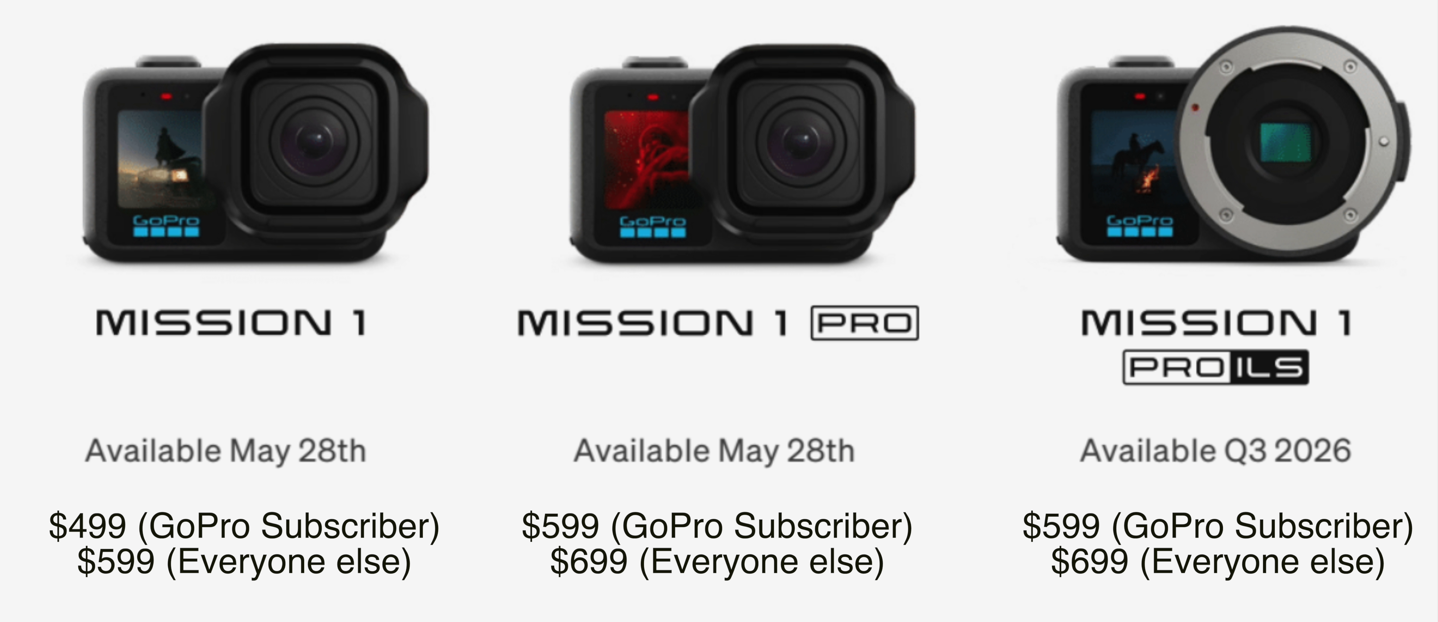
One thing to keep in mind, is that the GoPro Subscription is $59. That gets you unlimited storage backups for your GoPro at original resolutions, along with some accessory discounts, a few app features, and a few other things I’m forgetting. More critically though, it gets you $100 off the camera price. So simply subscribing for the first year alone is probably worth it. Also, they’re doing some sort of deal for pre-orders where basically if you order soon you get the new accessory grip tossed in for free.
With that, let’s dive into the size comparisons.
Size Comparison:
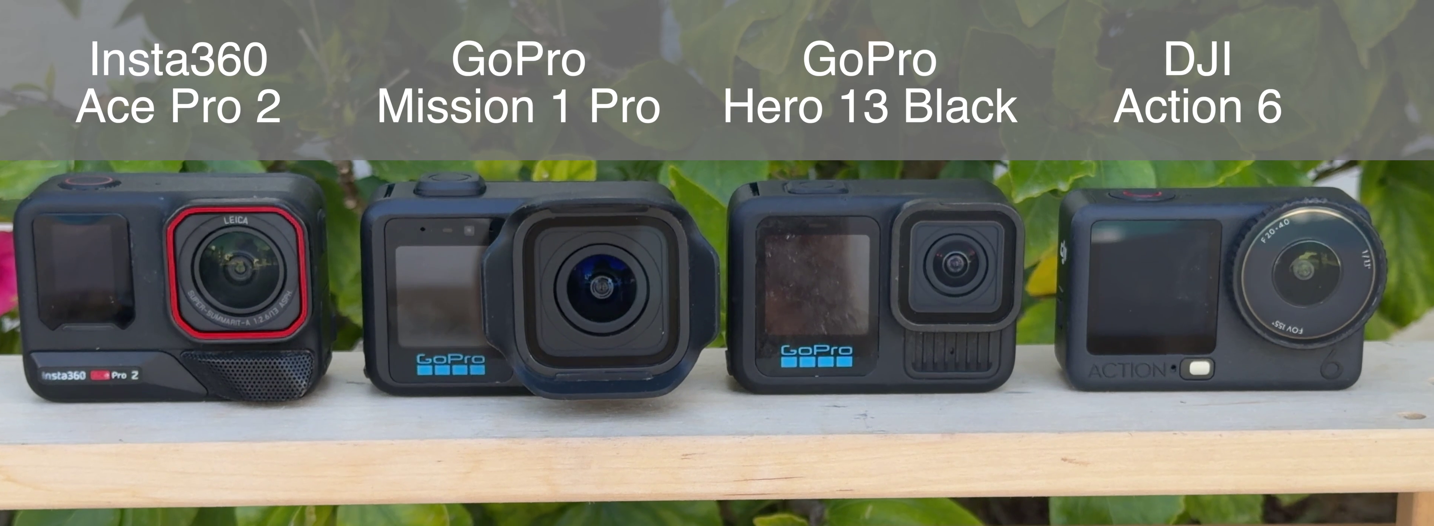
Here’s a simple lineup of the camera and how it compares to the two other main competitors, along with the Hero 13 Black. First up, from the front:
Now from the top down:
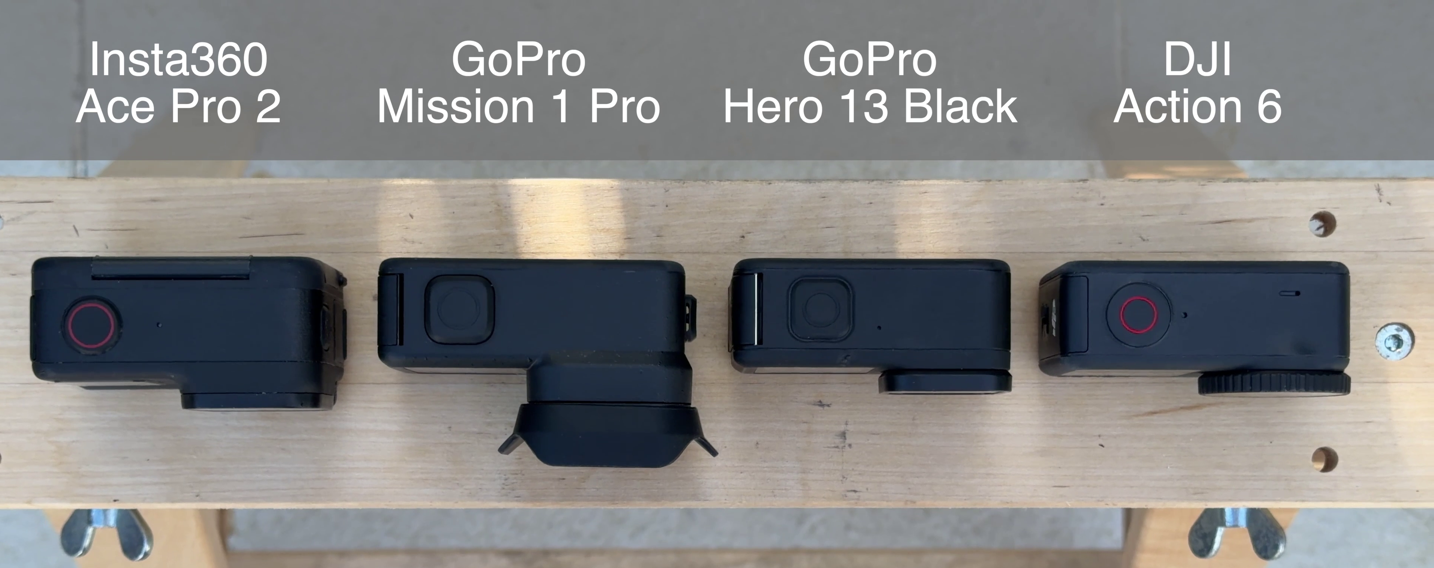
And again, for comparison, the weights are as follows (as measured on my little scale with SD card and battery inserted):
GoPro Mission 1 Pro: 208g (+6 for lens hood)
GoPro Hero 13 Black: 159g
DJI Action 6: 150g
Insta360 Ace Pro 2: 178g
I dive into my thoughts on the weights down a bit lower, but in short, I don’t really notice the larger weight in the real-world in terms of holding/mounted/etc… But obviously certain applications like FPV probably would.
Battery Chart:
This is an easy section, below is the official battery chart:
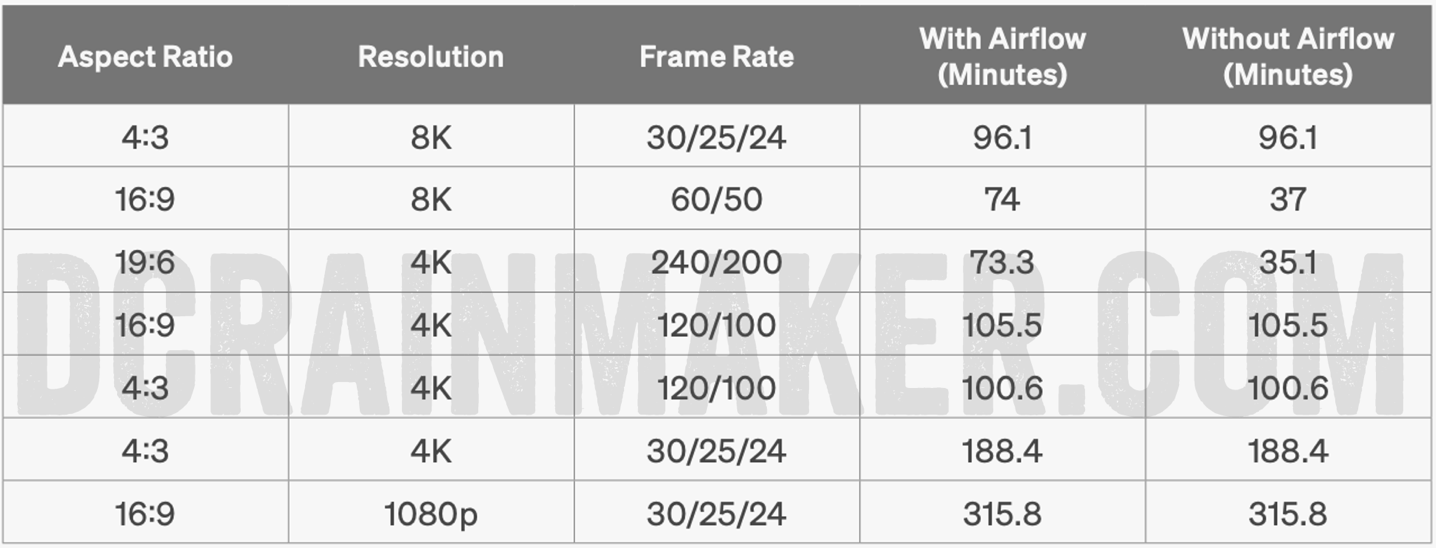
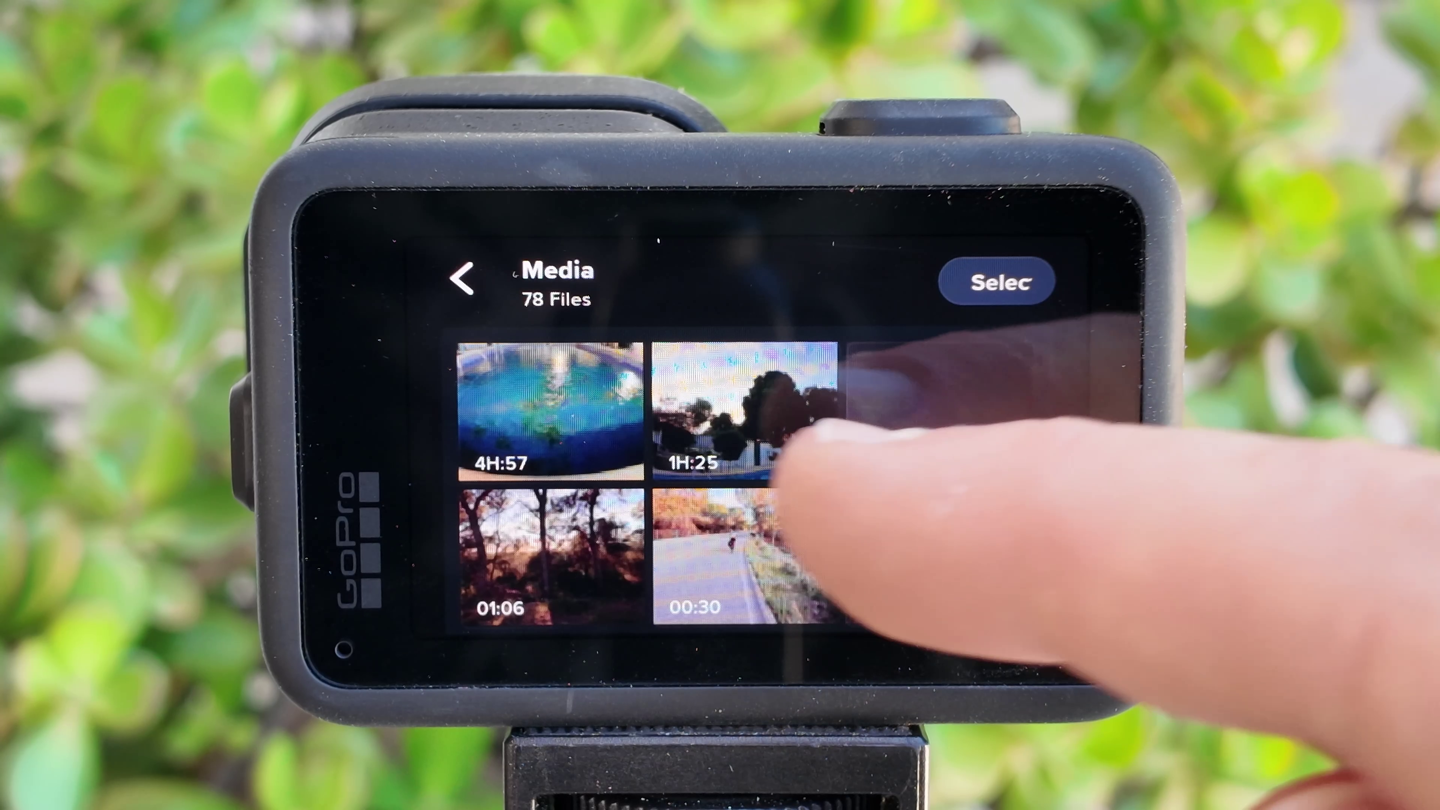
Now, obviously, this isn’t a full review. As such, I haven’t tested everything yet. And more importantly, the firmware isn’t final yet, that’s still a few weeks away (since the camera doesn’t start shipping for another 5 weeks). Still, on the random beta firmware I have, I tested out 4K/30 outside in the sun, and got the 3 hours it spec’d at above. Likewise, I also tested 8K/30 (16:9 outside just prior to sunset and it got 1hr 25mins (so about 11 minutes longer than spec, but spec technically calls for 4:3 which would consume more battery). The temp was basically 70*F/21*c with still air. All settings left at default, and GPS/Bluetooth both on.
And then finally, I did a long battery test last night, in 1080p/30 (with all default settings), and it got 4hr 57mins. Officially, the 1080p spec at 5hrs as far I know, specifies GPS is disabled, whereas I had it turned on (because I went with defaults). Point is, all of which is just nuts-incredible. These times are blowing away other action cams on the market.
Of course, if you know me, you know I love a good overheating test. Historically speaking, I’ve made every GoPro, DJI, and Insta360 camera overheat in the right scenarios. Anyone who says they can’t is lying to you, to sell something. The question is: When does a camera overheat, why does it overheat, and does it matter?
I’ll dive into all that down the road. Plus, by then the weather temps will be a bit more toasty. Though, that’s never stopped me from hotboxing my bathroom to over 100*F to test cameras out.
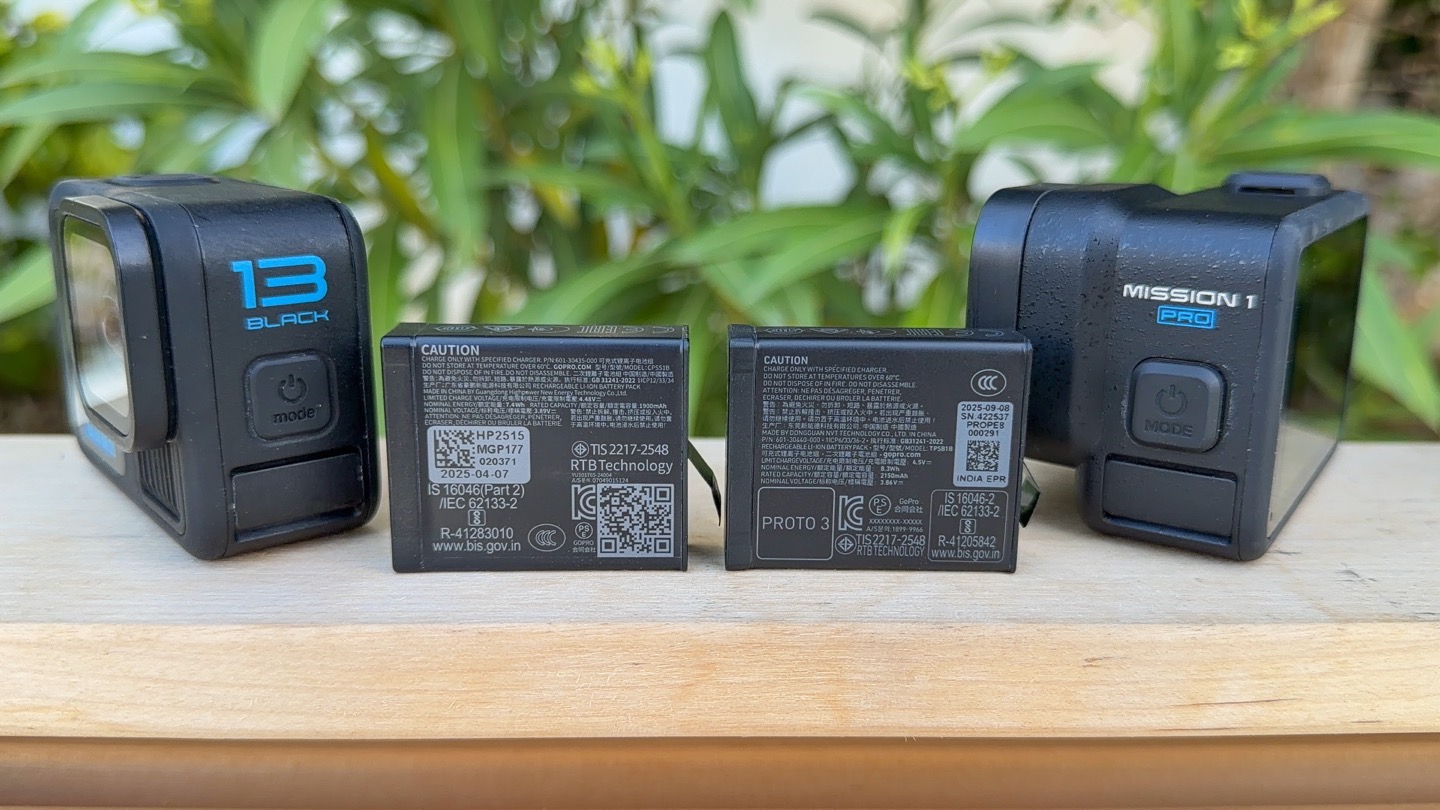
Finally, on the battery bits, it’s notable that the GoPro Hero 13 batteries and Mission 1 batteries are interchangeable. However, they are not identical. The Hero 13 uses an Enduro battery, whereas the Mission 1 uses an Enduro 2 battery. That newer battery has fast charging, which does 0-80% in 20 minutes (and I validated that), and then trickle-charges the remainder. It’s a massive step-up from the previous GoPro batteries taking forever (hours) to charge. Point being though you can use a Hero 13 battery in a Mission 1 camera, and vice versa. It just will only fast-charge the newer batteries in the newer camera (or a newer upcoming fast charger).
Accessory Tidbits:
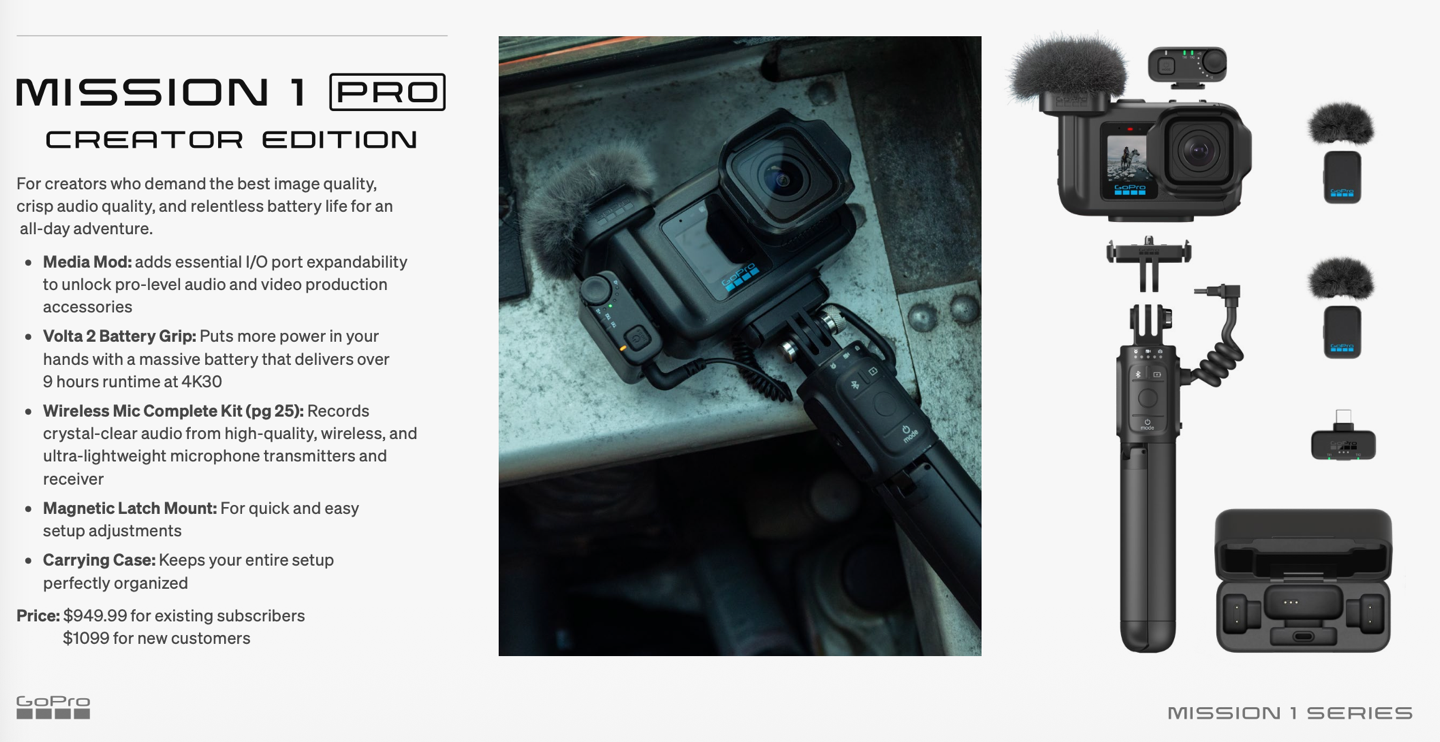
There’s a boatload of accessories coming for the Mission series, some due to practical requirements of previous generation bits not fitting, and some totally new things. First up, let’s look at previous accessories and where things stand for the Mission 1 Pro:
GoPro Hero 13 Batteries: Yes
GoPro Mounts: Yes, all mounts/adapters
GoPro Magneto Charging Door: Yes (exact same)
GoPro Hero 13 Black HB Series ND Filters: No (physically doesn’t fit over sensor)
GoPro Macro Lens Mod: No (physically doesn’t fit over sensor)
GoPro Anamorphic Lens: No (physically doesn’t fit over sensor)
GoPro Max Lens Mod 2.0: No (physically doesn’t fit over sensor)
GoPro Hero 13 Black Media Mod: No (camera too big)
GoPro Hero 13 Black Battery Charger: Yes, but slow speed charging, not high speed
GoPro Hero 13 Black Dive Case: No (camera too big)
I’m sure there are other things I’m missing, but that’s the main gist of stuff. GoPro says that if it could have been made compatible, they would have kept it (like the side door, battery, mounts, etc…), whereas if things were physically different (such as the larger 1” sensor size), then that broke certain accessories.
Of course, there’s a boatload of new accessories coming, many of which are improved. For example, the new Media Mod has a revamped mic system, external timecode support, and no longer requires you take it off a mount to change the batteries (finally!). I went through most of the accessories in my video, so just to recap that, they are:
GoPro Mission 1 Series Grip: $99
GoPro Mission 1 Series Media Mod: $149
GoPro Wireless Mic Kit (with 2 transmitters and Receiver): $159
GoPro Mission 1 Series ND Filter 4-Pack (ND8/16/32/64): $99
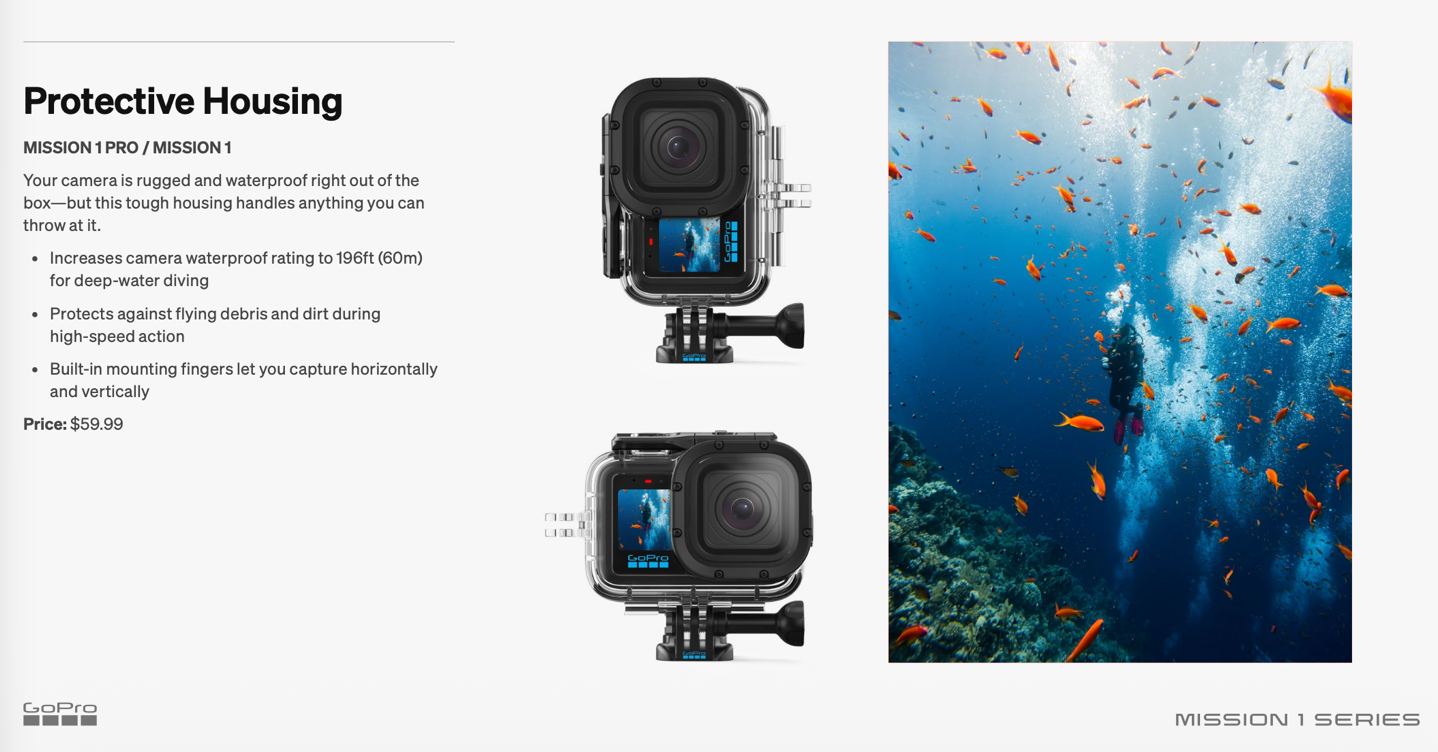
GoPro Mission 1 Series Underwater Housing (to 60m/196ft deep): $59
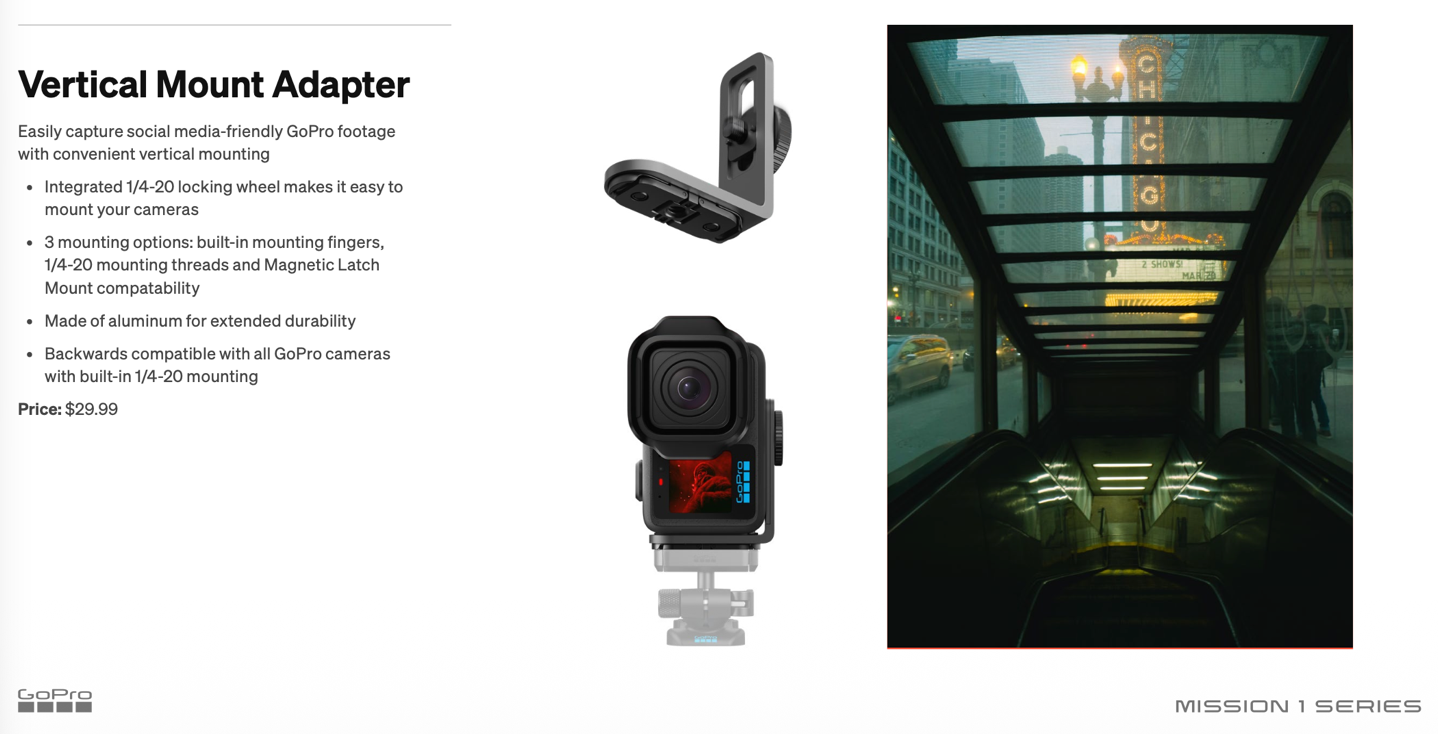
GoPro Mission 1 Series Vertical Mount Adapter: $29
In addition, there’s still the GoPro Gimbal from last year, which is compatible here, and you can add roughly a 200g lens payload to that with the ILS version. Also, not officially yet listed are things like a fast charging battery hub, a GoPro Volta 2 grip, and more.
In my video, I covered most of the above, though I didn’t include the GoPro Underwater housing, a bunch of you have been asking about it. I’ve got one coming in the mail, and will start putting it on dives in the next week or two. The notable change here is a secondary GoPro mount for vertical mounting (many people, including myself, will often mount an action camera atop another camera rig underwater; this extends that to vertical shooting).
Likewise, I didn’t include the vertical mounting adapter in my video above.
Ok, with that, this section is now complete. Instead, let’s move into things that didn’t quite make it to my main video above.
Odds & Ends (both Good & Bad):
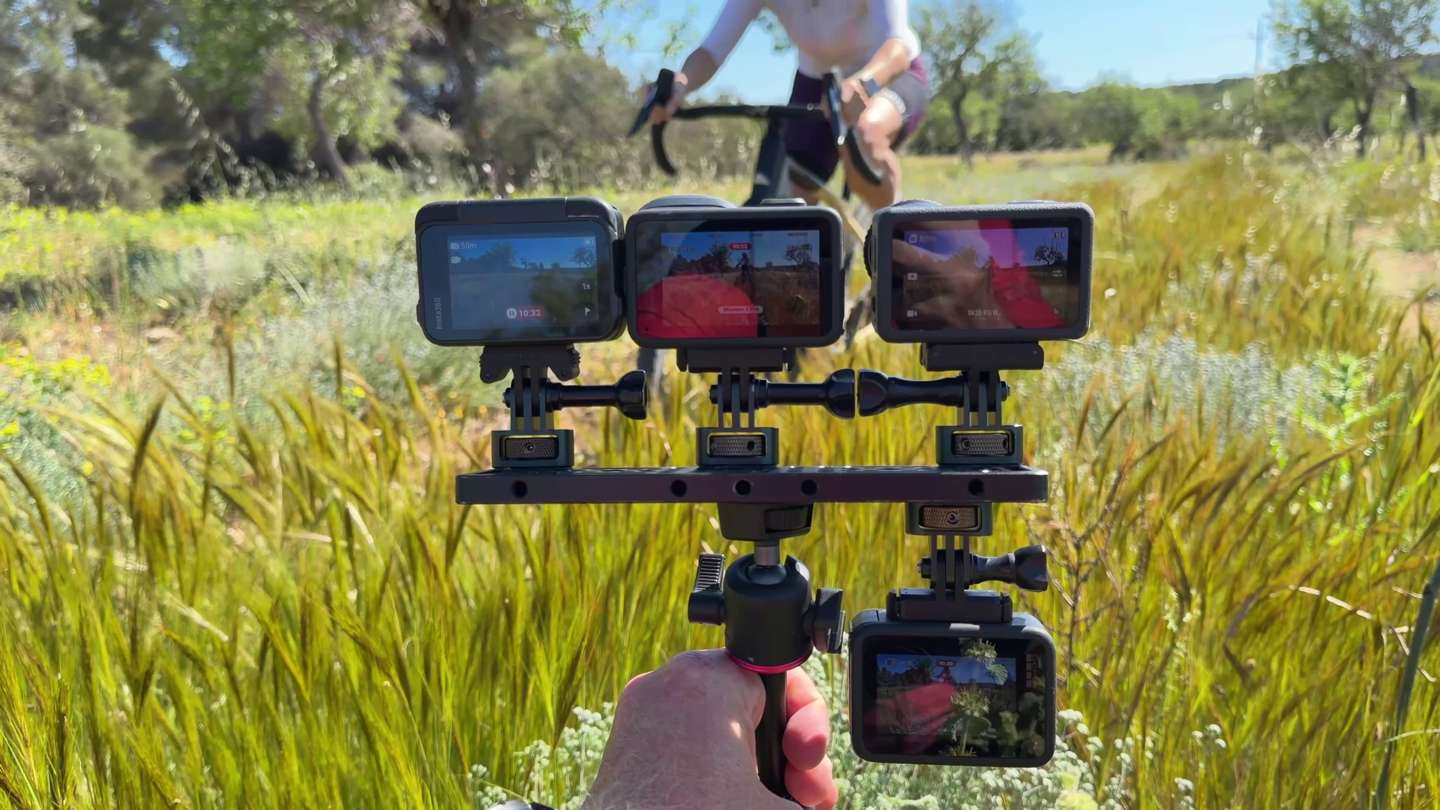
This section has two pieces. The first is things that aren’t in the camera that I was kinda hoping would be. The second half of this section is things I meant to mention in my video, but just forgot amidst those 60+ new items.
First up, the things that aren’t there. None of these are dealbreakers to me, but some of them are more important than others. Here they are:
– No uploading to NAS/etc support: While GoPro does have GoPro Cloud (which I love as a backup, with my 7.6TB of GoPro footage up there right now), DJI’s inclusion of NAS support in their Action 6 is a game-changer for my workflow. I just know the footage is always there and handy. They also added support for Google Drive too. I really want to see GoPro add this, heck, even if it’s either just on the Pro series cameras, or just on those with a GoPro subscription, etc…
– No built-in storage: Unlike DJI’s semi-recent push to add built-in storage to all of their cameras/drones, there’s no extra 60-100GB of storage on the camera in case you forgot your card. Again, this isn’t designed to fully replace your SD card, but there in case you pop out the card and forget to put it in. That said, with the prices of memory absolutely skyrocketing right now to unseen historical levels, the obvious real-world tradeoff is how much extra you want to pay for your camera.
– No FindMy support: Again, Insta360 has this, and it’s definitely handy in a pinch. It’s not going to solve a camera on the bottom of the ocean, but it does solve one that somehow got lost on a trail.
– It’s not lighter: To state the obvious, I think this is the heaviest GoPro the company has ever made. In the real world, doing endurance sports and such, I haven’t noticed that difference. Then again, I’m also used to carrying like 4 cameras at once, so…yeah. That said, if you’re an FPV person, this does have real-world implications. Still, it’s *super-clear* that the trend here from all three companies (DJI/Insta360/GoPro) is to basically have one beefcake camera, and then another camera line that’s much smaller. Right now, obviously, the Hero 4K Lit isn’t GP3 powered and is very far behind the image-quality and feature competition compared to Insta360 & DJI (though, unlike those, is fully waterproof for a day at the beach). My assumption here is GoPro comes out with a smaller cam replacement by the holidays, but we’ll have to see.
Beyond that, my only real disappointment in using the camera day-to-day is not having the 5.3K mode. Simply because I’m not really sure I always need to shoot in 8K. It just takes up a bunch of space. Sometimes, I want that resolution for editing later, but other times, I don’t really care for 8K, but want a bit more resolution than 4K, when I plan to take screen grabs from it (e.g. a still from a run for Strava). Still, all the other new features (especially the battery charging), vastly overshadow these gaps for me compared to the Hero 13 Black (or any other past GoPro camera).
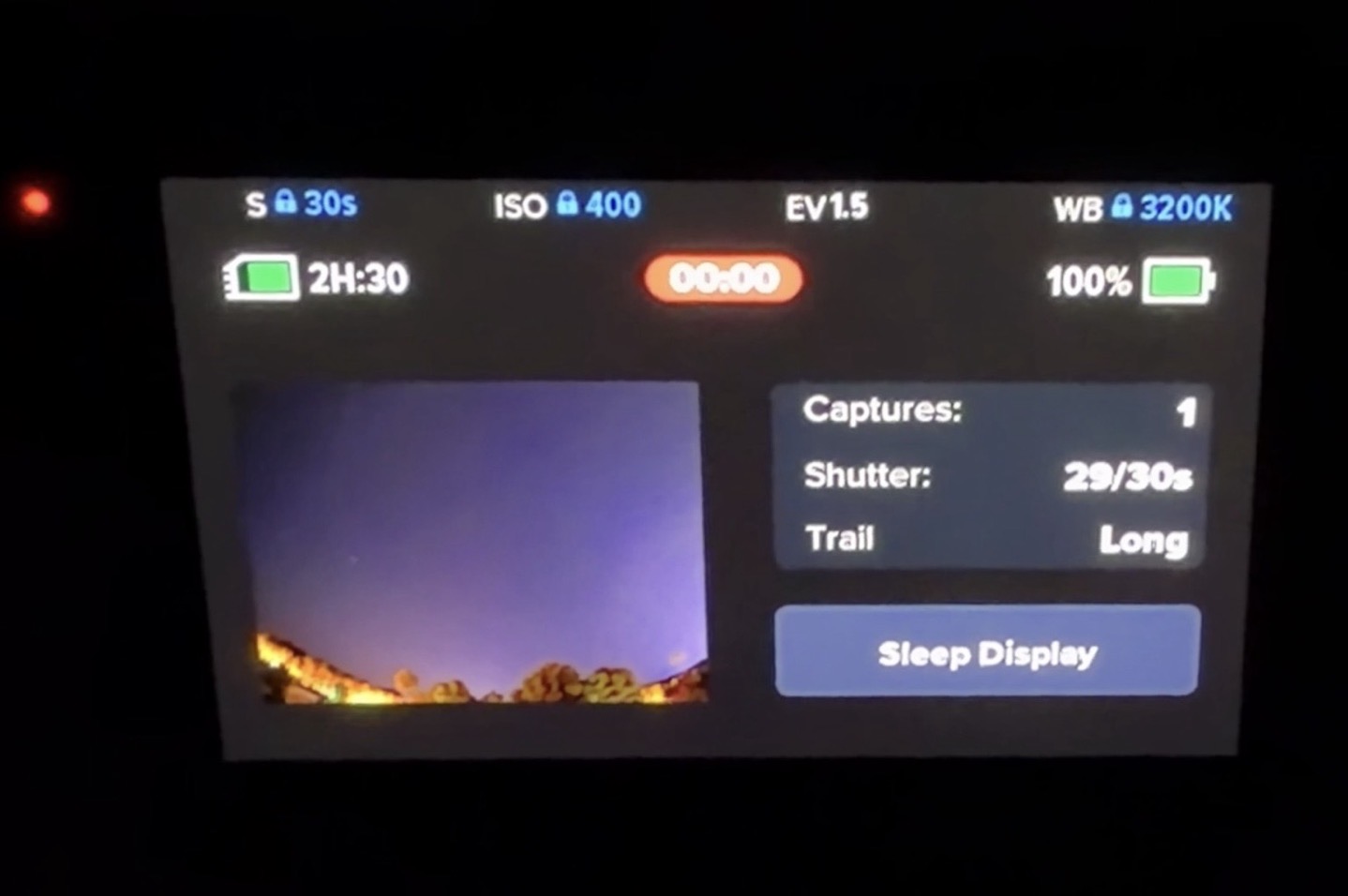
Moving on, I totally forgot to list two things in my video I meant to list. First up is that there’s a nifty new screen on the Night Effects page, which shows you a preview in real time of the effects, specifically of the Star Trails. This way after the first 30 seconds, you can see whether or not you’re vaguely in the right position for the shot. Here’s a hand-held cell-phone photo in the dark of the back of the screen atop my roof, so you can roughly understand what I mean:
Next, there is no longer a HyperView mode (there is Hyperlapse, which is totally different and is basically a moving timelapse). HyperView was a wider view than SuperView, on the Hero 13 Black that was 151* FOV for HyperView vs 138* FOV for SuperView. It was primarily used in higher-speed shots like on a chest mount while mountain biking. Anyways, point being, that option is gone.
But on the bright side, the new SuperView is actually wider. I don’t have the exact FOV handy, though I just stacked the two cameras atop each other, and you can see clearly the Mission 1 Pro is wider (look at the helmet position, as well as my handlebars). I’ll take a prettier picture when it’s daylight.
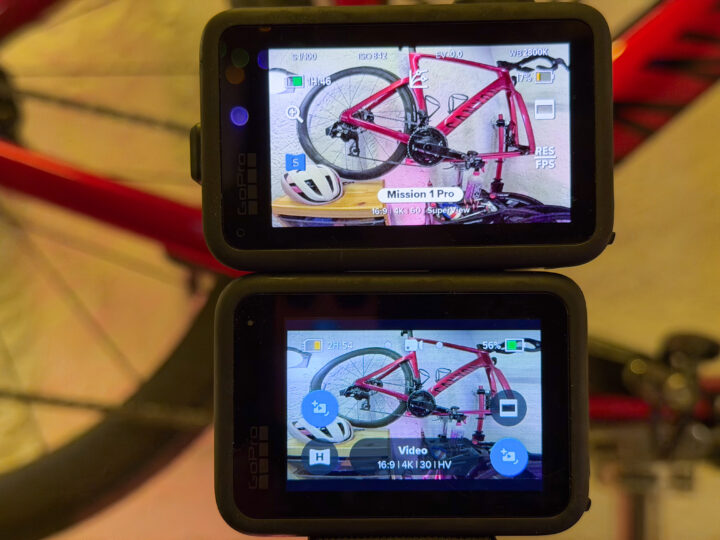
Also, there’s zero difference in the FOV when I switch to 8K mode on the Mission 1 Pro (or to 5.3K on the Hero 13 Black).
Wrap-Up:
Again, this definitely isn’t a review. Until I get final firmware and can evaluate the final image quality (and other aspects), that’ll have to wait. Still, as it stands right now I can divide things up into basically two camps. The first camp is the specs on paper, and all the changes to features/etc. In that realm, this is a massive step-up. Not just a step-up for GoPro, but frankly a huge step-up for the action cam industry. Be it battery life, sensor size, resolutions, frame rates, bit rates, or any other more minor feature, these are major jumps here.
Looking at the second camp of things, where I feel the camera sits in terms of development, things are looking pretty strong. Of course, they’re still 5 weeks away from shipping, though the firmware is expected to be finalized in about 2-3 weeks. I certainly haven’t had any crashes, and my collection of footage is nothing to be upset about. I’ve only seen a handful of minor UI bugs (some of which were even fixed over the weekend). But as always with any company, that road to the final firmware can have unexpected bumps.
Either way, I’ll definitely be buying up one (or two) of these to add to my stable, and it’ll likely end up being my main action camera going forward. Over the last 1-2 years I’d mostly used the GoPro Hero 13 Black as my main daytime action camera, and then the Insta360 Ace Pro 2 as my main low-light/night action camera (as well as sometimes daytime camera when I wanted better sports sensor data integration). Once I get to later in May, we’ll have to see how that shifts.
With that – thanks for reading!


0 Commentaires