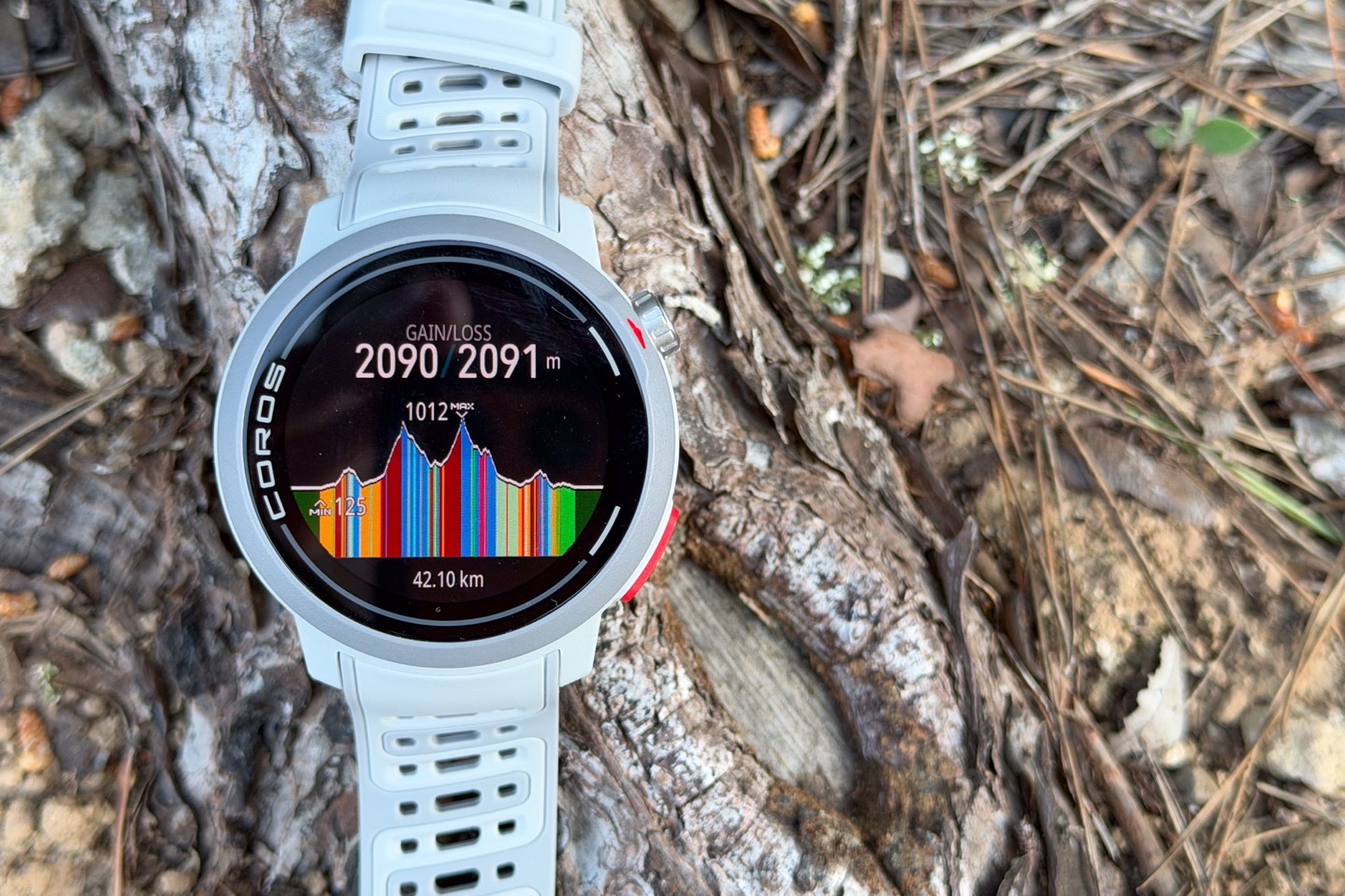
COROS has just announced its Spring 2026 firmware update for watches, which brings in two key features, along with a pile of other features. The biggies are the addition of what COROS is calling ‘Hill Alerts’, which is more or less what Garmin calls PacePro, and then adding in Climb Strategy, which is more or less what Garmin calls ‘ClimbPro’. But, there are some differences (both better and worse), that are worth exploring. And I’ve been able to use these over the last few weeks, including in a race, to see how it handles.
However, beyond that, there’s a slate of additional smaller features that are worth mentioning, these are:
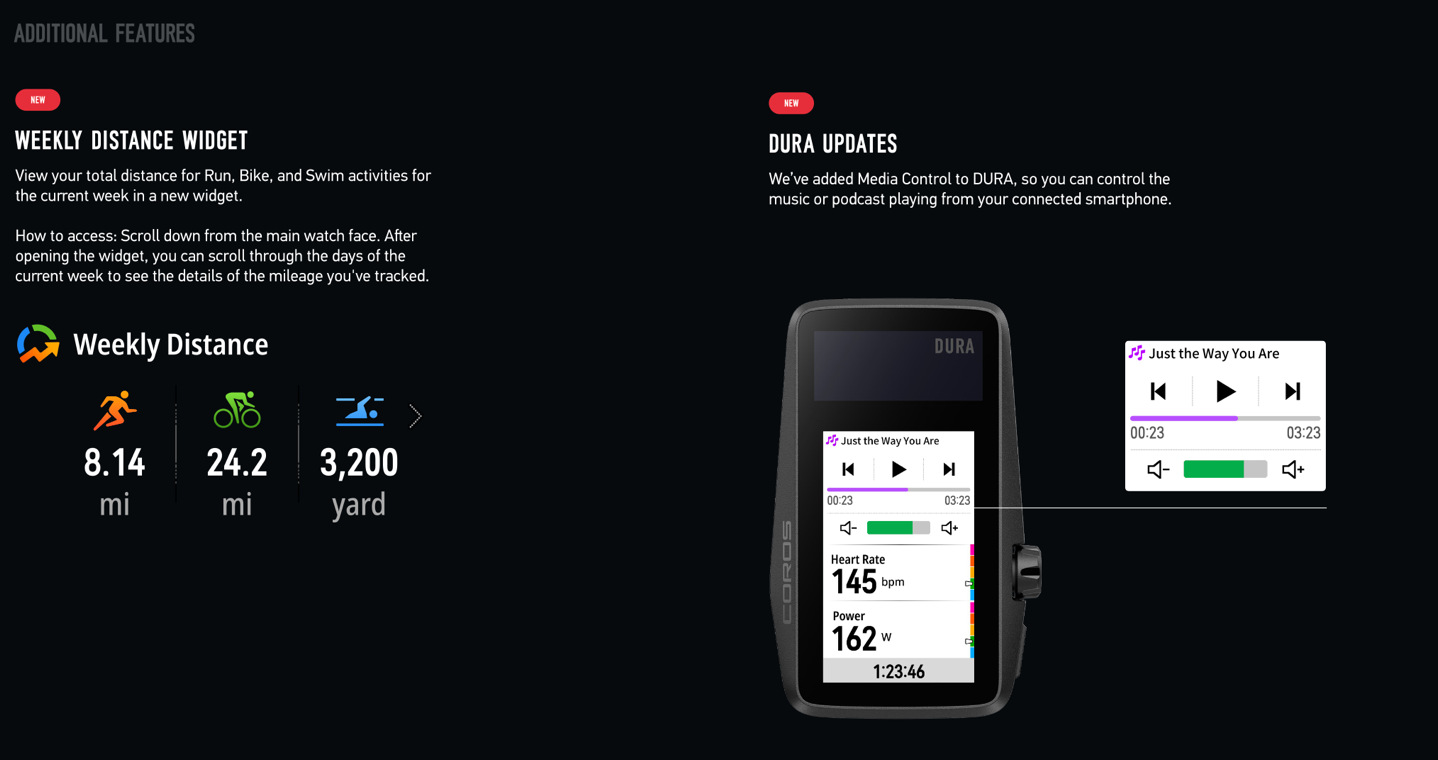
– Added Weekly Distance Widget
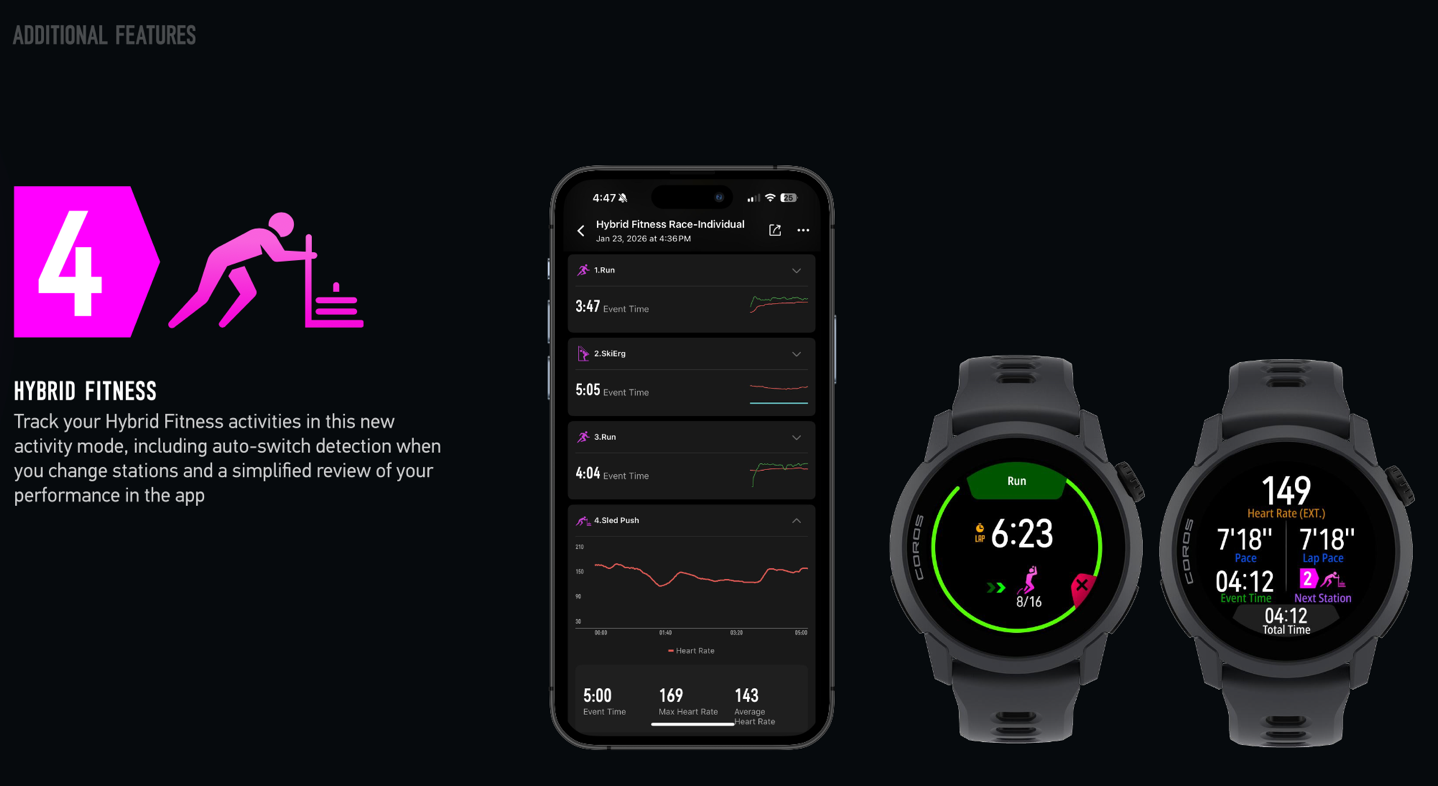
– Added Hyrox Workout support (officially called ‘Hybrid Fitness support’)
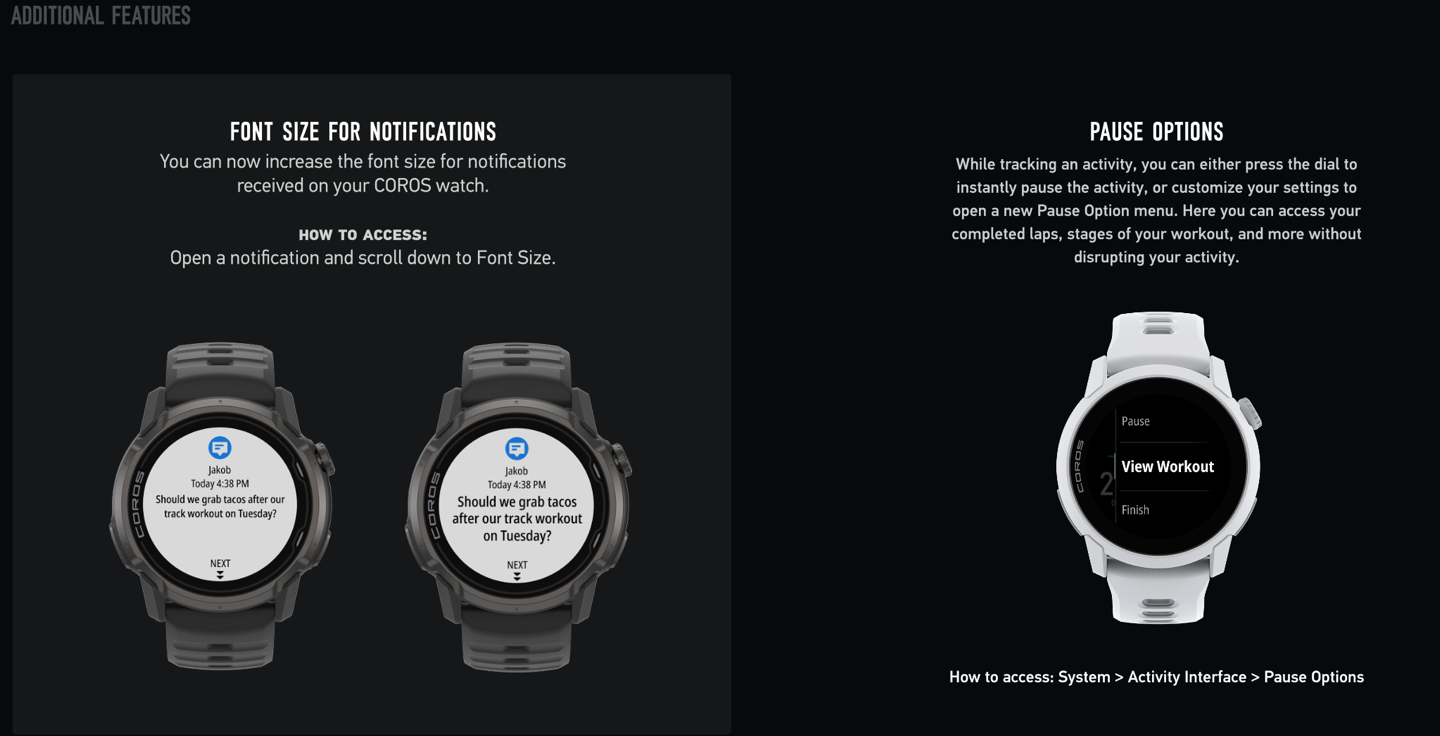
– Added increased font size support for more seasoned athletes
– Added Pause menu, which provides additional details about the workout
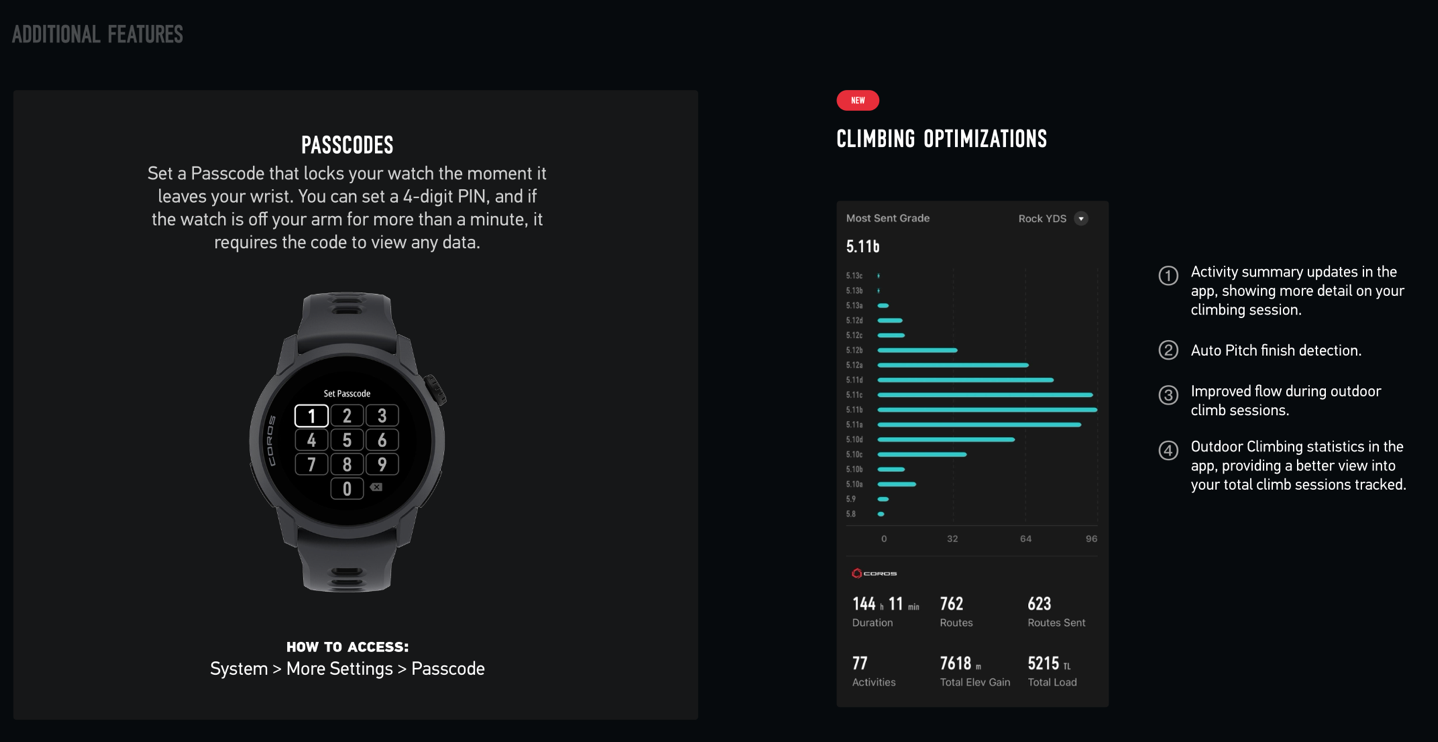
– Added passcode support (to unlock watch)
– Added in-app [rock] Climbing summary screen
– Added Media Controls for COROS Dura (bike computer)
– Added Race Predictor Trendline
– Added sync with Zwift (one-way to Zwift only, for structured workouts)
I’ll quickly include some screenshots of some of those smaller ones down below, but for now, let’s get into the two major features.
As for which watches get which features, here’s a run-down of that:
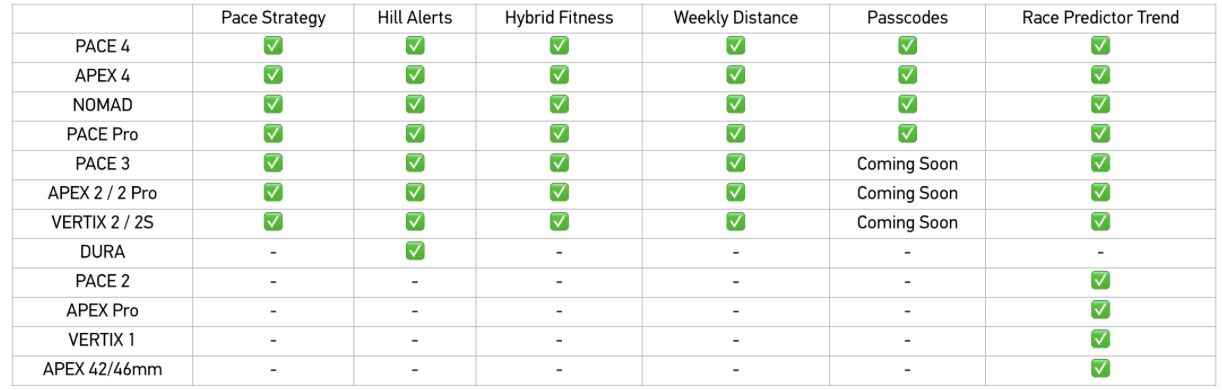
As you can see, it’s basically all the current-gen watches and one generation behind watches, with a handful of older watches getting some features.
Hill Alerts:
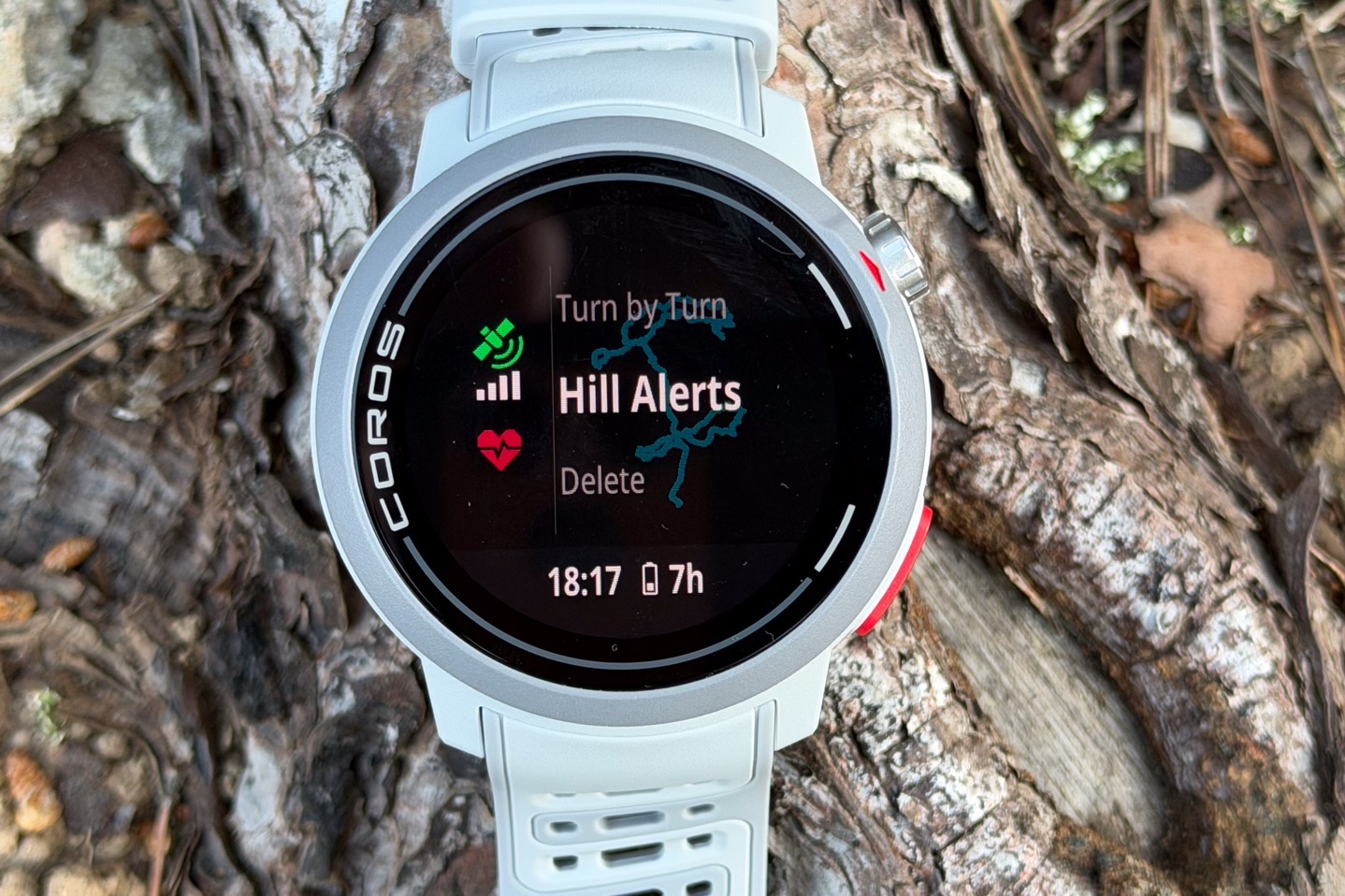
We’ll start with this one first, since it’s probably the most straightforward to explain. Hill alerts are essentially a ClimbPro-like feature that automatically displays the climb details for routes in either Running, Trail Running, and Hiking modes (only, not cycling). As with Garmin/Suunto/Amazfit (on wearables), it requires a course/route to be loaded first. Which in turn requires that to be done through the smartphone app. Again, this is largely consistent with what Suunto/Amazfit has, though Garmin can do this using on-watch generated routes.
With that said, there are some areas of this that are better than Garmin, specifically the smartphone app screen, which handily shows the upcoming climb details (Garmin doesn’t have that) in the app itself. Here you can see the route on a recent trail race I did, showing those climbs detailed out:
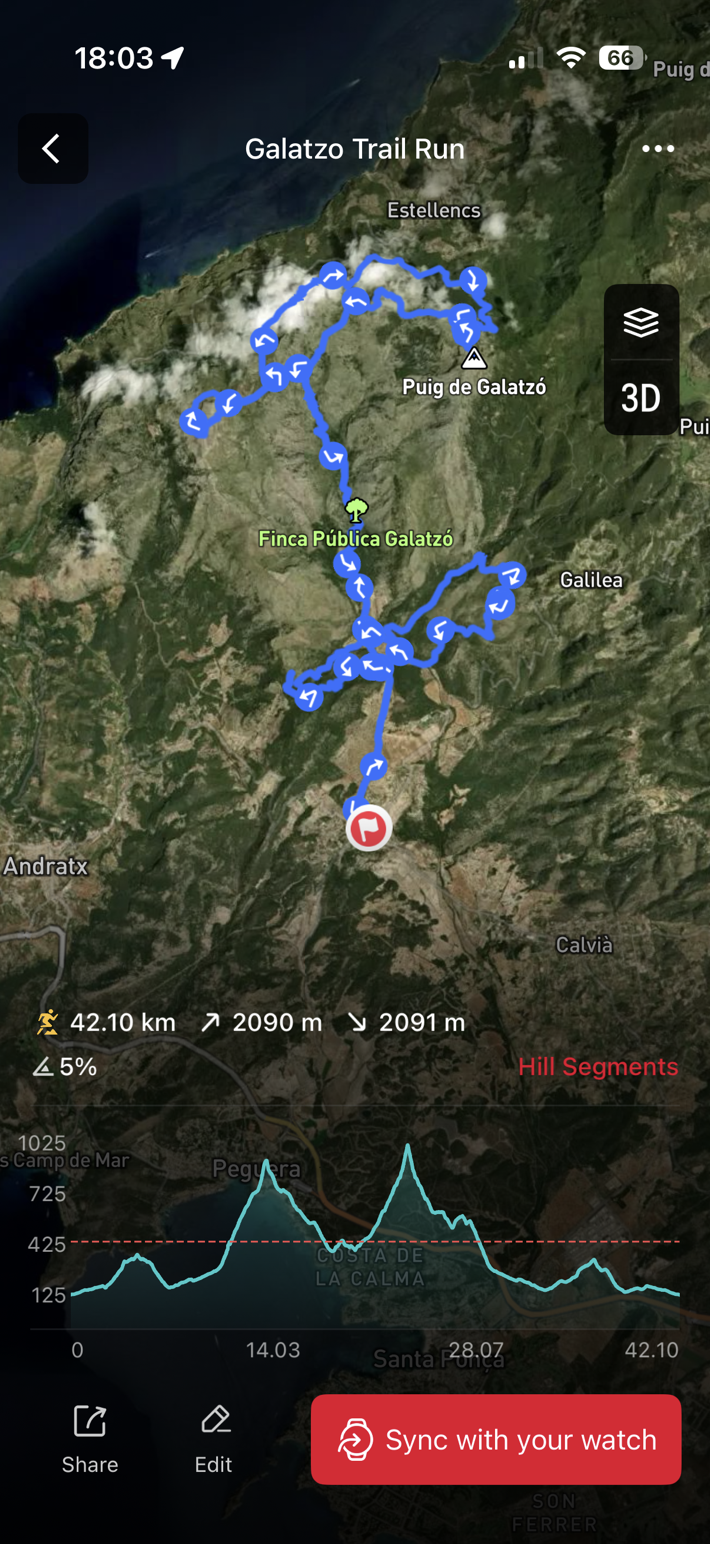
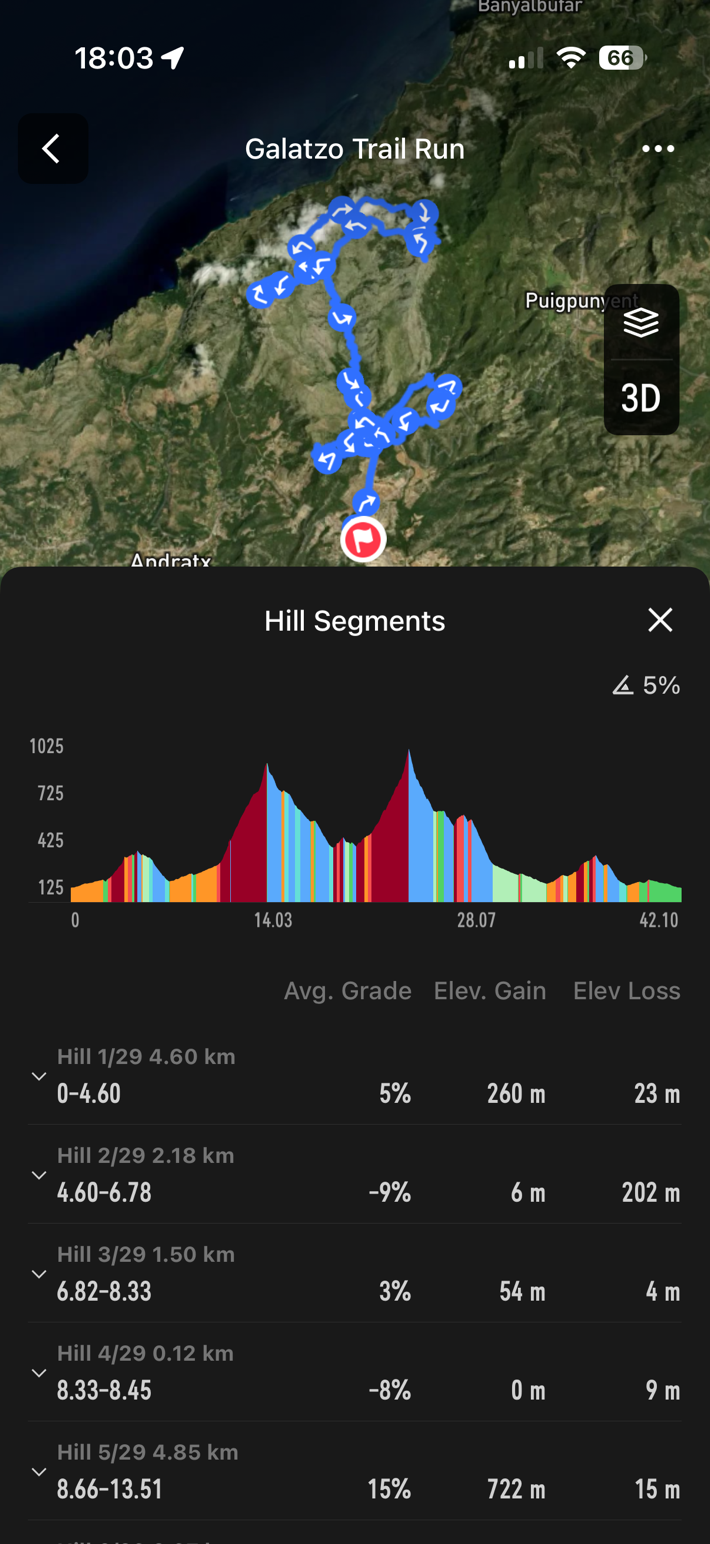
From there, you’ll send the route to the watch just like any other route. There’s nothing special you need to do here, it just happens for any route that you sync from app to watch. At which point, off you go on your run. Below, for the other photos, I’ll show a shorter trail run I did.
Once you’ve started your route, you’ll see a full elevation profile of the route at all times.
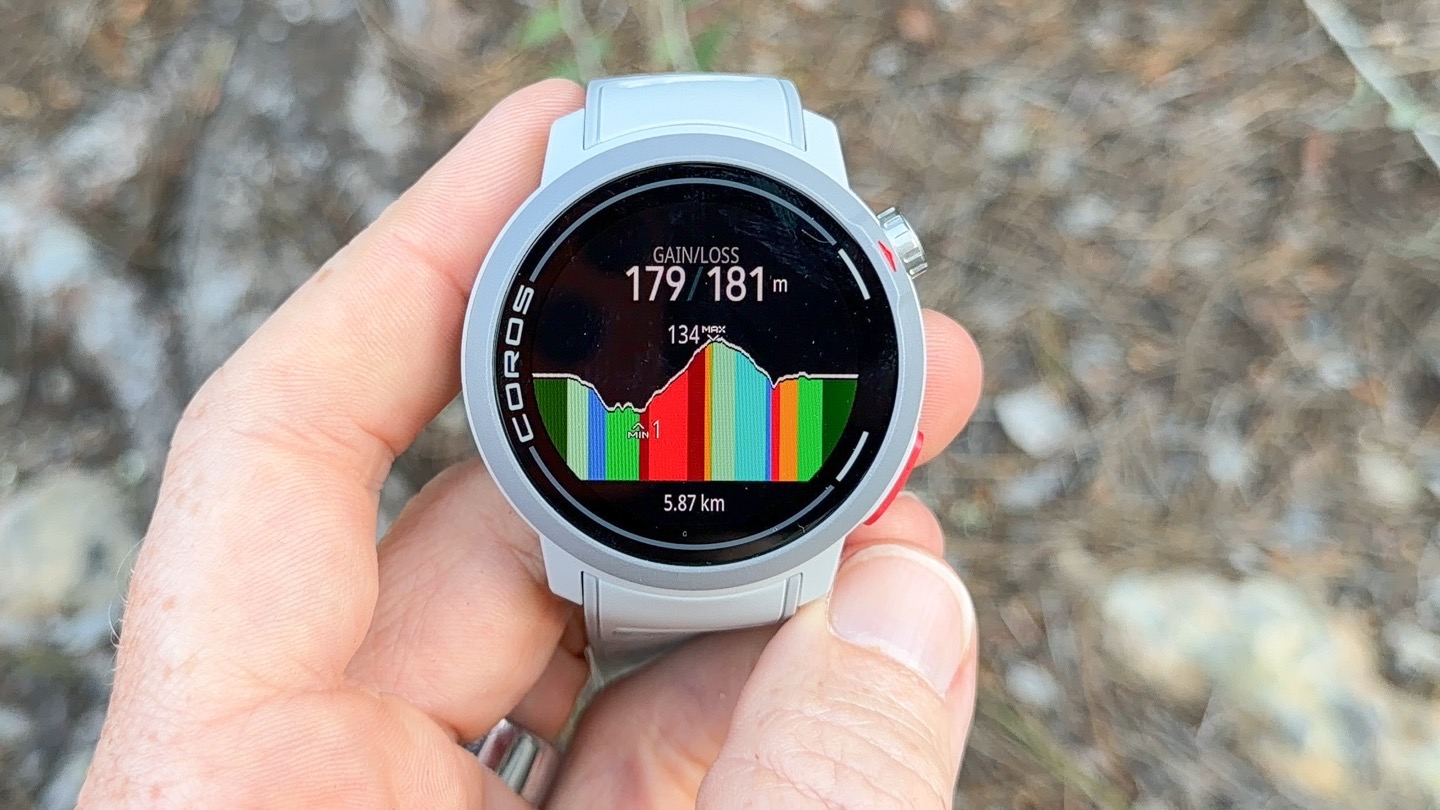
Then, as you approach a climb, you’ll see an alert that the climb is nearby, along with a new screen showing details about the climb.
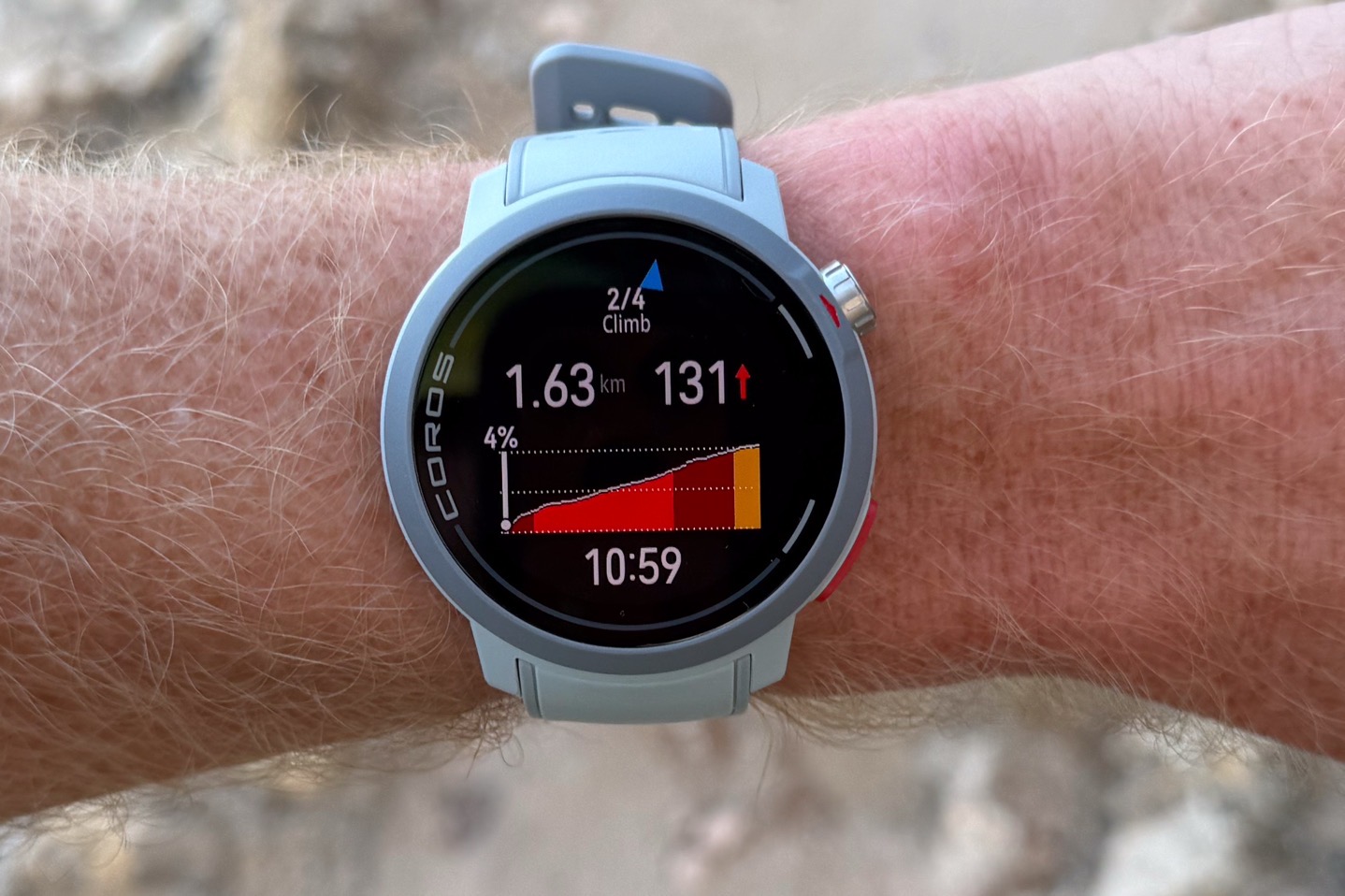
This new screen lists the following:
– Climb number (e.g., 2 of 4)
– Distance to top of climb
– Ascent (elevation to top of climb)
– Current gradient (%)
– Time in run (workout timer)
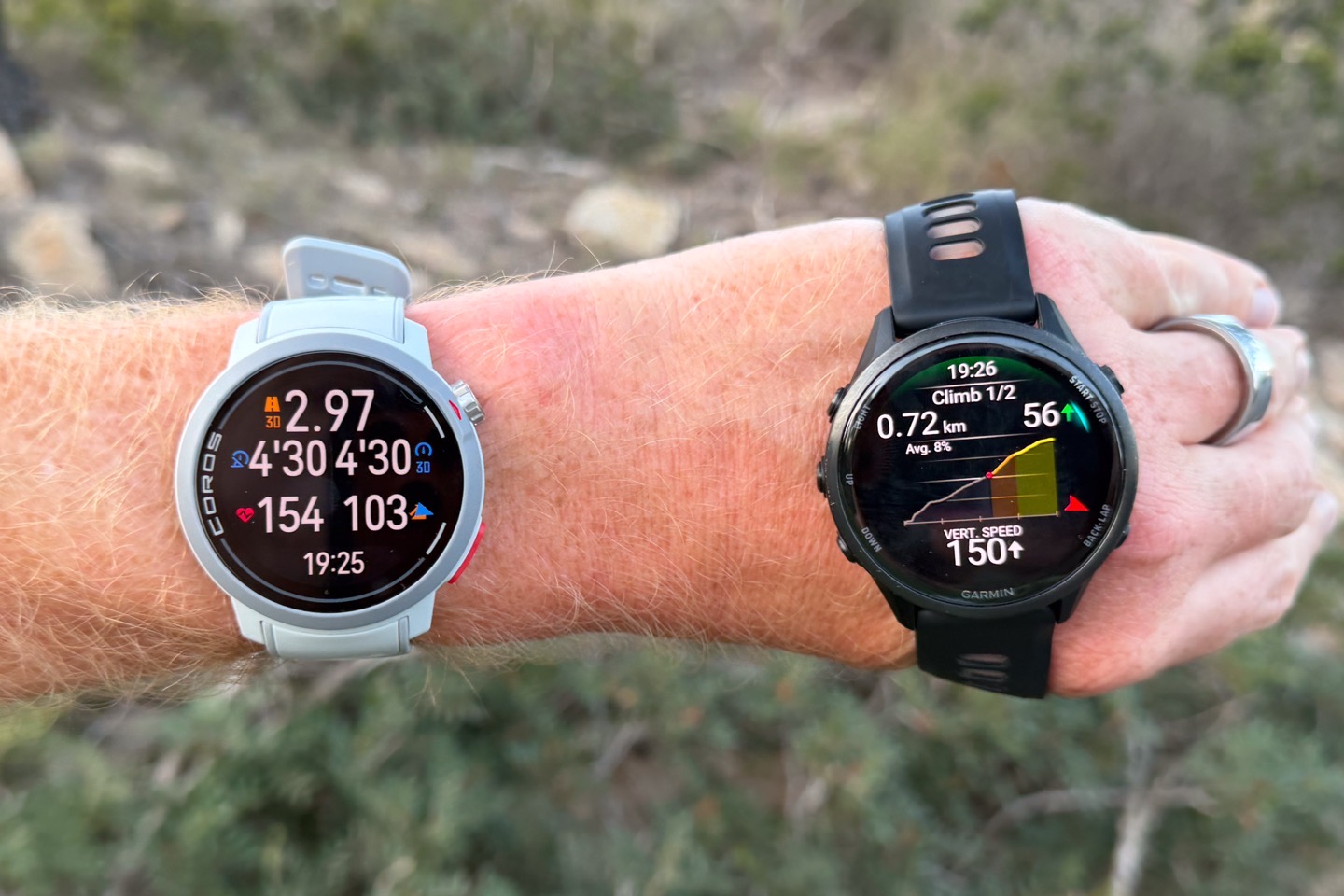
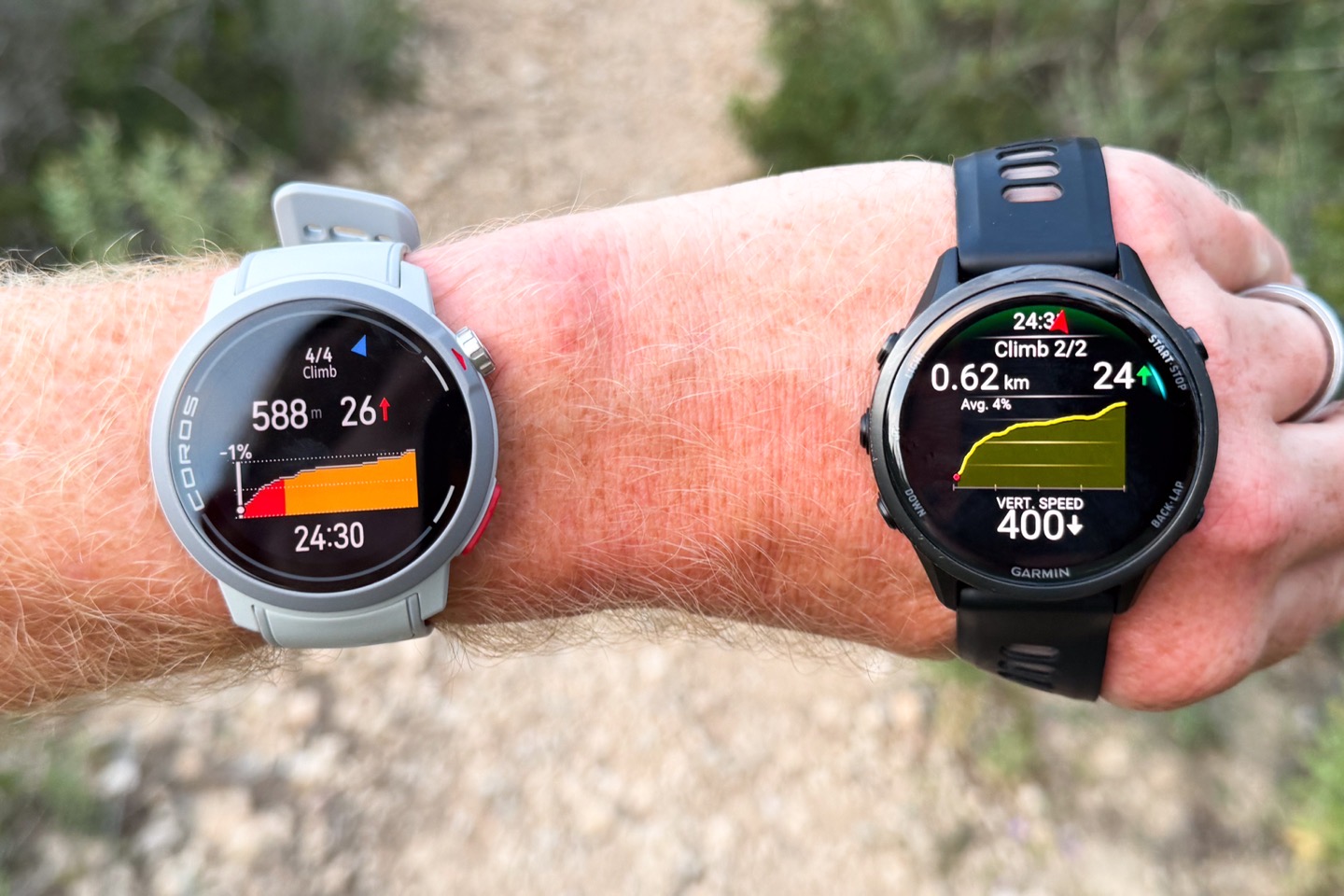
This is interestingly similar to Garmin but different in a few minor ways (some good, some bad). Here are the two side-by-side:
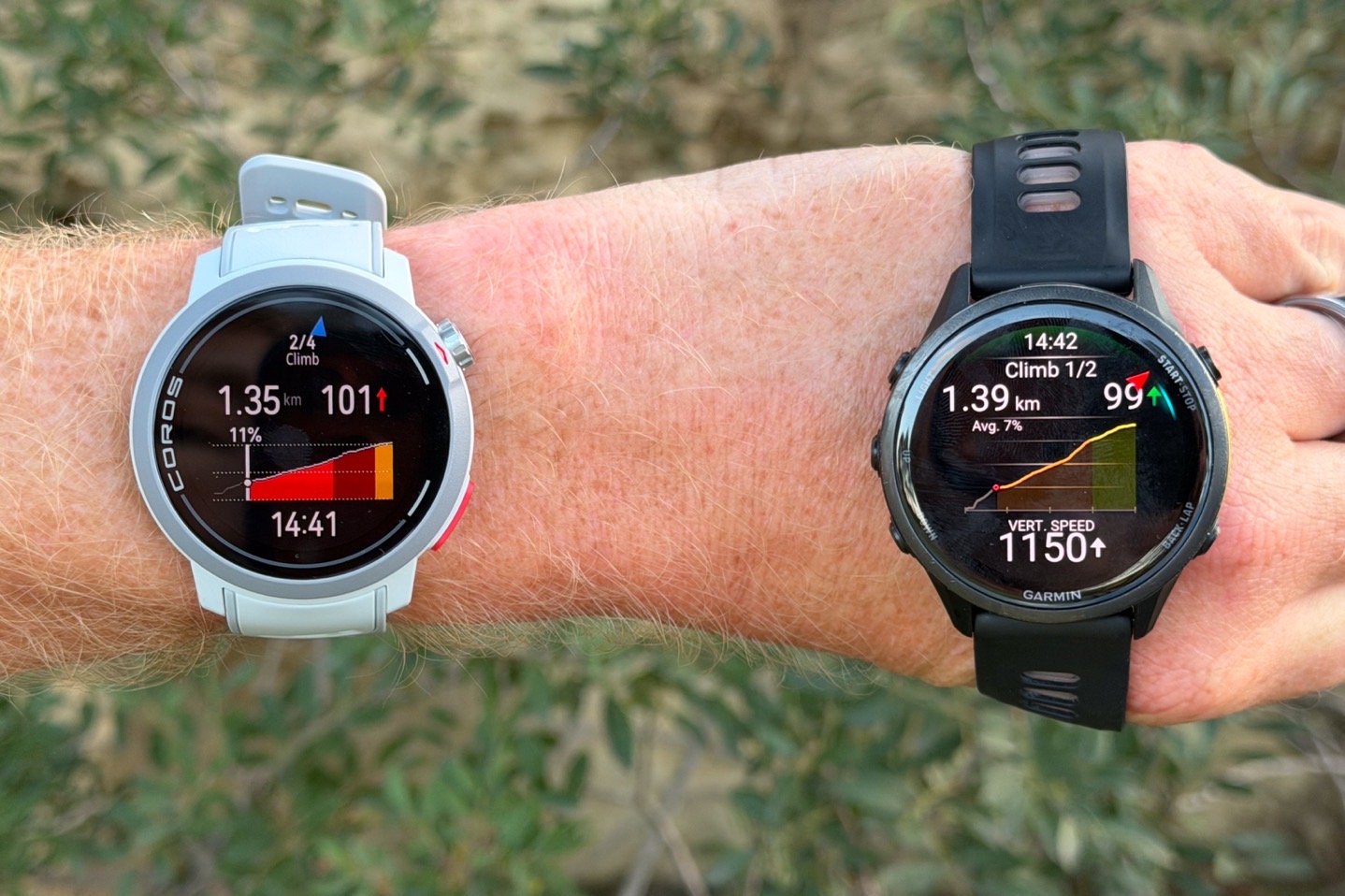
You’ll notice the following slight differences:
– COROS shows the current gradient, Garmin shows the average gradient of the climb
– Garmin shows current vertical speed, whereas COROS shows current workout time (Garmin shows this at the top too)
– COROS uses a red arrow for up, and Garmin uses a green arrow for up
– COROS & Garmin differ very slightly on exactly where the top is, but that’s normal
– COROS includes descents in the total climbs, whereas Garmin splits/counts those out separately
For the most part, I don’t really have too many preferences for any of the above. I think I slightly prefer the COROS approach of showing current gradient over entire climb average gradient, though realistically I’d rather have gradient average remaining on the climb (as the cycling computers usually do). But I definitely prefer Garmin’s approach of showing vertical speed, as opposed to just workout time.
However, there is one notable difference I encountered on the trails, which is that when you go off-course, the COROS Hill/Climb screen instantly disappears, whereas Garmin’s stays there but doesn’t update. That means that if you’re on a parallel trail (for any number of very valid reasons), with Garmin you can roughly know how high to the top. Whereas with COROS, it disappears entirely. Hopefully, COROS can make a change here to keep both the full course profile and specific climb active, regardless of whether you’re still on the specified route.
Finally, note that COROS does indeed show descents as well:
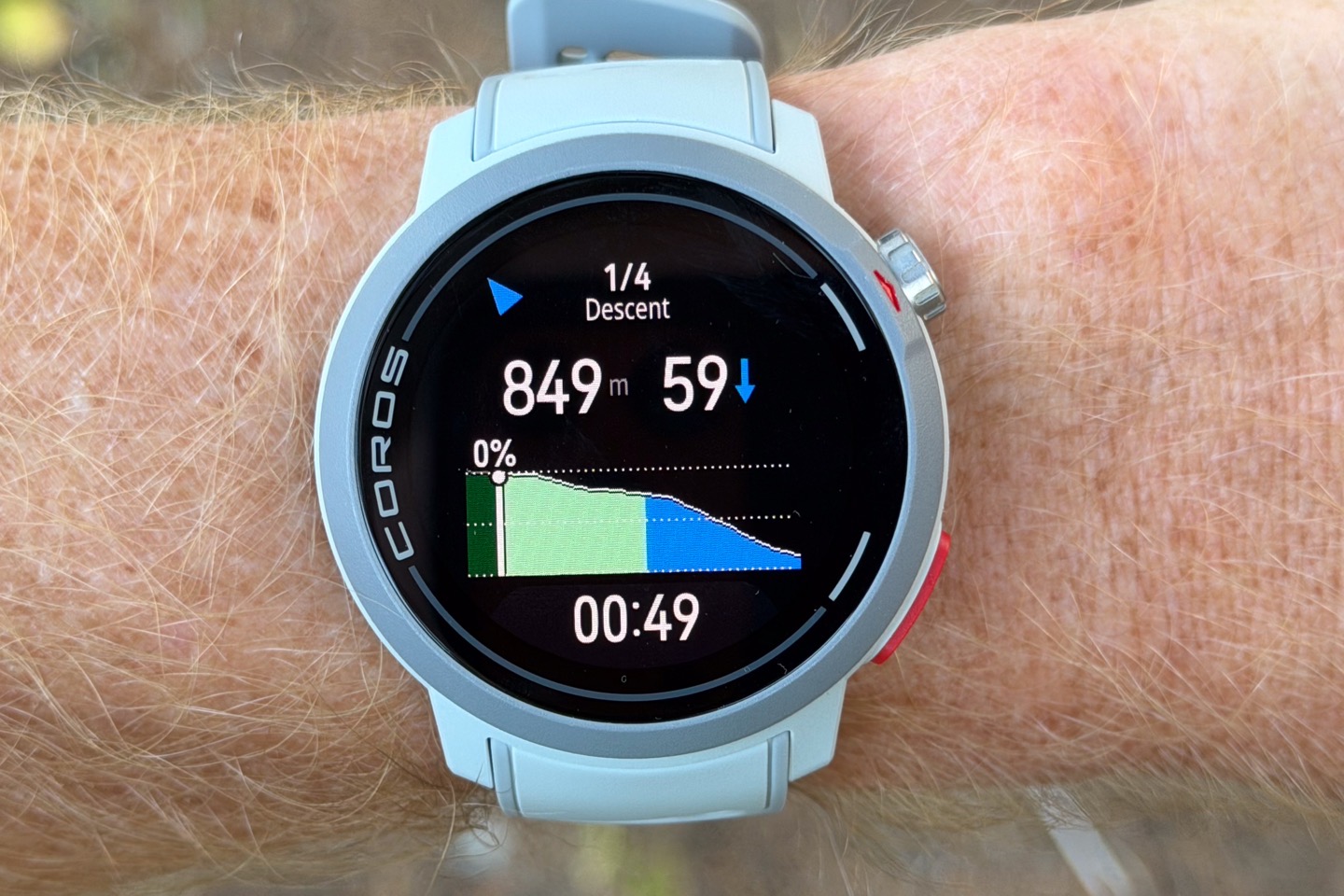
Otherwise, these worked reasonably similarly in my tests, with only minor climb detection/triggering differences here (which is normal when comparing any of the companies that do ClimbPro-like features, including Wahoo/Hammerhead/Garmin/Suunto/Amazfit, and now COROS).
I’d argue that at current, this implementation is a bit better than Suunto’s implementation, which doesn’t include any gradient coloring (e.g., just shows the entire climb profile always as red).
Pace Strategy:
Next, is COROS’s Pace Strategy feature, which lets you load either a specific course, or a given distance (e.g. half-marathon), and then get pacing guidance both in-app, and on the watch. This can account for terrain, as well as positive/negative splits. Further, for ultra events, it’ll also account for a decrease in your pace automatically over time. Though the company notes that predicting how much people fade (or death-march), over time can be tricky at the individual level.
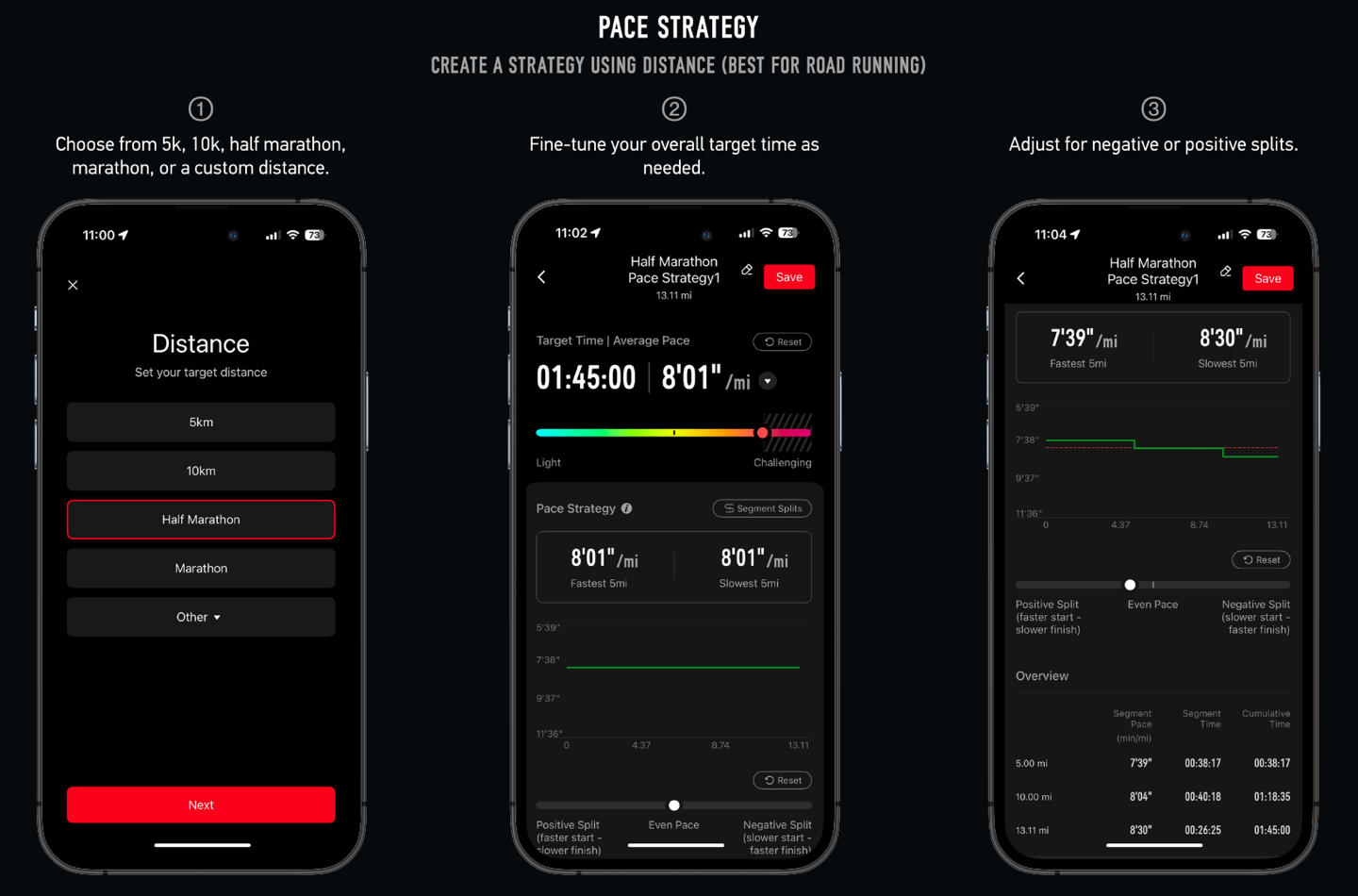
I’m first going to show you three specific slides from COROS, before showing you my actual data during the race. The reason? These specific slides actually show the breadth of the feature really well, whereas my specific race is more limited. First, below you can choose a given distance, then select your goal time or pace, and then adjust whether you want to have positive/neutral/negative splits.
But where it gets more interesting is if you load up a course. This rather painful course is a great example of this:
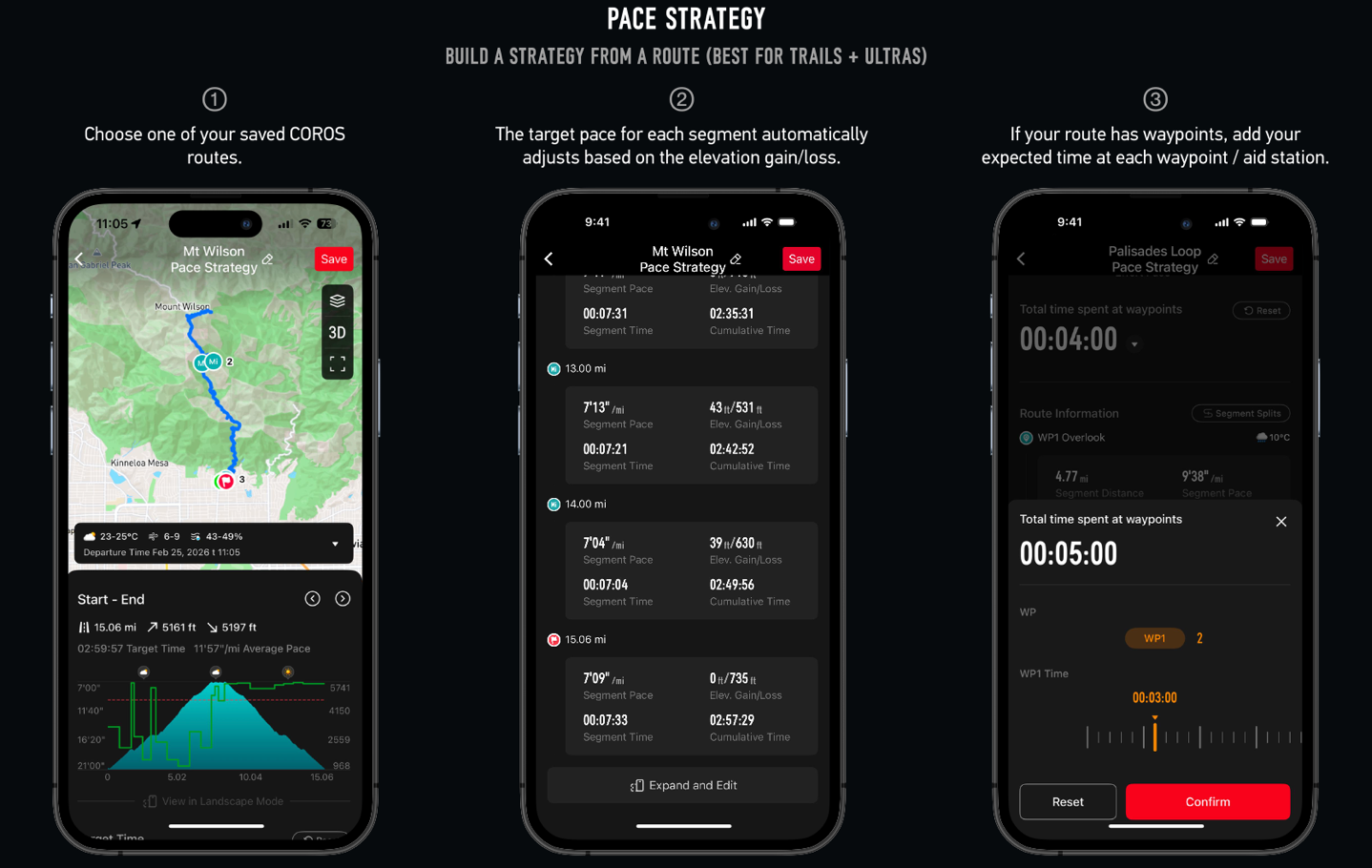
In particular, above you’ll notice how it’s dividing up the segments based on the terrain, and substantially changing the pace goals. COROS also shows the time at each waypoint, which again, Garmin doesn’t do at all (though equally, Garmin recently released time checkpoints/cutoffs aimed at Ultras, which COROS doesn’t do at all).
Next, below you can see how this divides this up even better:
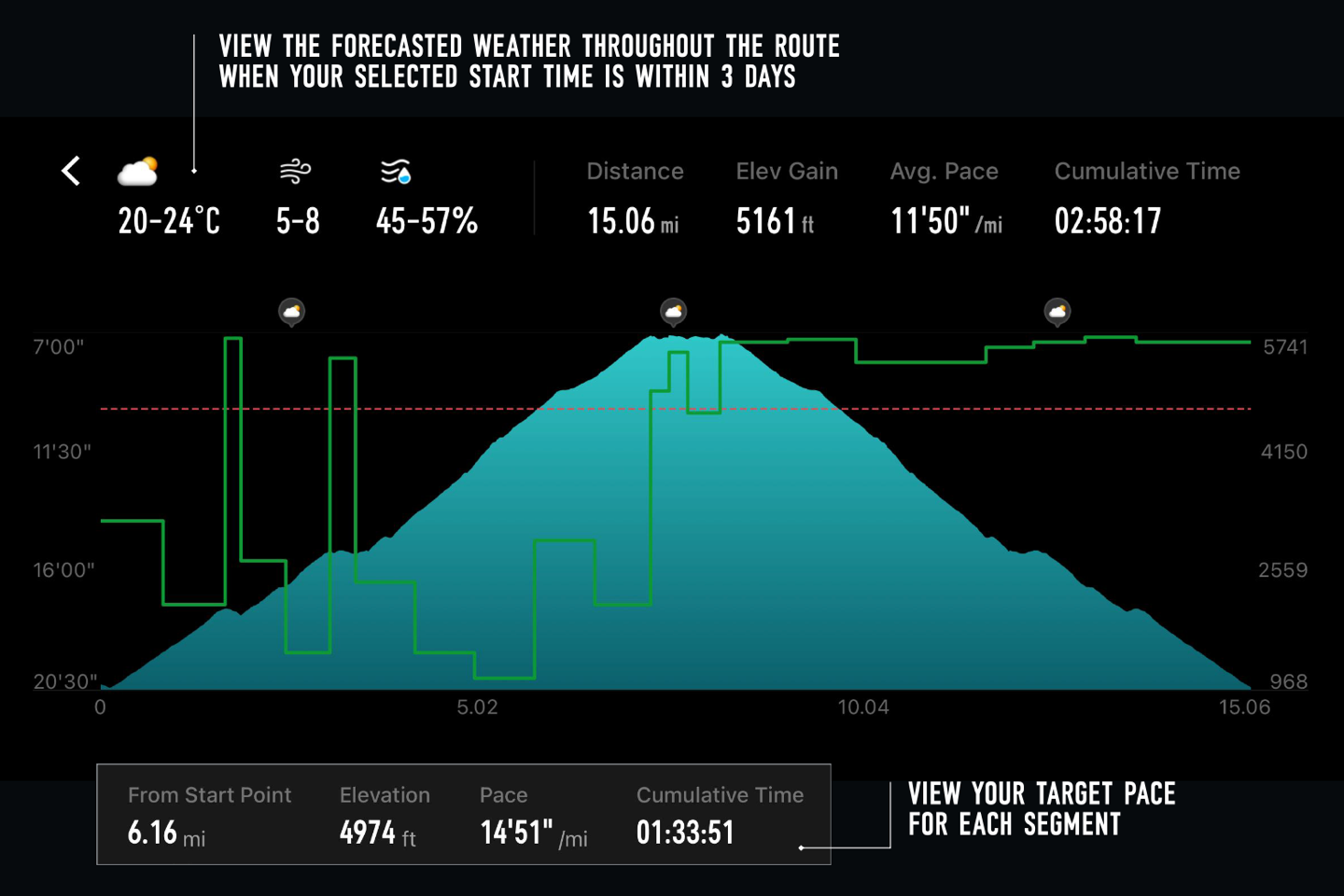
Finally, if you don’t like the pace it’s assigned for a given split, you can manually adjust it. I did this for my half-marathon, to add in a bit of a buffer for the first few KM due to crowding. The downside, though, is that this won’t re-adjust the rest of the splits to still hit your goal time.
With all that noted, you’ll send the Pace Strategy guide to the watch from the app, and then you’ll see it load up from the running menu.
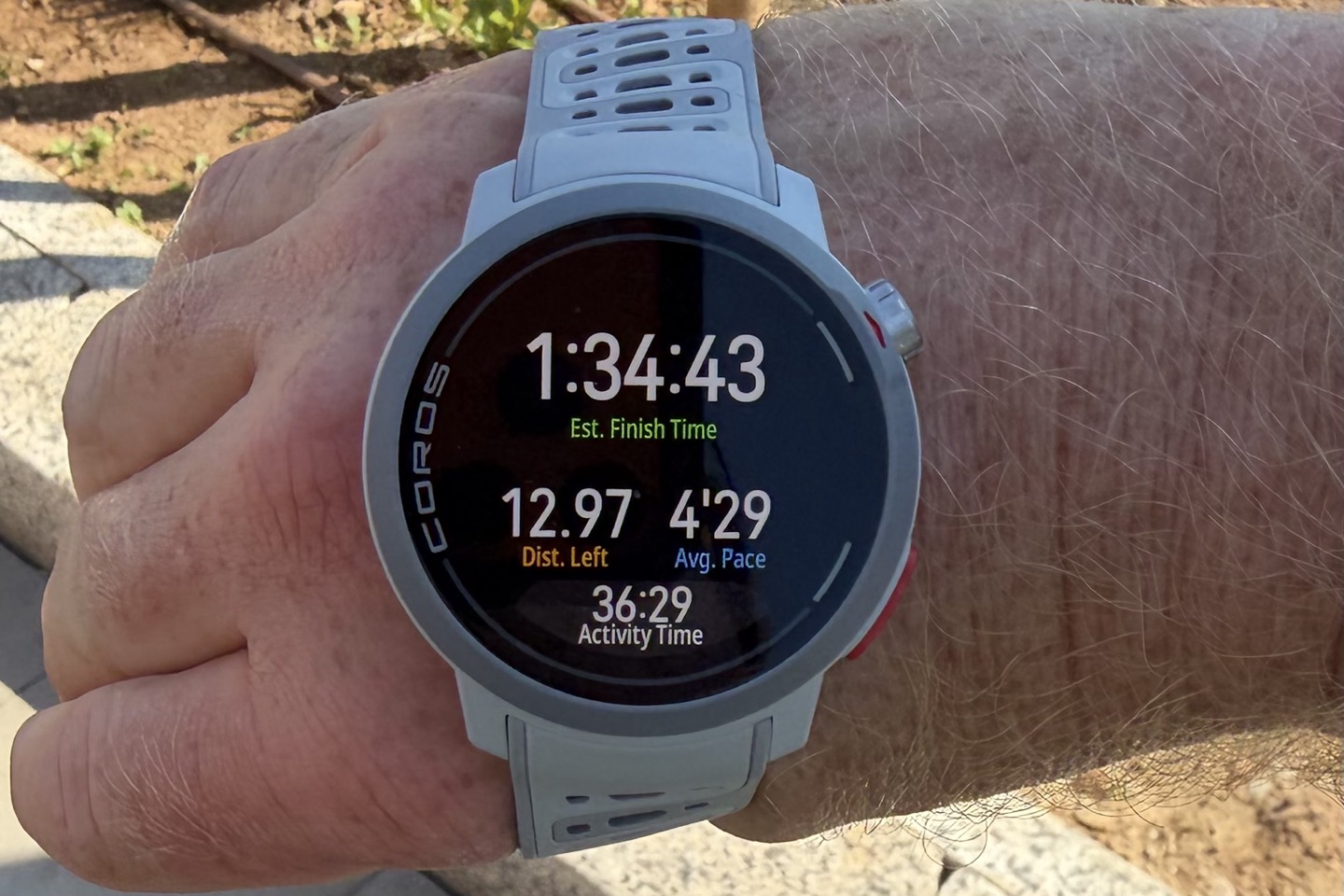
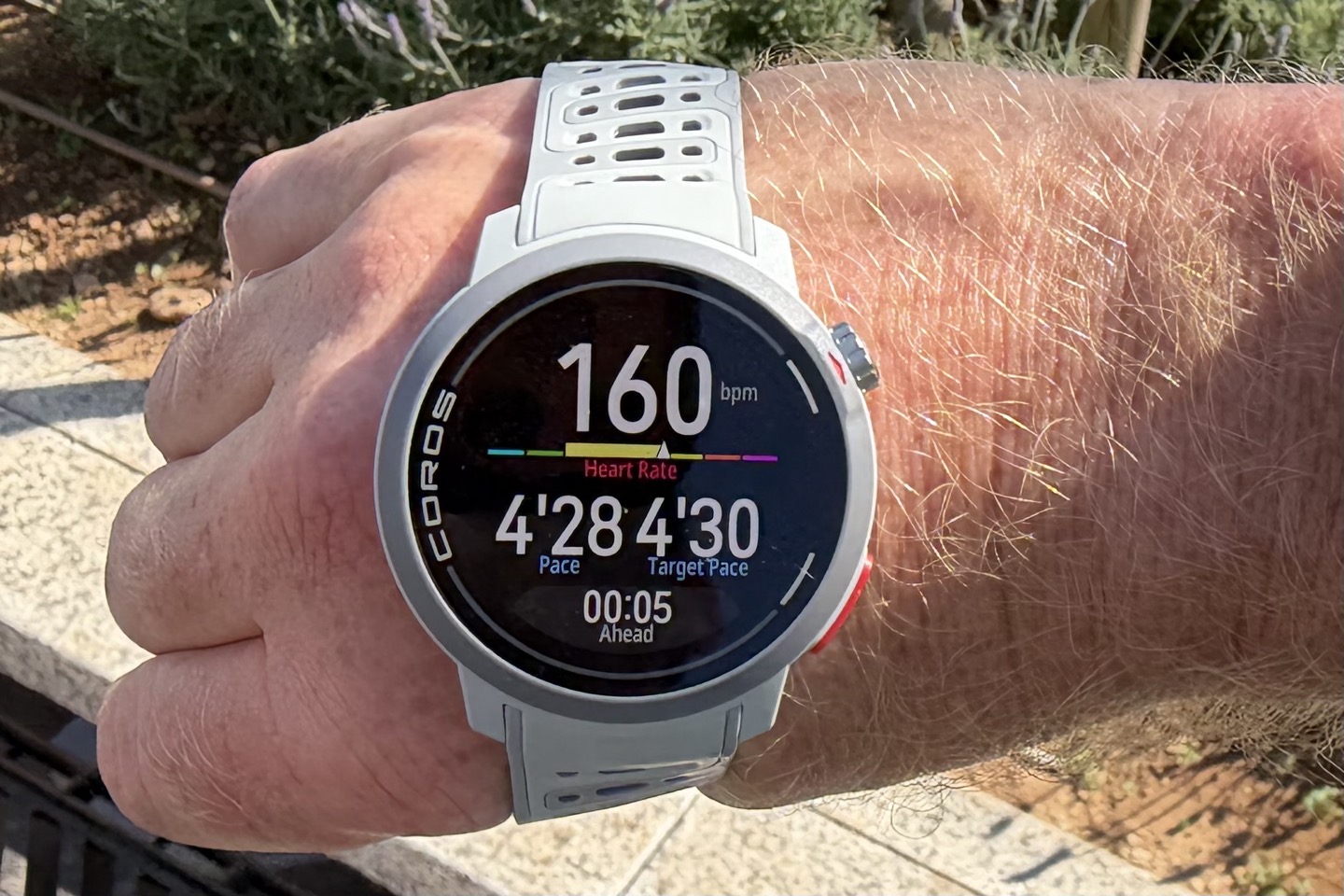
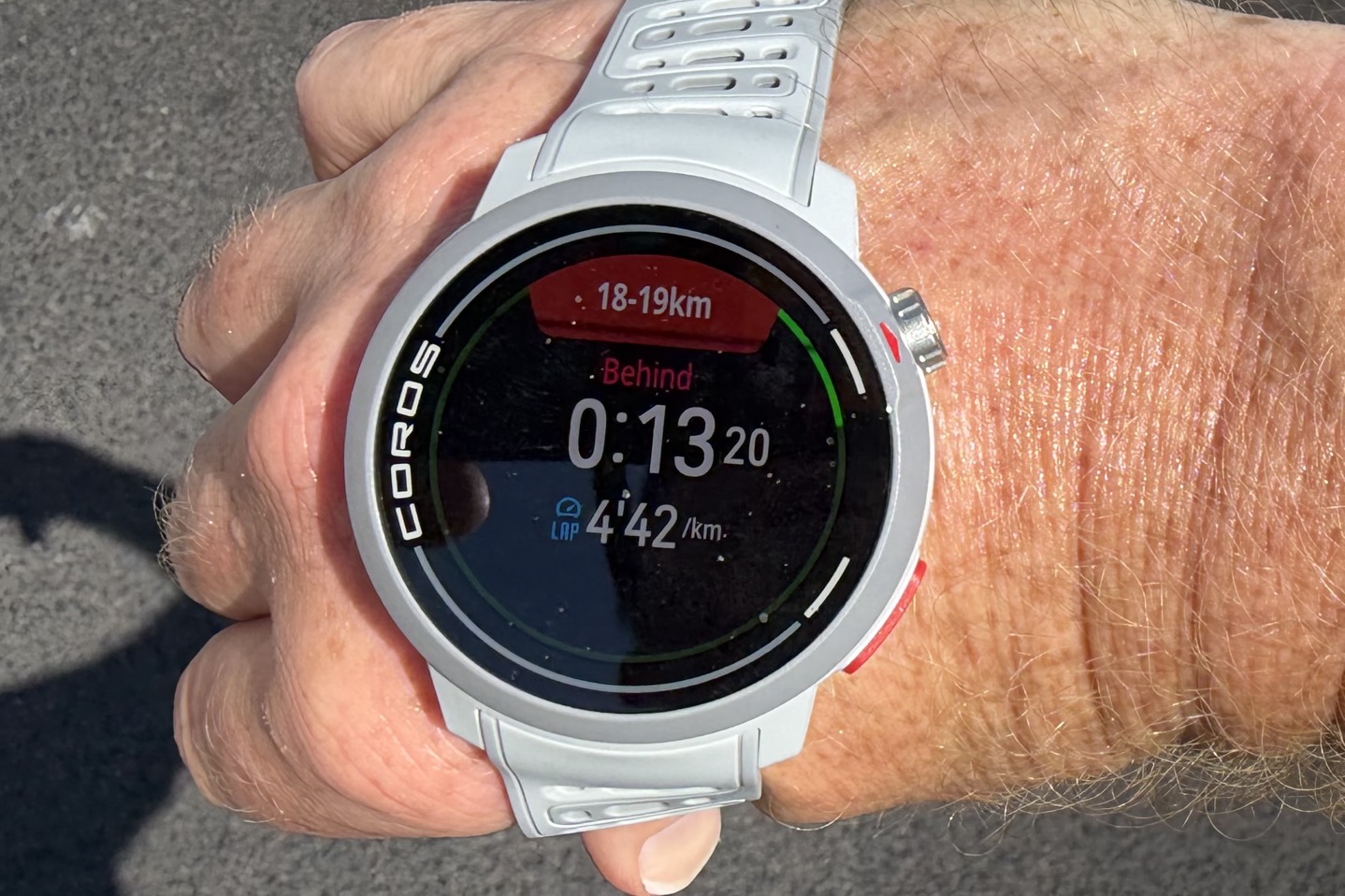
In my case, I had created a Pace Strategy a few weeks ago for a half-marathon I was pacing my wife on. She had been sick the weeks prior, so this was definitely going to be a yolo hail-may attempt, and to be honest, she almost pulled it off. In our case, we decided to start with tapering expectations and just go with a 1:35 total time (which is below her PR and goal times, but realistic given the previous weeks of failboat).
To begin, there are essentially three screens that have relevant data here. There’s this one, which is like a summary screen showing estimated finish time, distance left, average pace, and activity time:
This one shows heart rate, pace, target pace, and whether you’re ahead/behind.
And finally (but probbably most importantly), this one that shows up each split, showing your current split distance, and if you’re ahead/behind. Here, at KM18-19, we’re 13 seconds behind, with a lap pace of 4’42/km.
Overall, this all worked just fine; I don’t have any complaints here.
And I think the ability to customize the splits in more detail than you can with Garmin is a nice touch, as well as some of the depth that COROS goes into around fading and such is pretty cool (though I haven’t been able to really dig into that in an ultra real-life event either).
The Other Features:
Now, as promised above, I’m just going to quickly run through a slate of smaller features and some of the imagery from COROS. I’ve used some of these, though not all of them. The ones I used worked just fine.
Here’s the new weekly distance widget, along with the COROS Dura Media Controls:
Then there’s the Hyrox support that’s not called Hyrox support (since Amazfit has that official partnership):
Followed by the increased font size and pause options, the pause options are kinda interesting in that it basically shows an end-of-run summary of the workout when you tap “View Workout”. Except that you aren’t done yet. It’s kinda neat.
Then there’s passcode support and climbing categorizations:
And then finally, the Zwift integration. However, be warned that this one is *only* one-way from COROS to Zwift (so if you had a structured training plan in COROS, it’ll send that to Zwift). This is not bidirectional from Zwift back to COROS. From talking to Zwift about this, they aren’t opposed to it, but apparently, that’s a bigger lift for them, and it’s not there today. Hopefully that changes, as in my mind, it’s kinda key to be both ways.
Still, it’s cool to see COROS gain this, and cool to see Zwift expanding this.
Wrap-Up:
I think the most notable piece here for COROS isn’t adding a bunch of (very handy) features that their key competitors already have. Instead, I think the key thing here is that they’re adding them to prior-gen watches (one generation behind), which their key competitor simply doesn’t do anymore. To me, that’s the most important message.
In terms of the features themselves, I’m a huge fan of ClimbPro and use it a ton, and COROS’s implementation is similar enough that it easily fits the bill as a COROS-based alternative when using their watches. Something I didn’t have before.
Thus, kudos COROS, on really nailing this update!
With that, thanks for reading!


0 Commentaires