Fitbit has just announced the new Fitbit Air, priced at just $99 and doesn’t require any sort of subscription. In this post, I’ll dive into everything you need to know about it from a hardware, software, and overall platform perspective. I’ve got a unit or two headed my way to start digging into things hands-on, but for now, this covers the key bits you need to know.
In the case of the software app, I’ve been using the beta version to understand it all a bit better with existing Fitbit hardware, as the app is now expanding further beyond Fitbit data to any data source that wants to connect to it. More on that down below.
With that, let’s dive into things.
The Key Hardware Specs:
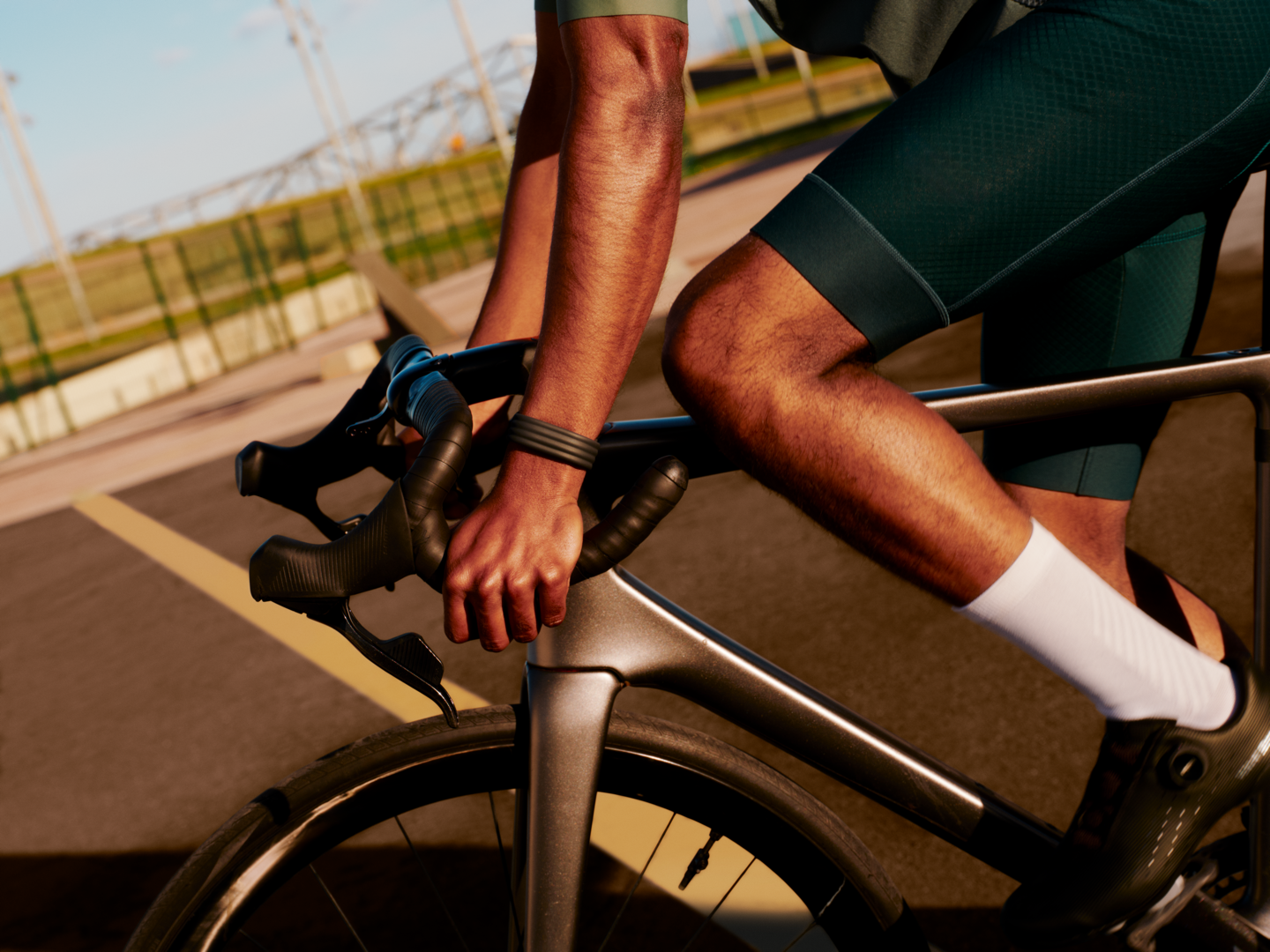
Here’s the key hardware/etc specs of the the unit, keeping in mind that at a functional level, it’s essentially taking a Fitbit Charge 6, and removing the display. Meaning that virtually every feature of the Fitbit Charge 6 exists here, just in a screen less form factor.
– $99USD, no subscription required (though there’s also an optional Premium subscription option for $9.99/month or $79/year)
– Two-part device: The main pod (“the pebble”), and then the band
– Pod is “polycarbonate and PBT plastics”
– Swappable Bands vary by type/material purchased
– Three core band types: Active, Elevated, Performance (see colors below)
– Battery life of 7 days
– Recharging time: 5 minutes quick charge is 1 day usage, or 90 minutes for a full charge
– 7 days of memory for detailed motion data (though oddly only 1 day offline of workout data)
– Tracks sleep, steps, and daily activity
– Has automatic workout/exercise detection
– Tracks training load (aka Cardio Load), includes Daily Readiness
– FDA-certified background Afib detection (but not manual ECG)
– Saves heart rate at 2-second intervals
– Optical heart rate monitor, plus a red and infrared sensor for SpO2 monitoring
– Skin temperature sensor
– Internal sensors include: 3-Axis accelerometer + gyroscope
– Includes vibration motor for smart wake alarms, regular alarms, and low battery alerts
– Small LED for battery status and pairing
– Bluetooth 5.0
– Heart Rate Broadcasting to certain equipment/devices (same as Charge 6)
– No GPS inside, but will leverage GPS from your phone (e.g. Connected GPS)
– Water resistant to 50 meters
– Weight – 5.2g without band, 12g with band
– Both Apple iOS & Android supported (minimum Apple iOS 16.4, minimum Android 11.0)
– Starts shipping May 26th (available to purchase today, though)
Below, you can see the pod within one of the bands, which is officially called “the pebble” (I presume in a nod to Pebble, which Fitbit acquired many years ago):
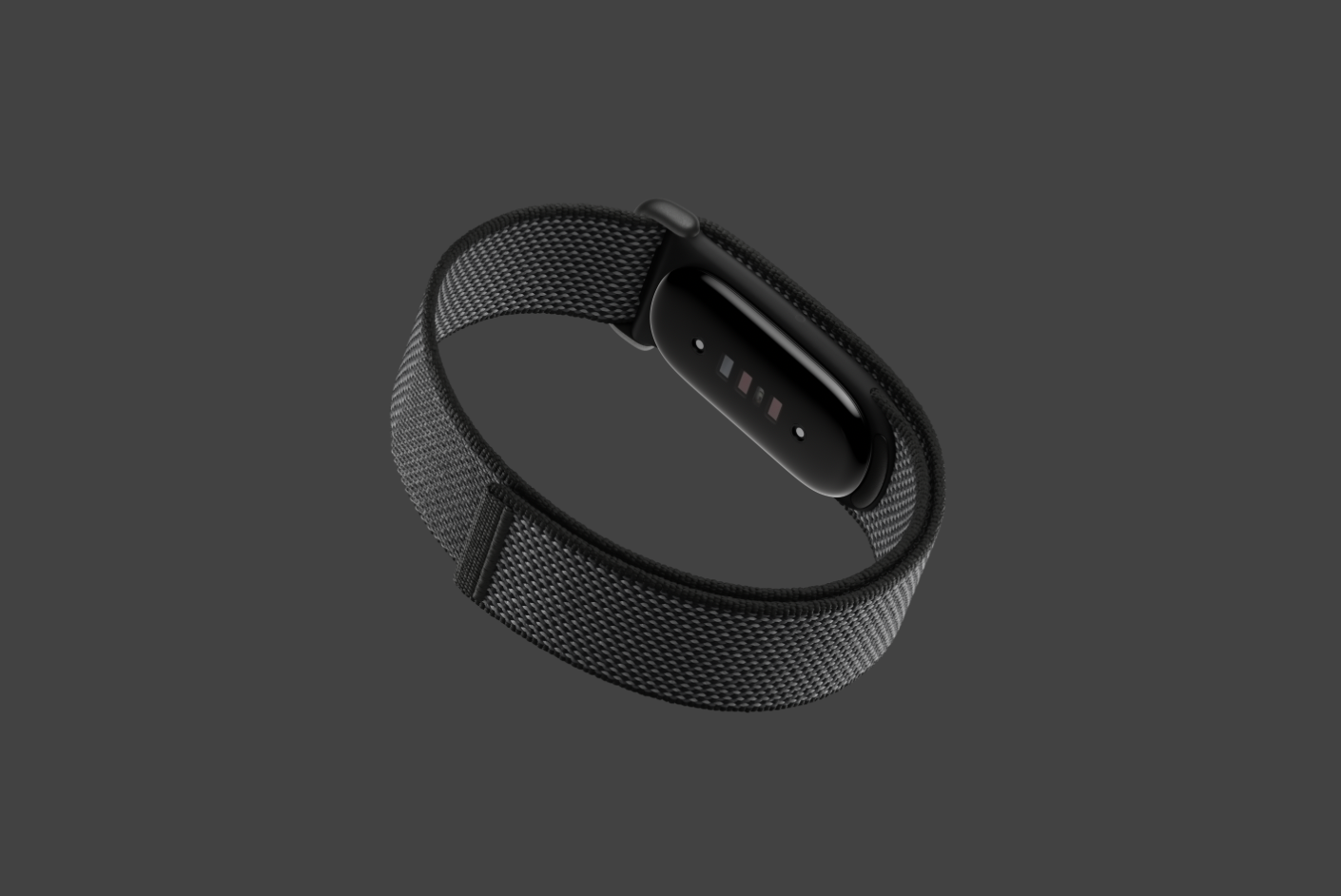
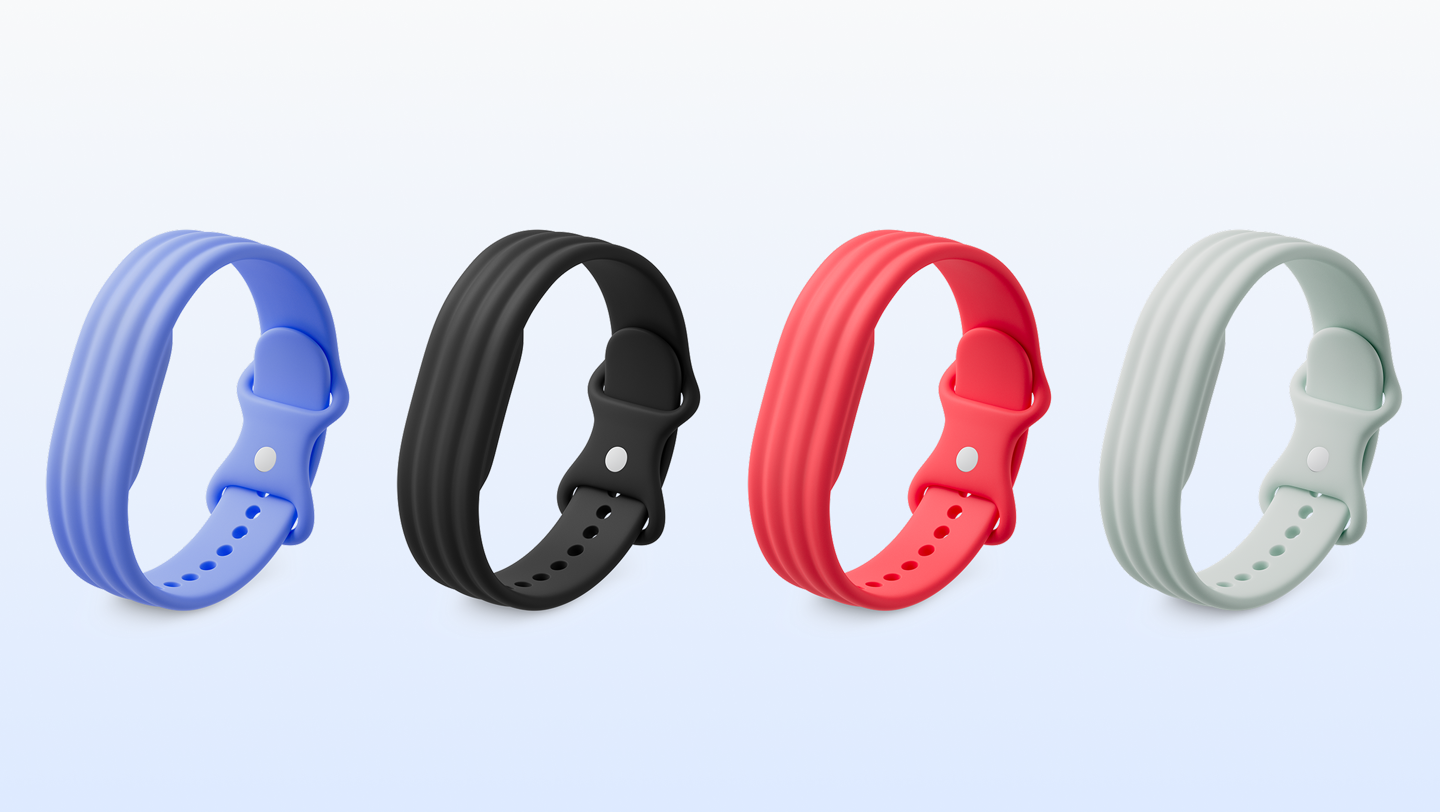
The pod itself is the same across all models, however, there are four different band colors at launch, which are grouped into three categories. The first is the Active bands:
Then the Performance bands:
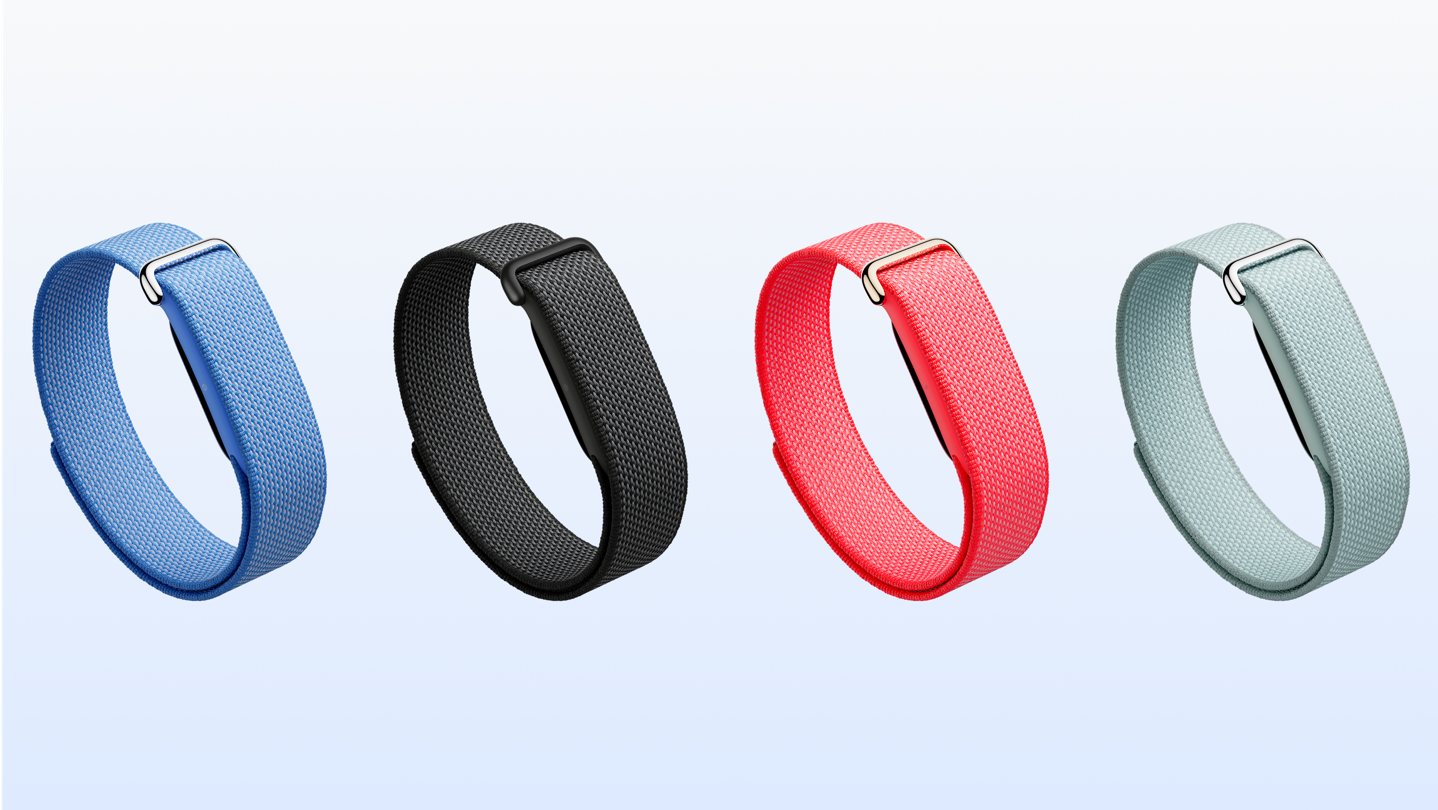
Then the ‘Elevated bands:
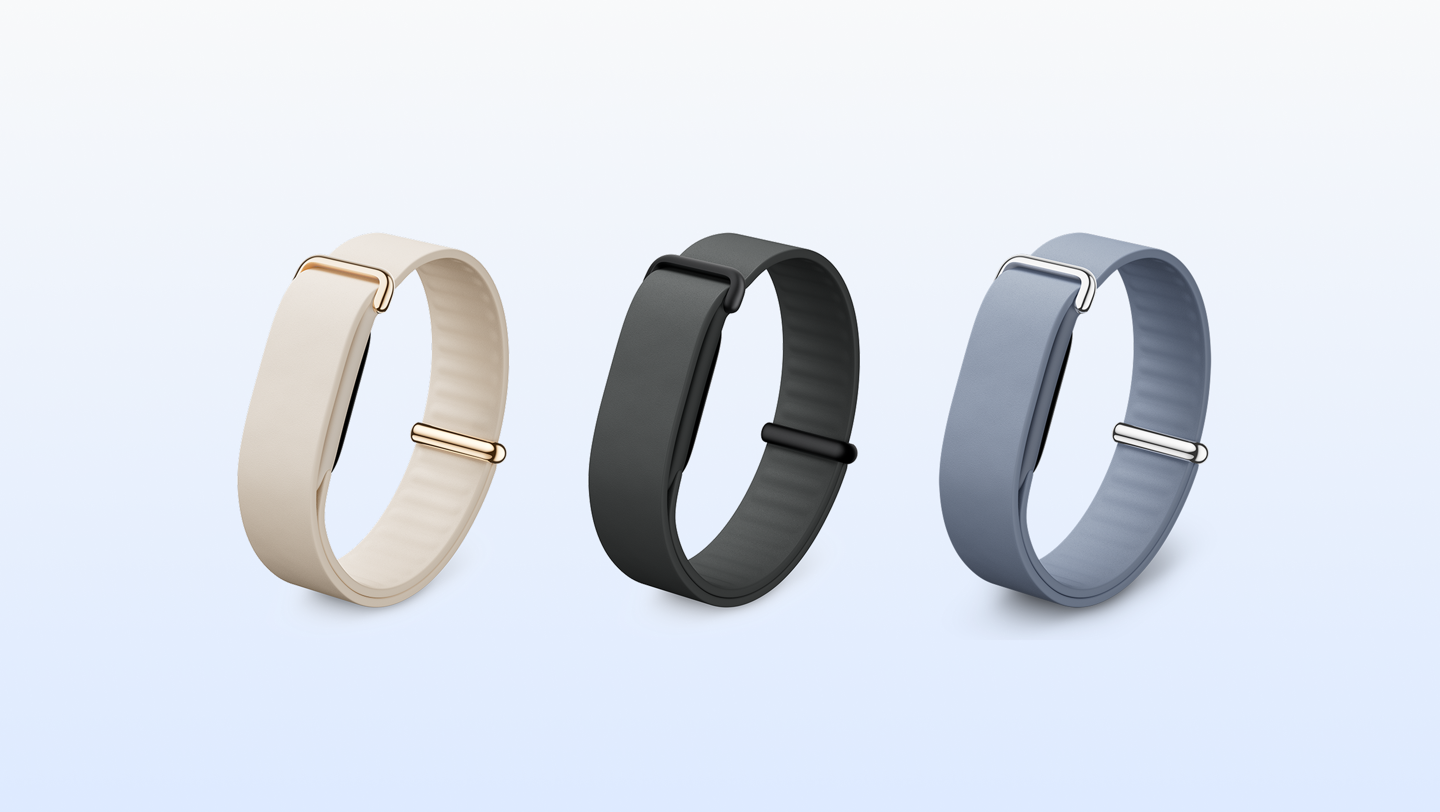
The official names of these band colors are:
– Obsidian Band, Matte Black Stainless Steel Buckle
– Fog Band, Polished Silver Stainless Steel Buckle
– Lavender Band, Polished Silver Stainless Steel Buckle
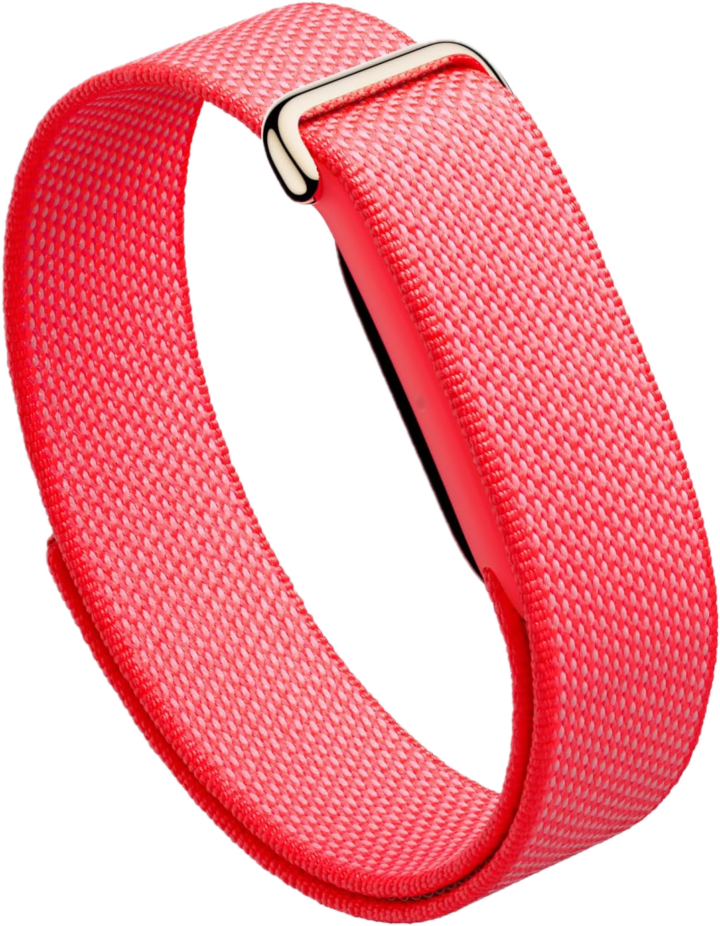
– Berry Band, Polished Champagne Gold Stainless Steel Buckle
And then beyond that, there’s the Stephen Curry Special Edition band too:
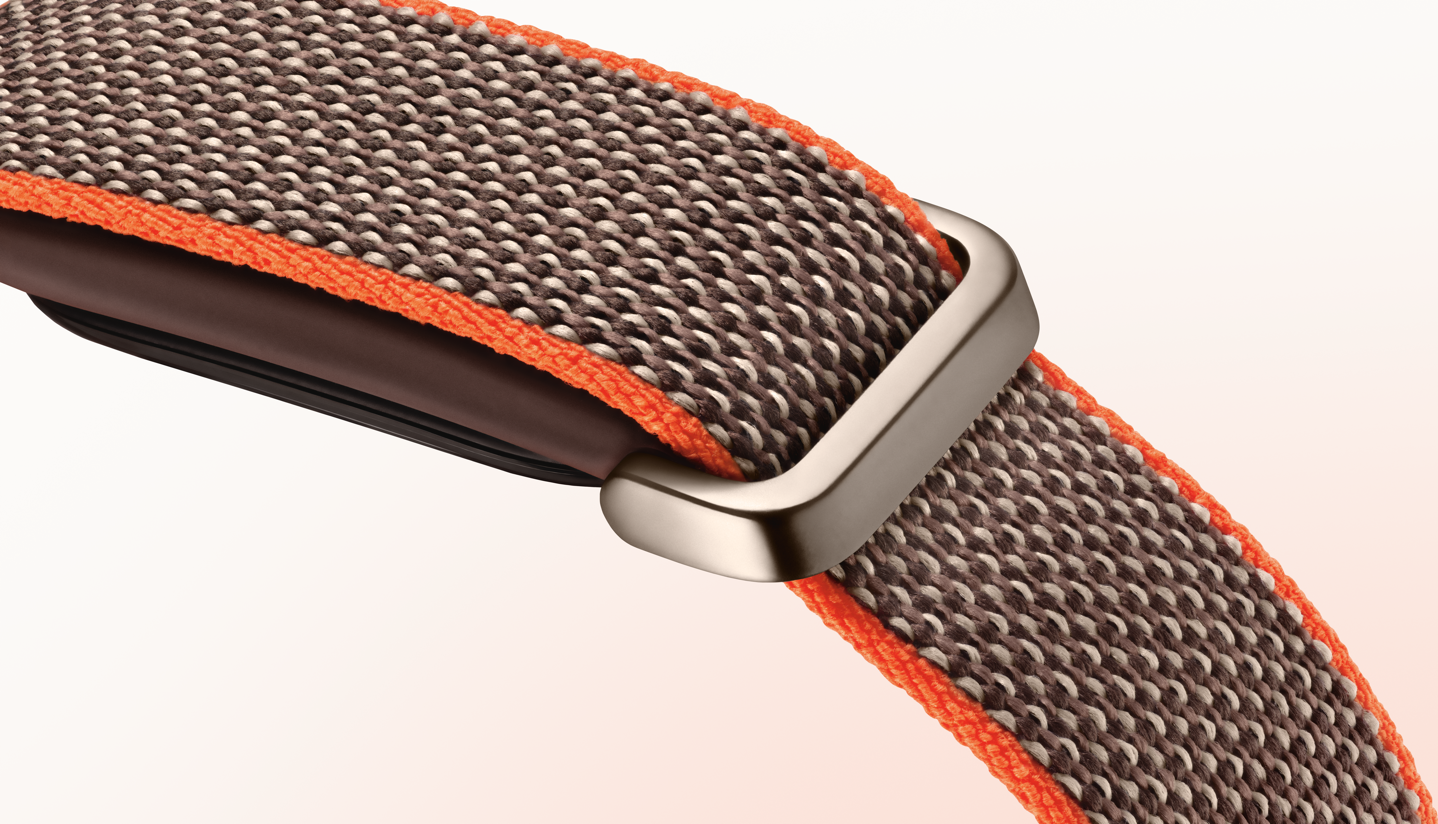
Not gonna lie, this one does look pretty nice:
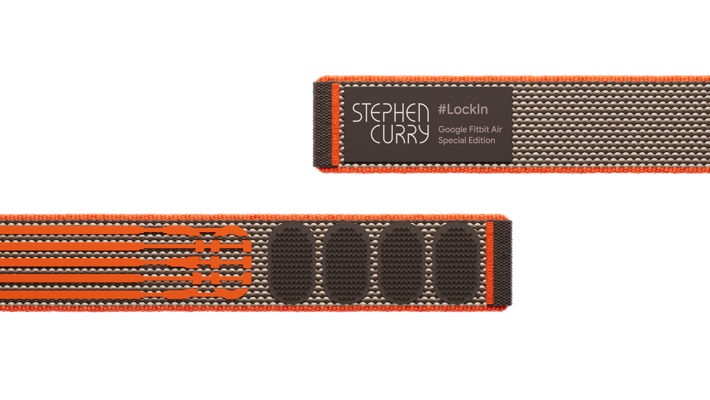
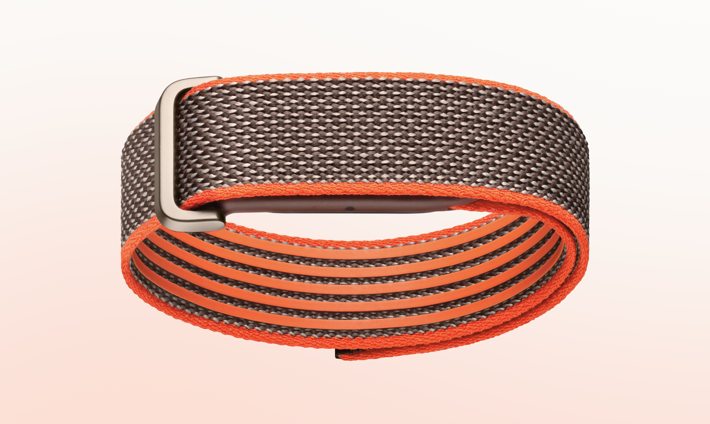
When it comes to the bands, one key omission is there is no bicep band (or any other band/wearable types). It doesn’t sound like that’s a forever thing, and Google hinted at more band options later in the year. Still, that seems like a silly oversight to make, given the massive popularity of such a band on Whoop (and Amazfit).
Nonetheless, the good news there is that Google pod design lends itself really well to cheap Amazon bands from no-name companies (the companies that just have a bunch of random characters in their names). So I’d be really surprised if we don’t see a plethora of $8-$12 options by mid-June or so.
The App Pieces:
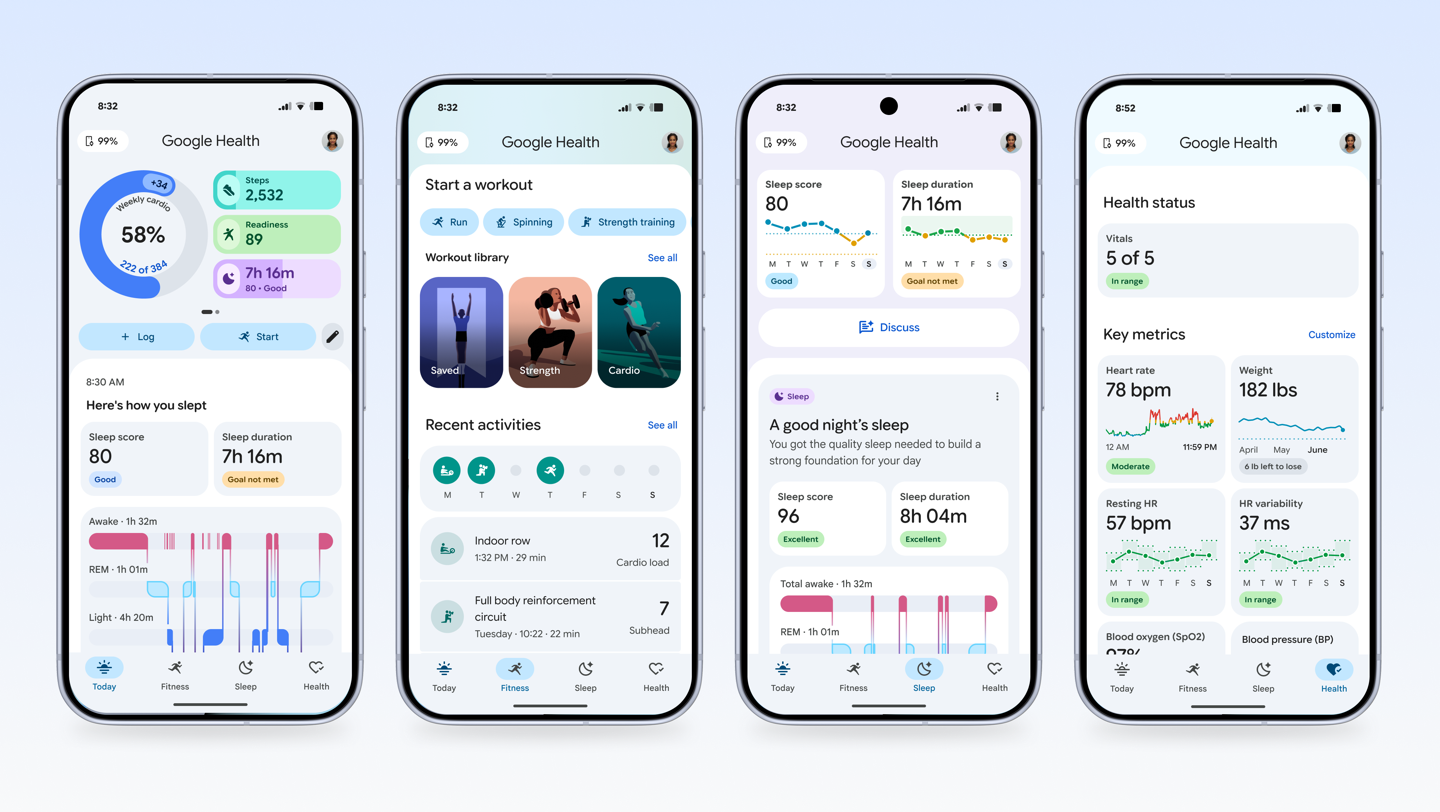
Anytime you have a screen-less wearable, arguably the app ends up being more important than the hardware. It’s a lesson we’ve seen Polar learn since launching their Polar Loop last fall. The hardware itself is largely fine, but the app has a fraction the functionality of Whoop or Amazfit, and with a seemingly decade-old clunk UI atop it.
In Fitbit’s case, it’s mostly the opposite. The company started to massively overhaul its Fitbit app last year, which launched in public beta shortly after the PixeL Watch 4. With today’s launch, that’s been renamed Google Health (which is kinda wonky, given the name of the just-announced hardware is Fitbit Air, not Google Air or Pixel Air). But in any case, to Google’s credit, I’d argue there’s no app that better leverages AI insights and the like within the fitness/health realm today.
The minor attempts by companies like Whoop, Oura, and others to leverage AI coaching and such are but a fraction of what Google/Fitbit has done in their app. It’s astonishingly deep, albeit sometimes like the talkative Uber driver at 4:45AM to the airport that just won’t shut up.
So, let me just run through my app, because that’s kinda the best examples of what you’re going to see. This data is from the Fitbit Charge 6, though it’s literally the exact same data you’ll have with the Fitbit Air. Here’s my data from today:
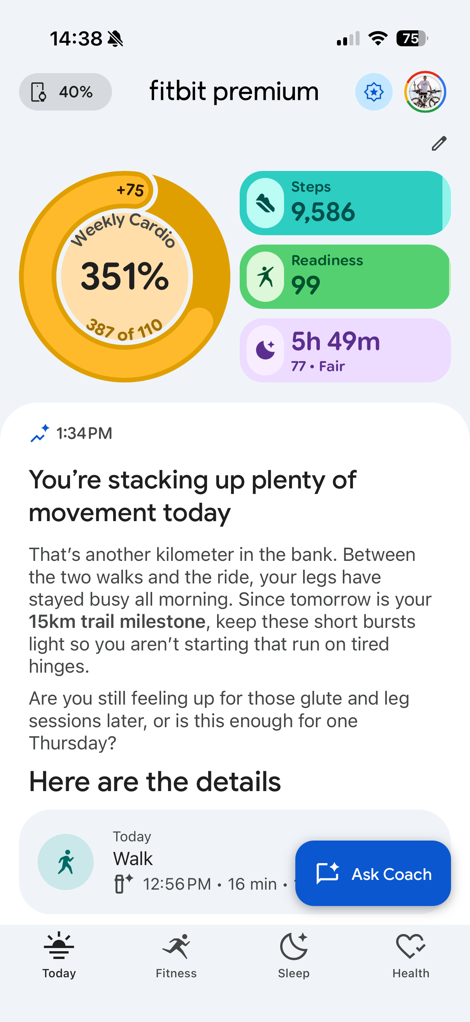
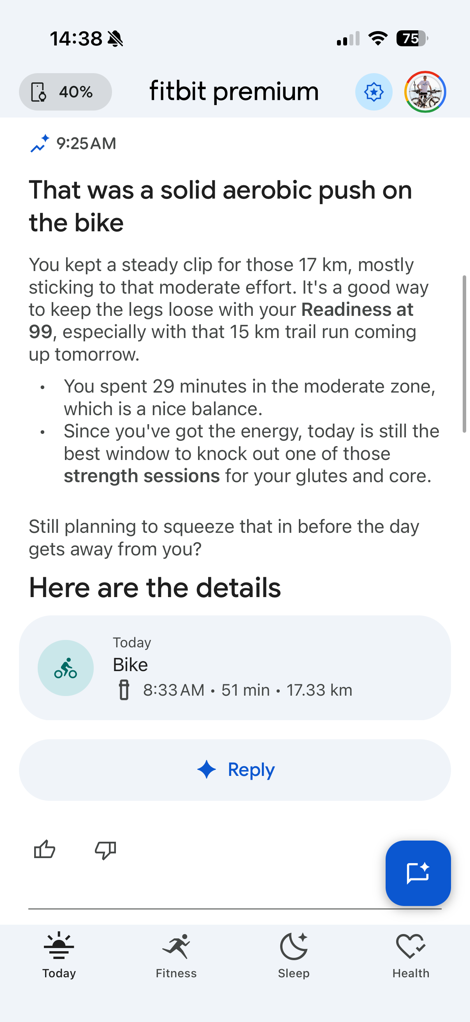
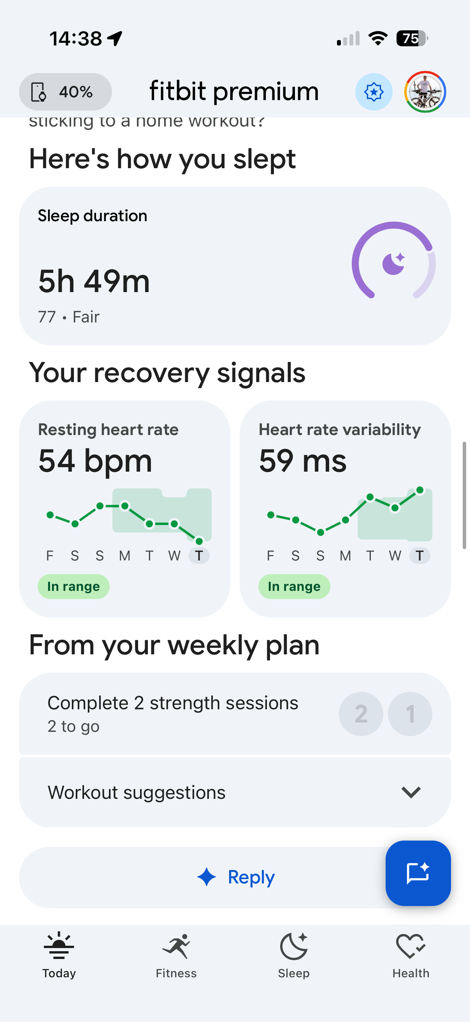
Certainly, there’s some segment of the population that just wants clear-cut and simplistic data metrics on a panel, and others that want more explanations. Right now, it leans very heavily on the wordy-text aspect. I like what it’s surfacing, but at the same time, I wish I had more opportunity to tune it. I can only change those top few metrics, but I can’t otherwise completely redesign it to focus more on other data metrics. Catering to a more customizable home page would go a long way to appeasing both camps.
I’ll dive more into the app in my full review (or you can see my walk-through up above in the video), but I do want t point out that you can use multiple Google/Fitbit devices at once. At launch, you’ll be able to concurrently use a Pixel Watch with the Fitbit Air, and it’ll automatically pull in the correct data and de-duplicate it (and you can set the priority if you want). And then shortly thereafter they’ll expand that to other Fitbit devices as well.
Revamped Google Health API’s:
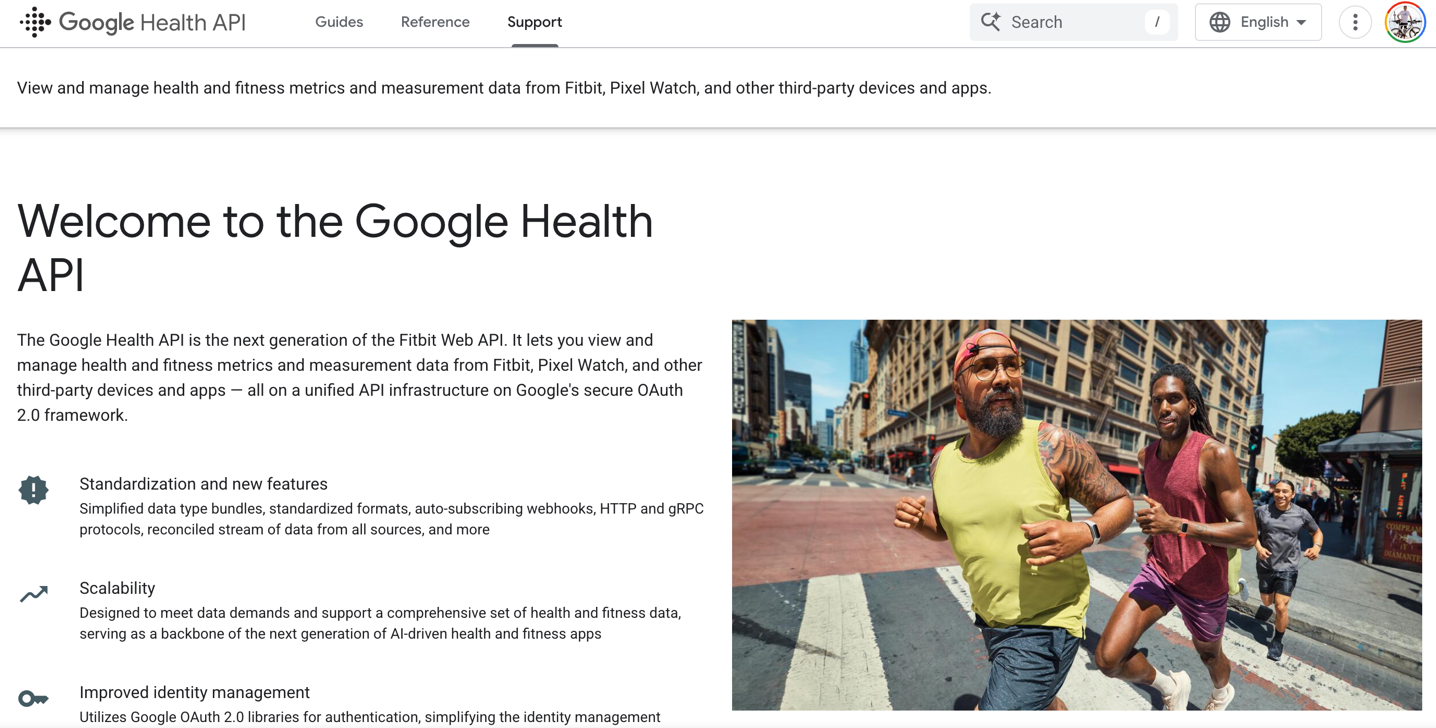
One bit of pretty substantial news that’ll probably get overlooked in all the flurry of Fitbit Air hardware news is the inclusion of new API’s to get data into Google Health. Google says that the goal is that you can use Google Health (including the premium features) with any data source, even including an Apple Watch if you want to. The underlying data (including sleep data, HRV data, etc…) will all be treated the same from an end user standpoint within the Google Health App.
To that end, Google already has its Google Health Connect, which is a set of Android API’s to get your health data into Google Health if on an Android phone with Android apps. That remains the case, and is one of two routes to get data into the platform. This route is ideal if the 3rd party partner company has an Android app, since Google Health Connect is Android only.
But, that doesn’t solve for a different type of partner, which is one that doesn’t have an Android app (or doesn’t want to develop those data sync pieces). For that, Google is re-launching their existing Fitbit API’s as the Google Health API, with a bunch of changes under the covers. This API has historically covered numerous partners like Peloton, which allows syncing of that health/fitness data to your then-Fitbit-now-Google account. In these cases, the 3rd party platform just wants to push data into your account, without the complexities of building out and maintaining a standalone Android app.
However, beyond that, Google is also making those API’s bidirectional, so companies can receive the fitness data from Google Health as well. There are still some aspects of this that are a bit fuzzy (for example, what file formats does Google export out in?), but it sounds like those should become clear soon.
You can find the new Google Health API platform page here, for developers. The existing Google Health Connect page is here (that remains, and gets some expansions).
Going Forward:

I’m super keen to start using this in the coming days. From a practical standpoint, I’ll really be focusing on three core areas that seem to trip-up many companies in this space (the screen-less wearable tracker):
1) How well does it do automatic workout recognition? Specifically, does it properly track (automatically) the start/end of workouts, and does it classify them correctly. In this case, we know Fitbit is already at a bit of a disadvantage in terms of the total sport types it knows, but it sounds like that’ll be expanding over time. Still, at least getting these core types correctly marked is a big upgrade over some of their competitors.
2) Is the battery life matching the claims? Fitbit is saying 7-day battery life, and historically speaking Fitbit is pretty good about battery claims (rarely missing them). Assuming the 7-day battery life, this isn’t as good as Whoop’s 14-day claim (and reality), but is above Polar’s battery life. Amazfit’s battery life seems in that same realm as well for me.
3) Is the data accurate? In this case, I’m looking at the heart rate data, sleep data, activity data, and anything else it tracks. Fitbit says that the algorithms here are built atop the Pixel Watch 4 algorithms, and we should expect slightly improved performance from the sensor over a Charge 6 sensor. Generally speaking, the Charge 6 sensor was pretty good for sport & daily data, as long as you wore it correctly (but sacrificed the GPS in the process).
Beyond that, I’ll be diving into the app quite a bit. As noted earlier, the app is a huge piece of the puzzle, and while Fitbit is easily the current leader in taking your data and processing it with useful feedback to you, the new app has frustrated some that find it simply too wordy/talkative. I think that’s a very valid complaint, without much of a way to tweak it to be less talkative and more data-focused.
But again, all things I’ll dive into – with both my data, and likely also my wife’s usage.
With that – thanks for reading!
Found This Post Useful? Support The Site!
Hopefully you found this review/post useful. At the end of the day, I’m an athlete just like you looking for the most detail possible on a new purchase – so my review is written from the standpoint of how I used the device. The reviews generally take a lot of hours to put together, so it’s a fair bit of work (and labor of love). As you probably noticed by looking below, I also take time to answer all the questions posted in the comments – and there’s quite a bit of detail in there as well.
If you're shopping for the Fitbit Air or any other accessory items, please consider using the affiliate links below! As an Amazon Associate I earn from qualifying purchases. It doesn’t cost you anything extra, but your purchases help support this website a lot.
And of course – you can always sign-up to be a DCR Supporter! That gets you an ad-free DCR, access to the DCR Shed Talkin' video series packed with behind the scenes tidbits...and it also makes you awesome. And being awesome is what it’s all about!
Thanks for reading! And as always, feel free to post comments or questions in the comments section below, I’ll be happy to try and answer them as quickly as possible. And lastly, if you felt this review was useful – I always appreciate feedback in the comments below. Thanks!


0 Commentaires