The Fitbit Air will be a turning point in wearable technology, in much the same way that Whoop was for certain population segments. But I’d argue it’ll do so for different reasons. In the case of Whoop, it was mostly pioneering a new concept (screenless trackers, though the Jawbone Up technically beat it years earlier, but without Bluetooth connectivity). Whoop’s data itself wasn’t really unique; plenty of other companies had been doing basically the same thing for years in watches. It was the fact that it was screenless that was unique. However, Whoop’s pricing has long made it inaccessible to true mass-market sales. After all, Whoop’s own numbers boast a mere 2.5 million subscribers, compared to some 30 million+ for Fitbit.
Whereas with Fitbit, the turning point they are likely going to be remembered for with Fitbit Air is making the hardware accessible to the masses at a friendly $99 price point (with no subscription required). In fact, my wife has been using it without a subscription, just so I can demonstrate the differences. But perhaps more notably than the price will be Fitbit’s AI-first app experience. After all, everything you do with a screenless wearable is driven by the app (for better or worse). And nobody in the sports/fitness-tech realm is anywhere close to how Fitbit leverages AI for every bit of the app. To say Whoop uses AI, would be to compare a toddler to college graduates. Fitbit is simply in a different league.
But all of this is setting the stage for what I really want to dive into in this review: Does this actually work? Is this actually providing value, and at what true cost? Having the cheapest band and a suite of AI tools is only useful if the data is correct (both hardware data and AI insights). Simply being from Google/Fitbit does not guarantee being either correct (or useful). It’s an aspect I fear many reviews might overlook in the coming days.
With that, note that Fitbit sent me two loaner Fitbit Air units to review. I’ve already gone out and purchased my own, which should arrive any day, and these will go back to Fitbit.
The Key Specs:
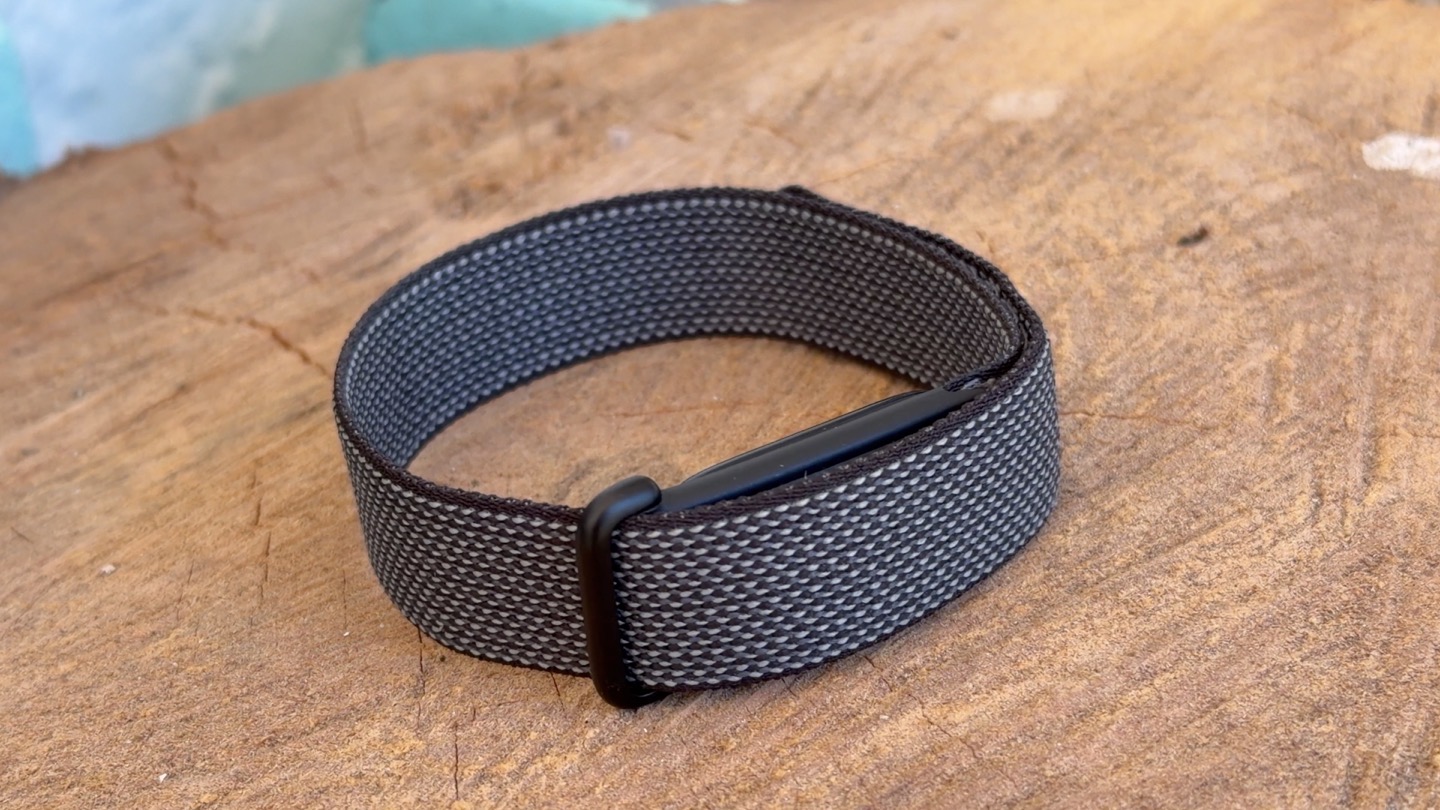
Here’s the key hardware/etc specs of the unit, keeping in mind that at a functional level, it’s essentially taking a Fitbit Charge 6, and removing the display. Meaning that virtually every feature of the Fitbit Charge 6 exists here, just in a screenless form factor.
– $99USD, no subscription required (though there’s also an optional Premium subscription option)
– Two-part device: The main pod (“the pebble”), and then the band
– Pod is “polycarbonate and PBT plastics”
– Swappable Bands vary by type/material purchased
– Three core band types: Active, Elevated, Performance (see colors below)
– Battery life of 7 days
– Recharging time: 5 minutes quick charge is 1 day usage, or 90 minutes for a full charge
– 7 days of memory for detailed motion data (though oddly only 1 day offline of workout data)
– Tracks sleep, steps, and daily activity
– Has automatic workout/exercise detection
– Tracks training load (aka Cardio Load), includes Daily Readiness
– FDA-certified background Afib detection (but not manual ECG)
– Saves heart rate at 2-second intervals
– Optical heart rate monitor, plus a red and infrared sensor for SpO2 monitoring
– Skin temperature sensor
– Internal sensors include: 3-Axis accelerometer + gyroscope
– Includes vibration motor for smart wake alarms, regular alarms, and low battery alerts
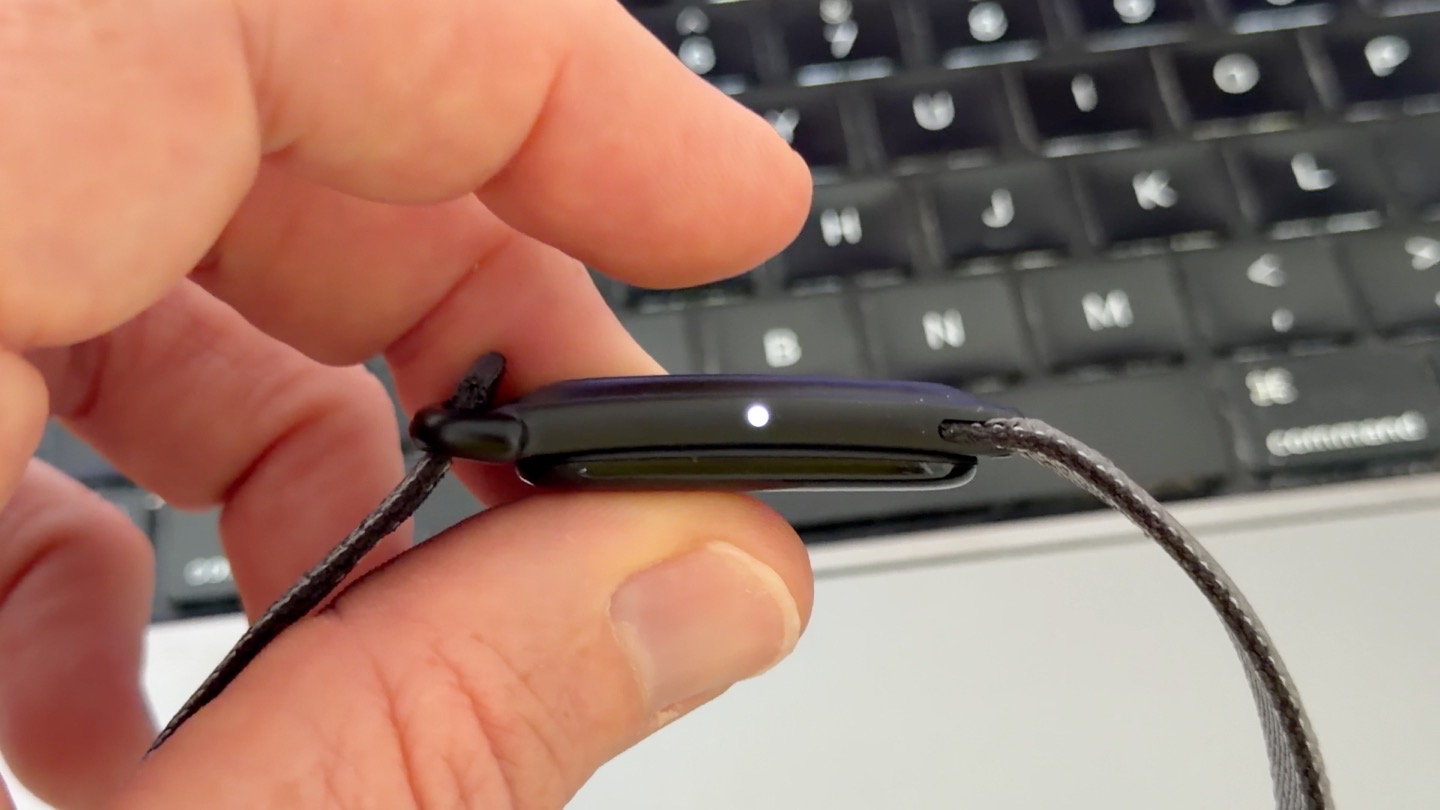
– Small LED for battery status and pairing
– Does not contain nacho cheese dispenser
– Bluetooth 5.0
– Heart Rate Broadcasting to certain equipment/devices (same as Charge 6)
– No GPS inside, but will leverage GPS from your phone (e.g., Connected GPS)
– Water resistant to 50 meters
– Weight – 5.2g without band, 12g with band
– Both Apple iOS & Android supported (minimum Apple iOS 16.4, minimum Android 11.0)
In terms of the premium subscription option, it’s $9.99/month or $99/year if billed annually. However, if you’re an existing Fitbit Premium subscriber, then you get to keep your $79/year annual pricing.
In the Box:
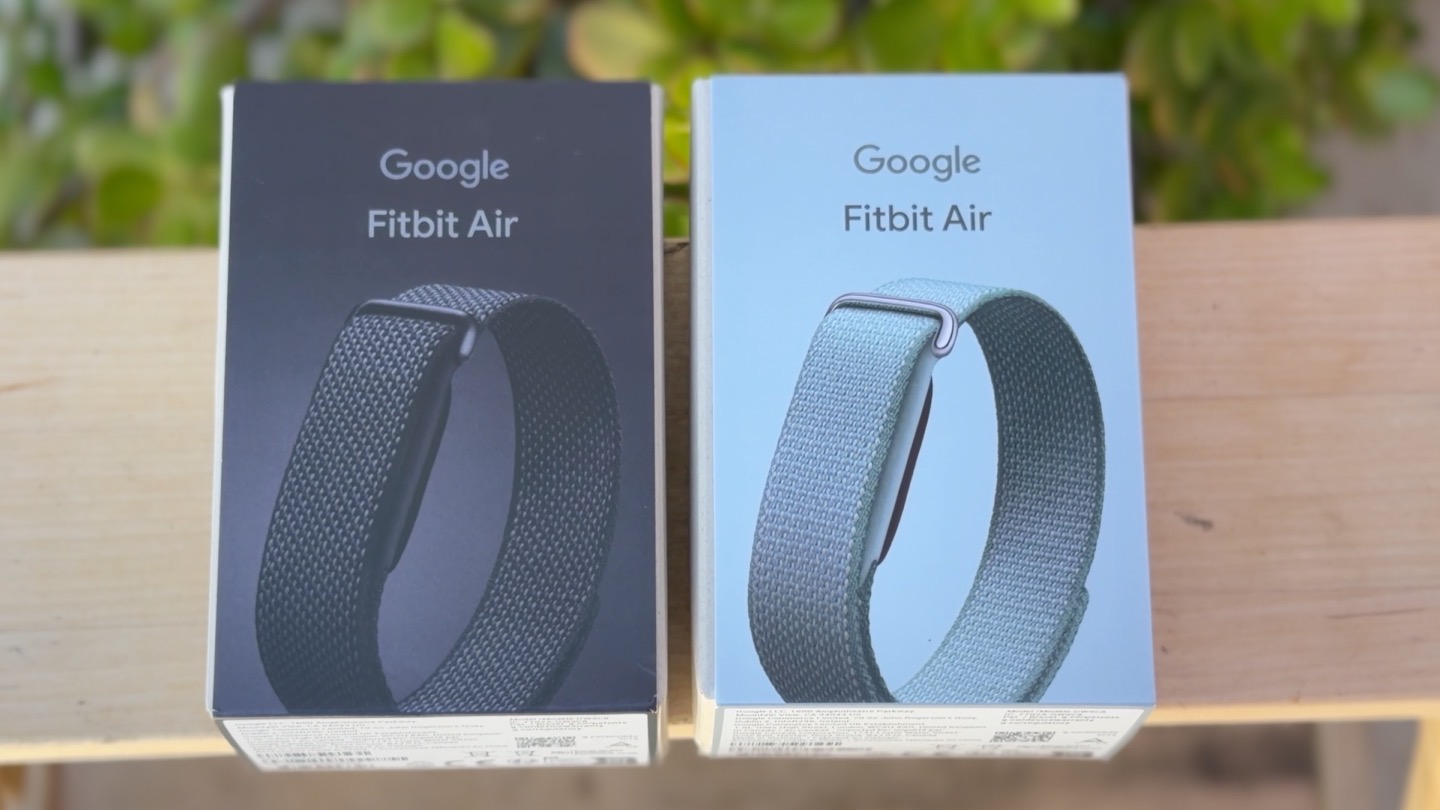
With that, let’s quickly run through the box contents, which is pretty straightforward. Above, the boxed products, and below, all the pieces laid out. This is the Performance band edition.
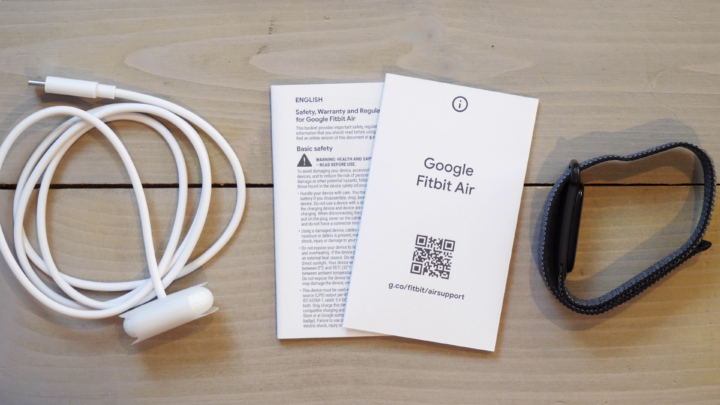
In the box you’ve got the following bits:
A) The band/strap
B) The ‘pod’ (aka the pebble), that is the sensor itself
C) The charging cable (different than any previous Fitbit/Google cable)
D) Some paper junk
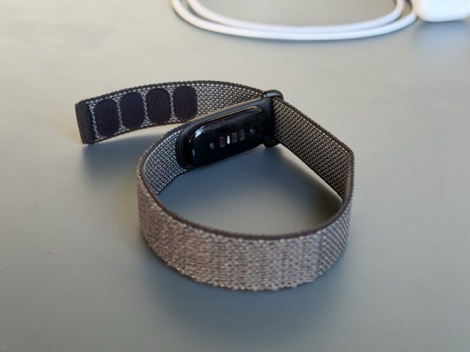
Here’s a closer look at the unit itself:
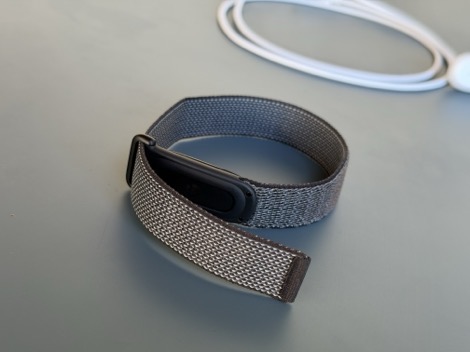
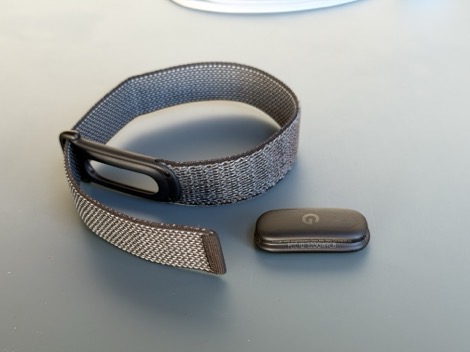
And then the charging cable:
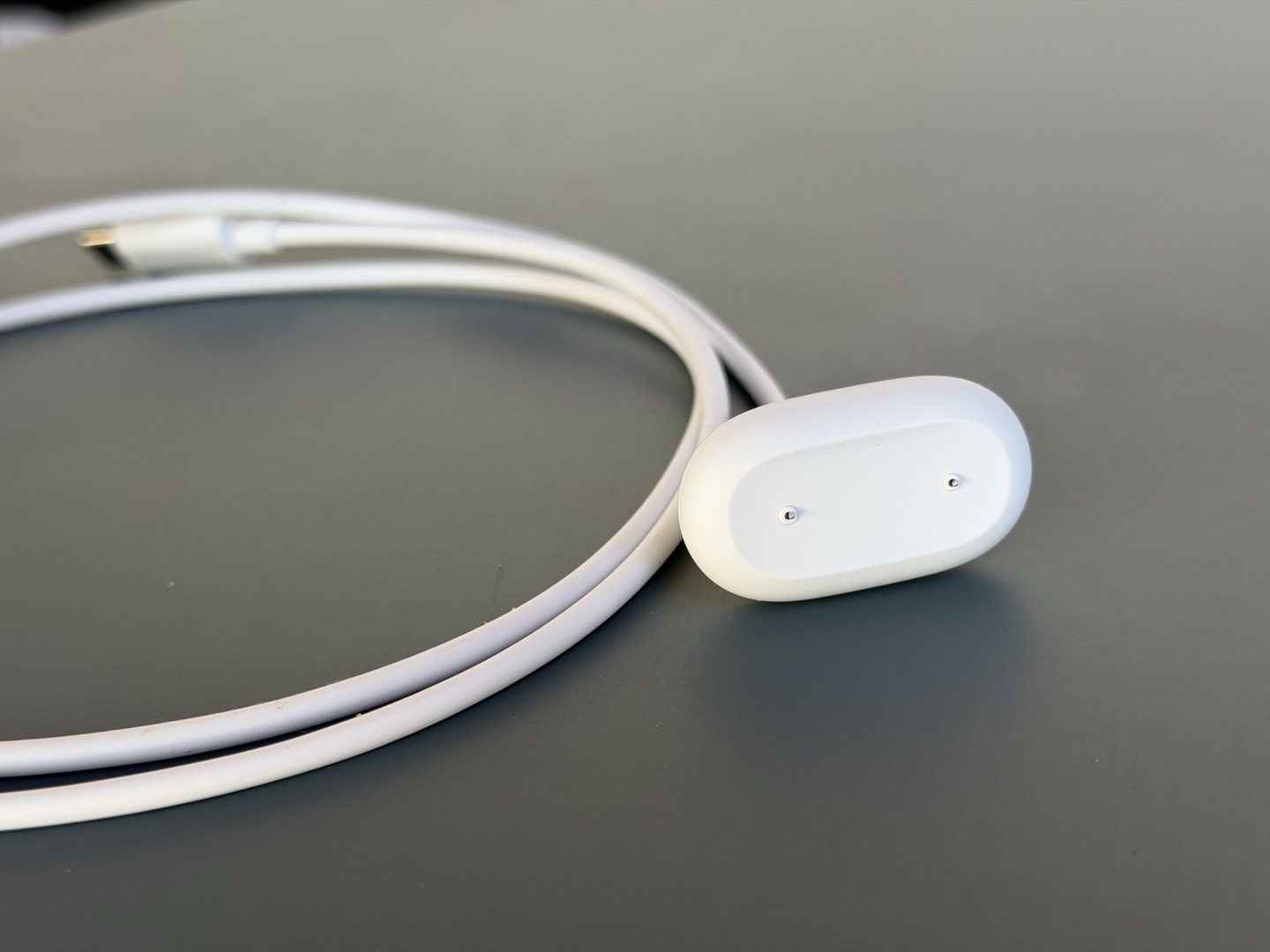
Unfortunately, as noted before, this is yet another new Fitbit/Google charging cable. I don’t really understand why the company can’t keep a charging cable for more than a single generation. The thing is, what companies like Apple & Garmin have learned, is that by having a single charging cable long-term, it just makes users life a crap-ton easier long-term when they forget a charging cable while traveling, they’re easier to find. Sigh.
At least it charges quickly, though – 1 day’s worth in 5 minutes.
Size Comparisons:
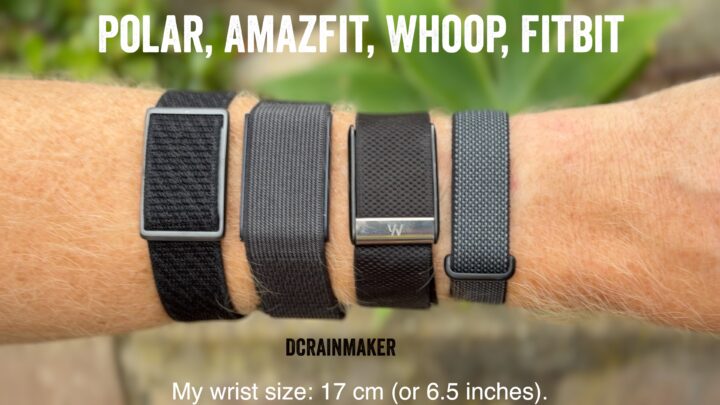
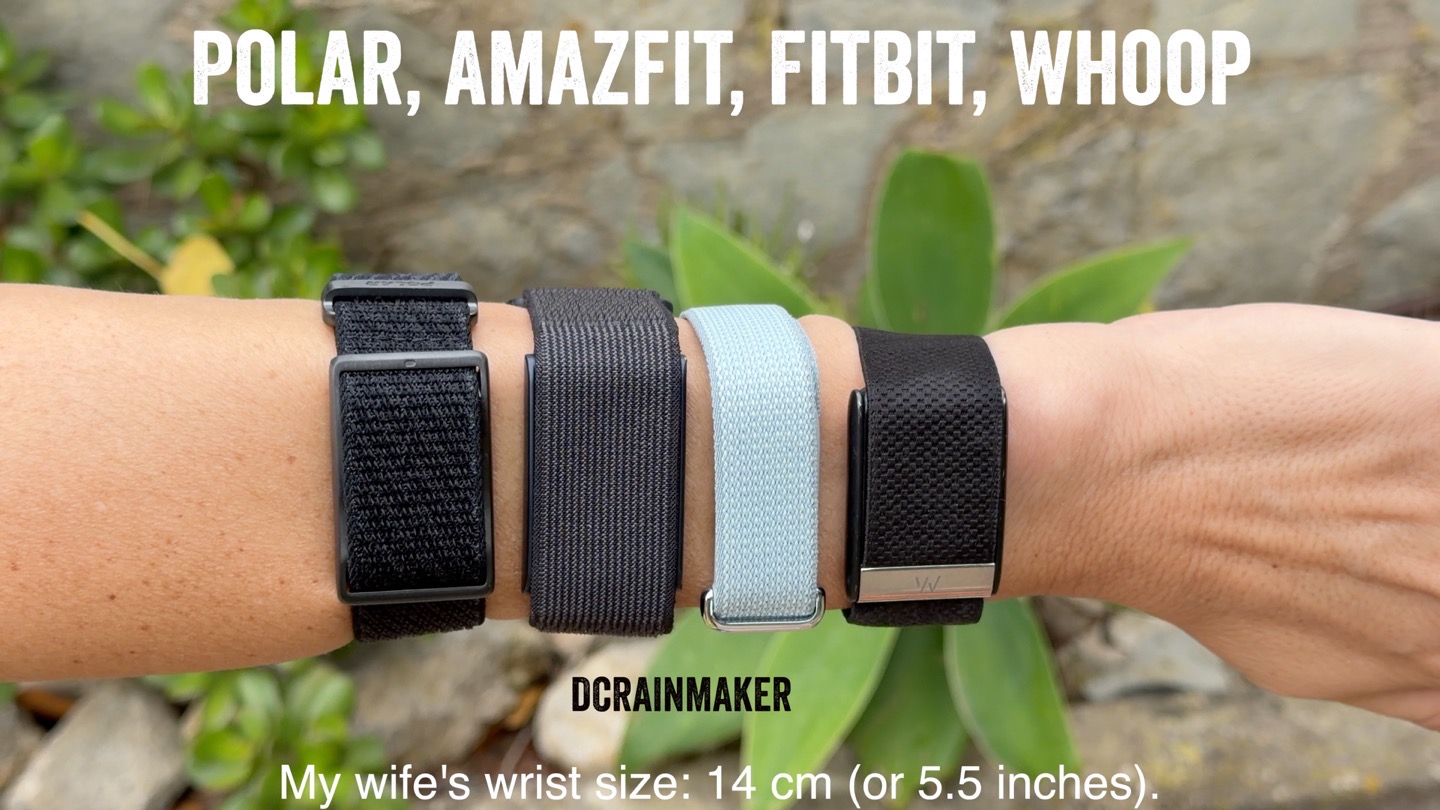
Here’s how it compares side-by-side with a few different bands on the market, first on my wrist:
And then on my wife’s wrist:
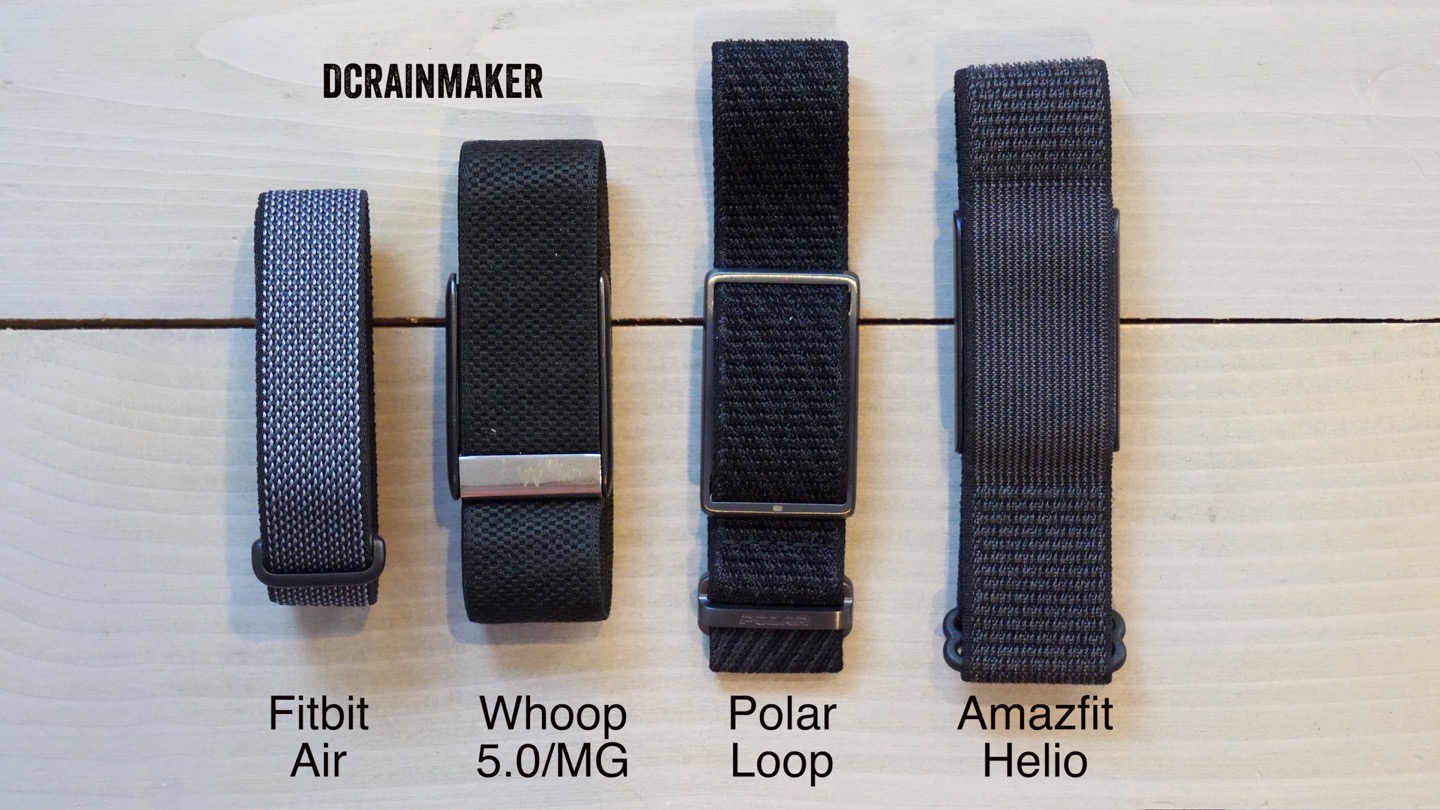
Then here on the table, though realistically, that’s a bit harder to really have perspective:
And finally, here’s the actual measured weights of all these as they compare:
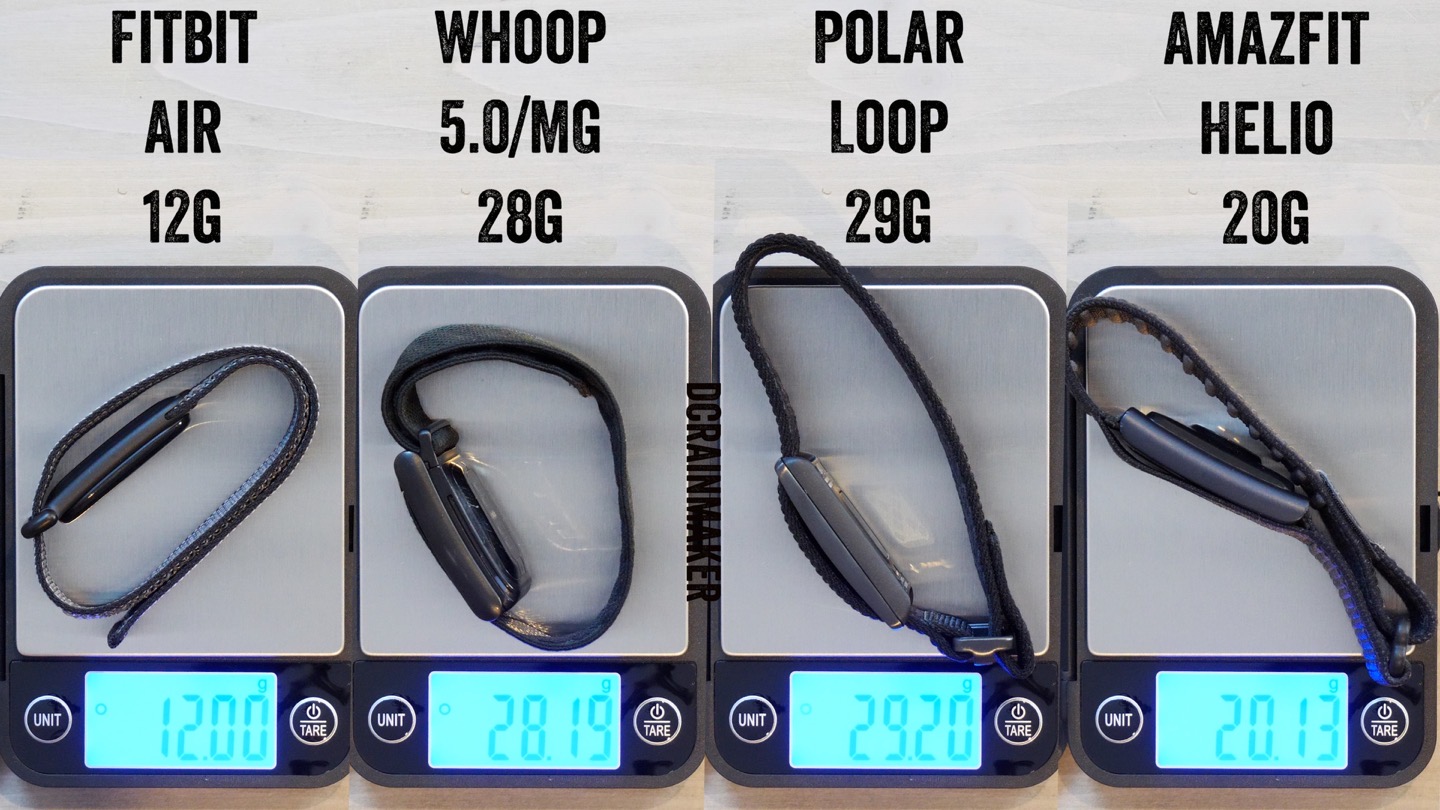
While all of these size/weight comparisons heavily favor the Fitbit Air, I think it’s somewhat important to keep perspective: In this non-bedroom scenario, size does not actually matter. Or at least, matter much. Sure, it’s nice that it’s slim and lightweight, but equally, literally zero people ever complained about the size/weight of the Whoop band prior to the Fitbit Air coming out.
In fact, as you’ll see later, there are some very real tradeoffs to be made around heart rate accuracy due to the thinner band. Simply put: The thinner a band (or watch) is, the more outside light leakage makes it into the optical heart rate sensor, which can dramatically decrease heart rate sensor accuracy. This is not a new problem, and companies have been trying to solve it for years by changing the shape of the watch/etc to be notably wider than the sensor itself. In fact, we’ve previously seen Fitbit struggle with this tradeoff in the Fitbit Charge 6, due to its more oblong-shaped body letting excessive amounts of light in.
But, we’ll save those accuracy challenges for later in the review. With that, let’s talk about day-to-day usage.
Daily Usage:
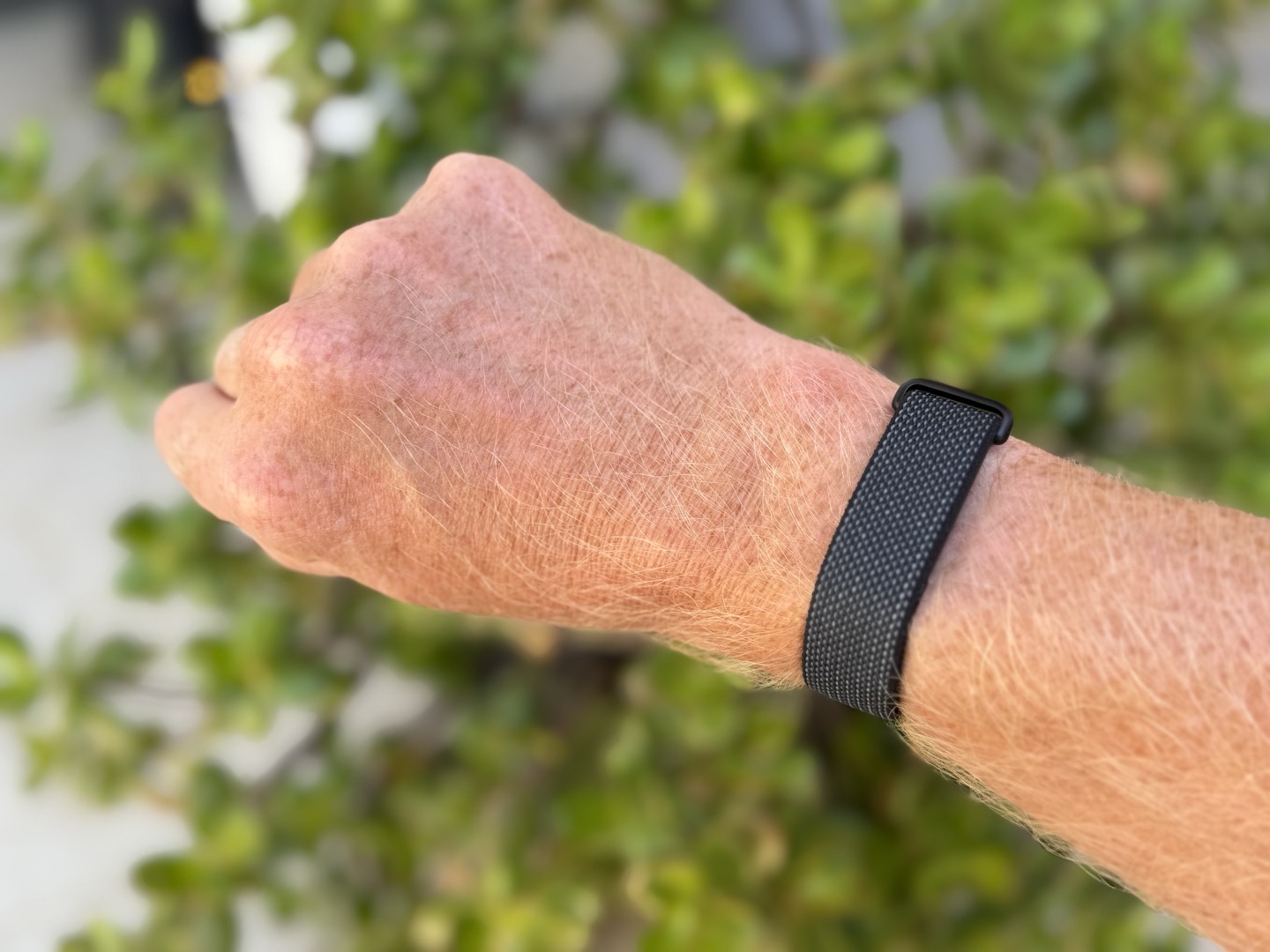
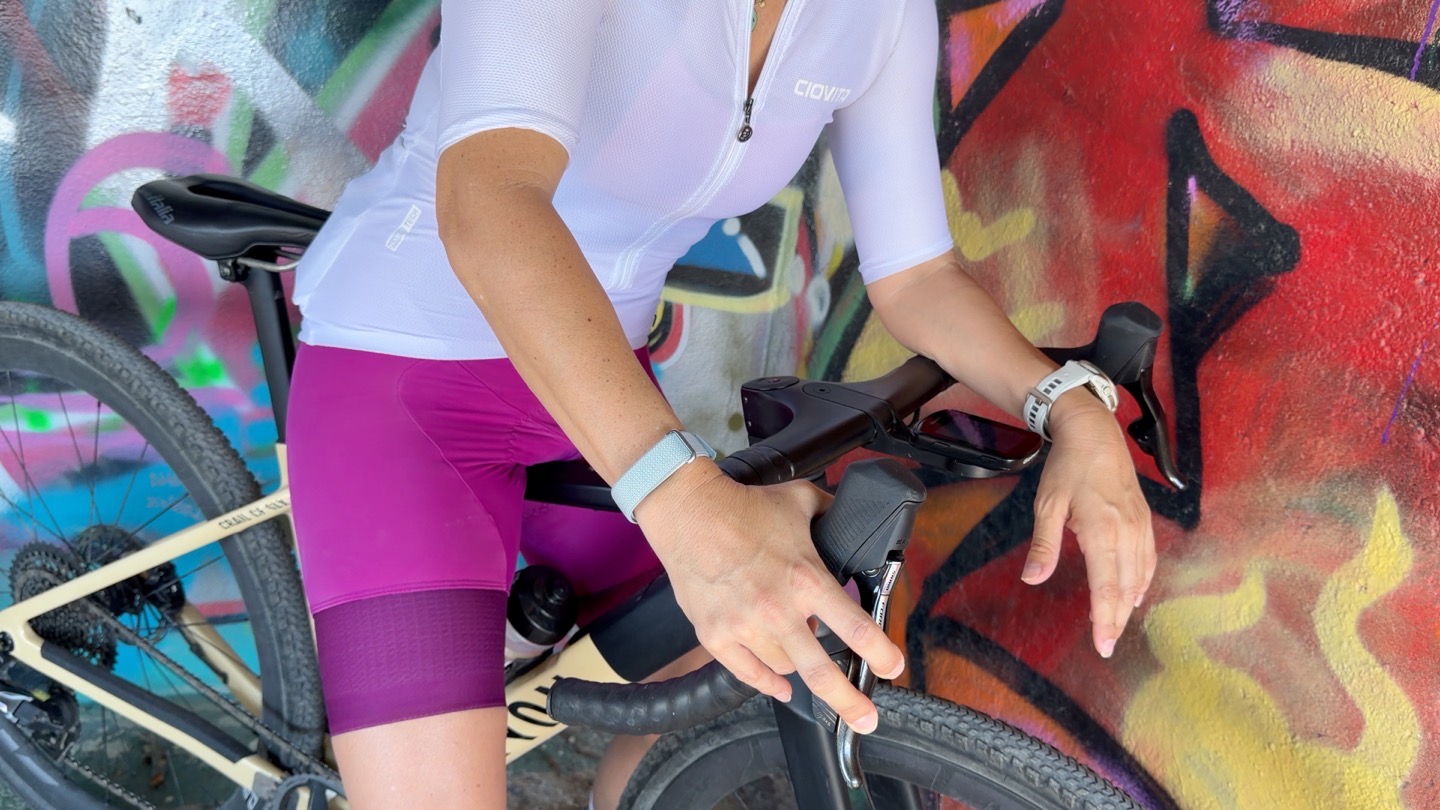
Let’s first start off with putting the band on, which may sound kinda obvious, but seems like a logical place to start. You’ll simply open up the Velcro band (assuming the default Performance band), and then hold down the pod/pebble to your wrist to make it snug, before attaching the Velcro back to the band.
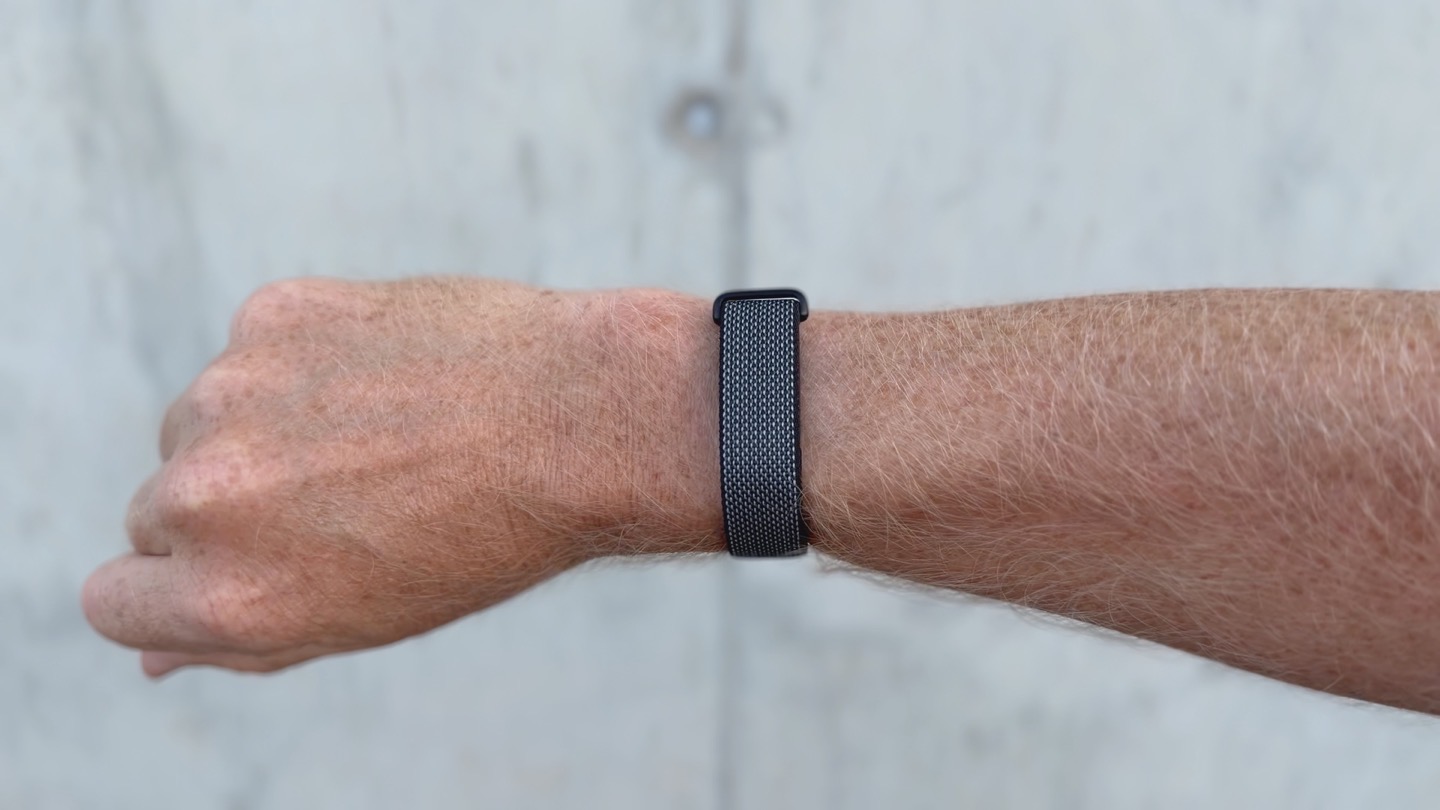
This has proven very secure. I’ve not once had any issues either daily life, or sporting life. That’s included openwater swimming, running, cycling (road, gravel, and MTB), and even efoiling (most notably, including falling repeating from efoil at 30KPH). Oh, and cannonballs. Because, science.
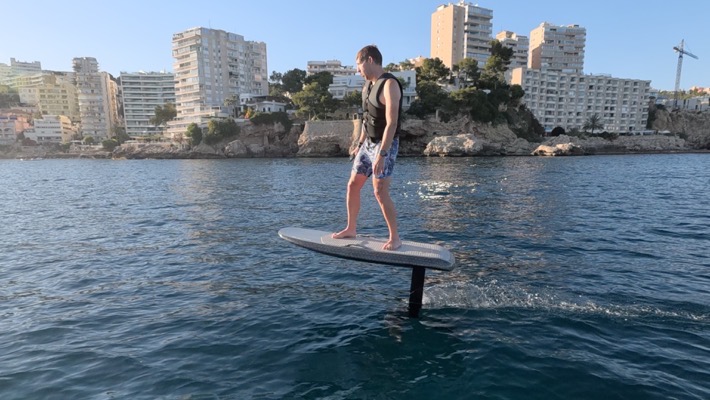
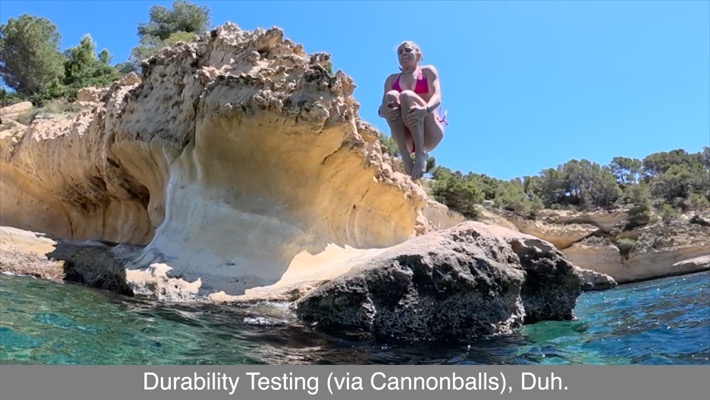
Ultimately, like a Whoop band, you just forget it’s there. However, unlike a Whoop band, it hasn’t started to stink yet. Admittedly, it’s only been a few weeks now, so perhaps the stink will come later. But Whoop’s fabric bands are infamous for quickly developing a stench, as well as taking forever to dry. The Fitbit Air dries quick, and doesn’t stick, even with 2+ workouts a day, constant immersion in the ocean or pools, and general sweatiness of living on a hot Mediterranean island.
With those band bits out of the way everything pretty much slides back to the app. After all, there’s no display on the Fibit Air, and the singular LED that’s on there for various battery/pairing/troubleshooting messages you’ll pretty much never see. Not once did I have reason to look for it.
So, the app it is. The Fitbit app has been renamed the Google Health app, and fully embraced what was the Fitbit Public Preview changes from last fall (which means some Fitbit features have disappeared forever). Google says the reason they shifted to naming it Google Health is that you’ll be able to use any data source you want (even an Apple Watch) to power the Google Health app experience. Meaning, no Fitbit device required. But that’s a different post for a different day.
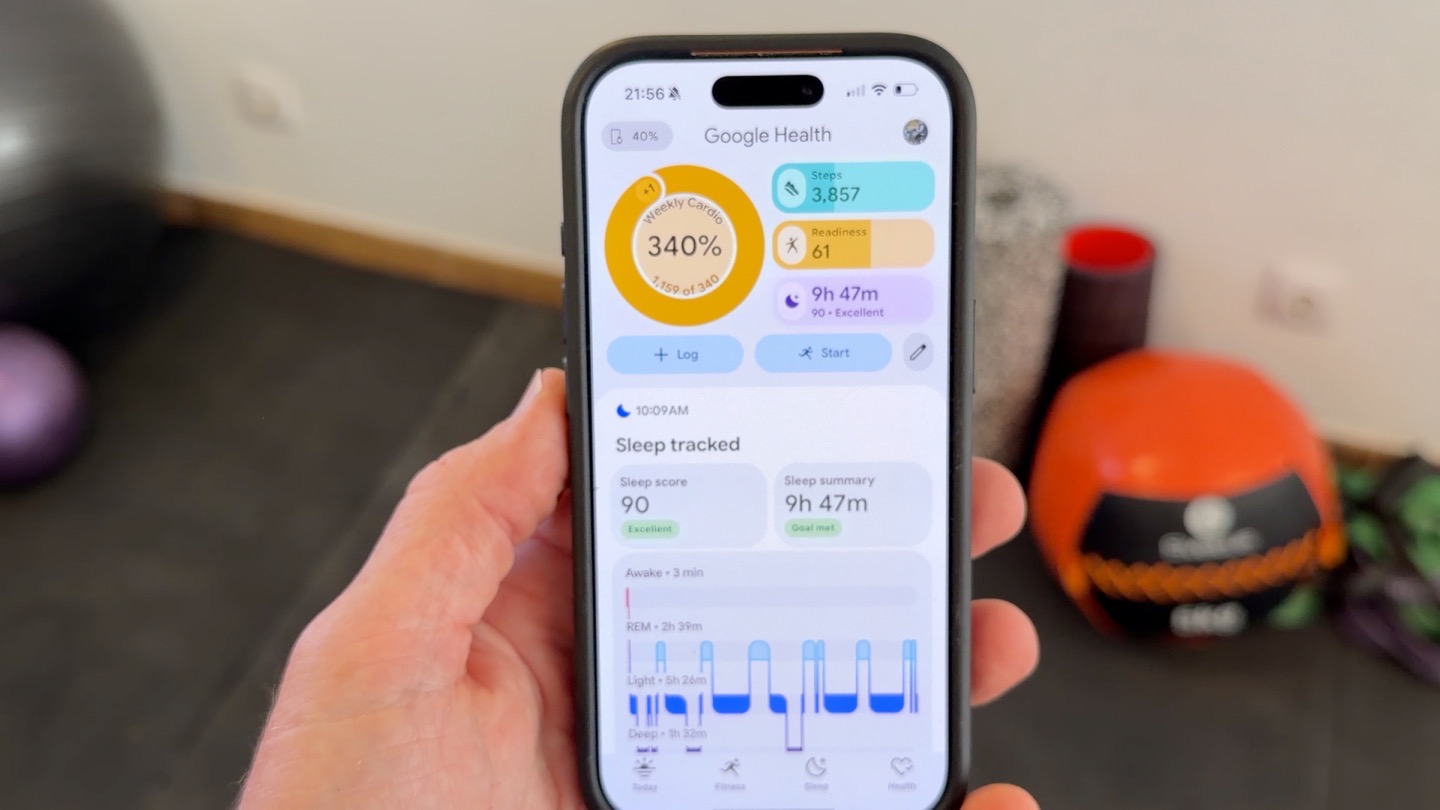
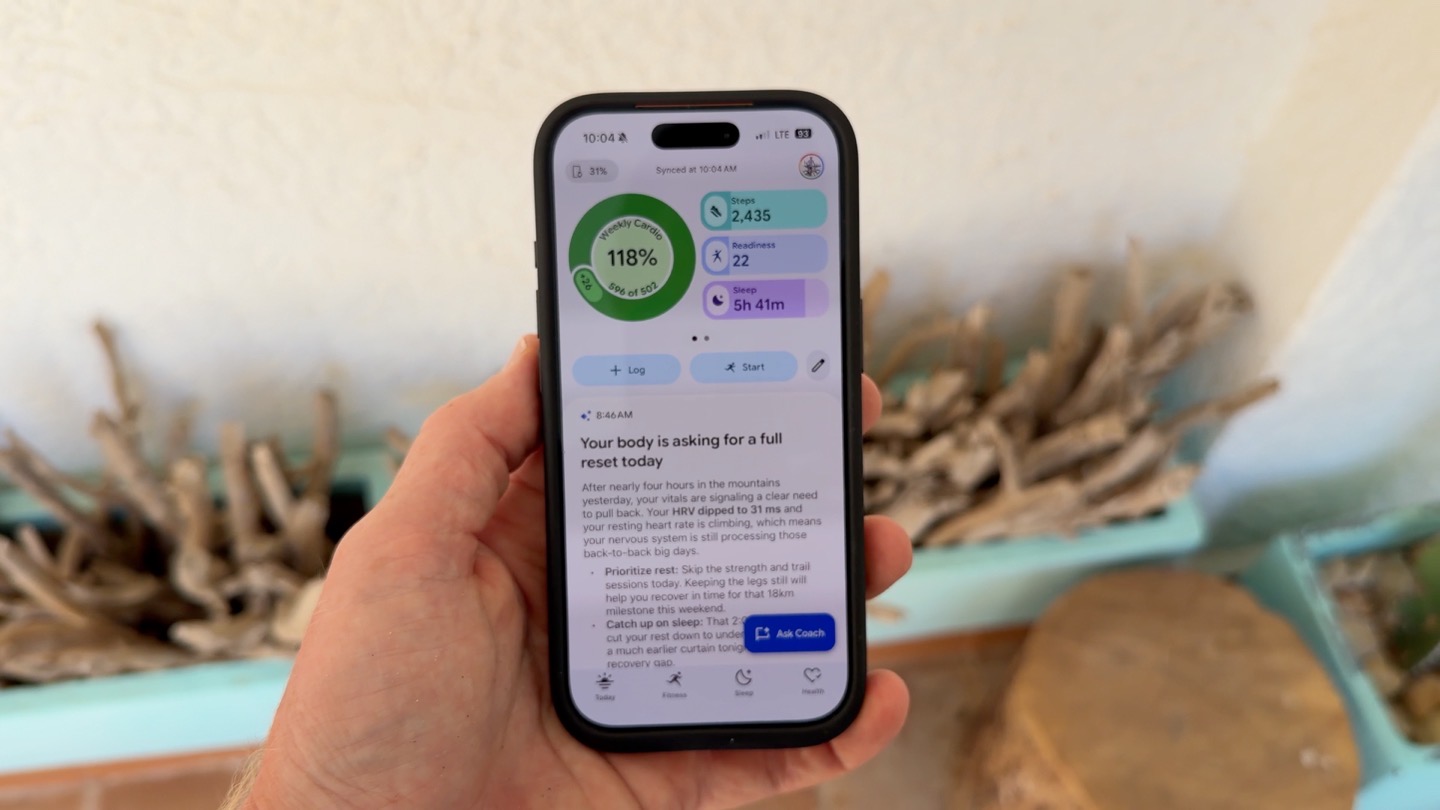
As you can see above, the top of the app summarizes your metrics, akin to a dashboard. You can swipe left/right through this if you want, to lightly customize it. Though, it could use a lot more data field options (which, Google says are coming shortly).
Whereas the bottom half is all-AI, all the time. This is where you’re going to see summaries of your activities, as well as sleep data. Generally speaking, the more active you are (workouts especially), the more little AI snippets you’ll receive. Whereas the less active you are, the less you’ll receive. Here is, side-by-side, what it looks like between Premium (at left), at free (at right). Obviously, two different accounts/data (myself and my wife):
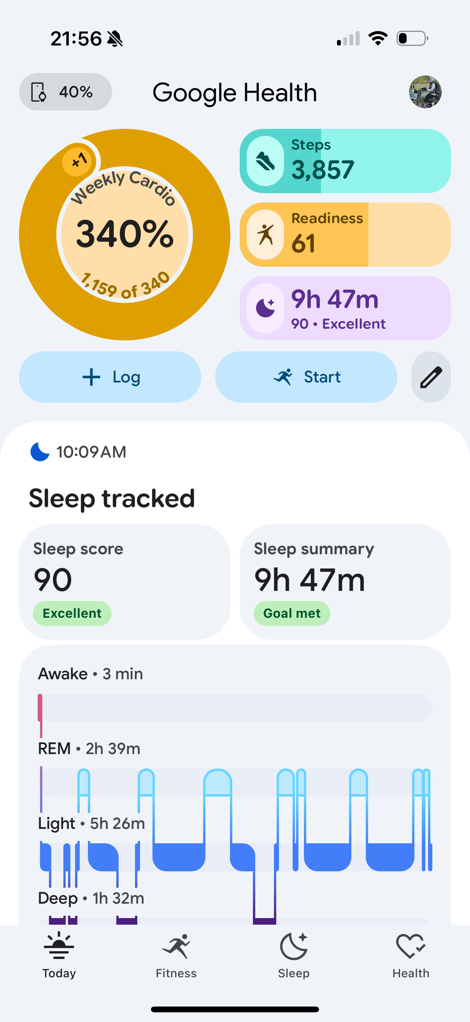
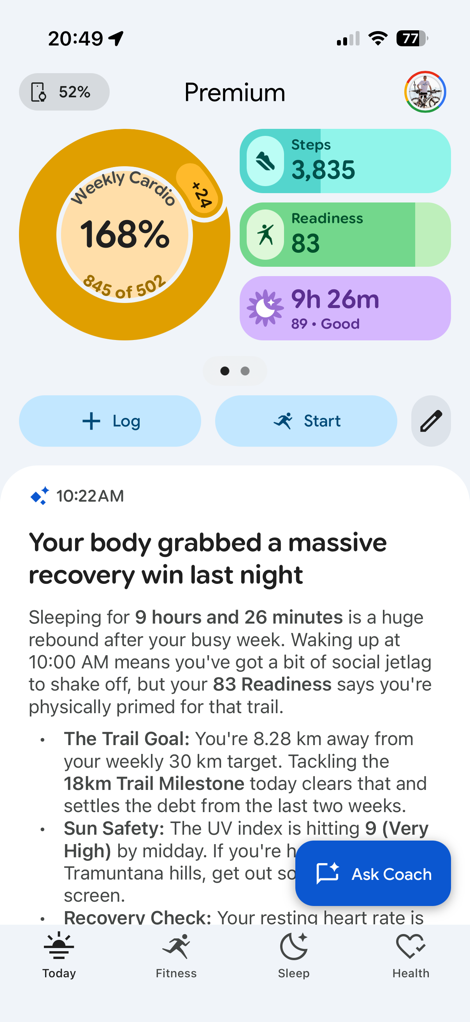
Notice how at left, it just shows her sleep data, whereas on the right, it summarizes my sleep data in premium.
You can scroll down this timeline more or less forever, seeing past AI snippets and summaries of sleep and workouts. Some of them allow you to open them up for more data (such as tapping into a workout, more on that in a minute), and others allow responding to the AI for deeper insights, or to provide answers.
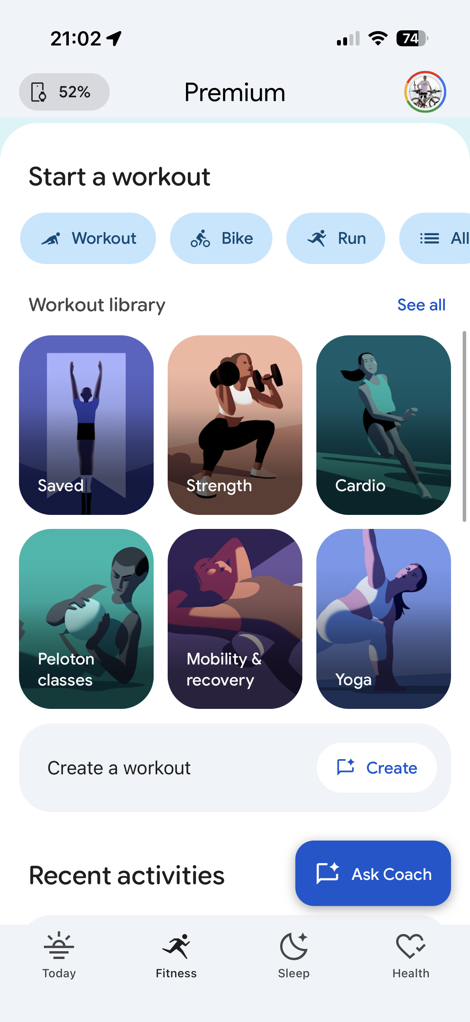
If you move towards the next tab, you’ve got the Fitness tab, which is just a bowl full of a disorganized, talkative mess. At the top is an AI summary of your fitness goal progress, then you’ve got a bunch of checklist-style things that basically repeat exactly what it just told you, after which it has a whole slate of structured workouts you can do.
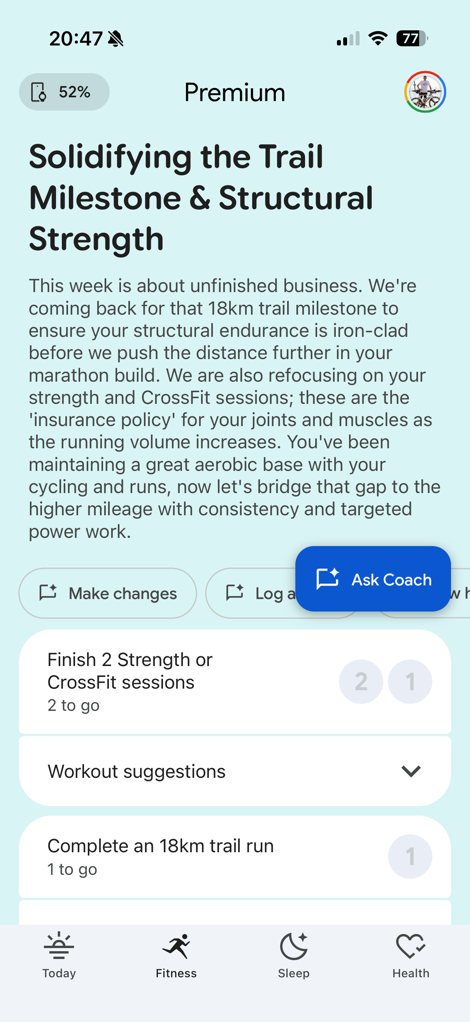
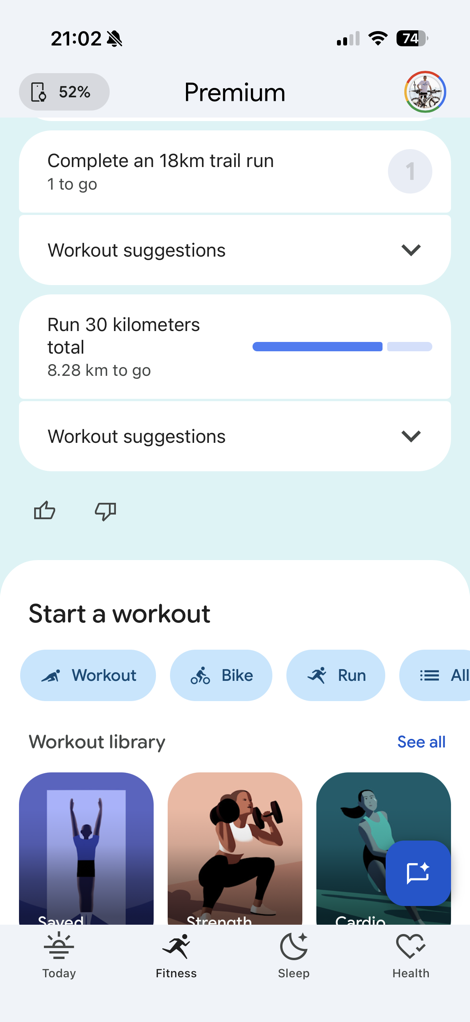
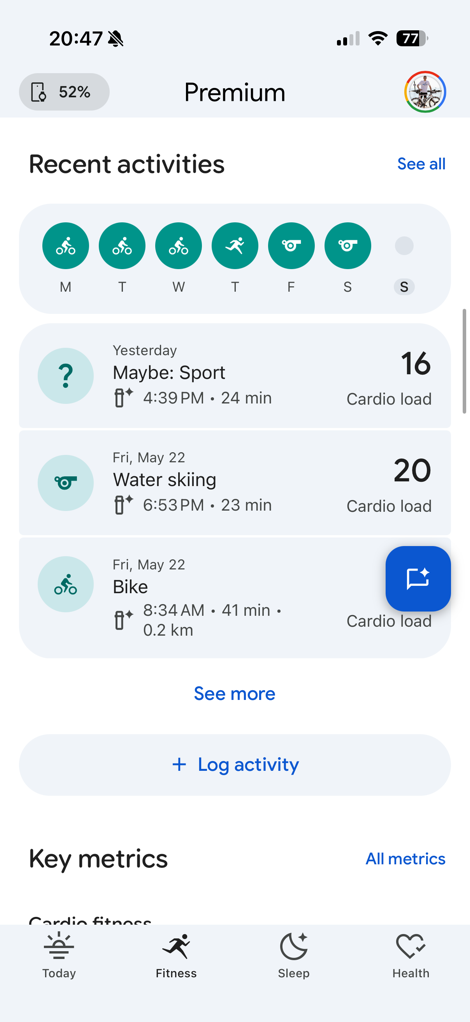
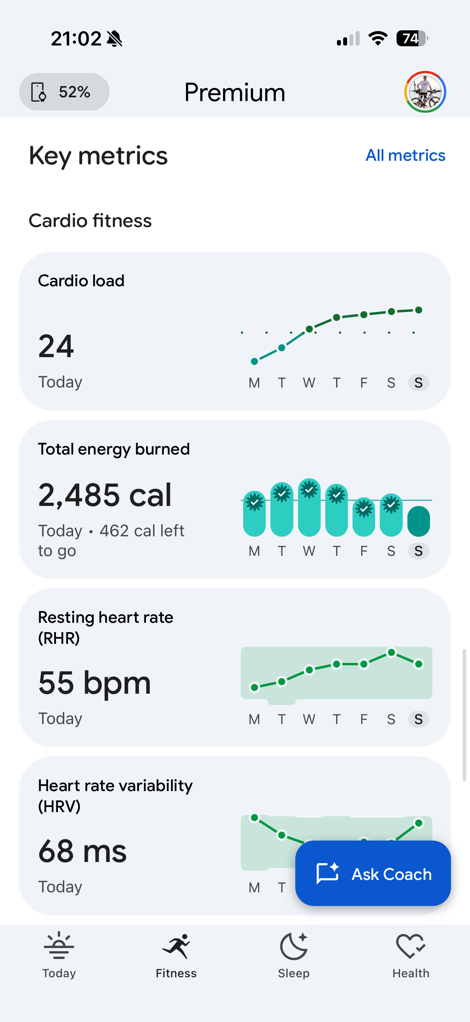
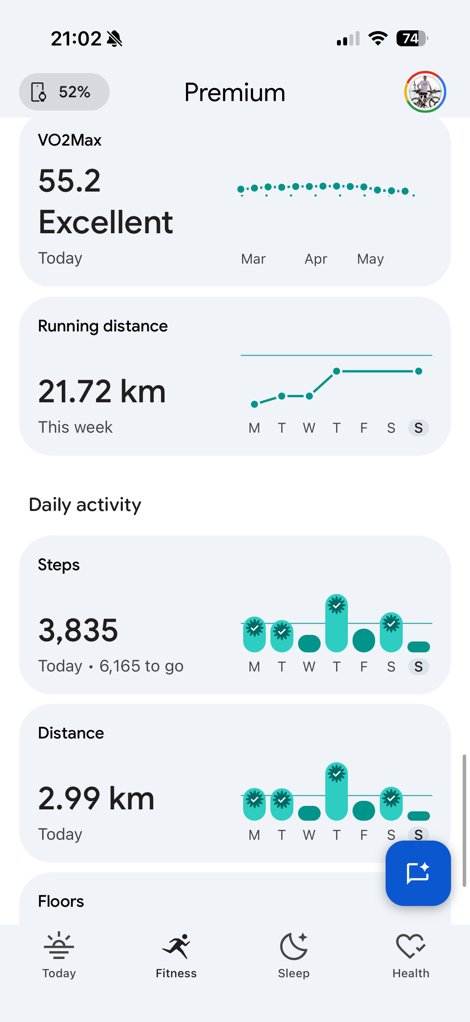
When it comes to organization, this feels like the Fitness team got told ‘Somehow fit all your stuff into this one tab, may the force be with you’. Rather than (logically) having one tab for your actual fitness stuff, and another for all the coaching stuff, they just jammed it into one. Whereas if you compare that to the next two tabs, Sleep and Health, they feel logical, separate, and organized. All of this below is still within the Fitness tab.
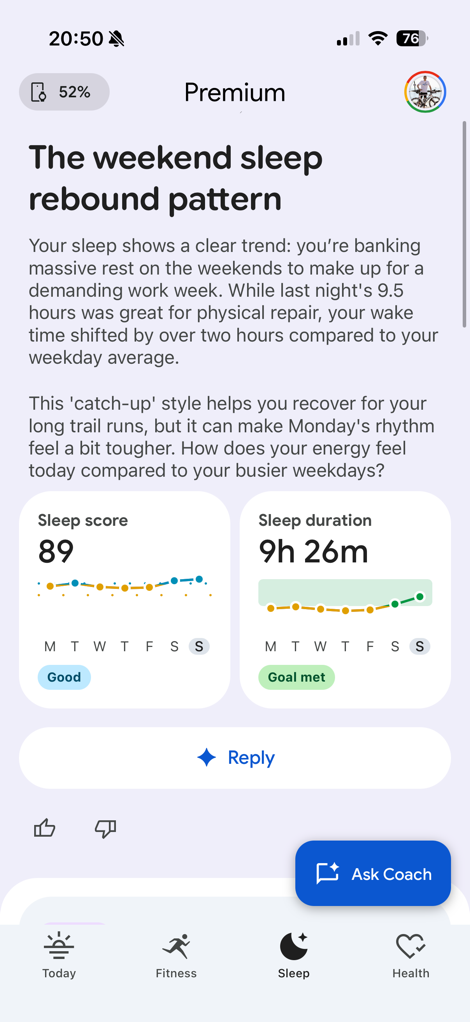
So, here is the sleep tab. At the top is the usual AI summary, followed by some sleep scores and durations for the week:
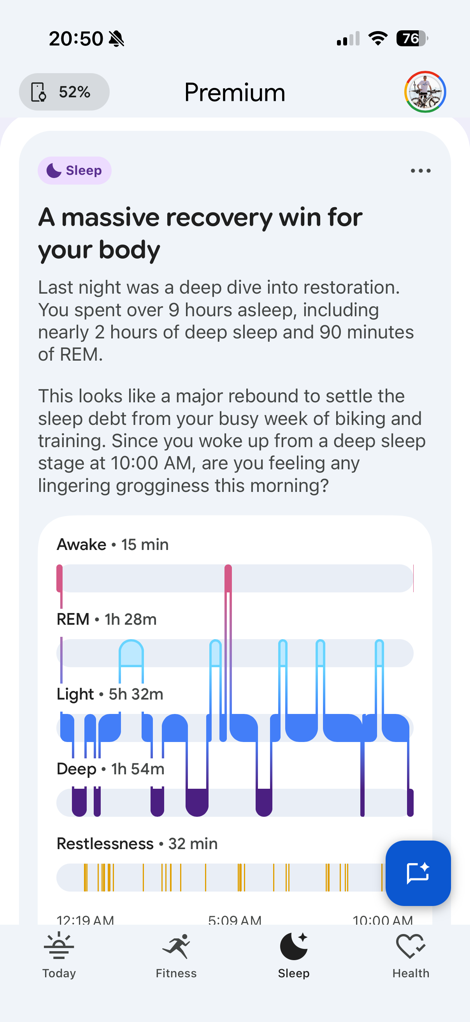
When it comes to the accuracy of this sleep data, that’s two buckets. First, is whether or not the times I fell asleep and woke up are correct, and then second is whether or not sleep phases/stages are correct (plus things like HRV). For fall asleep/wake-up times, those seem pretty much spot on in all my testing. Somewhat interesting, there are cases where it’ll ‘update/fix’ the wake-up time maybe an hour or so after I woke up, in particular if I briefly woke up around 6-7AM, and then went back to sleep for another 1-2 hours. It’s always sorted itself out, but I have seen it can take a short bit of time to do that.
The next bit then, is sleep phases/stages. As I’ve noted multitudes of times, the so-called ‘gold standard’ for comparison here is pretty lame, at merely mid-80’s percentile accuracy (in a best-case scenario). We’d never compare heart rate sensors to a ‘gold standard’ that was wrong 20% of the time (again, in a best-case scenario). Not sure why some do it here for sleep. Thus, I don’t.
Next, what about naps? The Fitbit Air will measure any naps at least 20 minutes long (which is a reduction in time from some Fitbit devices that required an hour-long nap). I took one for the team and tested this twice (just to be sure), and in both cases, the naps were very close to that 20-minute threshold (just over), and it detected them properly.
That said, it did take *hours* for these naps to show-up in the Fitbit app, despite syncing and such. So there’s clearly some background processing that takes a while to happen.
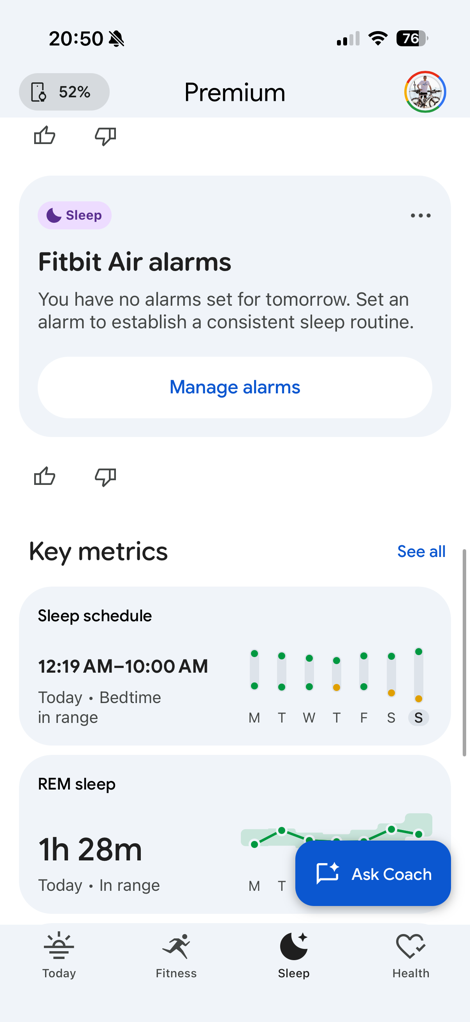
Lastly on the sleep front, there’s the alarms. You can configure these from the Fitbit app, and can create both manual alarms for an exact time, as well as smart alarms. Further, it supports one-off alarms, as well as scheduled alarms on certain days of the week.
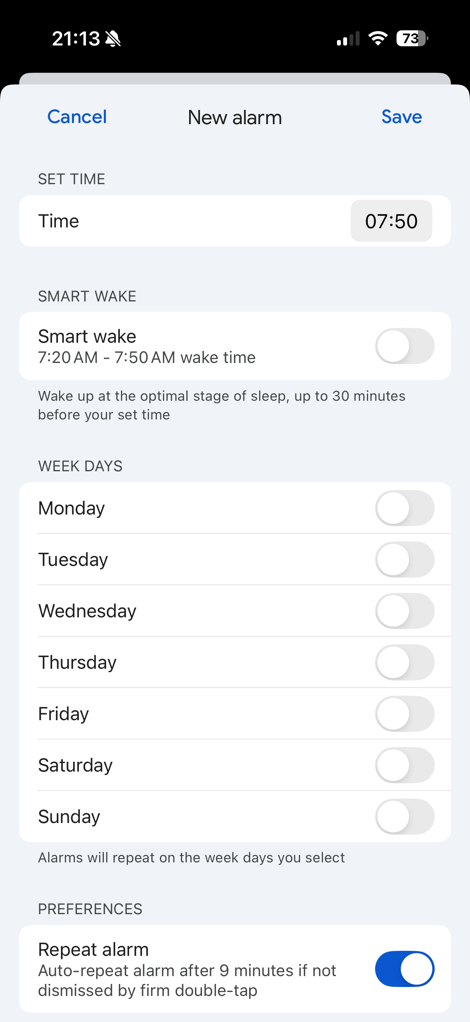
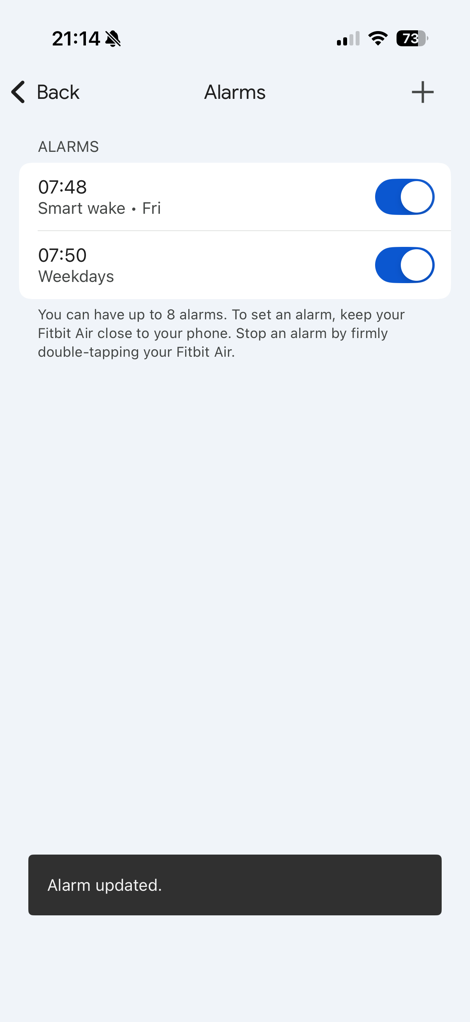
It allows up to 8 alarms to be set, which will trigger a vibration alert on the band itself. It was strong enough to wake me, though as always, that might vary by person. If can also be configured to snooze for 9 minutes.
The next tab you’ve got is the Health Status tab. This tab summarizes both your ‘Vitals’ (the top 5 trending health metrics they’ve selected, similar to Apple, Garmin, and Whoop), as well as your ‘Key Metrics’ that are more customizable. All of them are shown as a 7-day plot.
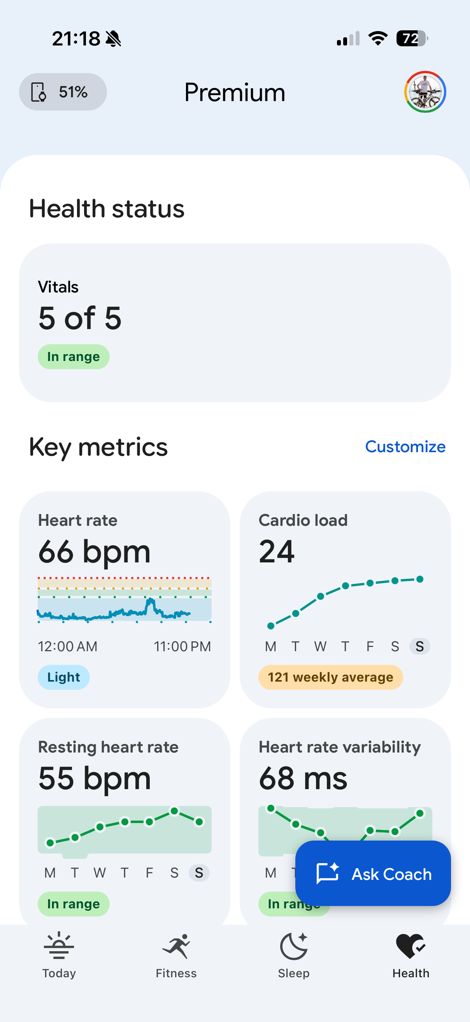
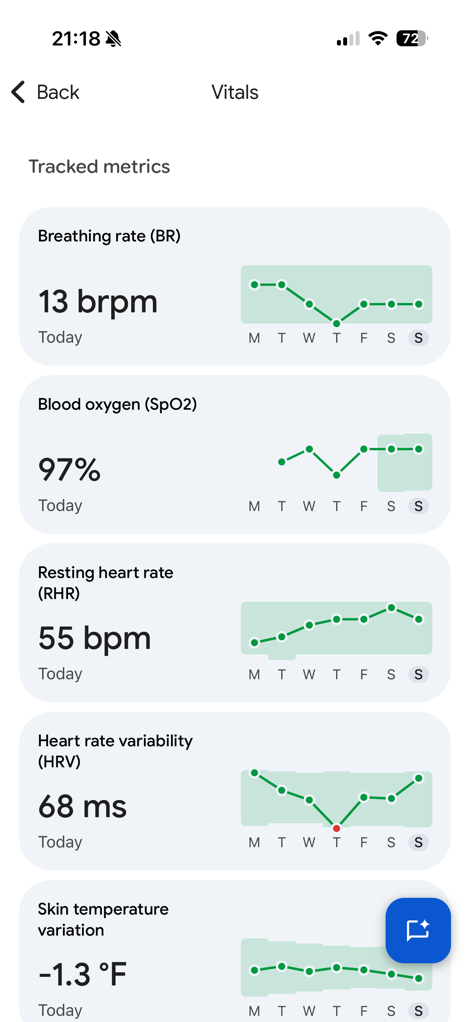
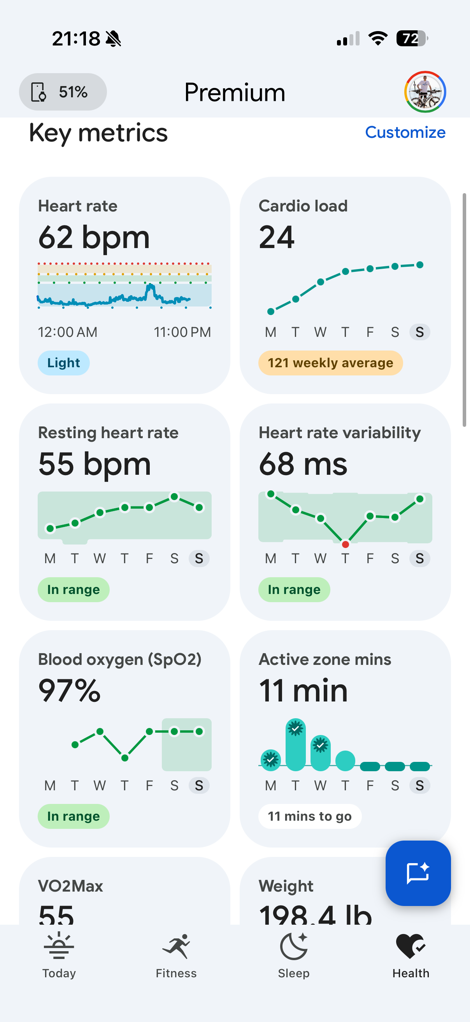
This page can have quirks, like you’ll notice my SpO2 reading is oddly missing for a week last night, yet not any other metric. Obviously, the band populated every other data point, so not sure why that one failed.
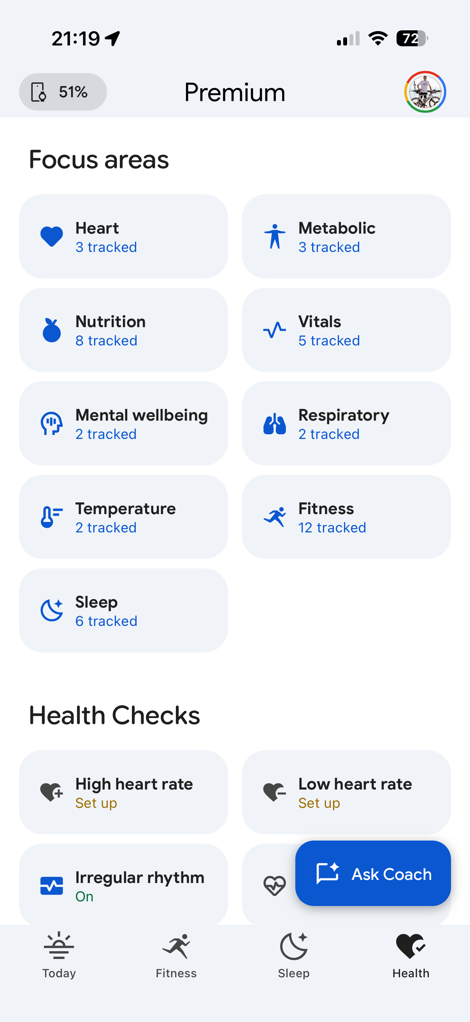
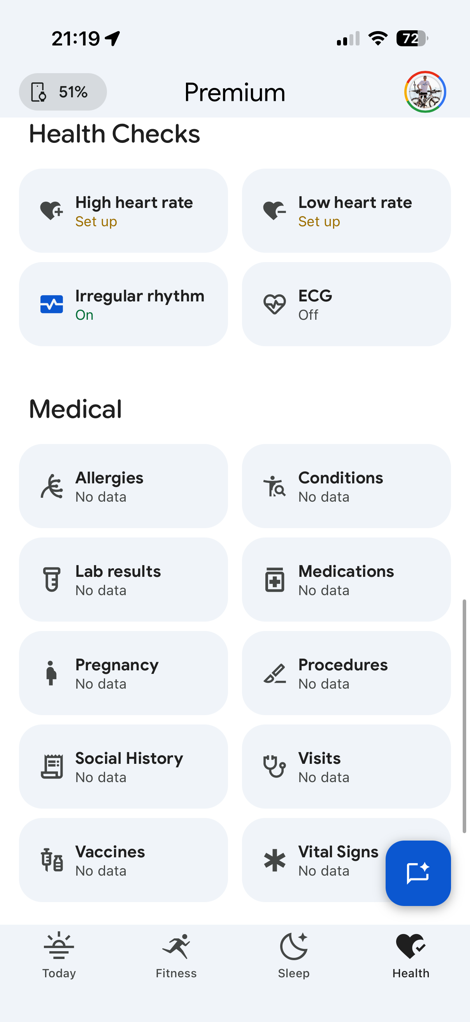
Below the summary data are more metrics you can keep an eye on, as well as things you can enable, like FDA-certified Afib detection as well as High/Low Heart rate alerts. Plus, you can stick in there medical data from other sources. In the case of ECG, the Fitbit Air does not have any way to manually take an ECG on-demand, though can still show ECG data from the Irregular Rhythm notifications, in the event those trigger.
Now, before we wrap up with the basics section, we have to talk about the AI snippets. These are available with the Premium app only, if you’re in the free version of the app, you won’t see any of them (for better or worse).
In the vast majority of cases, the AI tidbits are genuinely useful and provide really good insights. However, that’s overshadowed by typical AI issues where it locks onto something and really sticks with it, no matter how consequential. Any time you tell it something, it just repeats it over and over again at every turn. Whether it be a planned trail race, Haribo, the name of a nearby mountain range, or more.
And there’s no better example of this than one Saturday evening 10 days ago when I decided to (somewhat sarcastically) ask what it thought of my recovery nutrition: Nacho cheese, chips, and a few glasses of rosé wine.
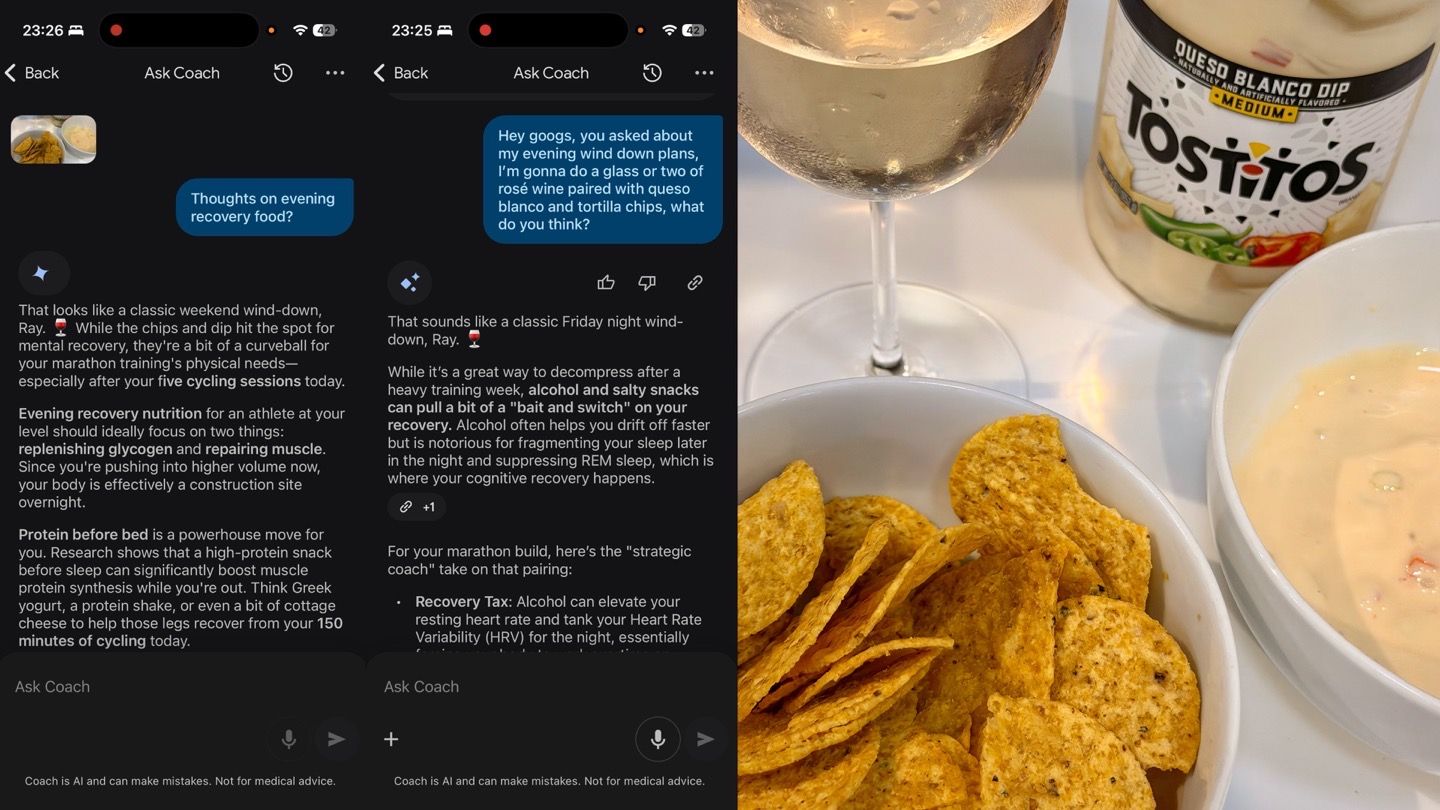
From that moment forward, every single night it asked if I had my queso and rosé yet, even proactively suggesting when I should have it. Mind you, I never again mentioned queso/rosé after that initial mention. Instead, Google was seemingly driving me nightly to be an queso-fueled-aspiring-alcoholic at every turn. Here’s a smattering of just *some* of these screenshots:
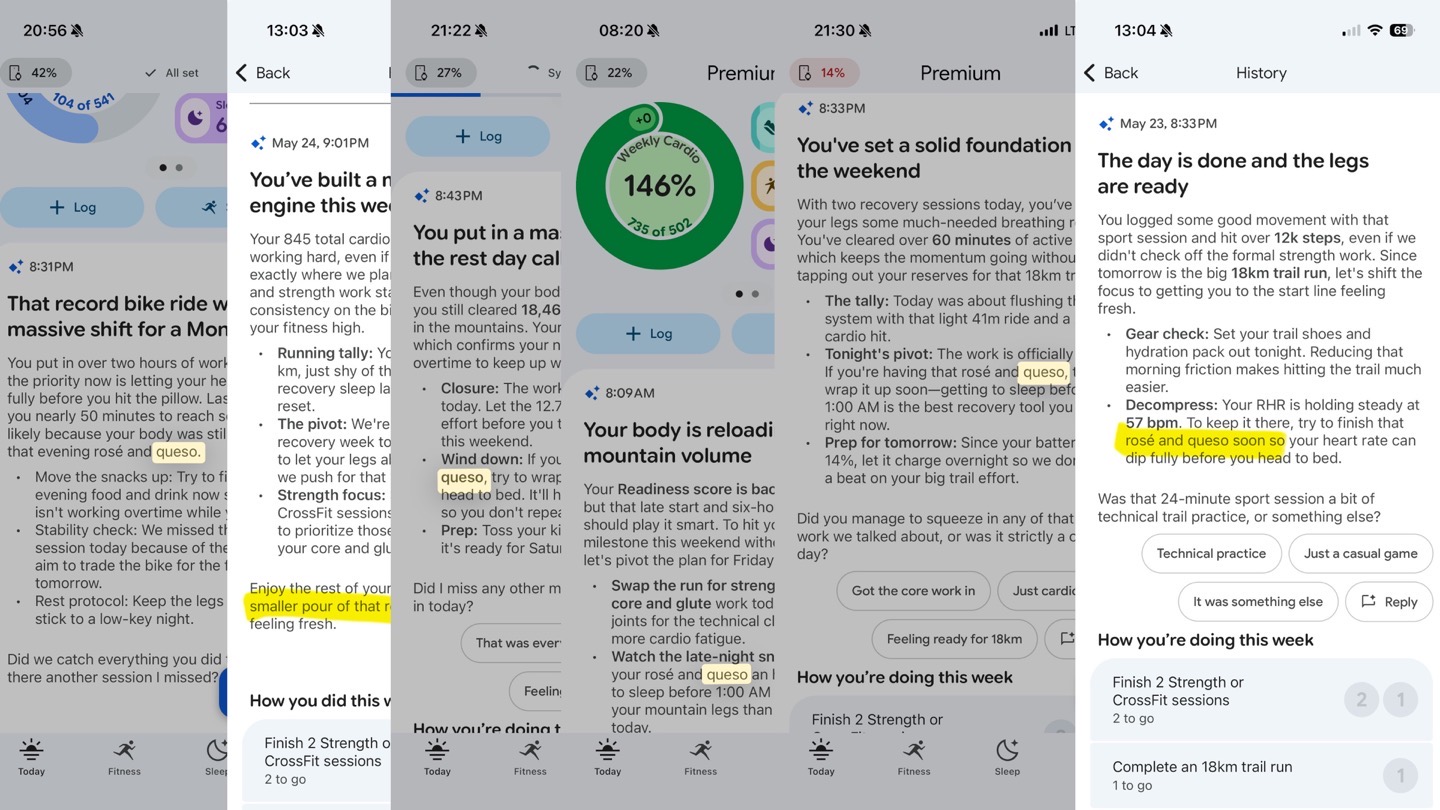
Obviously, this is mostly funny, but equally, it’s such a good example of how AI often latches onto something and can’t break free of it. This is hardly new, these sorts of things have been going on for years, but I’m not sure what’s what we want in an app designed to make you healthier.
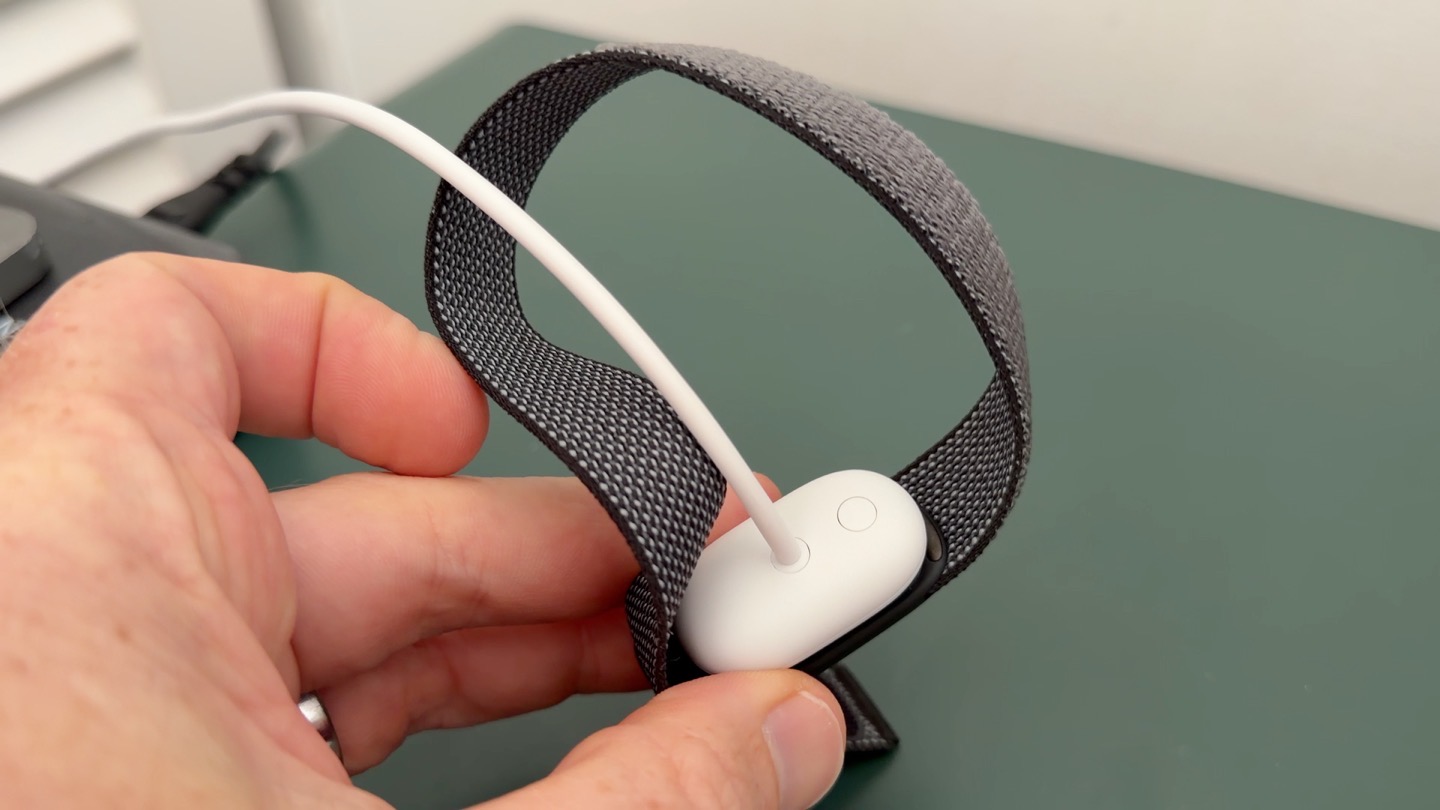
Finally, in terms of battery life, Fitbit nailed the battery life claim, which is 7 days. In the case of one 7-day period, I charged it to 95% at 4PM on a Thursday, and by the next Thursday at 10:30AM, it was at 10%. Meaning, it would have easily lasted till 4PM had I not charged it then (especially if I had fully charged it to 100% initially). This time period included 2-4 hours of workouts per day, which, according to Google has no meaningful impact battery life.
So, let’s talk about those workouts.
Sports Usage:
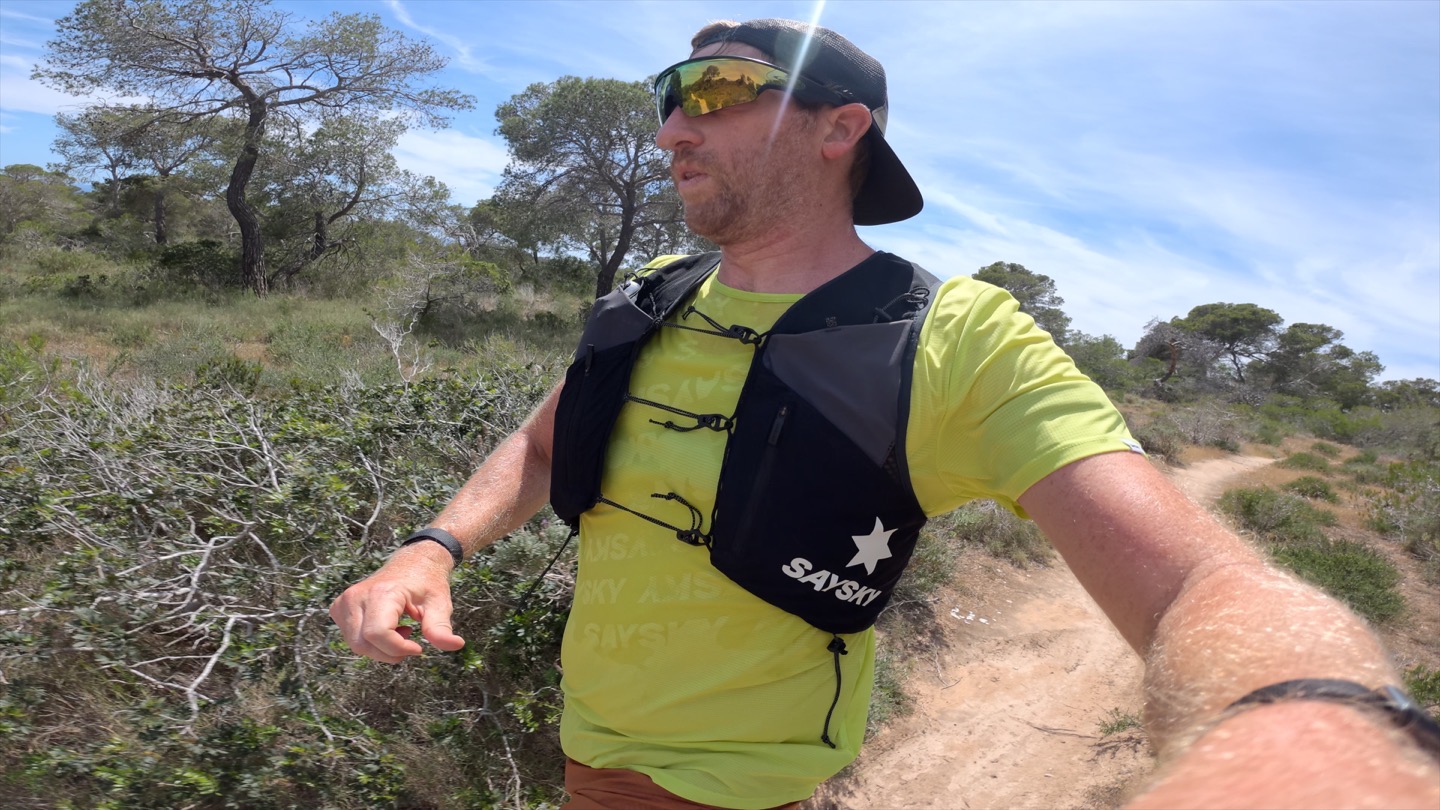
Google’s approach to the sports is much more impressive than perhaps the historical Fitbit brand might lead to you believe. Over the last few years, Google has substantially increased the number of sports and training features via the Pixel Watch specifically, and those are now largely available within the Fitbit Air too. For example, Cardio Load, which is a training load-like feature, is front and center within the Fitbit Air.
To begin, when it comes to the Fitbit Air, there’s two core ways it’s going to record your workouts:
Automatic Detection (Background): This happens automatically, all the time. When you go out and do a workout, it’ll detect that higher-heart rat event, and create an activity in the app after your done sweating. It’ll automatically categorize a handful of activity types as well (run, walk, bike, rowing, elliptical). But this is woefully behind Whoop’s 45+ different activity types that it can automatically detect and log. In the case of Fitbit, if it detects a higher HR activity (e.g. Football/Soccer), and doesn’t know what to call it, it simply asks you what it was. This happened during an e-foiling session I did.
In my testing, I found it was really good with automatic workout detection for runs, triggering it immediately when I started/ended running. However for cycling it was more variable. For my commutes, which start downhill and are on an e-bike (cargo bike with kids), it tended to be about 5-6 minutes until it detected. Whereas for my gravel/road biking, it detected virtually instantly, like running;.
Manual Workouts: In this case, you can manually create a workout and select from a slate of different types. This is useful for two different reasons. The first is that for outdoor workouts it’ll show a GPS map afterwards (and include things like distance/speed for cycling and other non-running sports). The second is that it lets you get very precise start/ending times, which is important for workouts that might not have a really clear movement or heart rate spike. For example Yoga or certain strength training might not initially be obviously different to the sensor than putting away dishes.
To create a manual workout you’ll tap the ‘Start’ button, then choose a workout type (or, one of your custom workouts), and then from there you’ll see your distance/heart rate/speed/elapsed time shown. Obviously, if it’s not an outside workout, you won’t see those speed/pace/distance bits.
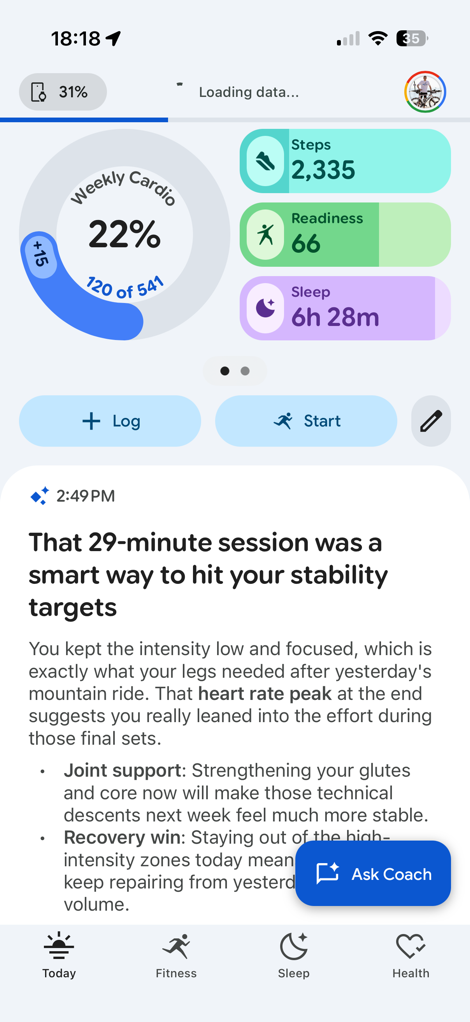
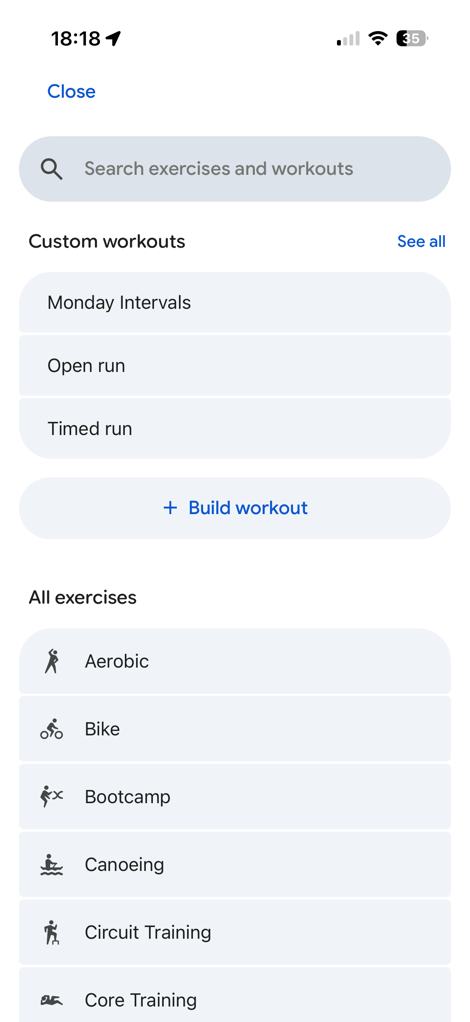
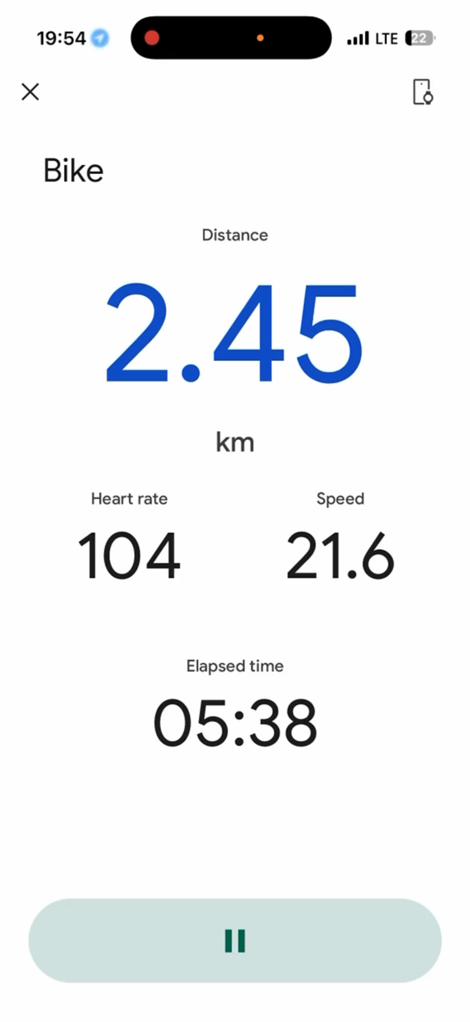
I talk a bit more about it in the bugs section, but manual workouts have been a solid struggle-bus for me, primarily on the GPS side. I’ve lost numerous workouts (the GPS data) where it simply stops tracking. The underlying heart rate data is still saved, and an activity is also still saved, but there’s no map/GPS/distance/etc data. It’s not awesome.
In any case, once your manual workout is finished, and assuming it doesn’t crash along the way, this is what you’ll see:
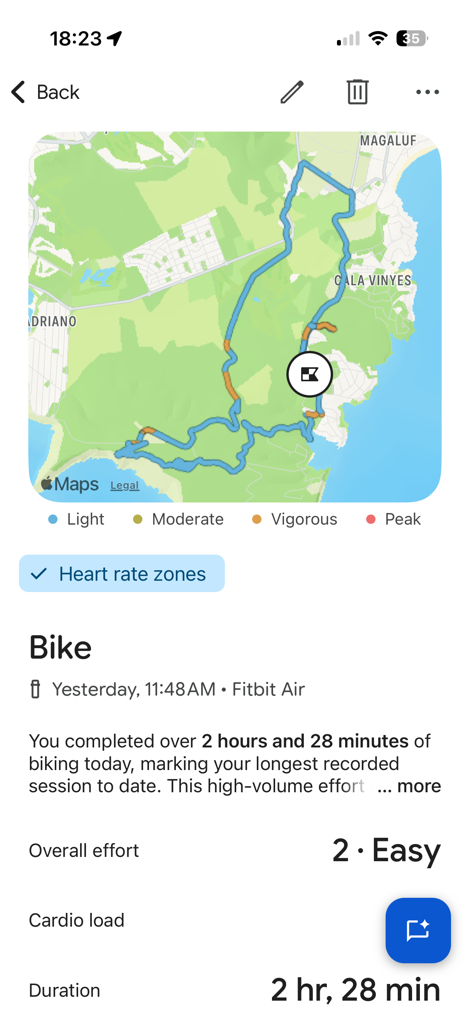
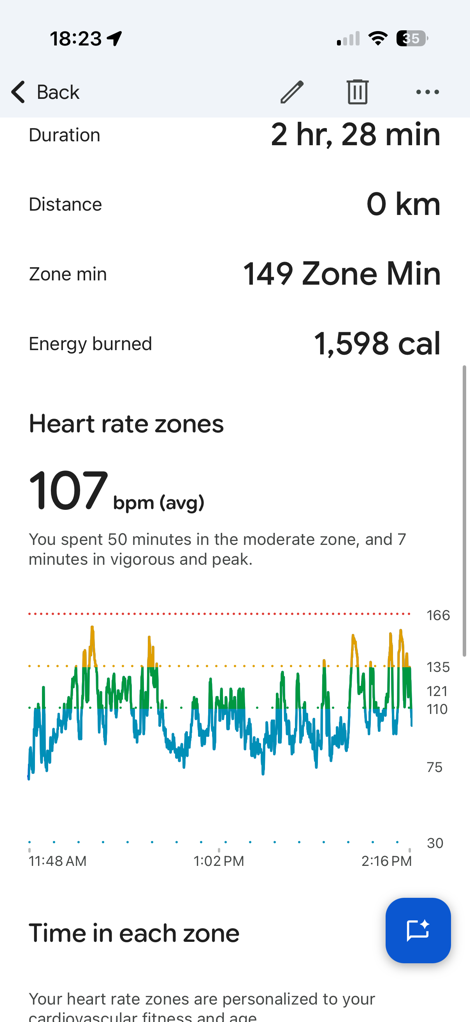
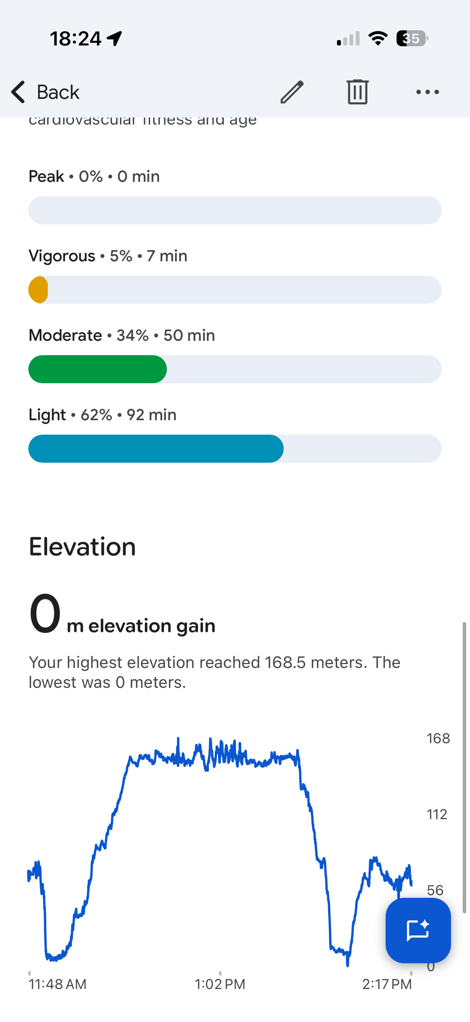
Above is the single non-commute cycling/running workout that managed to record my map successfully.
In terms of the differences between free and Premium, in a post-workout setting, the only difference is the AI text you’ll see. Here’s an example of my wife’s screen (free), and mine (Premium), after this gravel-ish ride. You’ll see mine has a bunch of text, her’s just said she went for a ride, and to tap to see the details (seen above). I had manually set mine as MTB.
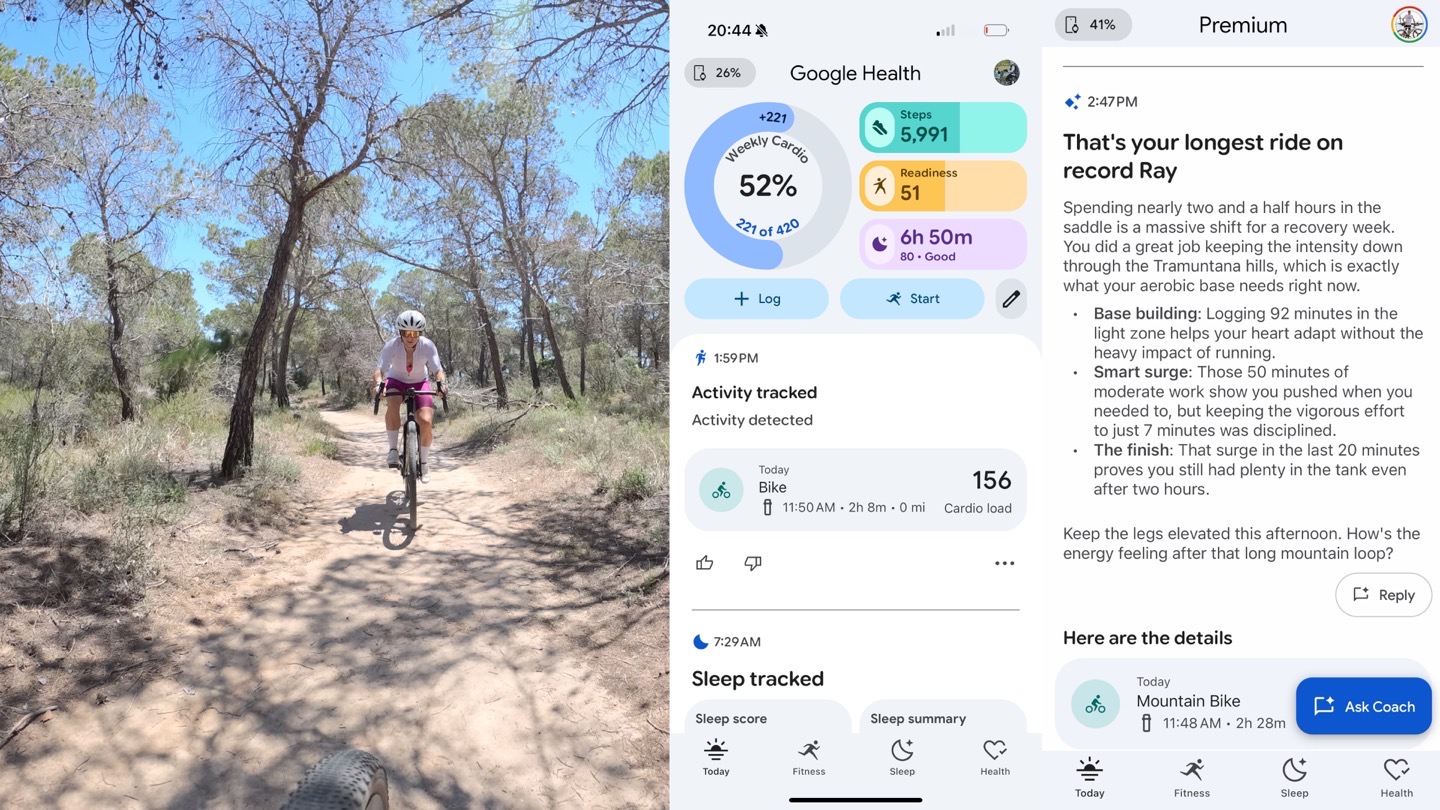
One of key metrics you’ll see in that is ‘Cardio Load’, which is basically Fitbit’s version of Training Load. This is great because it roughly falls inline with what you’ll see from other reputable endurance sports companies. Even more notable is that Fitbit measures cardio load 24×7 – which means even activities that aren’t manually recorded are captured (such as doing yard work for 6 hours, or moving your house, or chasing the kids around, or making new kids. After all, it’s all high-higher rate activities that are going to add strain to your training load, even if not explicitly listed as a workout.
You’ll see this in a space of places within the app, including the main homepage itself, and then you can tap on it to get more details:
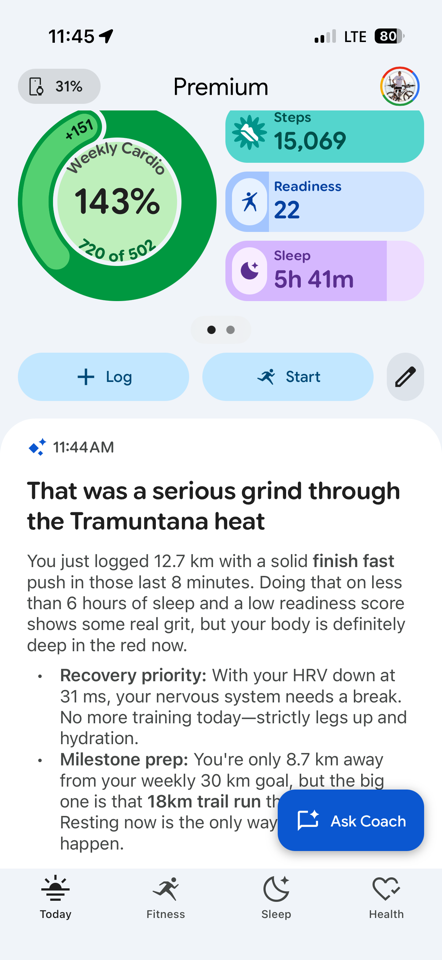
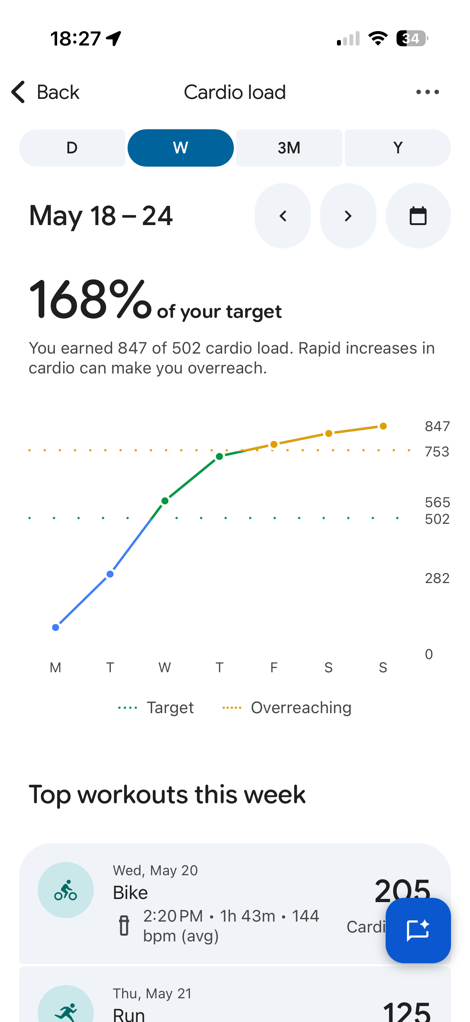
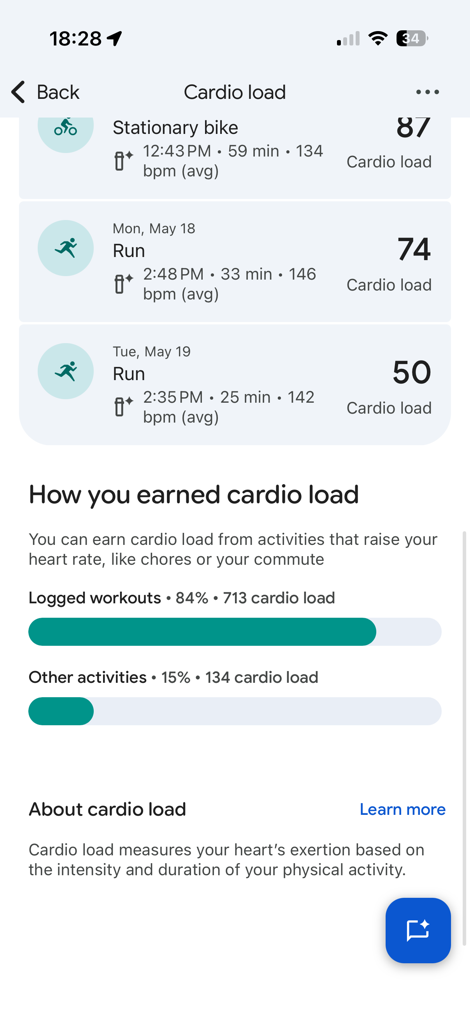
I do wish some of this was displayed a bit better though, in particular against your existing/normal training load. It used to be better in the older Fitbit app when they first launched it with the Pixel Watch, showing ranges (very similar to Garmin’s Acute Load), and from a sports standpoint it just made so much more sense (because load/fatigue doesn’t disappear in your body each Monday, whereas it seems to with this redesign).
Next, there’s Readiness. This is roughly akin to Garmin’s Training Readiness score, except Fitbit was actually first many years ago with ‘Daily Readiness’, and that’s since been simplified to just ‘Readiness’. The idea here is to look at your recovery and fatigue elements, and score you on how ready you are to take on the day (or take on additional workouts):
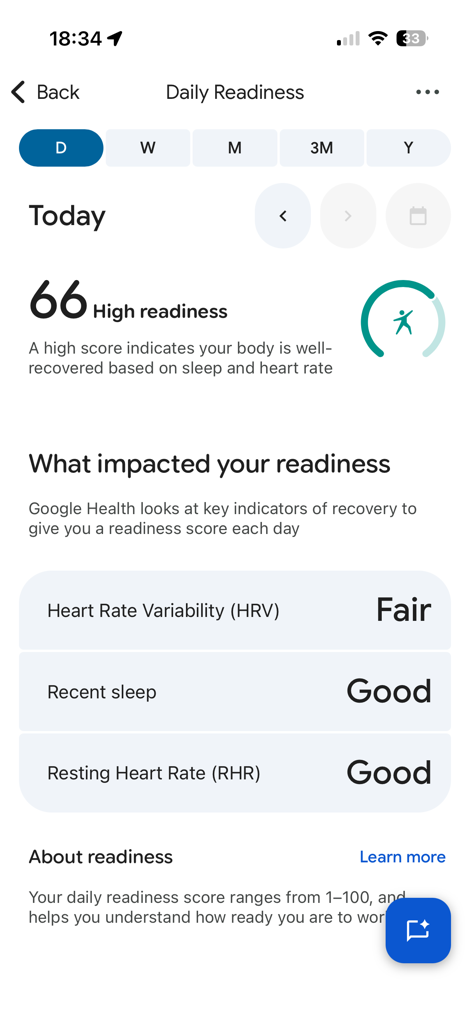
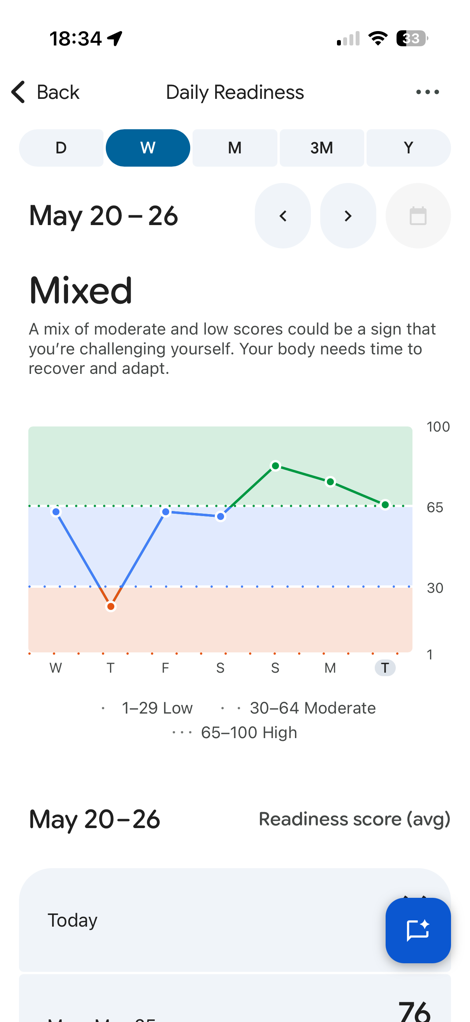
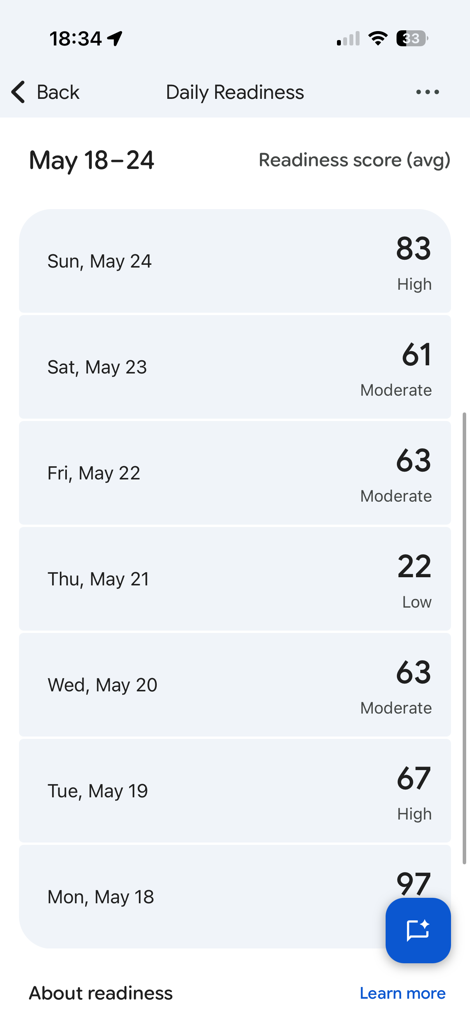
I find this piece takes a bit longer to stabilize in the Fitbit ecosystem, but once you’ve got at least a few weeks of stable data in there, it simmers down and produces reasonable results.
Finally, there’s broadcasting of your heart rate from the band. The Fitbit Air does technically support that, but via their proprietary secure-Bluetooth-ish connection. This means it only works with certain devices/platforms, rather than following the proper Bluetooth spec like Whoop/Amazfit do (or Garmin/etc on other watches). You can toggle this on within the app:
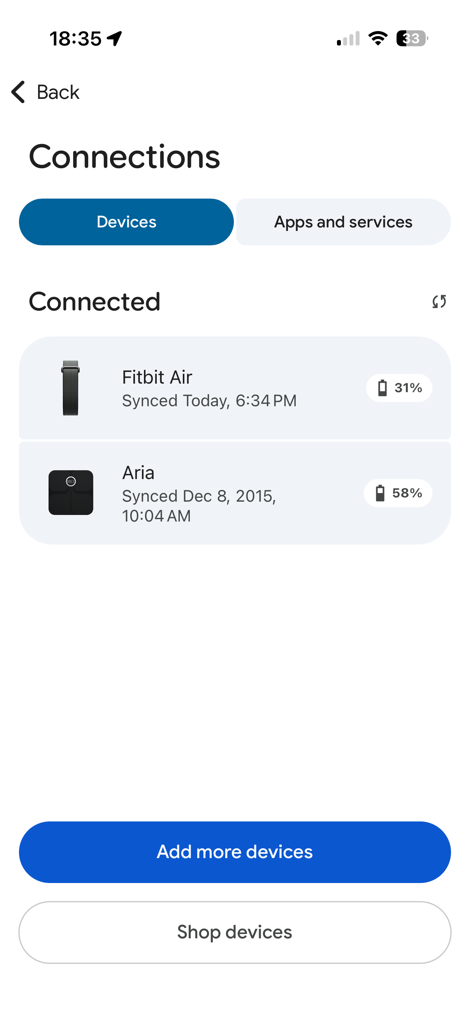
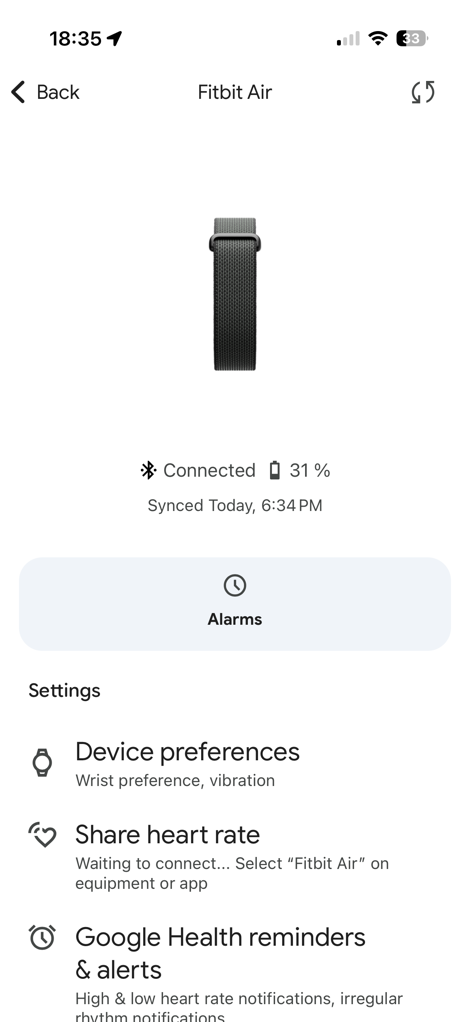
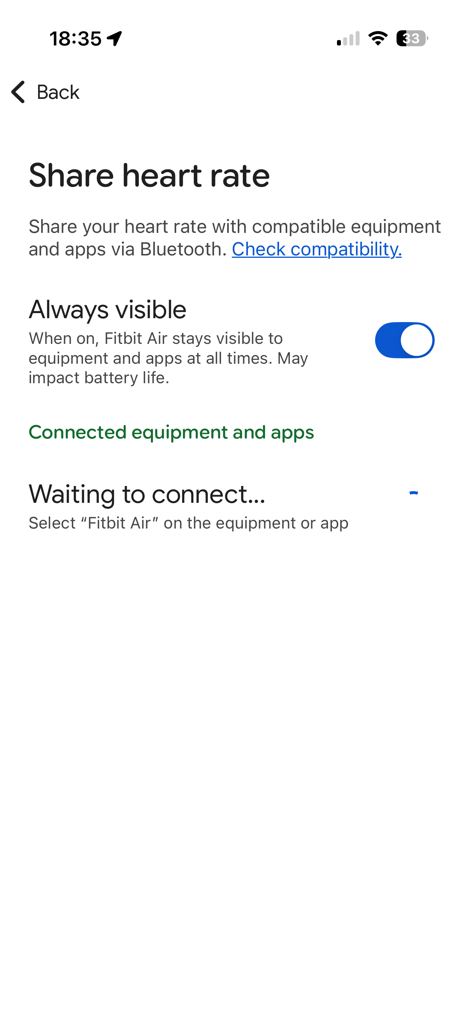
You can find a list of these compatible devices here. In short, it works with Zwift/Peloton, but not with a Garmin bike computer. I find this all bizarre, since Google says they’re trying to make Google Health universal across platforms, and they’re spending a crap-ton of development effort to do this (impressively so). The fact that Whoop and Amazfit’s band just follow the proper standards is really key for some people, and there’s simply no good justification for Google to keep on doing what their doing here.
With that, let’s shift to heart rate accuracy.
Heart Rate Accuracy (Sports):
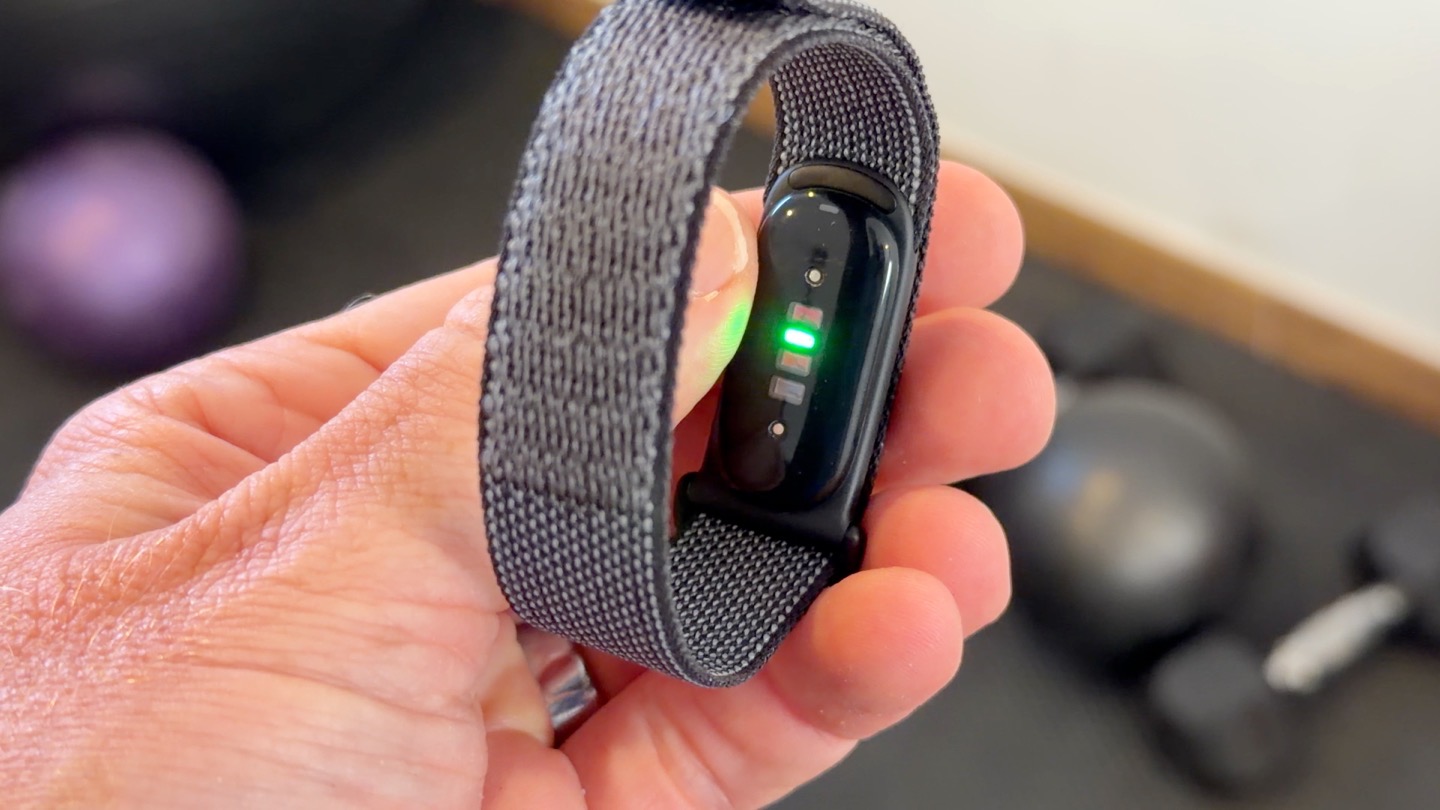
Let’s start off with something easy, a relatively steady-state and also very chill 25 minute run. Nothing crazy here, just some loops on some local trails. Had the Fitbit Air on one wrist, and the Whoop 5.0/MG on the other wrist. Plus the Amazfit Helio & Polar Loop on my biceps, and then finally the Garmin HRM-600 chest strap on my…well…chest. Here’s those results:
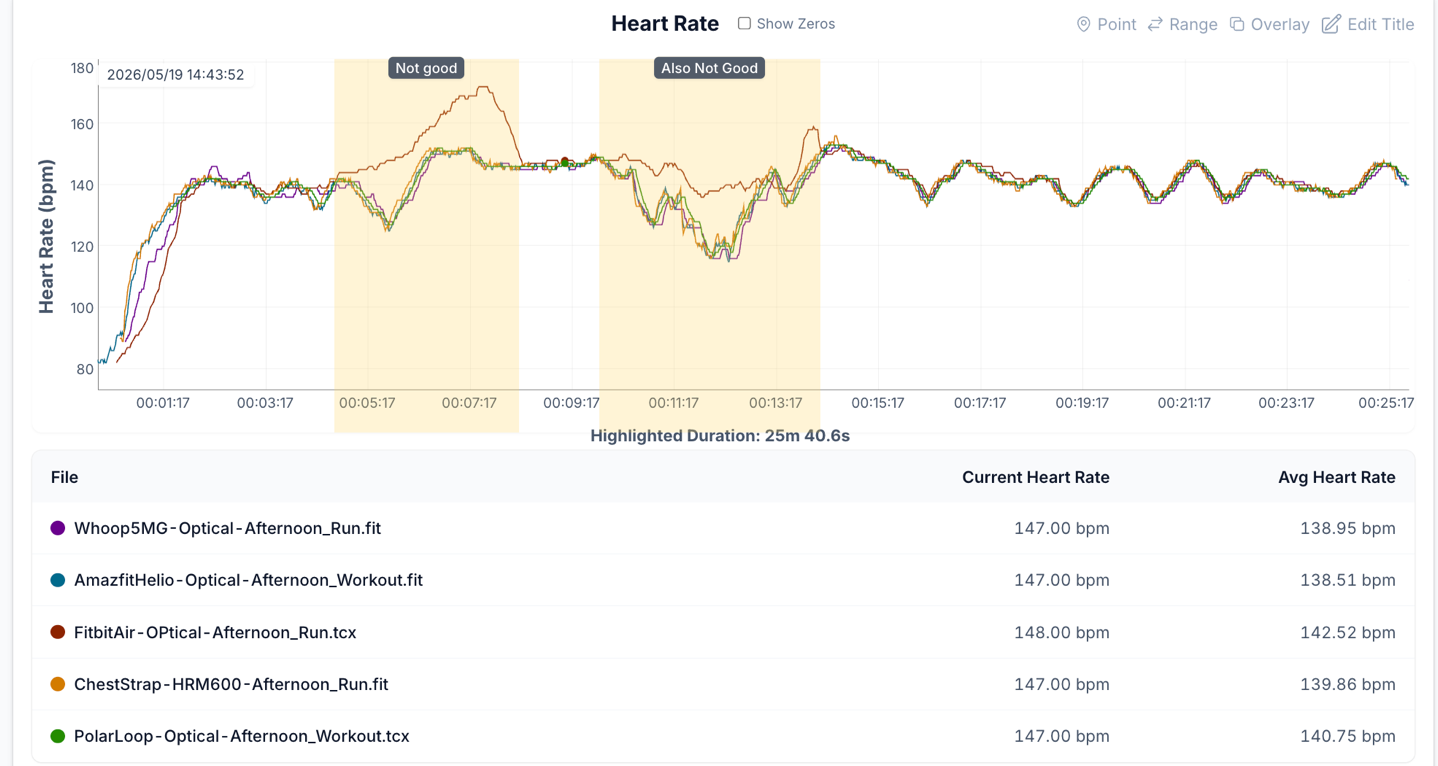
As you can see, this wasn’t awesome for Fitbit. And in some ways, this is one of the worst examples, but also not entirely unusual either. As one who tests these things for a living, I’m hyper-aware of ensuring the bands are tight/etc on my wrist. Atop that, my very light skin with almost relatively thin/minimal blond arm hairs means I’m sorta the easiest person out there from an accuracy standpoint: If it can’t get me wrong, everyone else is hosed.
Still, many of my other activities went better.
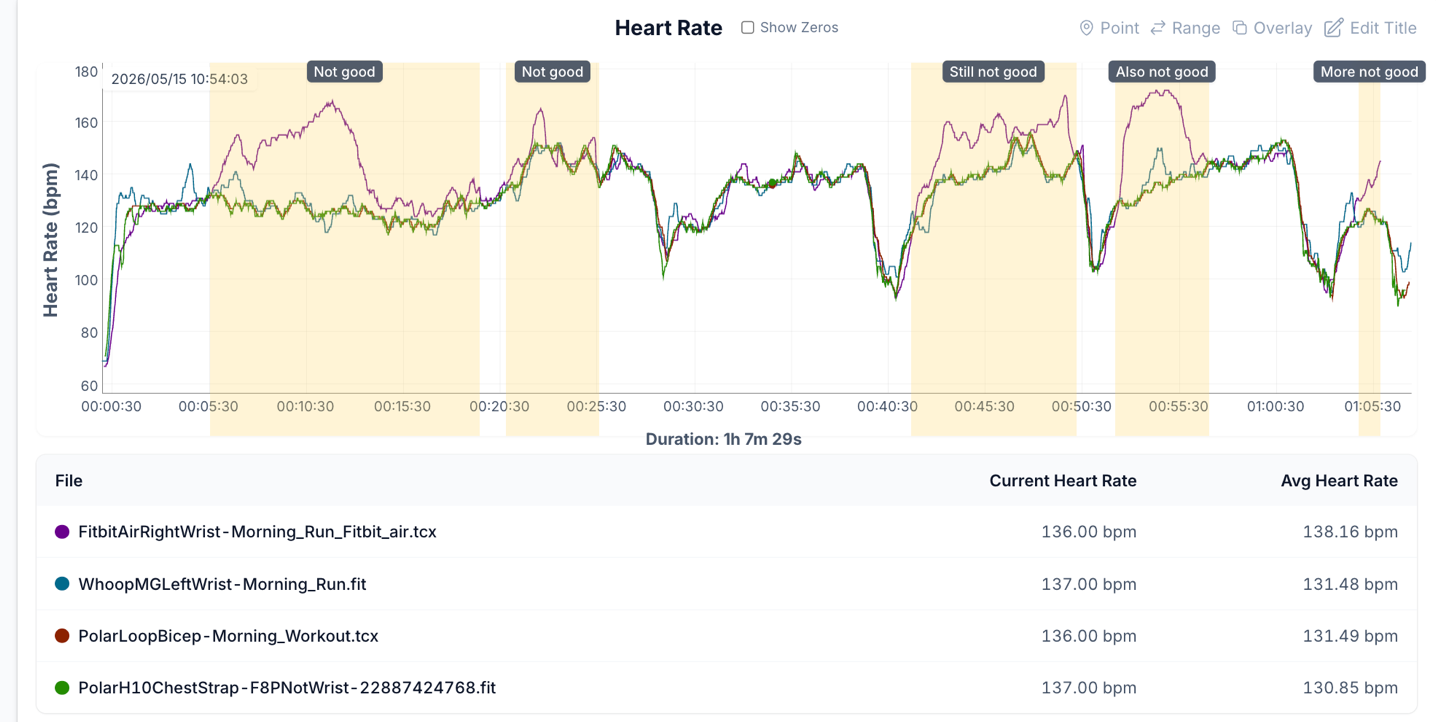
Here’s an hour run I did, this time pavement with my wife. In this case, there was some easier intervals (for me, they hurt my wife more), though, you can’t really tell that from the Fitbit data. This was arguably one of the worst heart rate examples I had. But ultimately, for as much flack as Whoop gets, Whoop did far better here, plenty of errors as you can see (especially early on), but nothing compared to Fitbit.
Next, we’ve got a trail run, one that’s actually pretty challenging from a variability standpoint (lots of short/steep up/downs), along with often very hard/unstable rock surfaces that can easily cause cadence-lock more so than softer trails. Still, despite the GPS on the app going haywire on this run, the actual heart rate was largely quite good. There’s a few moments to quibble about, but this wouldn’t really impact things like Cardio Load and such meaningfully. Here’s that data:
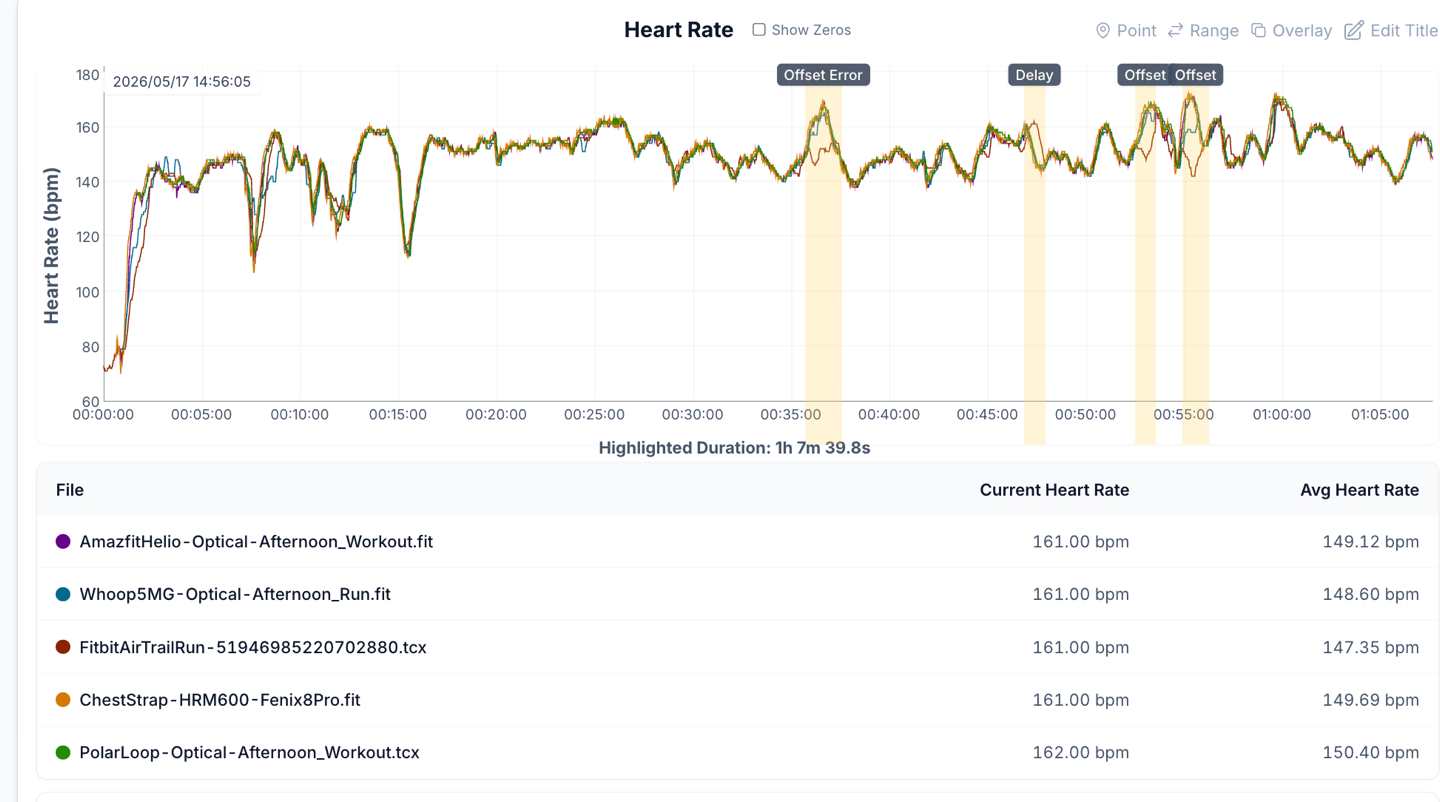
As you can see, overall very solid performance there, on what should have been one of the more difficult tracking jobs. Also note in blue that the Whoop 5.0/MG did make a similar number of errors in both similar and other locations on this run.
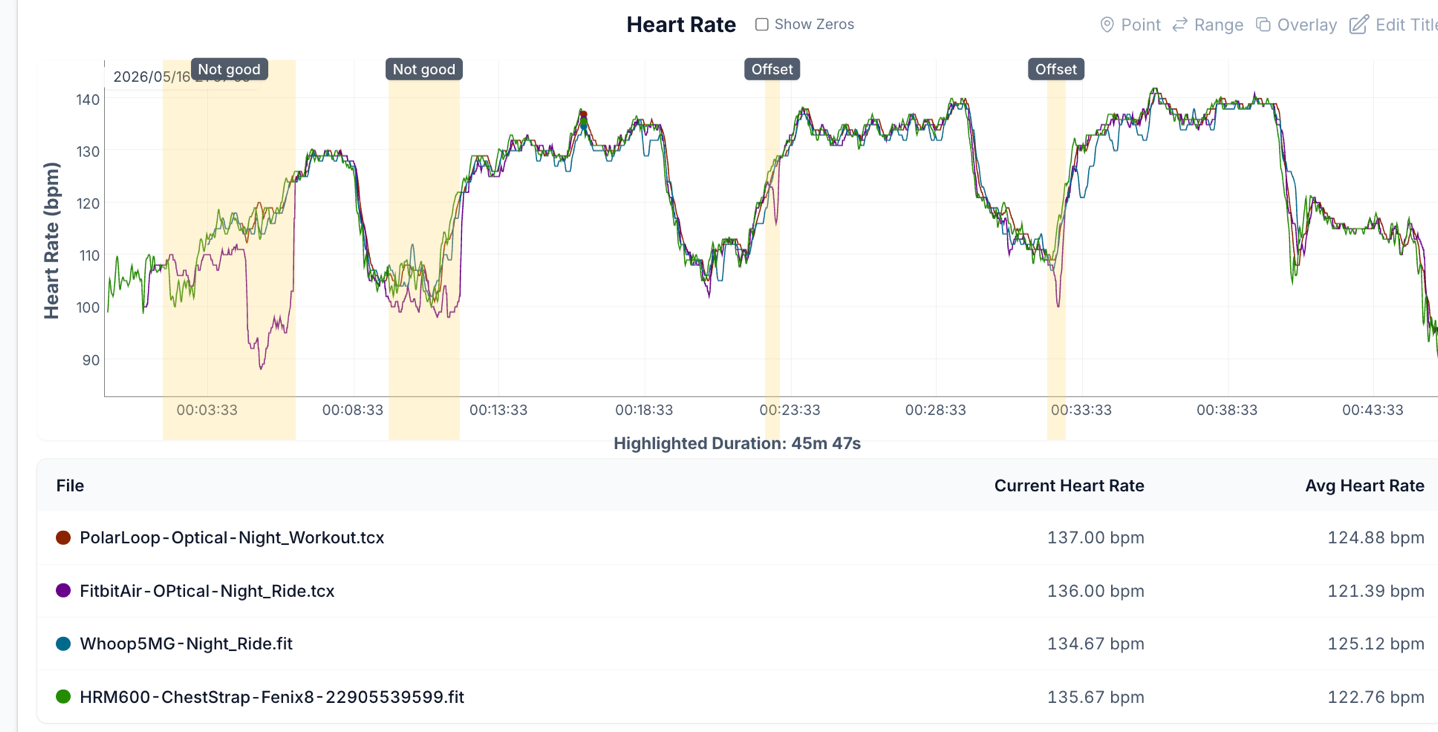
Next, let’s look at an indoor trainer (cycling) ride. The first of two. This one had basically three main interval sets as you can see, plus a bit of a warm-up. While there was some slight bobbles with the heart rate here and there, it did easily outperform the Whoop strap, where you see more issues (especially in the 3rd/last interval). Note that the colors are changing here, so Fitbit is in orange/yellow this time:
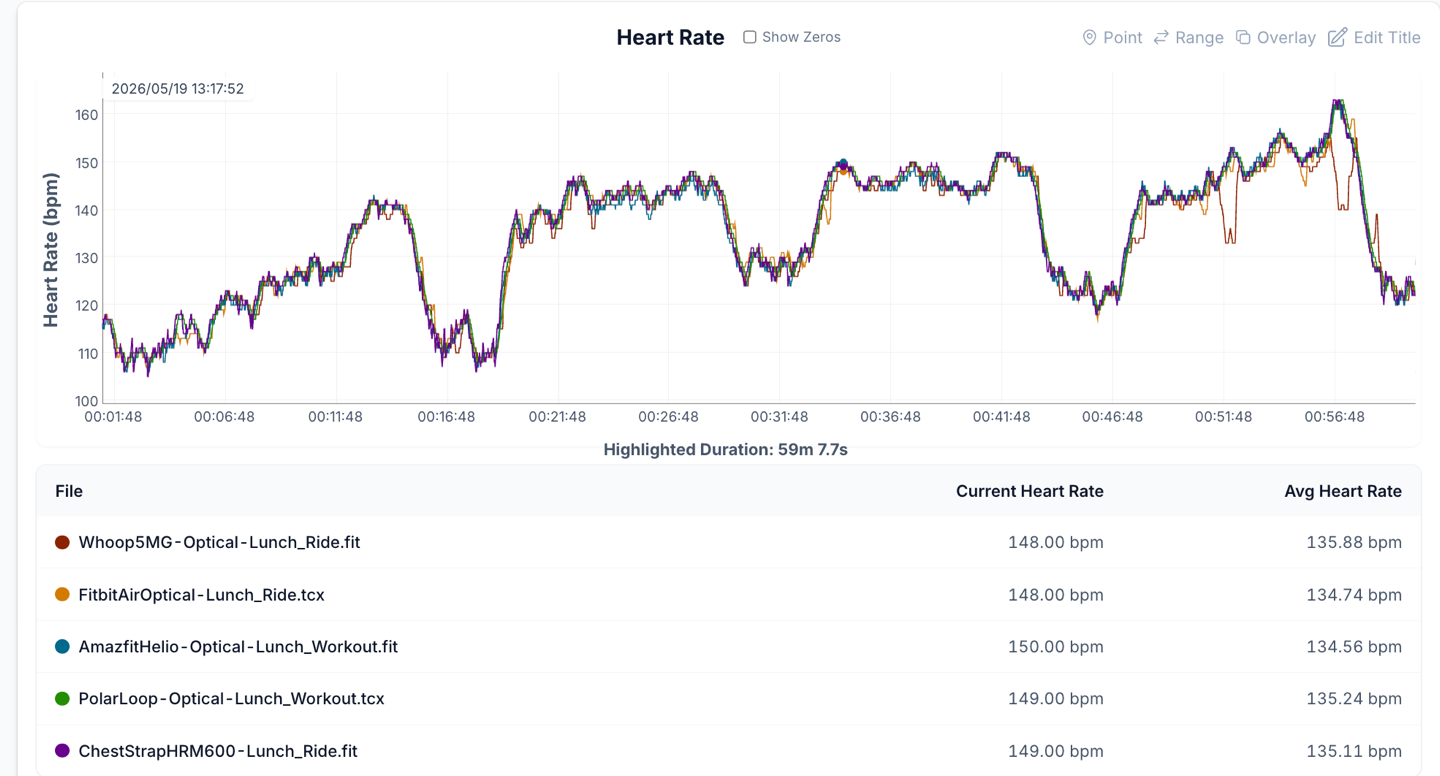
Here’s another workout, this time things went pretty sideways. Somewhat interestingly, workouts that were earlier in my review period seemed to struggle more than workouts later. I’m not aware of any firmware updates to the unit itself, but that doesn’t really matter in a world where many companies post-process data after the fact, to clean-up issues. This workout was done prior to the one above (which handled better):
So what about heading outside for real riding then? No problem, got that covered too. In terms of difficulty, outdoor rides present one of the biggest challenges for wrist-based optical HR sensors. The reason is that your wrists are typically stretched tight, and road vibrations from the bike shudder through them. Whereas optical HR sensors placed higher-up (such as on your bicep like the Polar & Amazfit units on this ride), can have some of the best accuracy possible, often beating chest straps in fact (chest straps on outdoor rides, especially cooler rides, can be susceptible to a different set of issues).
With that said, this result from the Fitbit (and Whoop) was actually pretty darn good. The two areas it struggled in were similar – downhill sections where speed increased, but heart rate rapidly decreased. The Fitbit struggled in both cases to maintain accuracy.
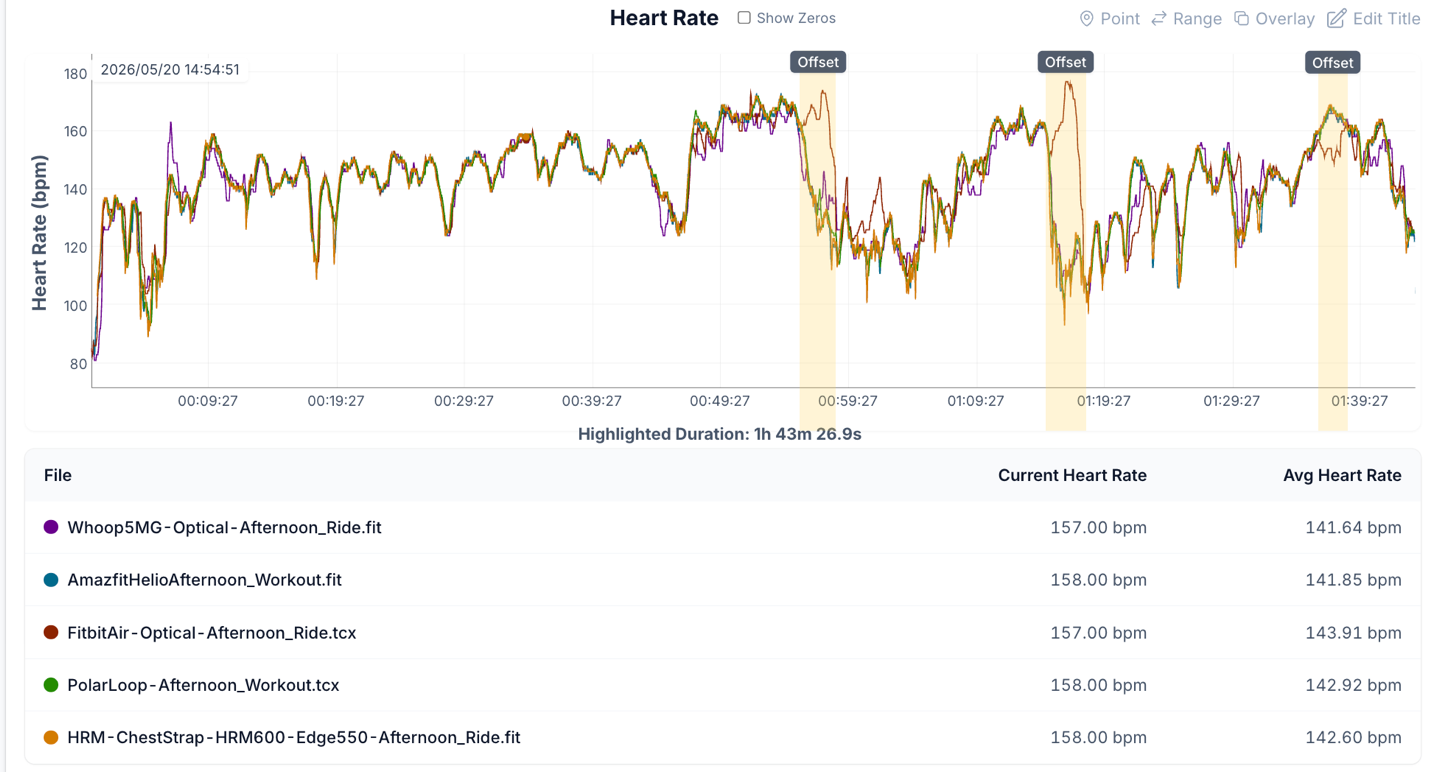
Still, on the whole, as compared to the many results I see from different wrist-based units while riding outdoors, I’ve seen far far more troubling results.
Finally, let’s look at a strength workout, this one mostly upper body focused.
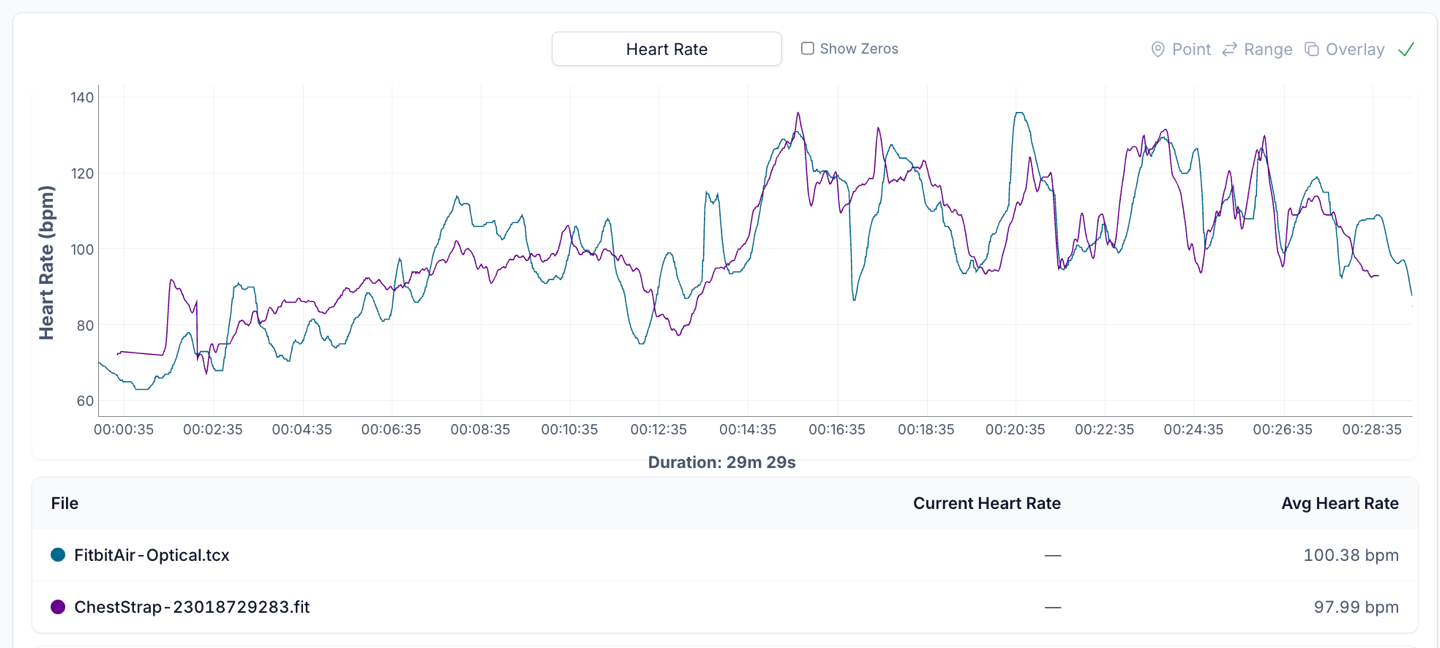
Obviously, the scale is a bit lower here, as well as the intensity. Once the heart rate increased, it wasn’t more than a few seconds behind the chest strap, and usually following the pattern. At lower intensities, it was a bit more variable.
Overall, the accuracy across all workouts is kinda mixed. In some workouts, it’s basically the same as Whoop (mostly good, but a few minor errors). In other workouts, it’s better than Whoop (with minimal errors). And then yet finally, in some workouts, it’s really bad.
The challenge with the ‘really bad’ ones is that it’s often vastly overshooting my actual intensity/heart rate (by 20-40bpm), which in turn will result in far higher cardio load. That then results in the app assuming my workout was harder than it was, which will cause incorrect recommendations (telling me to take easier days than I should, or thinking I’m working harder than I am). This is of course true of all sport platforms that depend on heart rate and have training load & recovery type recommendations.
I suspect some of the accuracy issues they’ll be able to solve with post-processing fixes, as their competitors also do. But other aspects will simply be hard to fix given how thin (width-wise) the band is, meaning that substantial light leakage can occur even when worn in the tightest possible scenarios. Further, some of my indoor trainer rides that had errors were done at night with the lights basically off (out on a deck/porch area). Meaning, it’s not just light leakage that’s the issue, but other artifacts as well.
The point being that while I think the Fitbit Air’s accuracy is probably good enough for many people, at the moment, Whoop is beating it in a wrist-to-wrist comparison. Note that I wouldn’t compare the accuracy of the bicep-worn Amazfit or Polar units here, because Whoop also shows near-perfect accuracy when worn on a bicep. And I suspect that Fitbit probably will as well, once bicep bands become available from 3rd party companies.
(Note: All of the charts in these accuracy portions were created using the DCR Analyzer tool. It allows you to compare power meters/trainers, heart rate, cadence, speed/pace, running power, GPS tracks, and plenty more. You can use it as well for your own gadget comparisons, more details here.)
The Bugs:
Long-time readers know that when this section appears in a review, it generally means I’ve encountered a high-enough threshold of issues that it’s just easier to roll them into a single section. Normally in reviews when I encounter issues, I just sprinkle them throughout (even if substantial issues). But when I have so many bugs (even if minor), it’s easier to put them in one place so I can find them later and note whether or not they’ve been fixed.
It’s clear that Fitbit is a bit behind on where they want to be with the app in particular. The hardware is largely great, but the app simply has a lot of quirks. Some of them are blatant bugs/gaps/errors where someone said ‘Sigh, we just can’t fix this today’ (like showing zero elevation gain for every activity). Others are more quirky in nature (like the AI’s odd insistence I eat nacho cheese dip and rosé wine every night prior to falling asleep). And others are technical issues that illustrate not having enough time to get to the bottom of edge-cases (for which I’m famous for finding).
For the most part, nothing on this list is a deal breaker by itself. And to their credit, they’re fixing them at a crazy-fast rate. One of the lead Google/Fitbit Air program managers even came to Mallorca to go out for a run with me and run into issues side-by-side. But that doesn’t change the reality that issues do very much exist toady.
Here’s where things stand:
– Manually started GPS activities repeatedly fail to capture GPS data: This has happened over and over again. Fitbit says it’s potentially due to the number of Bluetooth devices I have, but that doesn’t really answer why the GPS portion (which is handled fully on the phone), keeps failing so badly/often. Nonetheless, Fitbit says they’re working on a fix.
– Elevation ascent data always shows ‘0’ (zero): No matter how much elevation is shown, or despite the fact that the elevation graph is actually properly shown.
– Random AI Hallucinations: It said my Sunday 2.5hr ride was my longest ride ever. In fact, when I responded back to the coach that it wasn’t, it magically found my 6hr ride from two months ago.
– Sleep Quality Score keeps temporarily disappearing (as does Health Status): You can fix it by logging out and back in again, but that’s annoying. A fix is coming in the next app update.
– Enumeration of certain metrics on iOS can take upwards of 10 seconds: Google says they’ve got a fix coming for this shortly. This doesn’t impact Android.
– Some Strava outdoor activities simply don’t have maps with them. It’s unclear why.
For most of these issues, Google has given various timelines ranging from tomorrow to next month, to get them fixed. And if the past week or two is any indication, things are being fixed very quickly. So, hopefully I can cross things off on this list as they happen.
Wrap-Up:
After putting this device through a literal pounding of workouts, non-workout sports activities, and everything else in between, it’s clear this unit will pose significant issues for Whoop. I’d argue this band has likely single-handedly sunk Whoop’s rumored near-term IPO, short of Whoop drastically shifting its business/pricing model. For the vast majority of consumers, the Fitbit Air will do exactly what a Whoop band does, for a fraction of the cost, and in some cases, even do it better.
Which isn’t to say the Fitbit Air is perfectly, or even perfectly ready. In fact, there are a lot of quirky bugs in the app, and some accuracy issues that Fitbit needs to address. For the app issues, these are mostly more minor than not (except the GPS track recording problem), and I suspect if Google keeps moving at the same speed they’ve been moving on fixing issues, they’ll be resolved quickly. Meanwhile, for the accuracy bits in the heart rate, I suspect for most people it won’t matter a ton. Still, aspects beyond just bugs are a notable gap to Whoop, especially around automatic activity detection/exercise types. This is an area that Fitbit needs to move quickly on.
As for the need for Premium, I don’t think most people will need it. Certainly, it does provide legitimate value and insights, and often can actually provide good training and general wellness recommendations (well, when it lays off the rosé wine). Still, I think Fitbit would be wise to allow better/more customization of the main Google Health app dashboard, since it’s clear feedback from both free and Premium users really want more data (over AI text) shown. If Fitbit wants to court both sides, they need to find some middle ground there. Hopefully, they can do that.
Either way, for $99, this is an easy-button recommendation for the vast majority of people who would have otherwise selected a Whoop. It also sends a signal to other companies looking to get into the screenless wearable space what is needed in order to succeed, both in terms of pricing and features.
With that – thanks for reading!
Found This Post Useful? Support The Site!
Hopefully you found this review/post useful. At the end of the day, I’m an athlete just like you looking for the most detail possible on a new purchase – so my review is written from the standpoint of how I used the device. The reviews generally take a lot of hours to put together, so it’s a fair bit of work (and labor of love). As you probably noticed by looking below, I also take time to answer all the questions posted in the comments – and there’s quite a bit of detail in there as well.
If you're shopping for the Fitbit Air or any other accessory items, please consider using the affiliate links below! As an Amazon Associate I earn from qualifying purchases. It doesn’t cost you anything extra, but your purchases help support this website a lot.
And of course – you can always sign-up to be a DCR Supporter! That gets you an ad-free DCR, access to the DCR Shed Talkin' video series packed with behind the scenes tidbits...and it also makes you awesome. And being awesome is what it’s all about!
Thanks for reading! And as always, feel free to post comments or questions in the comments section below, I’ll be happy to try and answer them as quickly as possible. And lastly, if you felt this review was useful – I always appreciate feedback in the comments below. Thanks!





0 Commentaires