TrainingPeaks Virtual has expanded with a major new feature that lets you import in a GPX route and ride virtually any route/road/path on the planet. As long as you have a route you’ve already ridden, or create a GPX route from any number of major platforms (Strava, Garmin, Komoot, etc…), then you’re good to go! The feature, as the title implies, is called GPXplore.
This feature lets you ride the route elevation and curves, while also attempting to blend some of the satellite imagery as a basemap that TrainingPeaks Virtual will then blend with 3D graphics to simulate the gist of the landscape around you. Give or take an extra snow-capped mountain. Still, the key thing here is enabling TrainingPeaks athletes and coaches to easily get ridable routes into an indoor training platform that connects with their smart trainers to simulate. That’s the core goal, and that’s achieved here.
After a few harder days of running, I had an easy trainer ride scheduled for today, thus perfect to give this a whirl. So let’s dive into it.
Getting a Route In:
While this part isn’t hard, it’s also a little bit messy (at least at scale). You’ll need to first create the route somewhere else (e.g. on some other platform), before importing it into your TrainingPeaks account. You’ll need a GPX file, so that can be from an existing route you’ve ridden (e.g. exported from Garmin Connect, or Wahoo, Hammerhead, etc…), or a route you’ve created (e.g. Strava, Komoot, etc…). It doesn’t really matter a ton where you create the route, as long as it’s created and you’ve got a file.
In an ideal world, TrainingPeaks would just be able to be a destination for routes from Strava, Komoot, etc… but there’s all assortment of business complexities there (mostly on the part of the others), making this more cumbersome than need be.
Once you’ve got a file, you’ll need to import the file into TrainingPeaks (the website, not the TrainingPeaks Virtual app). This piece is honestly a little bit clunky compared to just importing it into the app, but such is life. Login, and on the left side you’ll see routes:
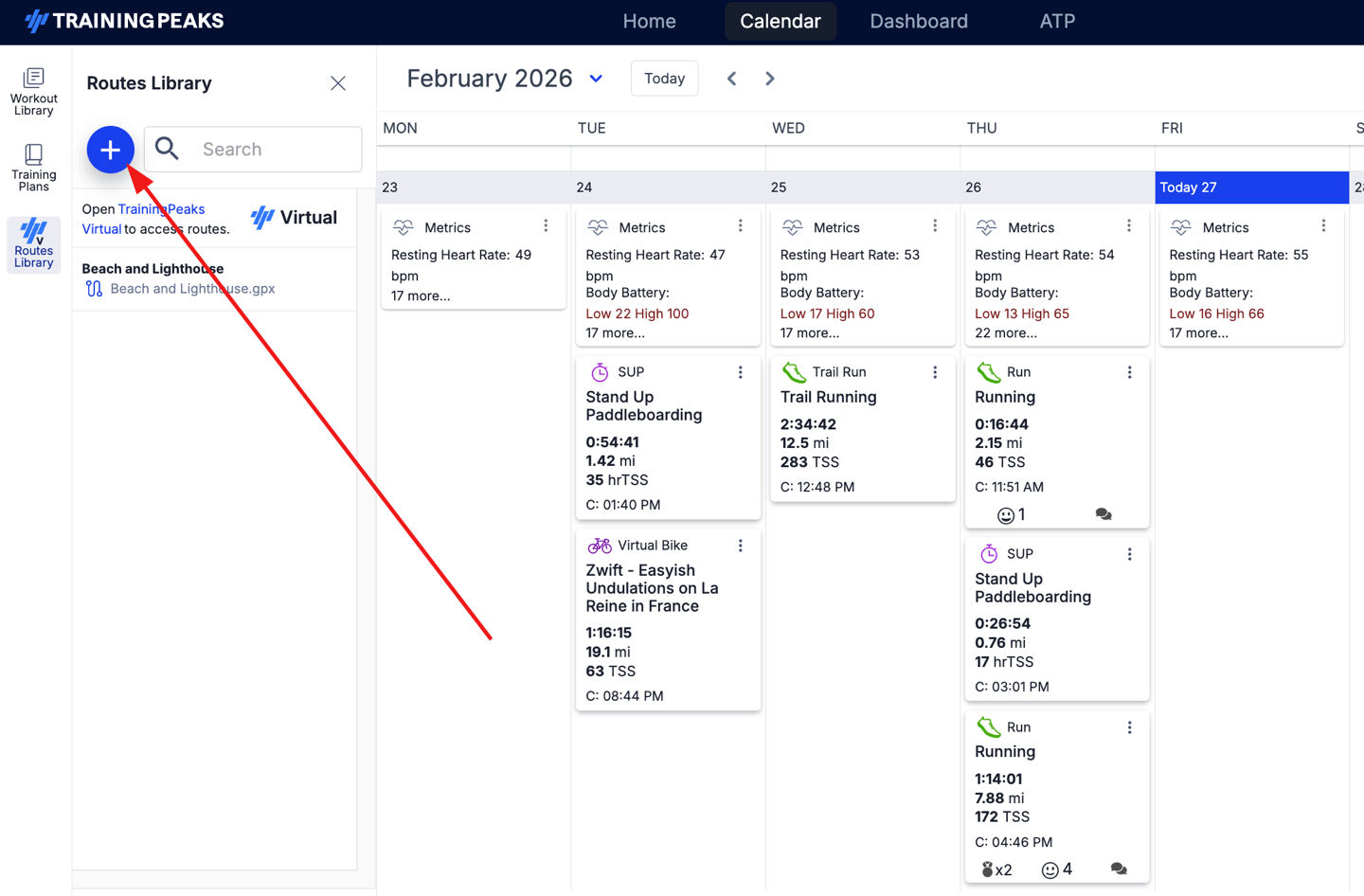
From there, just choose the file you want to import:
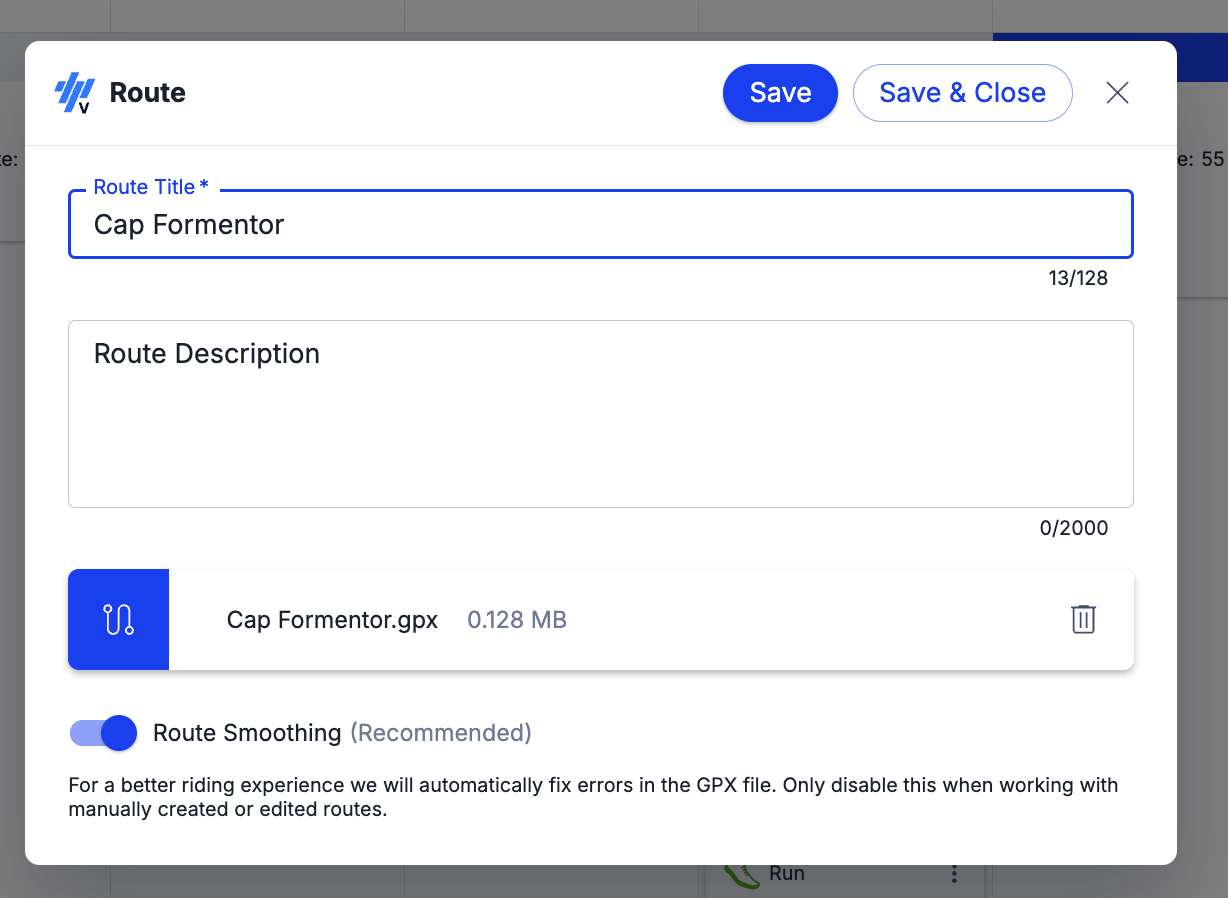
It only takes a second, and then it’s imported in. It would be a nice touch if they just auto-filled the title in, based on the GPX file name (currently you have to manually title it).
Next, you’ll open up TrainingPeaks Virtual (the game app), and then navigate to ‘Events’, and from there choose ‘Add New’. First, I’d argue this should just be on the main home dashboard as a thing you can do. Zwift learned this lesson a few years ago with structured workouts and such, to just put the things people want on the homepage (especially newly/just created things). After all, the entire point of TrainingPeaks buying this platform was for deeper integration. Now that the integration is there, don’t hide it by making people create one-off events. Just make it an easy-button.
Anyways, go and create an event, and then you’ll see the option for ‘My Routes’ at the bottom:
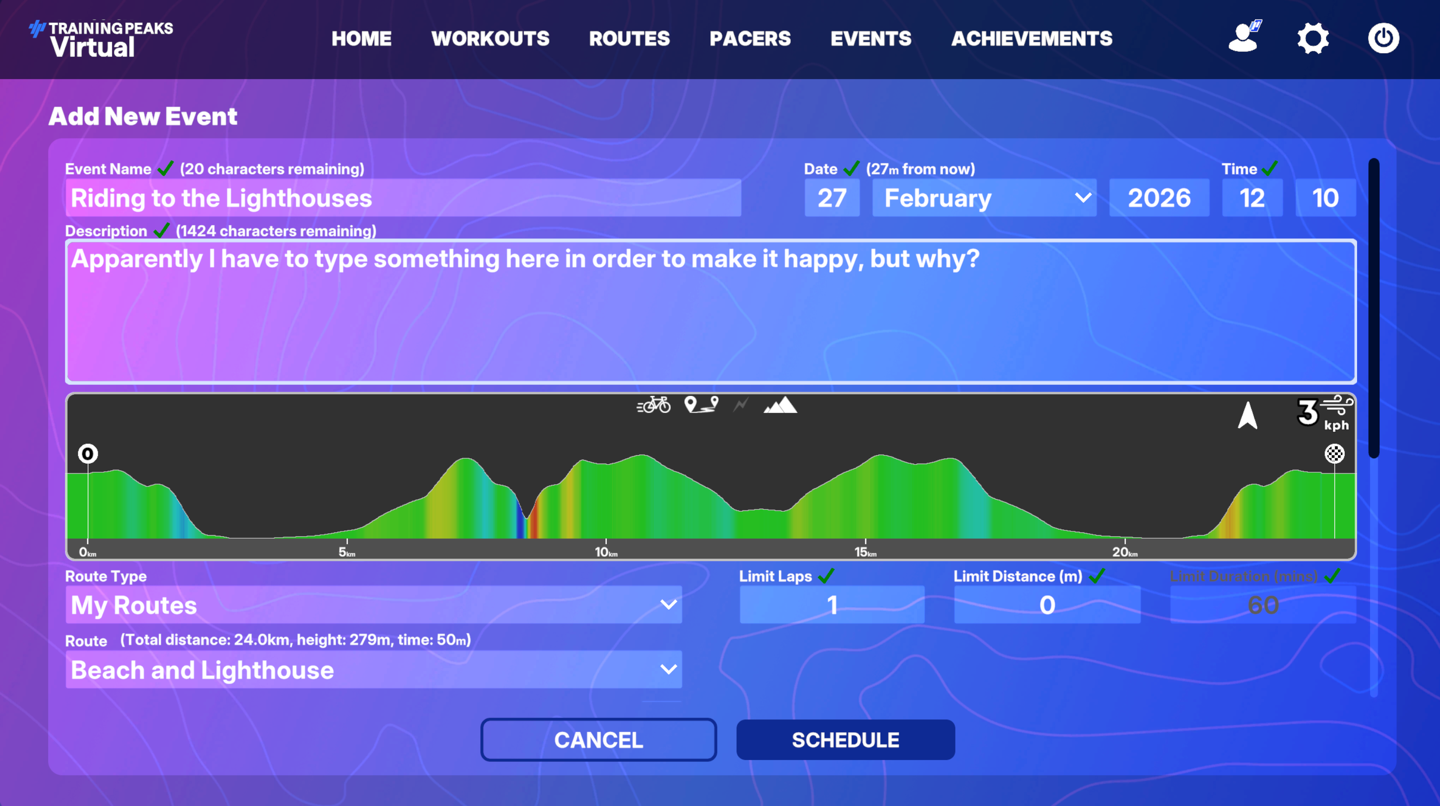
Again, I’d argue that if I select a route-name, it should just automatically populate that as the title. I know these sound like little nitpicking (and they are minor), but it’s all about fast workflow for time-crunched athletes. Minimizing friction. The good thing is that George and the TPV crew are incredible at quickly implementing suggestions (by far the fastest in the industry).
In any case, from there it creates an event at a given time, and then you can copy that out to friends. Look, I get it, this feature was based on creating routes for events, rather than the individual athlete. But I’d argue (again) that the whole purpose of TP buying this platform (IndieVelo) was for the individual athlete. I just want to ride the right now, now schedule it for the future with more clicks. Again, reduce friction, reduce clicks, increase time to ride.
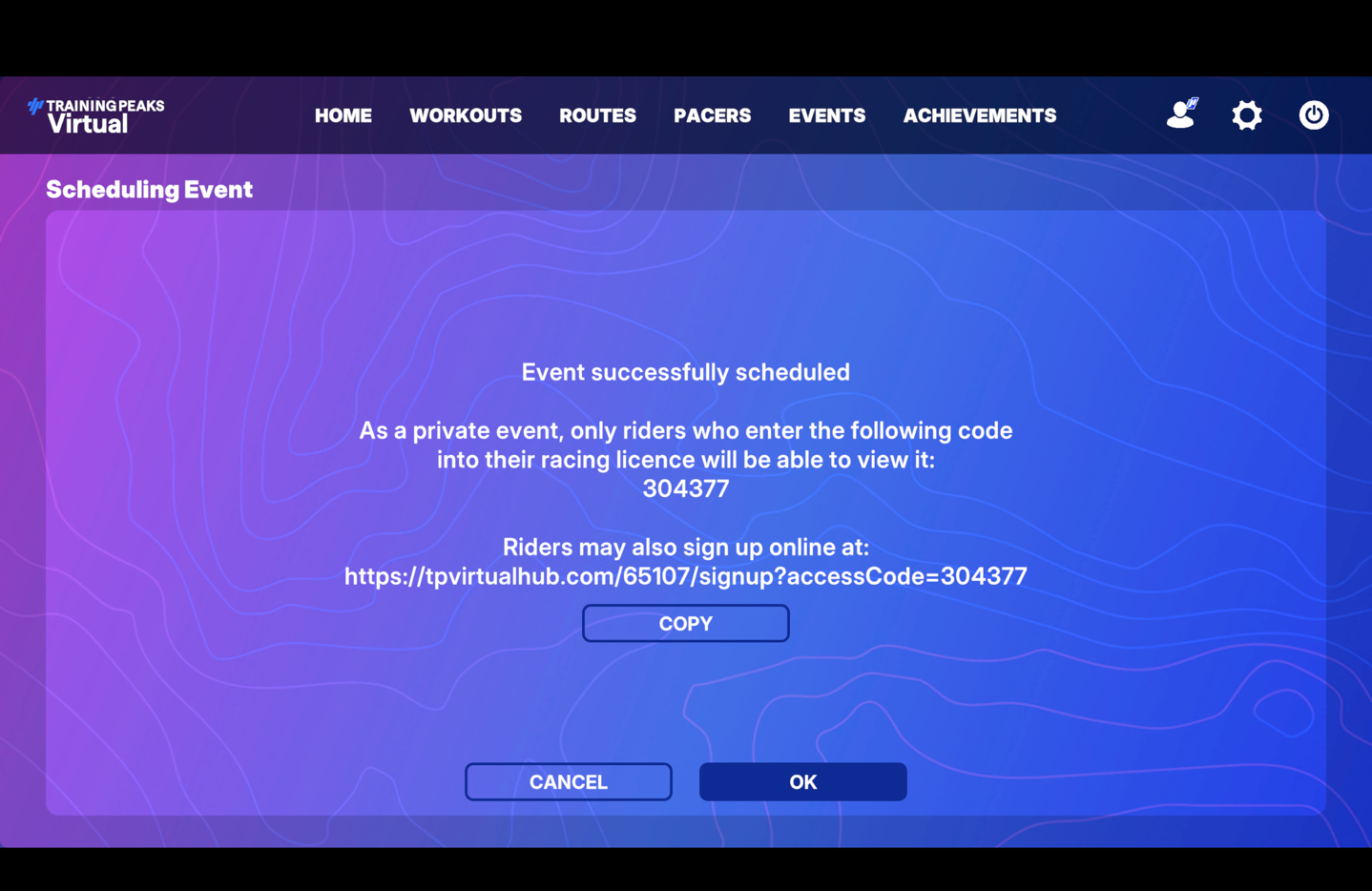
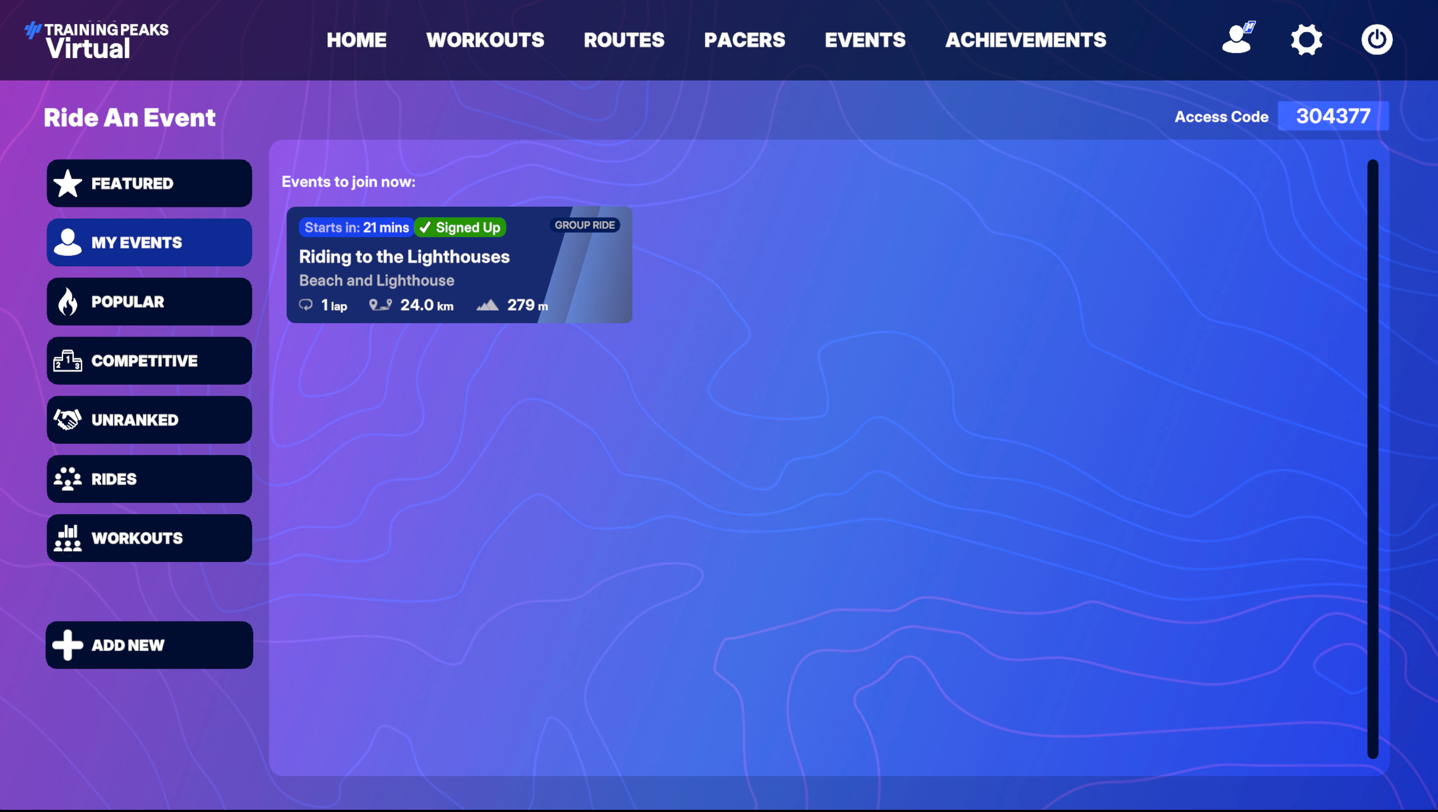
And don’t even get me started that this event doesn’t show up under my events. I have to enter a code to see my own event that I just created, otherwise this section is just blank. But why?
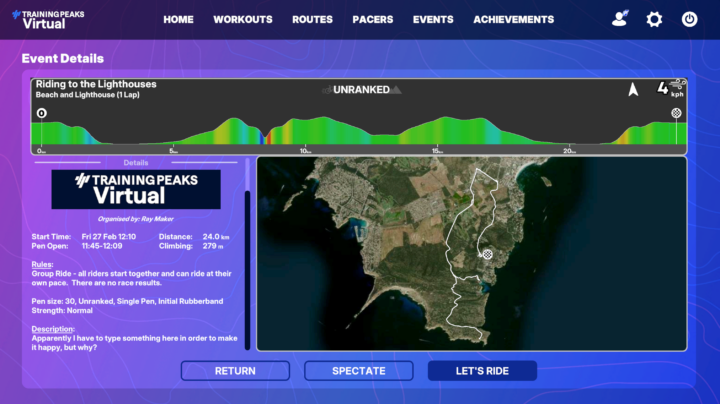
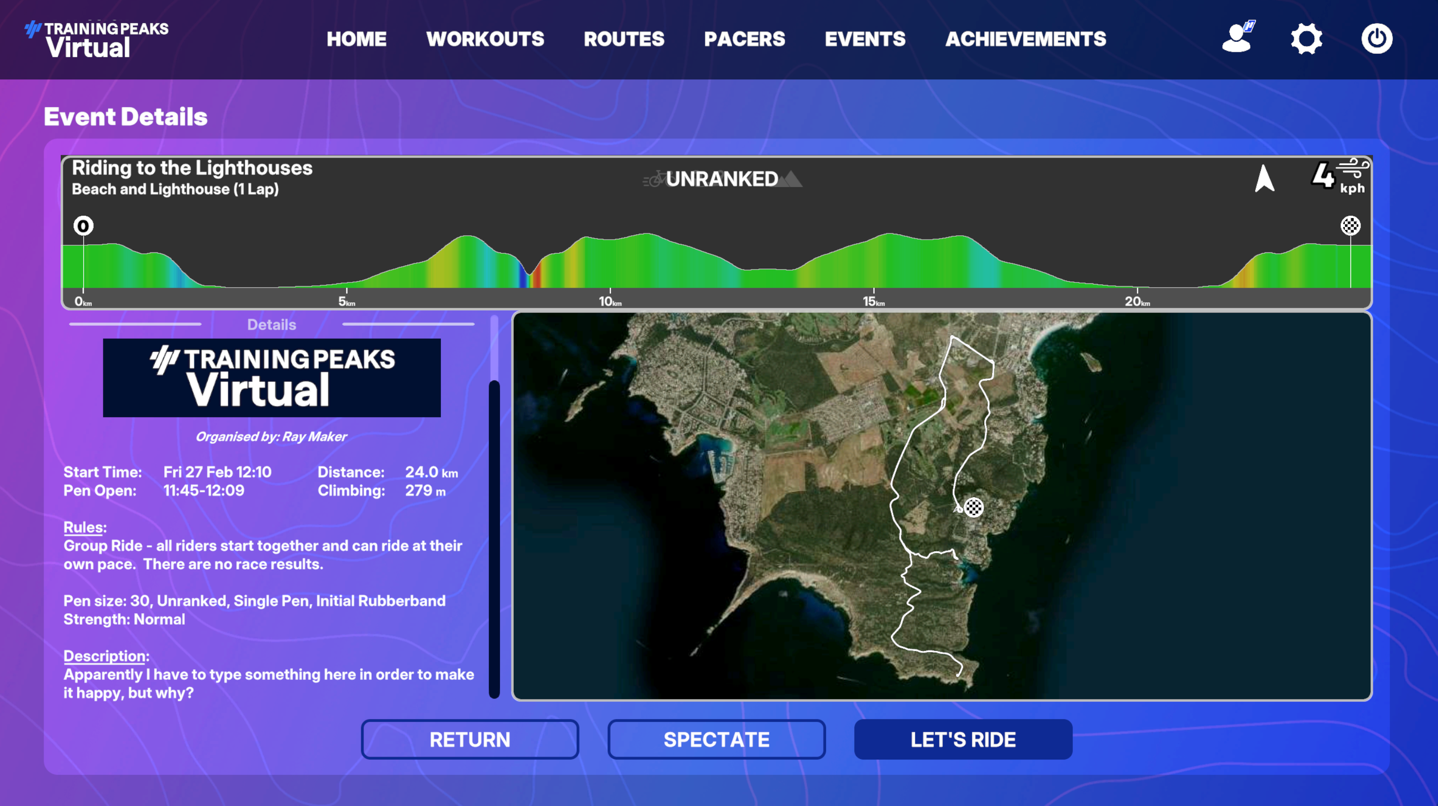
If I tap on it, I can see the event details, including the route, profile, etc… all of which looks good to me.
Of course, once you tap ‘Let’s Ride’, you need to wait till the start of the event (the soonest you can create it is 5 minutes in advance). I’ve brought up these concerns to TrainingPeaks, and it sounds like they’re already on the case, aiming to simplify/streamline this shortly.
Basically, what I want is:
1) Import GPX into TrainingPeaks (web)
2) Option to tap ‘Ride Now’ on TrainingPeaks Virtual Home Dashboard
3) Instantly start riding the route
Speaking of which, let’s look at how it works once you start riding.
Riding the Route:
With that sorted, you’ll be placed in the starting pen until the event begins. Even on a private event (as mine was, with just me), you’ll be joined by 29 other simulated riders (bots).
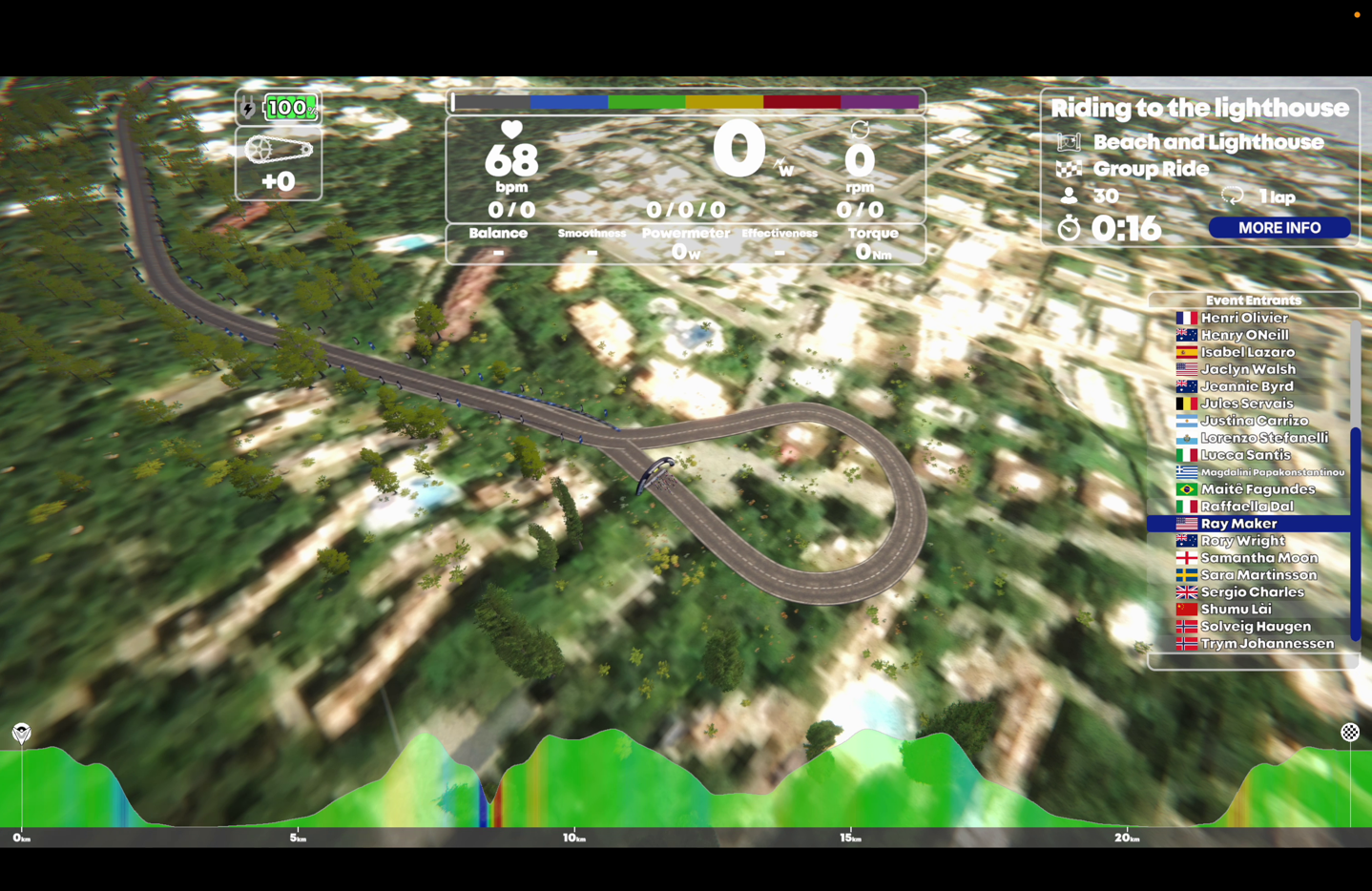
I thought it was mildly interesting to see how TPV overlaid a starting pen loop atop the streets here. You can see the satellite imagery below it, and this is normally a quiet four-way intersection.
In any case, off we went. The route that TPV creates is basically an identical route to your GPX file, from an elevation/gradient/road turn standpoint. What isn’t identical however is what surrounds the road, as well as the road surface itself (as I’ll see later). So for example, here on the quiet street around my home, this is what it looks like in the game vs real life:
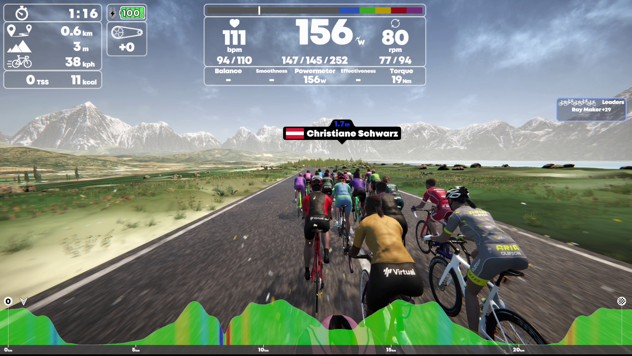
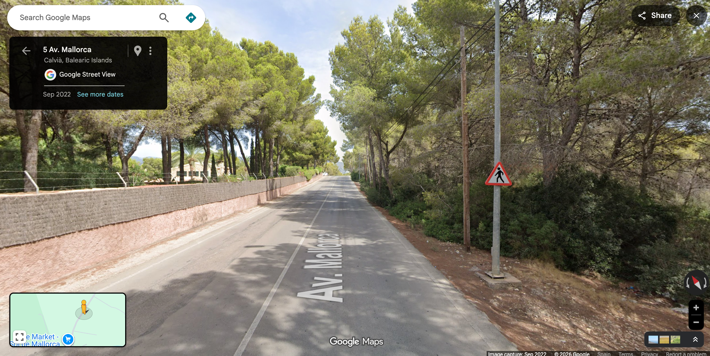
As much as I’d love for the mountains to magically surround the island like a James Bond movie (and be snow-capped), that’s definitely not the case either.
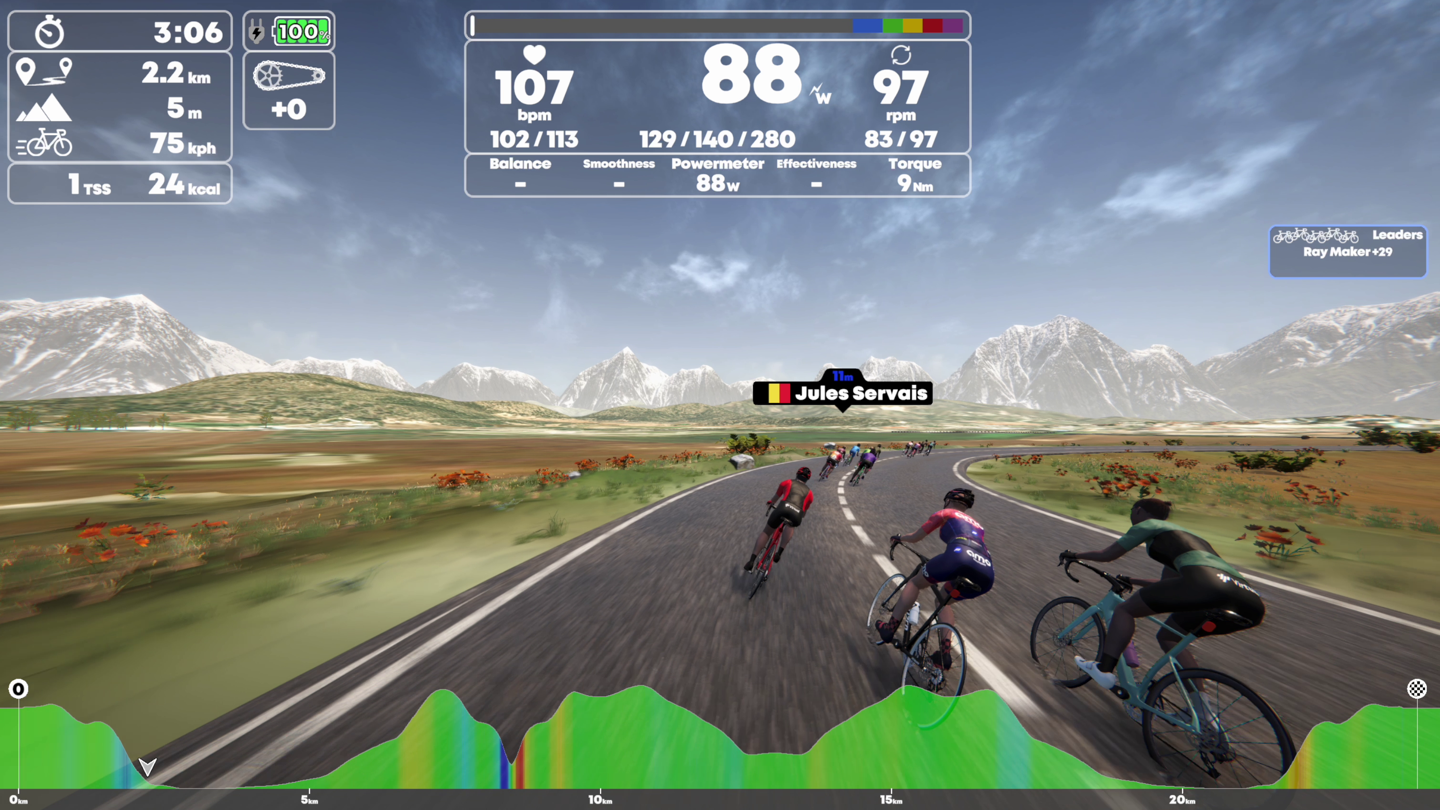
Still, the ups/downs of the road are real, which made it fun to fly down a hill at 75KPH that normally has a turn you can’t do above 50KPH for fear of ending up with the sheep.
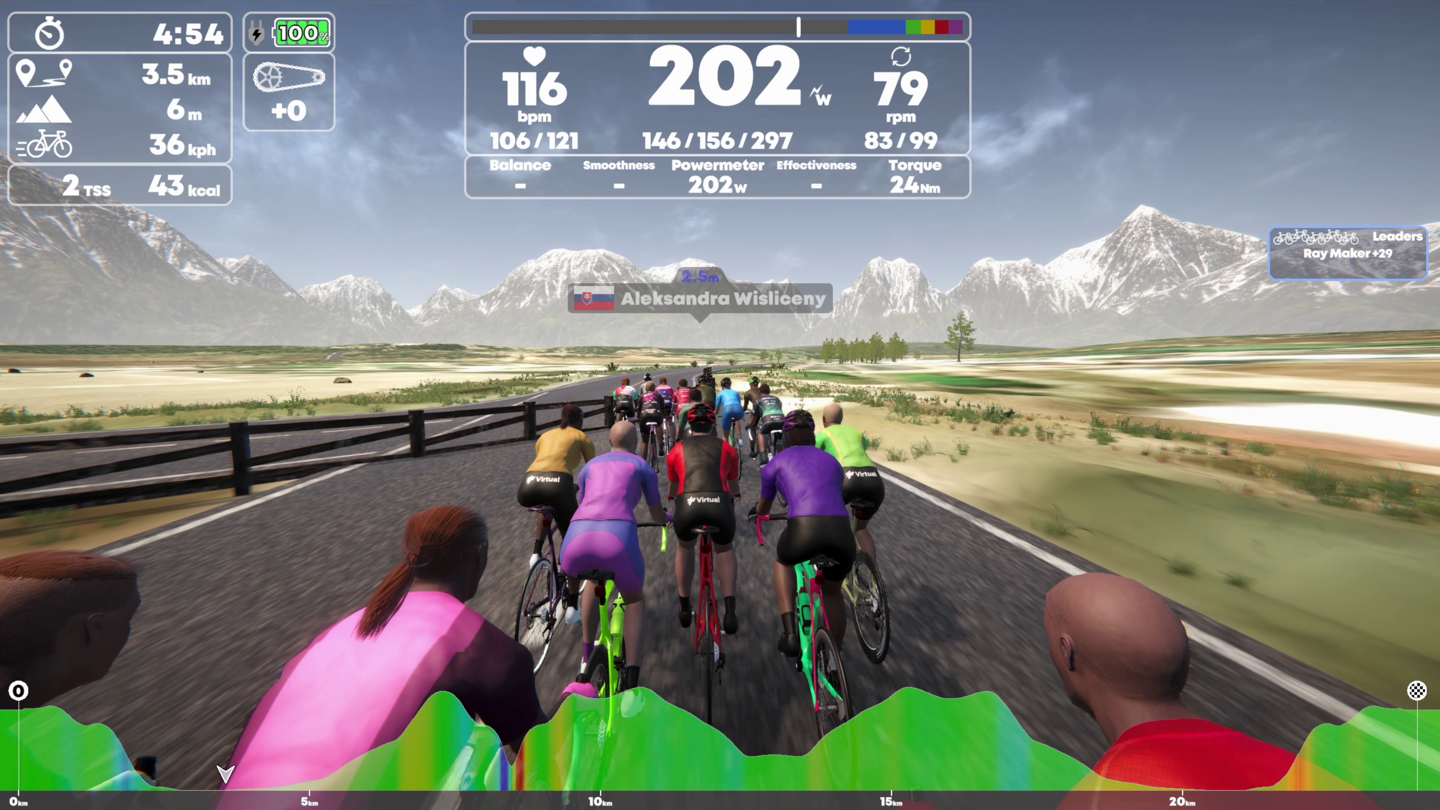
There does appear to be some bugs to work out with portions of the routes that overlap, these result in fences for riders to…ummm…navigate. This seems to occur anytime the route doubles-back on itself.
Likewise, there’s moments where the cyclists appear to be using non-UCI compliance bikes, pushing so hard that they simply melt into the pavement.
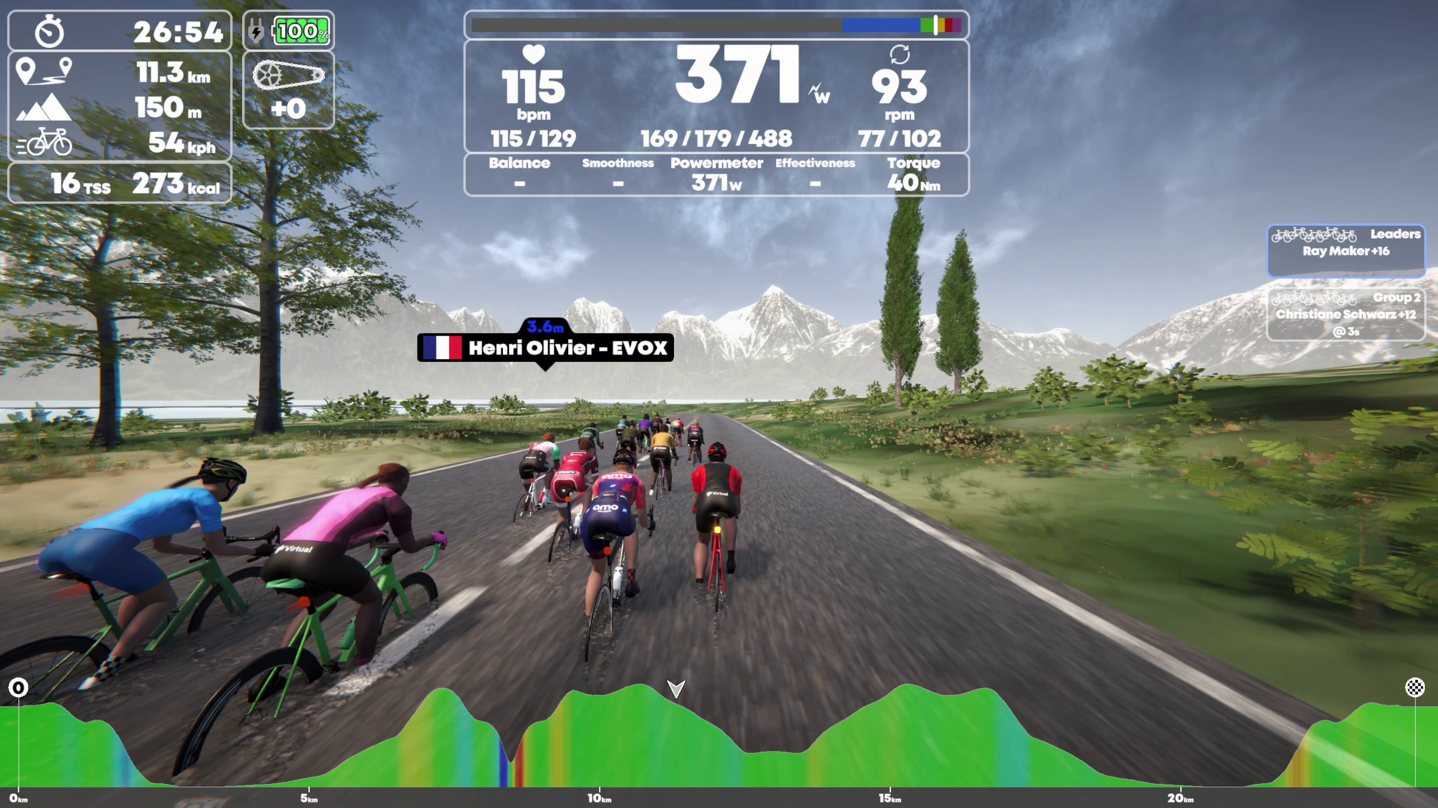
Still in terms of the overall ups/downs of a course, it captures it well. Having ridden this route more times than I could possibly count, it does a good job there.
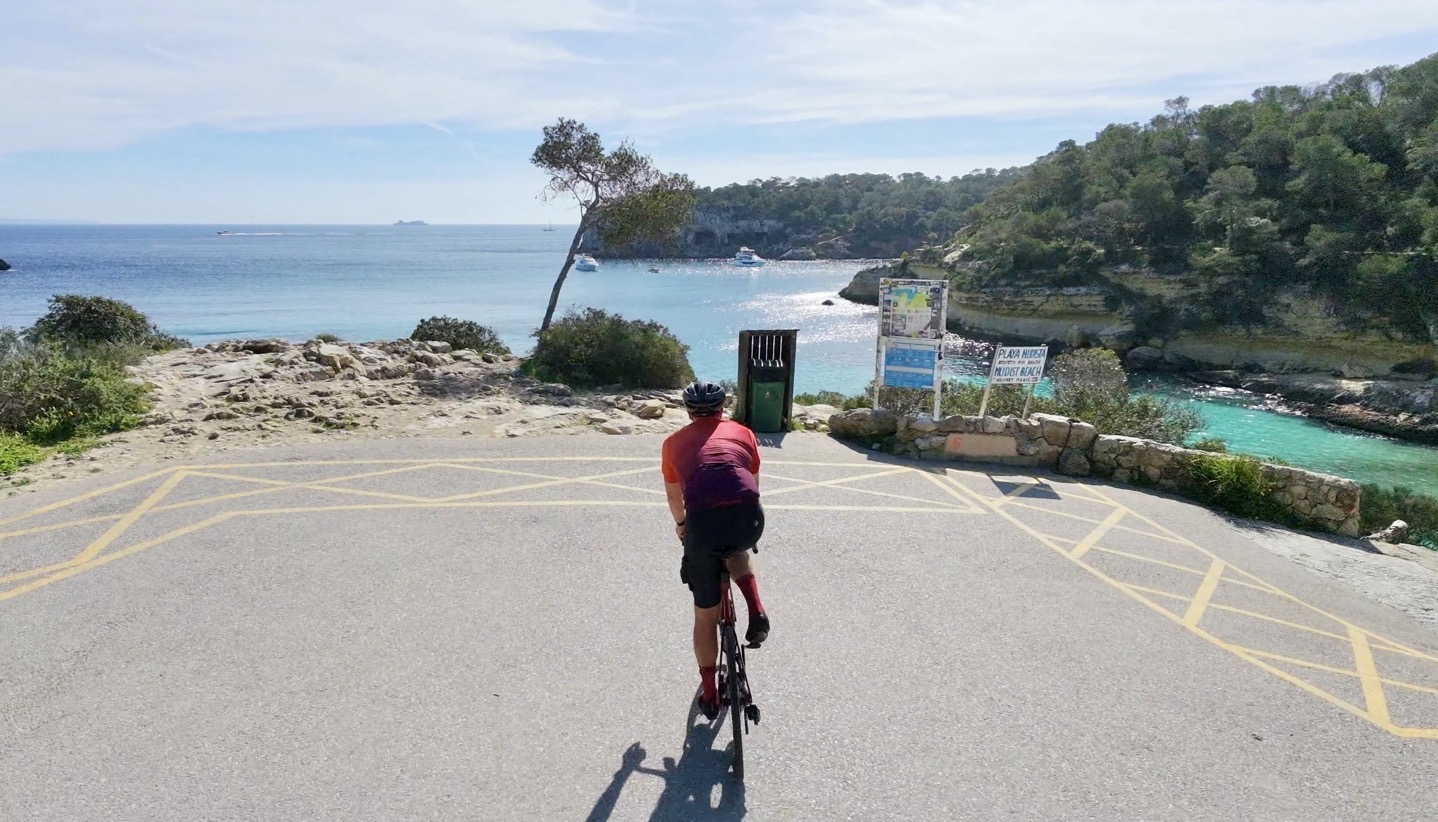
However, the surrounding terrain is mostly incorrect. About the closest it got was one point where I dipped down close to the water on a U-Turn, and it showed the gist of it:
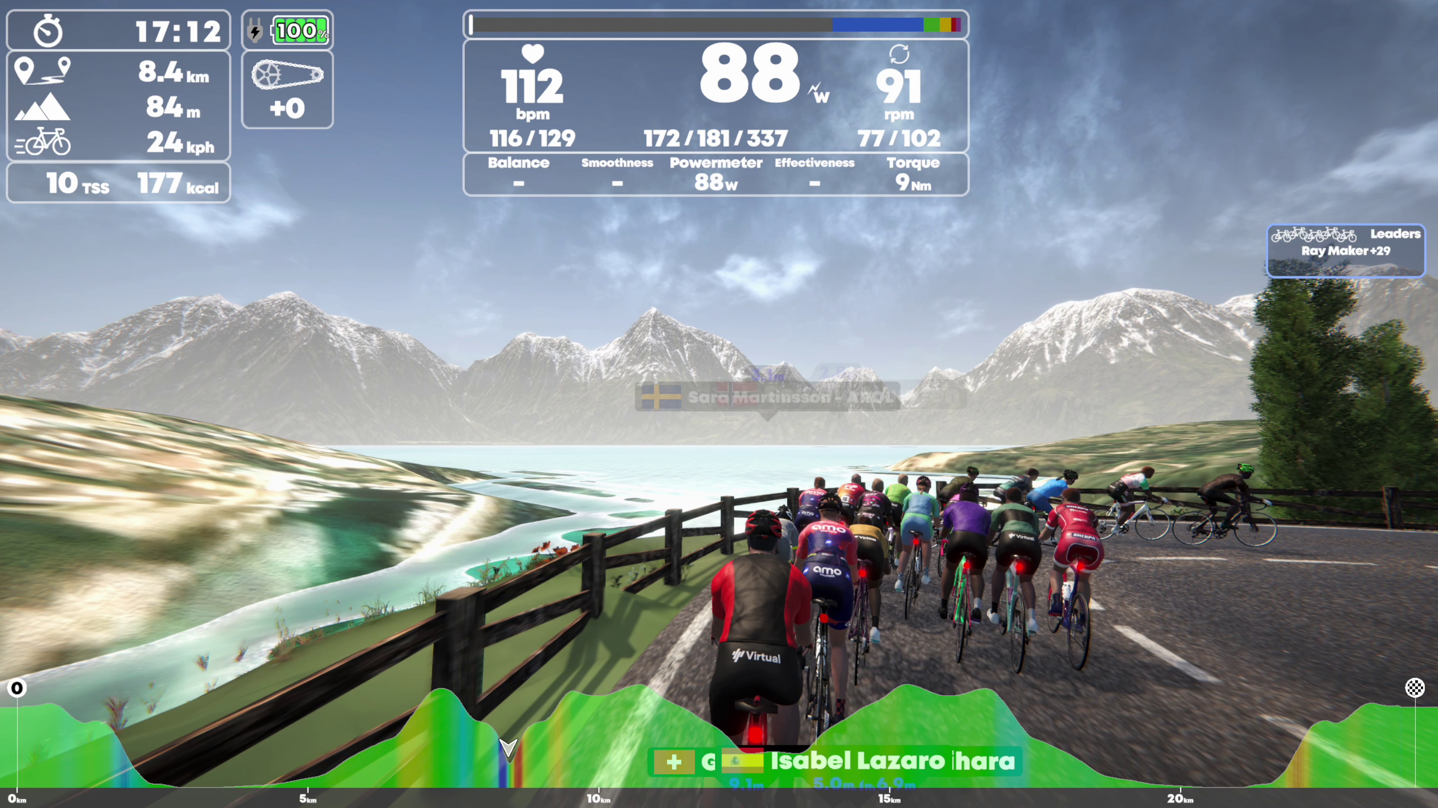
Here’s it in real life:
Still, it’s hard to replicate everything on earth. In many ways, this is akin to RGT’s Magic Roads concept, where you could basically just generate a route based on a GPX file. Which is in turn equivalent to what Tacx has had for literally like 15 (see my review from 2011 of this concept). And there’s of course countless other small apps that do this too.
Nonetheless, having it in a larger/more mainstream app is beneficial to lots of people, and in the case of TrainingPeaks itself, this is a super common scenario. Many times over the last few years my wife (who like I has been using TP for nearly 20 years), want to ride a given upcoming race route (e.g. Ironman XYZ or Challenge XYZ), just to understand the general ups/downs. In the past we’ve either tried to found the route on Rouvy or Fulgaz, or on occasion messed around with the Tacx app. All of which provide a bit more scenic detail (full videos in the case of Rouvy/Fulgaz), but in many cases you might not really care about the scenery, and you just want the elevation profile. This solves that.
Anyways, cool stuff, and I’m looking forward to seeing the TrainingPeaks Virtual make some minor tweaks here to streamline this process. Knowing their history in making such tweaks, I suspect it’ll be done by tomorrow at lunch. Maybe even breakfast.
With that – thanks for reading!





0 Commentaires