As expected by leaks over the holidays, Garmin has announced food and nutrition logging to Garmin Connect. Or rather more specifically, their paid platform, Connect+.
The feature largely replaces the functionality long-provided by MyFitnessPal, which allowed for food logging on the MFP platform (including scanning foods and food barcode database), and then that’d sync over to Garmin Connect. In this case, all of this is done within the Garmin Connect app, as well as Nutrition widgets on some watches.
To be clear, the existing MyFitnessPal integration continues to work. They offer a basic free option, but in order to get food scanning, you’ll need their premium tier which runs $80/year. So basically, you get that feature within Garmin’s cost of $69/year, plus Garmin throws in a free golden star for your profile picture. So, there’s that for you.
With that, let’s dive into things with a quick look at the food logging pieces, and how it integrates with your calorie burn data from Garmin devices (which, is sorta the whole point here).
Initial Setup:
First up, I’ll assume you’ve got Garmin Connect+ already enabled on your account. To be clear, this is a Connect+ feature, and thus you must have that enabled. If not, it’ll offer to help you subscribe.
Once that’s set, in the app you’ll go to More > Health Stats > Nutrition. Alternatively, you can add a widget to your Garmin Connect Home Screen under the ‘At a Glance’ portion.
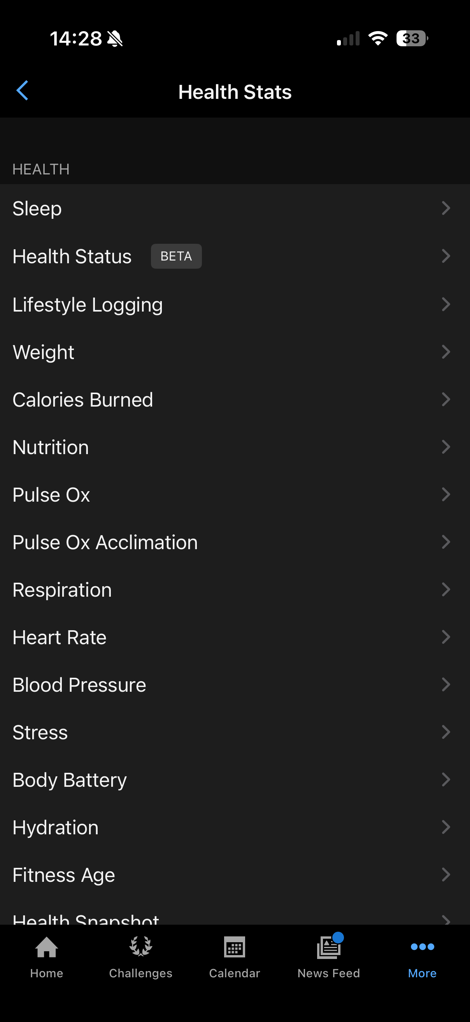
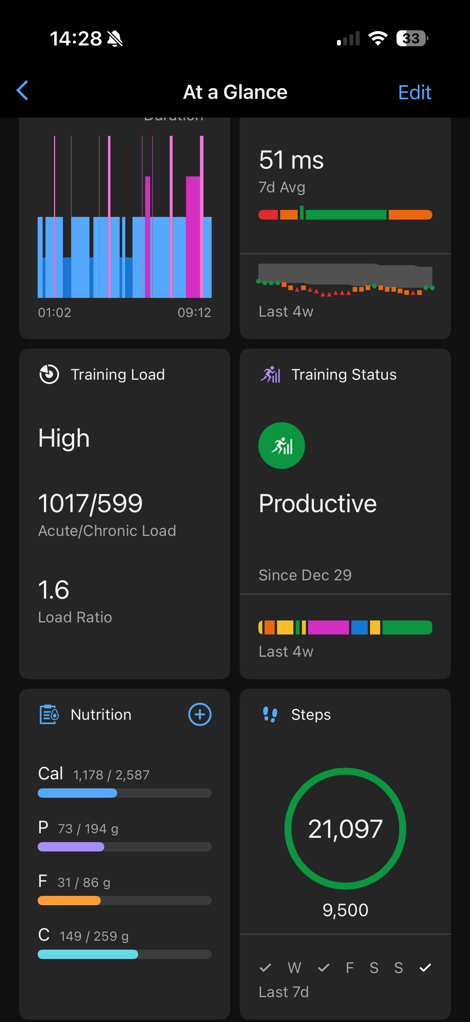
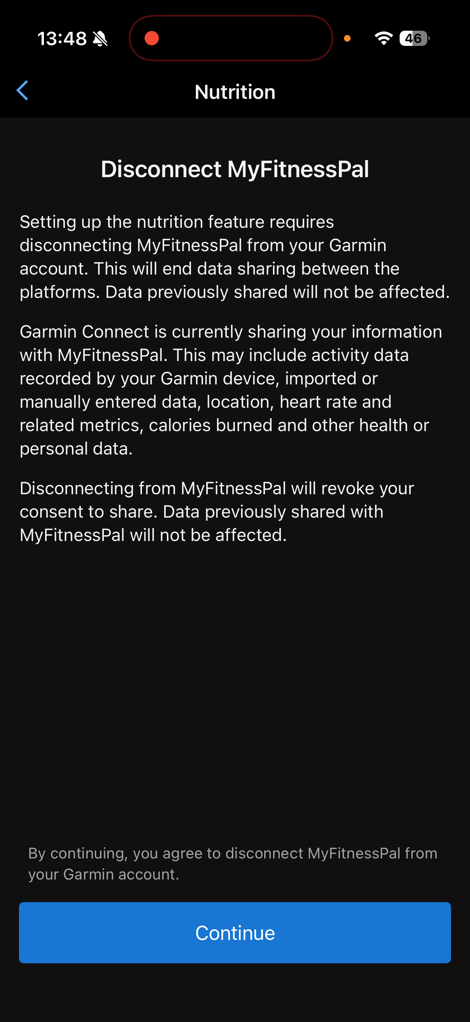
Once you open this up, if you have MyFitnessPal activated, it’ll disconnect that integration entirely. This is notable, because it also whacks any workout data sharing with MyFitnessPal. It’s not clear to me if I can re-establish that for only workout data or not, maybe I’ll try later. Also notable, is that MyFitnessPal is kinda an old backdoor way to sync other weight scales into Garmin Connect. So this kills that too.
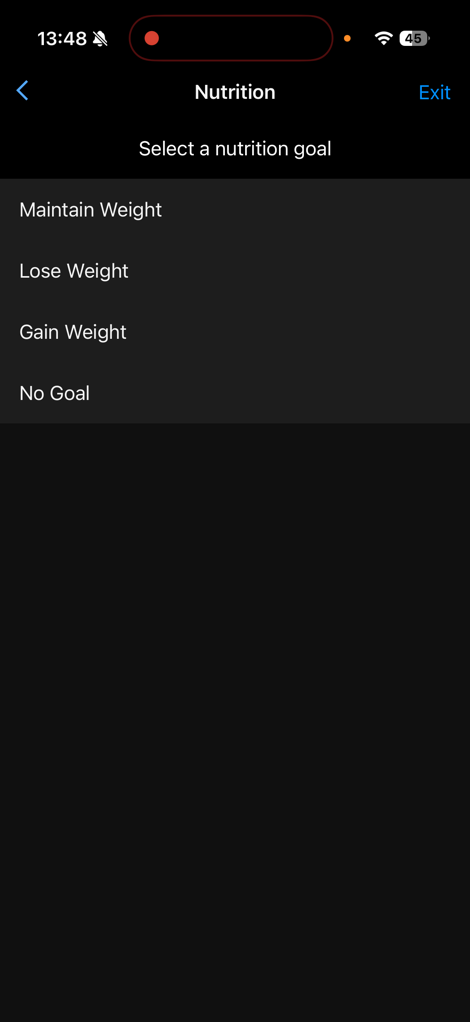
In any case, from there, it’ll ask you some bits about your goals here, along with confirming your stats. If you’ve got a Garmin Index scale, it’ll automatically pull in your weight for you. Obviously, I enjoyed ‘relaxing’ during the holidays. But, back at it already. You can change all of these details, I just left them mostly as-is, though increased the weight loss per week up to 0.5kg (1.10lbs), which given how much I work out, will be pretty easy.
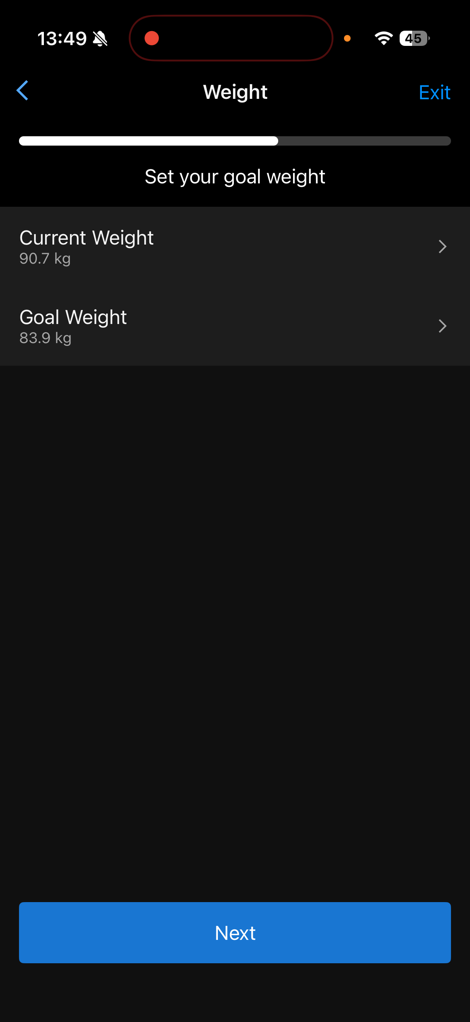
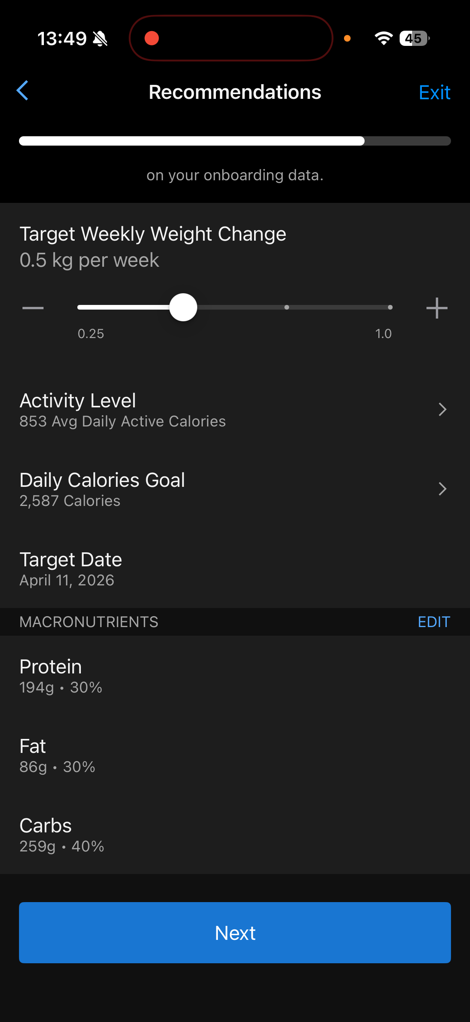
It’ll then summarize all this information and confirm the plan is setup:
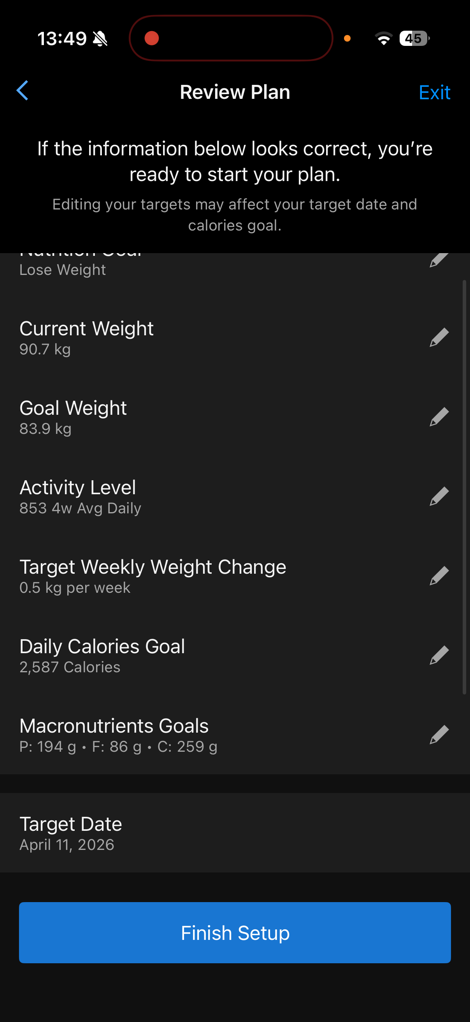
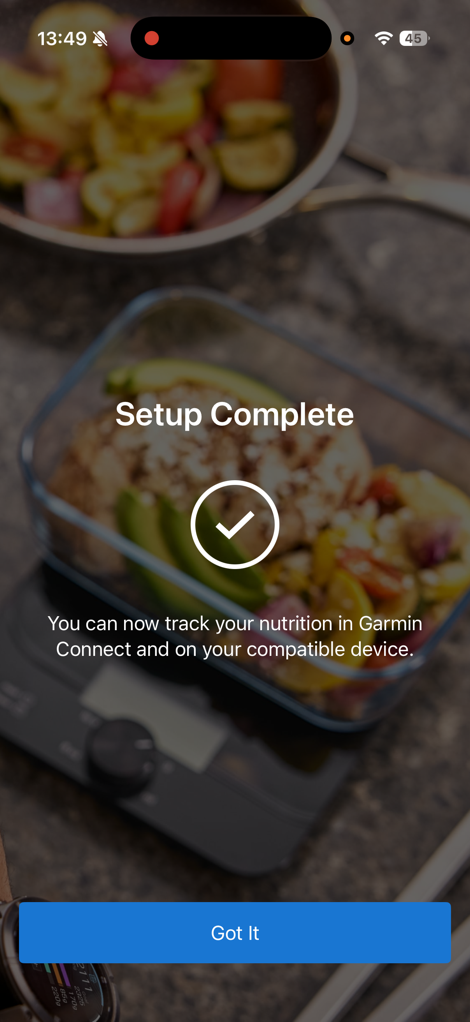
From there, it’s time to start logging things.
Daily Logging:
At this point, it’ll be pulling in your data from your Garmin devices, while concurrently waiting for you to populate food/nutrition data into the app.
You can do this from one of two places:
1) Your watch (limited subset of features, but it exists)
2) The Garmin Connect smartphone app, within the Nutrition feature
When you go to your smartphone, you can access that Nutrition feature from a few different spots, including both the main page if you add a glance, or, down into the Health menu.
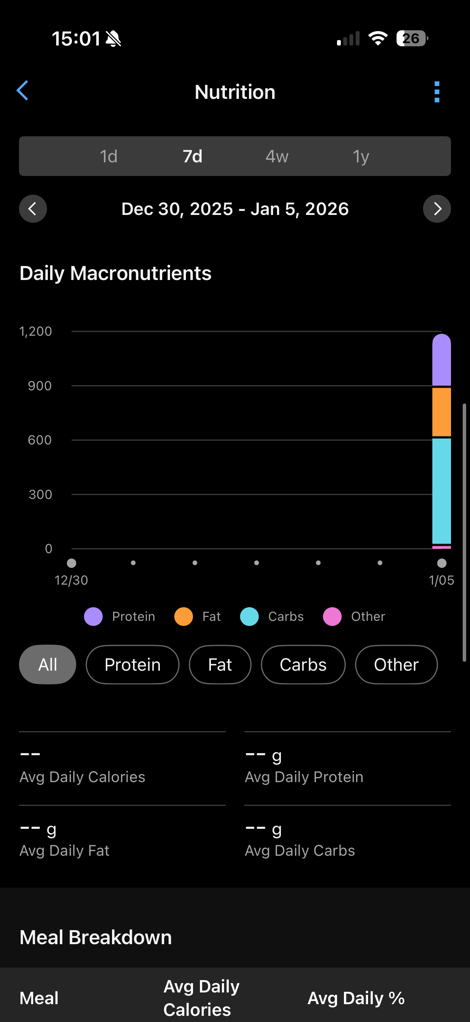
Once opened up, you’ll see your live Calories & Macros at the top (also note the 1-day/7-day/4-week/1-year options), and then below that a daily timeline that’s divided up into Breakfast, Lunch, Dinner, with the hours of the day as well.
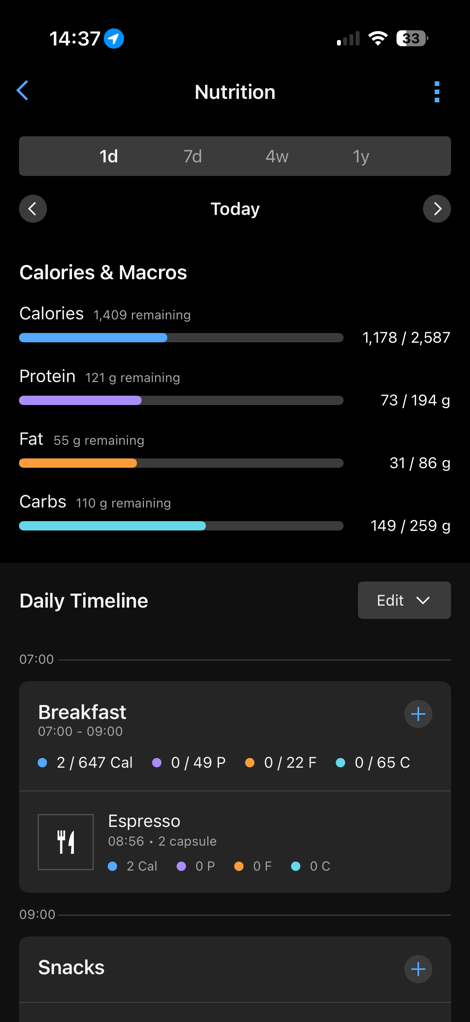
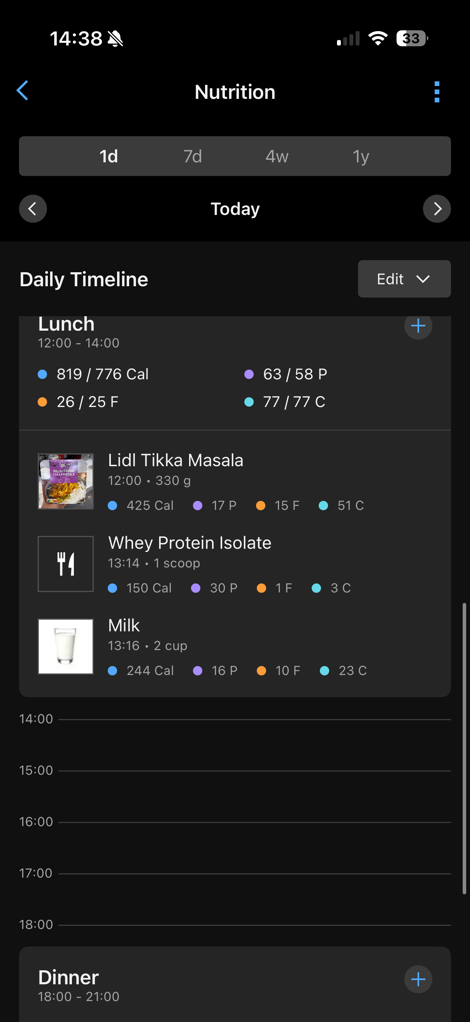
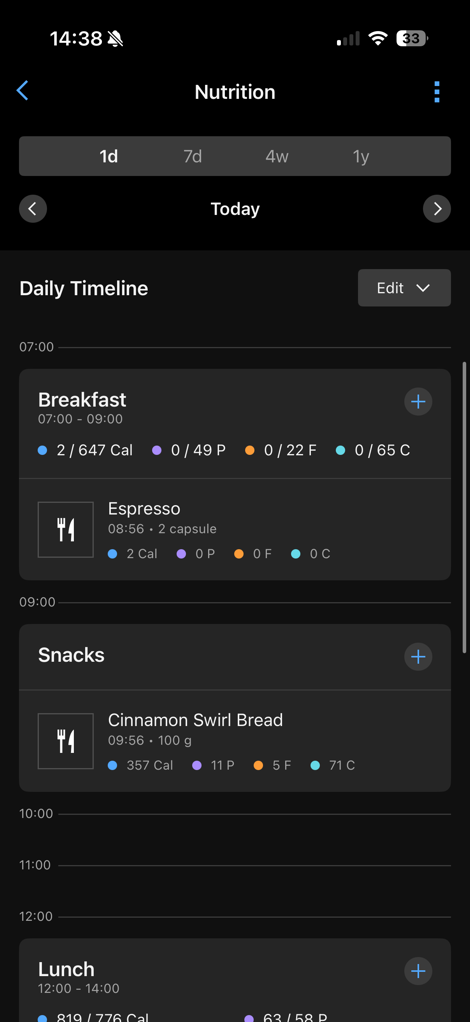
Note that you can tweak these these windows if you’d like in the settings (upper right corner).
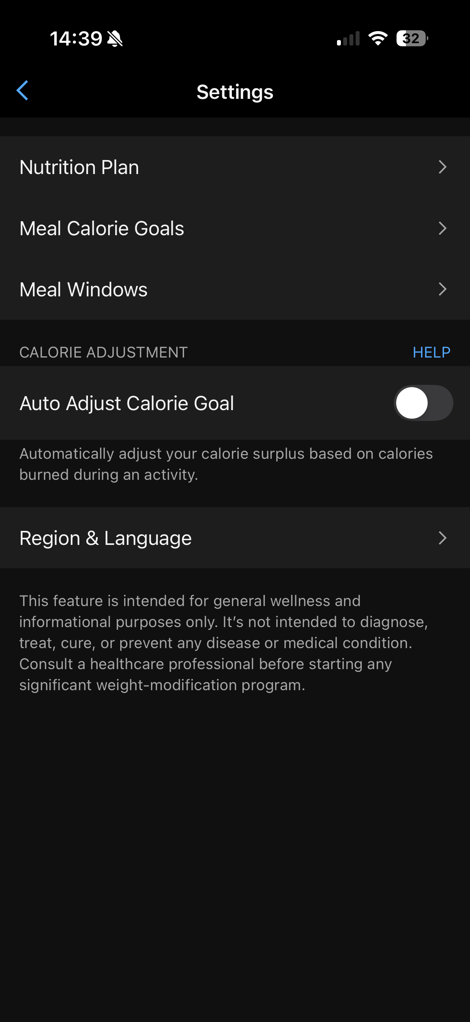

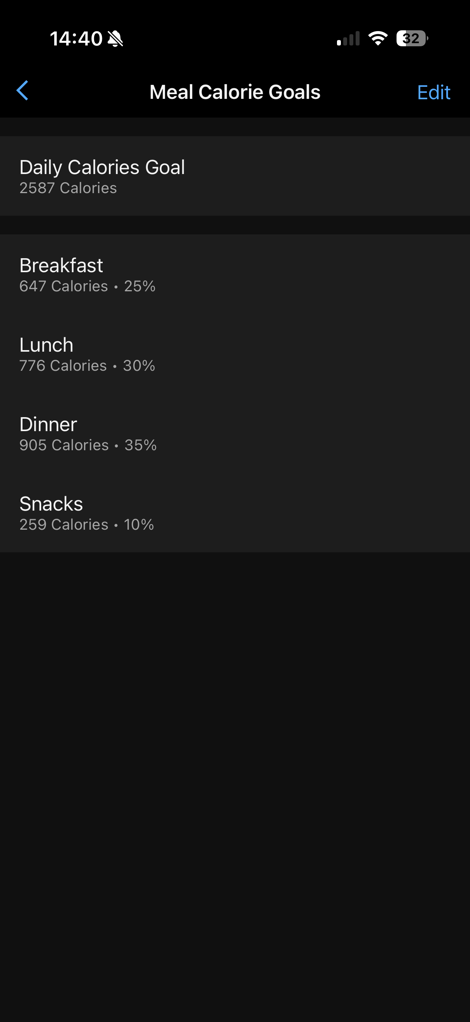
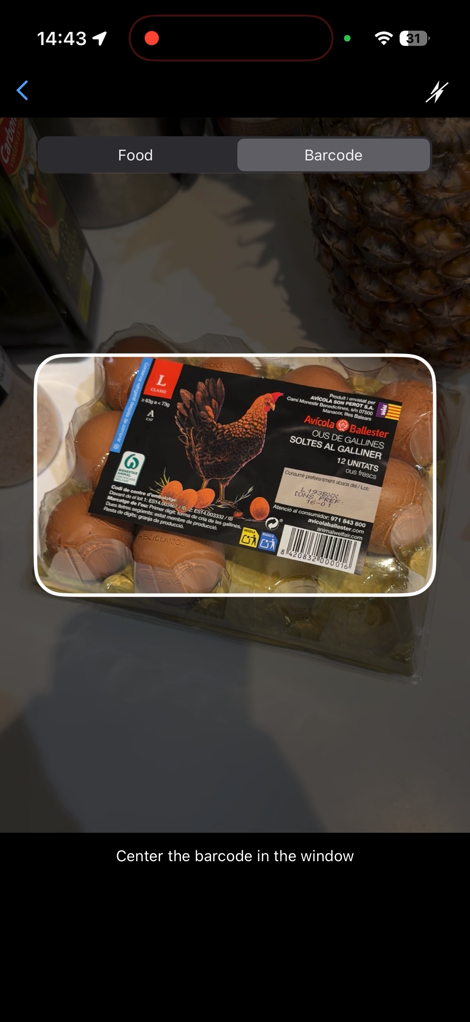
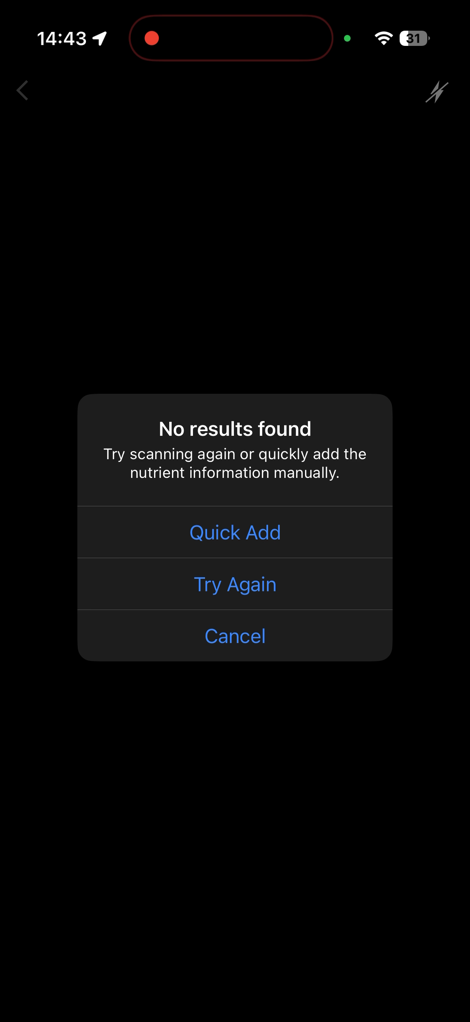
Also notable in there, you can change the country your scanning foods in. This is *SUPER* important if you’re traveling outside your home country as defined in Garmin Connect. Note that this won’t change the rest of your Garmin Connect settings, but unless you change it, absolutely nothing will scan. Trust me, I tried. In my case, my Garmin account is set for United States, but I live in Spain. Initially, not a single food was found when the barcodes were scanned. However, once I changed it, every single food I could scan in my fridge and cabinets, except a container of eggs on was found (thankfully, the easiest possible thing to know stats on). I’d argue that Garmin could have some logic that knows based on the phone’s current location that it should ask/suggest to switch to a different country…
In any case, let’s look at food scanning/adding. Next to each meal chunk (breakfast/lunch/dinner) there’s an option to add a food. When you tap that you get into a menu that has:
– All recently logged foods (for quick access)
– Favorite foods
– My foods (things you’ve manually created based on knowing exact values)
– My meals (entire meals you’ve created with a collection of foods)
– Scan food (upper right corner)
You can see these here, with one of them opened up:
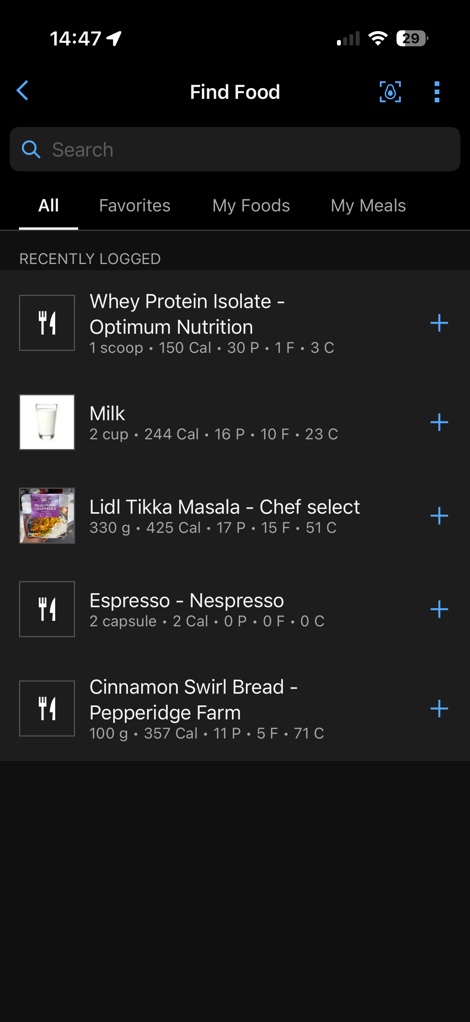
The main ones are pretty self-explanatory, noting that you can tweak serving amounts. However, let’s scan something instead. When you do that, you’ve got two options: Scan the food, or scan the barcode. Starting off with scanning the barcode, I went through my kitchen and scanned just about everything I could find. Almost everything scanned without issue, and under 1-second. Super fast. Note below you can select the serving size, by weight or portion, depending on the product. It then shows the full details of that portion down below.
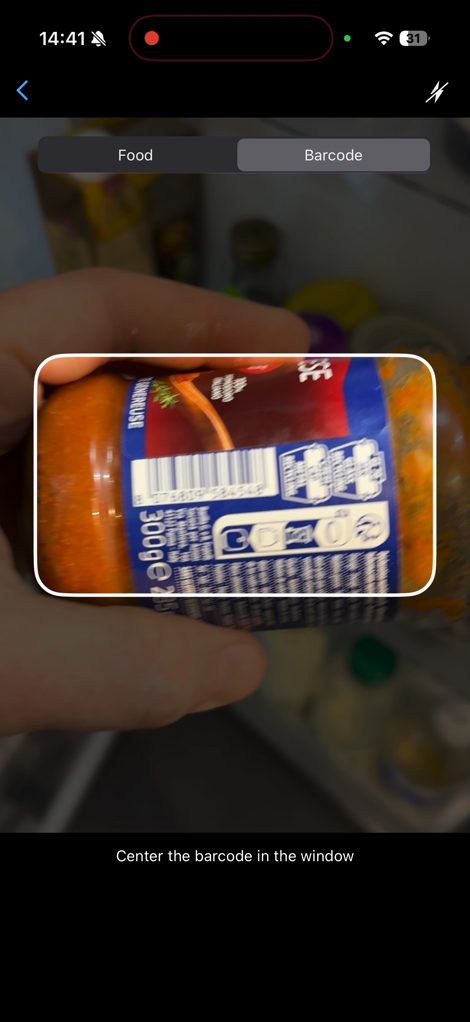
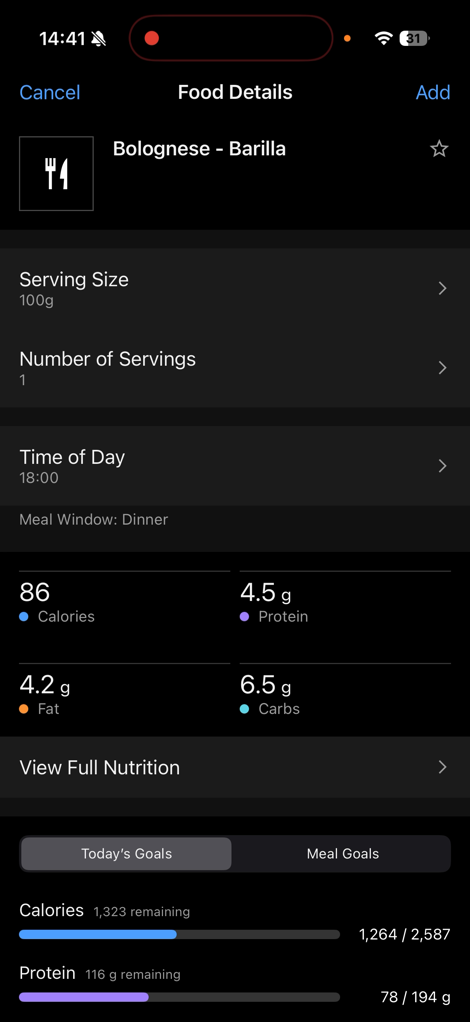
The only one that didn’t work was this package of eggs. In which case, it just says tough nuggets. However, you can then manually add that if you want to. For some products that’s easy enough with a nutrition label on the outside, whereas others might require a bit more work.
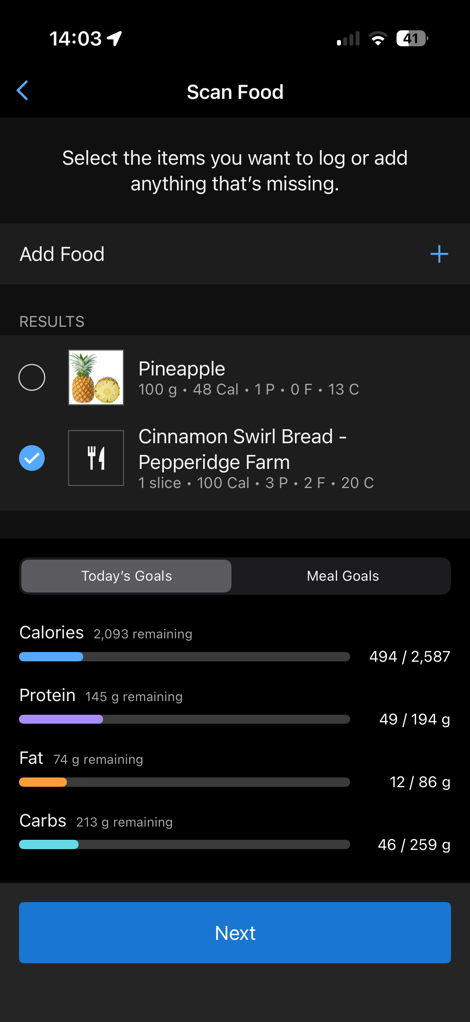
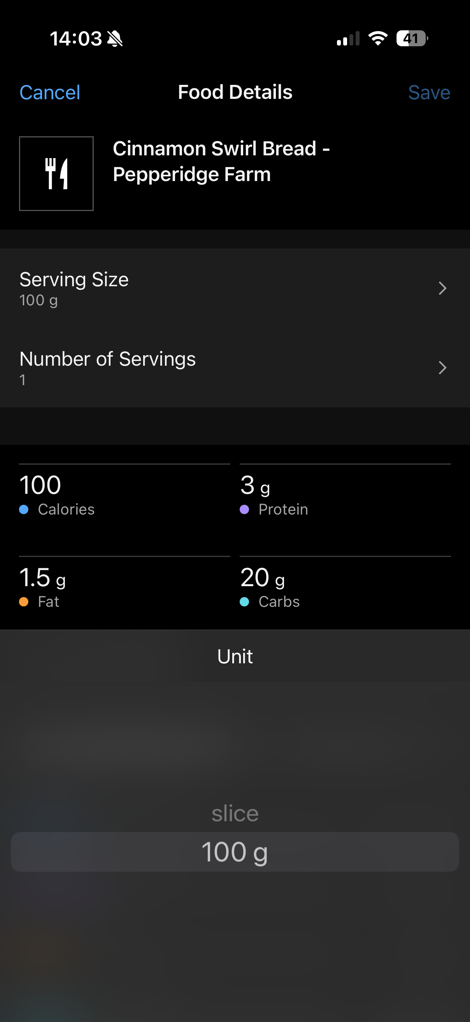
The other way to add products is by taking a photo of it. In this case, you can simply point the camera at something and take a picture. It’ll try and figure out the weight of the product and find a match. Below, I had some bread from a bakery in the US that DesFit bought over last month (was frozen). This isn’t in a database, but did have a reasonably good guess on what it was:
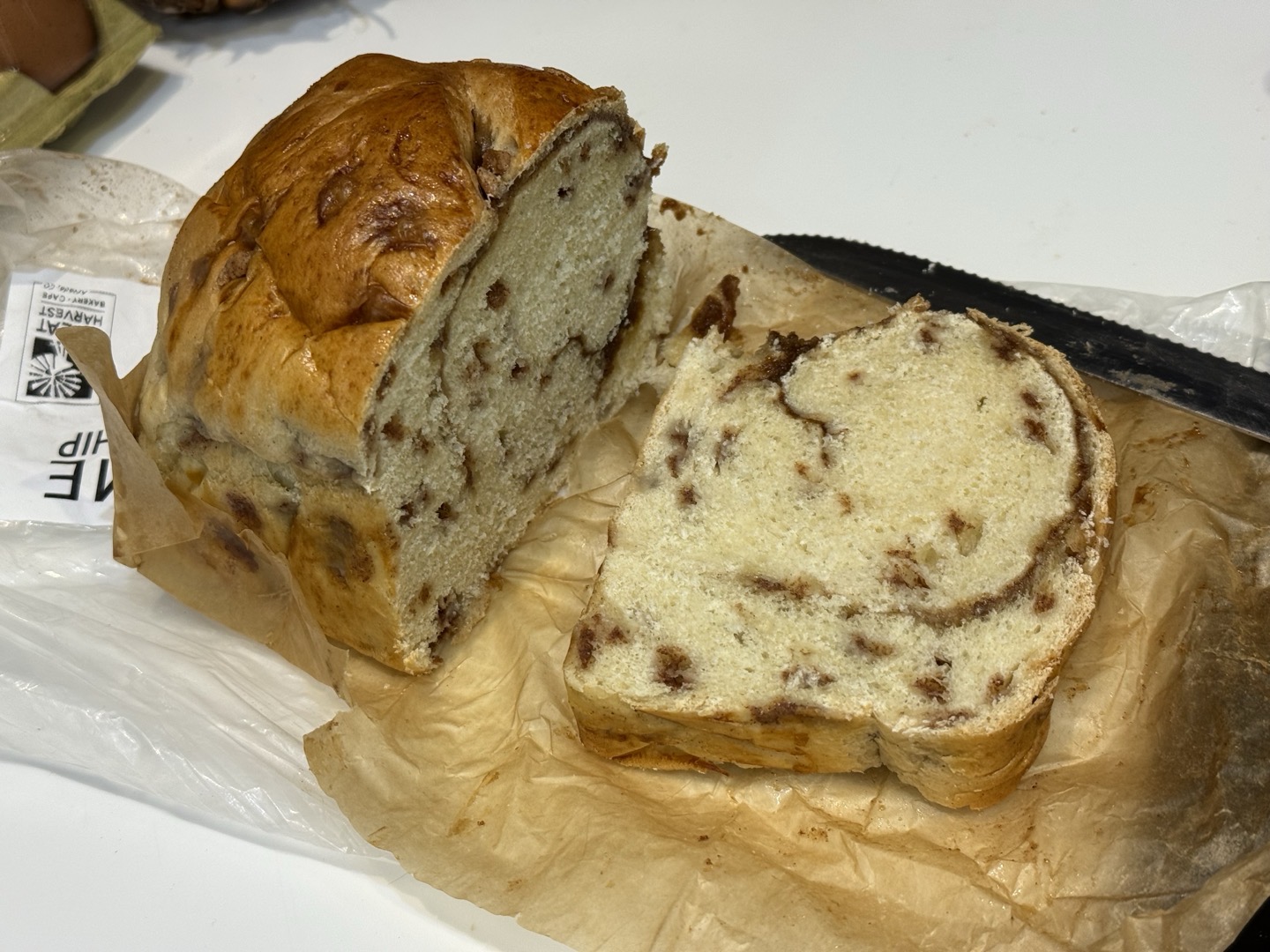
I don’t know if those calories/macros are correct, but they probably are. I checked the weight of the slice I cut, which was slightly higher, but good enough. I thought it was funny that it also grabbed the pineapple that was in the background. But that was easy to de-select.

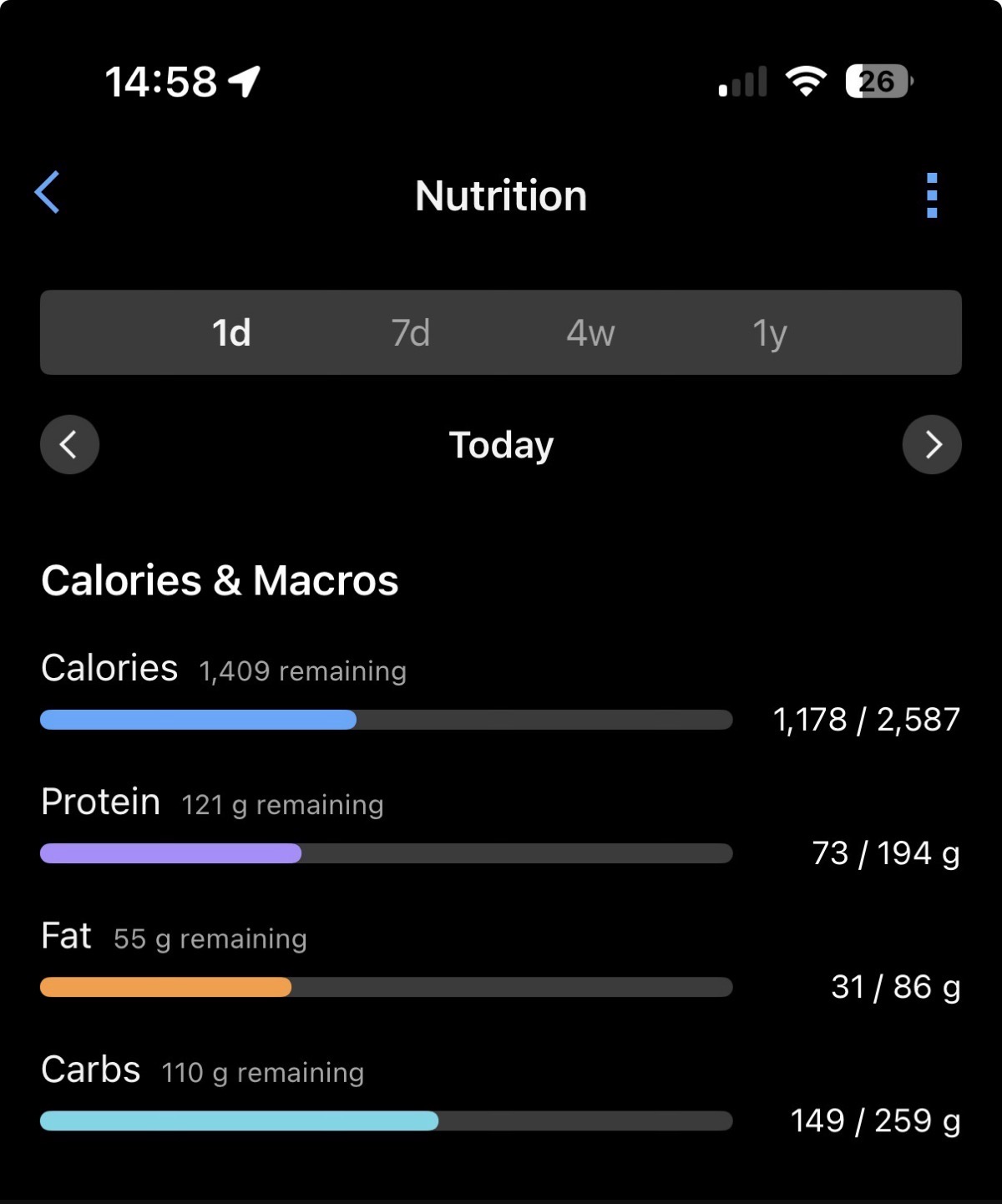
With all that set, I added my breakfast items, post-14mi/22km run recovery drink, and a lunch that I haven’t quite had yet. All of which now shows at the top. Eventually, I’ll add the few gel packets from my run in there too.
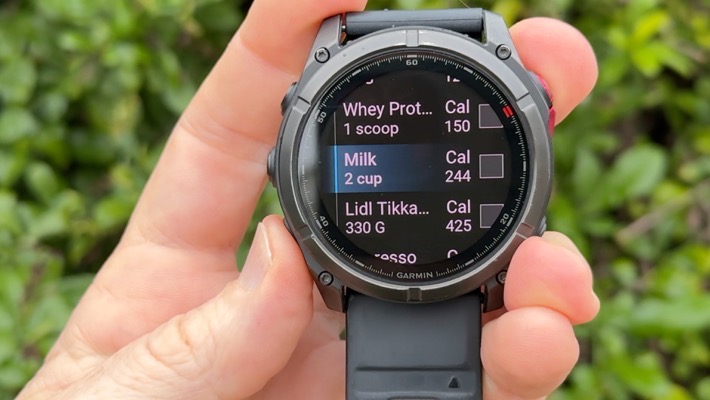
Now, there’s also the option to log items within the Nutrition app on your Garmin watch. I’m running the most recent Garmin Fenix 8 public beta, and while I can see this screen, it immediately crashes the moment I touch it. Though, the very last try during my video up above, it finally didn’t crash. In short, it basically lets you see a duplicate of the data above, and also lets you log foods that you’ve defined already.

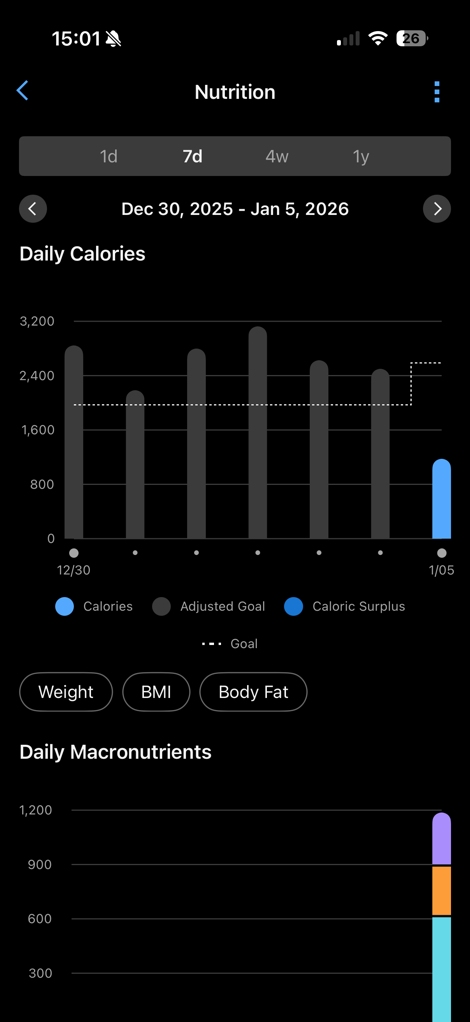
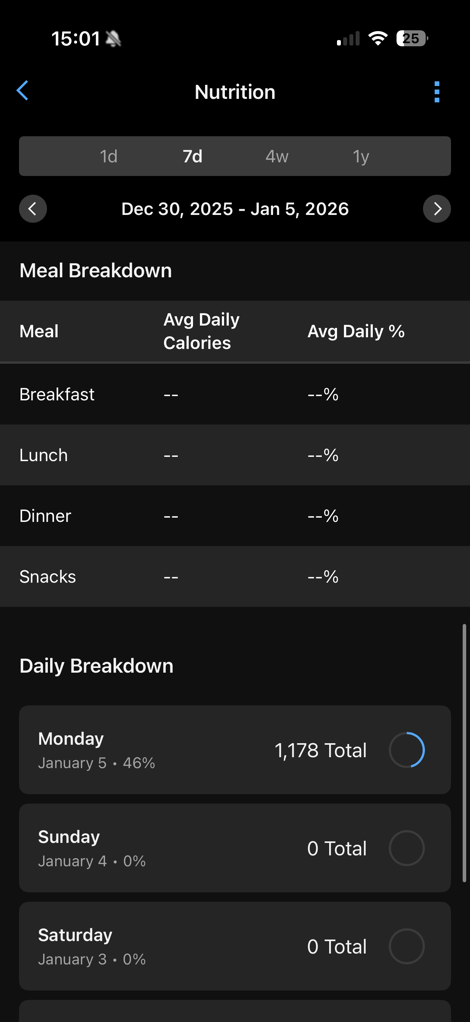
Finally, beyond the daily bits, you can also see summary data for the date ranges at the top. Obviously, I haven’t been logging, and Garmin didn’t include any screenshots of that in their announcement, so here’s some empty ones to show you the general features:
With that, let’s wrap things up.
Wrap-Up:

Beyond that, Garmin says that Garmin Connect Active Intelligence tidbits will show up at the top of the Garmin Connect app, related to your nutrition pieces. Obviously, I’ll push this to the extremes with substantial ice cream, to see how it reacts. Currently, it hasn’t said anything about my nutrition, and is just focused on my long-run from today (which, is fair enough).
Now admittedly, while I had connected the MyFitnessPal feature up long ago (like, a decade ago), I don’t generally do food logging myself. So I can’t really compare side-by-side how these two companies compete in this space. For example, MyFitnessPal also includes meal planning aspects as well.
Though, in terms of the core things I’d want (quick adding my favorite foods/meals, barcodes actually working, fast entry), this seems to check all the boxes. Obviously, from a price standpoint, it’s not free, but it’s at least competitive with MyFitnessPal. And, I’d argue for the first time since launch of Connect+, at least adds a feature that makes for a mildly compelling case to subscribe to Connect+ if you were previously subscribed to MyFitnessPal.
With that, thanks for reading!


0 Commentaires